




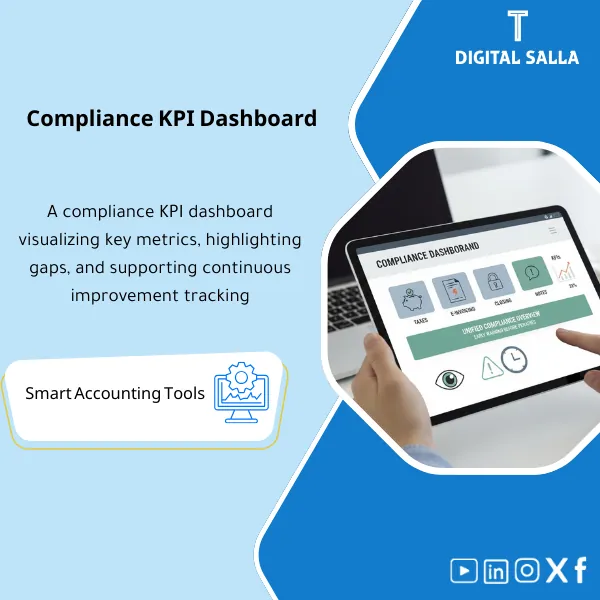
Compliance KPI Dashboard – Excel Dashboard
84.84 $
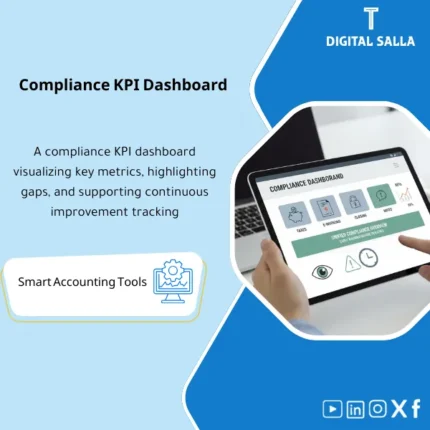
Compliance KPI Dashboard: Tracks compliance across taxes, e-invoicing, close, and audit observations with alerts and due dates. Delivers a periodic dashboard to close gaps before fines or inspections.
Compliance KPI Dashboard
Compliance KPI Dashboard (Taxes + E-invoicing + Closing + Review) + Status + Overdue + Evidence Links + Sign-off
Value Proposition: The compliance KPI dashboard consolidates “Are we compliant?” into a single screen with evidence: Deadlines (VAT/WHT/CIT/Zakat) + E-invoicing Health + Close & Review KPIs → Status/Overdue → Evidence Links → Monthly Sign-off instead of tracking compliance through separate files that do not show overdue items and trends.
In 20 Seconds: What Will You Get?
- Tax Compliance KPIs: % of timely submitted declarations + % of timely payments + number of overdue items.
- Filing Pack Readiness: Is there Evidence/Pack for each period? (Yes/No) + Sign-off date.
- E-invoicing KPIs: Rate of field/QR errors in samples + number of open issues + average closure time.
- Month-End Close KPIs: Closing time, number of late manual entries, percentage of completed reconciliations.
- Audit/Review KPIs: Number of open observations, closure rate, average age of observation (CAPA aging).
- Overdue & Escalation: Overdue list with owner and escalation (Owner/RACI).
- Evidence Links: Link each KPI to its source/period file (Invoices/Declaration/Pack/Logs).
CTA related to deliverables: Receive KPI + Overdue + Evidence to provide a concise monthly compliance report to management with evidence links.
Suitable For
- Compliance/Risk for a unified view of compliance and delay risks.
- Financial Controller to monitor close + taxes + e-invoicing from the same screen.
- Internal Audit to identify recurring weaknesses (overdues/observations/data errors).
Not Suitable For
- Those seeking an automated dashboard without data feed (the template requires monthly/weekly data feed).
- A company that does not retain evidence/references (the dashboard will become numbers without evidence).
Without the Dashboard / With the Dashboard (Quick Comparison)
| Item | Without Dashboard | With Dashboard |
|---|---|---|
| Transparency | Overdues appear late | Overdue list + owner + escalation |
| Linking to Evidence | Difficult to prove “submitted/paid” | Evidence links + pack index for each period |
| Trends | No trend for errors/delays | Monthly trend (3–12 months) for each KPI |
Before Use: 5 Symptoms
- No single number indicating % compliance with deadlines across taxes.
- E-invoicing errors recur with no KPI indicating defect level or closure time.
- Month-end closing takes long but the reason for delays is not measured (recs/JE late).
- Audit observations close slowly with no clear CAPA aging.
- Evidence is scattered in folders without links from the tracking dashboard.
Implementation Method (3 Steps)
Step 1: Define KPIs and Link Their Sources
- Identify the KPIs to be displayed (Taxes/Invoicing/Closing/Review) and define the calculation method for each KPI.
- Link each KPI to a data source: tax tracker, invoicing error log, close checklist, CAPA tracker.
Step 2: Periodic Updates
- Update due dates/status/references weekly or monthly as per the cycle.
- Update issues/capa/close KPIs monthly after closing.
Step 3: Issue a Monthly Approved Version
- Finalize the “Monthly compliance report” through sign-off.
- Archive the version and link it to the evidence file (Pack index) for the month.
Product Components
- Tax KPIs — on-time filing/payment + overdue count.
- E-invoicing KPIs — issues + error rate + closure time.
- Close KPIs — close days + rec completion + late JEs.
- Audit/CAPA KPIs — open items + aging + closure rate.
- Overdue & Escalation — overdue list.
- Evidence Links — evidence links.
- Sign-off — reference version.
Delivery Contents
- Dashboard + KPI definitions.
- Trackers and evidence links.
- Monthly sign-off.
After Implementation
- Operationally: Overdues appear early with owner and escalation.
- Monitoring: Monthly compliance report with numbers and evidence.
FAQ
Can it be used for taxes only?
Yes, Tax KPIs can be activated only, hiding the closing/invoicing and review sections.
Does it require data from government portals?
No API integration is needed. It is sufficient to input submission/payment references and receipt links within the tracker.
Does it integrate with Tax Calendar and CAPA?
Yes, it consolidates outputs (Tax calendar/Pre-filing/CAPA) into one dashboard.
Ready to Display Compliance in One Dashboard?
| المسمّى الوظيفي | |
|---|---|
| Duration | |
| المستوى | |
| التحديثات | |
| القطاع | |
| الصيغة |
Related products

Chart of Accounts Setup Service

Customer Contracts Register – Excel Template
Customer Contract Management Template is a comprehensive Excel-based program to manage customer contracts effectively, including contract data, payments tracking, completion percentages, delivery dates, and project profitability—supported by automated reports that improve contract oversight and customer relationships.


Reviews
Clear filtersThere are no reviews yet.