



Projects Finance & WIP – Excel File
478
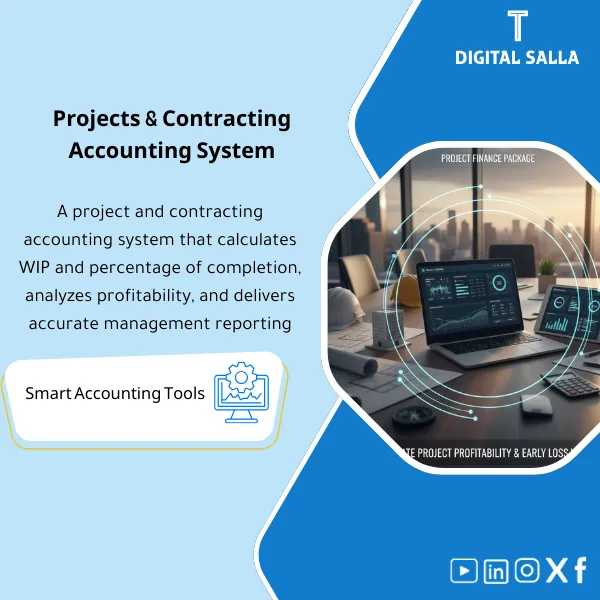
Construction Accounting (WIP) Pack: Links project costs to WIP, percentage of completion, progress billings, and retentions. Delivers monthly project profitability, under/over-billing analysis, and variance reporting for contracting finance teams.
Still Tracking Project Costs on Scattered Spreadsheets? Get Full WIP & Revenue Control in One Excel File
This all-in-one Excel workbook gives you complete command over project finance — from cost tracking and WIP scheduling to IFRS 15 revenue recognition and month-end closing. With 20+ interconnected sheets, you can run POC calculations, spot under/over-billing instantly, and produce audit-ready reports without an ERP.
🛡️ 7-Day Guarantee
📊 20+ Linked Sheets
5 Signs Your Project Finance Process Is Broken
1No Clear WIP Picture: You cannot tell at a glance which projects are over budget, which are under-billed, or where margin erosion is happening — because data lives in disconnected files.
2Revenue Recognition Guesswork: Calculating Percentage of Completion manually means you are always at risk of under-billing or over-billing — and the auditors will notice.
3Month-End Takes Days: Preparing journal entries, reconciling retention, and building a closing pack consumes 3–5 days every single period.
4Profitability Surprises: You only discover margin slippage after the damage is done because there is no bridge analysis connecting budget changes, variation orders, and CTC revisions.
5Audit Trail Gaps: Without a proper JE log and adjusted trial balance, every audit season turns into a frantic scramble to reconstruct what happened and why.
What You Get
A single Excel workbook with 20+ professionally built, interconnected sheets covering every aspect of project finance and WIP reporting.
| WIP Schedule | Full project dashboard — original budget, approved changes, cost to complete (CTC), earned revenue, and cumulative WIP position per project |
| POC Calculator | Automatic Percentage of Completion engine that outputs Contract Asset or Contract Liability (Unbilled / Over-billed) per IFRS 15 |
| Profitability Pack | Gross margin analysis, margin bridge, and variance breakdown by category — overruns, variation orders, claims, and CTC changes |
| Billing & Collections | Progress billing tracker with AR aging, collection follow-up, and cut-off validation for accurate revenue recognition |
| Retention Schedule | Retention receivable tracker — amounts withheld, release conditions, maturity dates, and GL reconciliation |
| VO & Claims Log | Variation order and claims register with approval status, probability assessment, and impact on contract value |
| JE Log + Adjusted TB | Journal entry register with supporting details, adjusted trial balance, and a complete Project Closing Pack for audit readiness |
How to Use It in 4 Simple Steps
Enter Your Project Data
Start by inputting your project details — contract value, approved budgets, and cumulative costs incurred. The linked formulas will populate downstream sheets automatically.
Update Monthly Actuals
Each period, feed in actual costs, billings, and collections. The WIP schedule recalculates instantly, flagging under/over-billing and margin movements.
Review Reports & Variances
Use the profitability pack and bridge analysis to understand exactly why margins moved. Revise CTC estimates and watch the impact flow through every report in real time.
Generate Your Closing Pack
Run the JE Log to post adjustments, produce the Adjusted Trial Balance, and assemble a complete Project Closing Pack — ready for management review or external audit.
Before vs. After This Workbook
| Aspect | ❌ Without | ✅ With This Workbook |
|---|---|---|
| WIP Visibility | Fragmented data across multiple files with no single source of truth | One unified dashboard showing every project’s WIP position in real time |
| Month-End Close | 3–5 days of manual work collecting data and building reports | Automated JE Log and Closing Pack — done in hours, not days |
| Margin Tracking | Surprises discovered only after the period is closed | Proactive bridge analysis that pinpoints exactly where and why margins shifted |
| Audit Readiness | Scrambling to reconstruct entries and find supporting documents | Clean audit trail with full documentation ready to hand over |
You are a project accountant, financial controller, or CFO working in construction, contracting, engineering, or any project-based business — and you need a reliable Excel-based system to manage WIP, revenue recognition, and month-end reporting without depending on a full ERP.
You already have a fully configured ERP handling all project accounting, or your business does not use the percentage-of-completion method — though the workbook can still be adapted for other revenue models.
Which version of Excel do I need?
The workbook is fully compatible with Excel 2016 and later, including Microsoft 365. It works on both Windows and Mac.
Can I customize the sheets for my own projects?
Absolutely. The file is fully unlocked and editable — you can add projects, modify categories, adjust formulas, and tailor every sheet to match your business needs.
Does this work for multiple projects at the same time?
Yes. The workbook is designed to handle a multi-project portfolio. All sheets are interconnected so you get both individual project detail and consolidated reporting.
Is it compliant with IFRS 15?
Yes. The POC calculator and revenue sheets follow IFRS 15 principles — including Contract Asset/Liability classification and the five-step revenue recognition model.
Ready to Take Control of Your Project Finances?
Get 20+ interconnected sheets covering WIP, POC, profitability, billing, and audit-ready closing — all in one powerful Excel file.
| الفئات | Projects & Contracting |
|---|---|
| Job Title | Accountant, Finance Manager |
| Level | Advanced |
| Format | Bundle |




Reviews
Clear filtersThere are no reviews yet.