



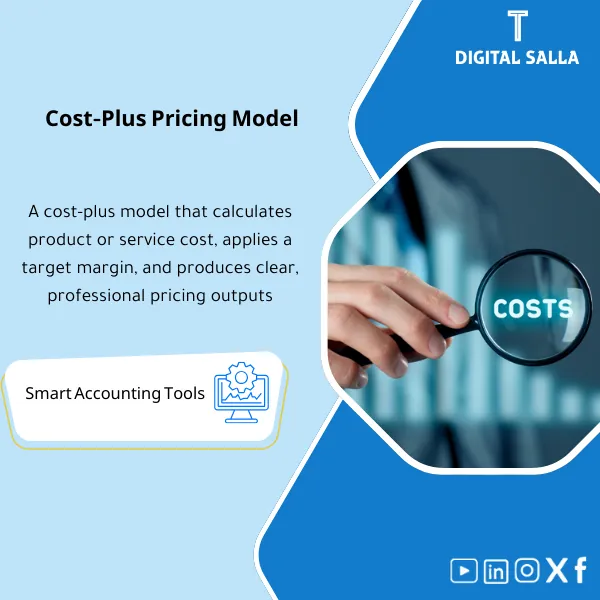
Costing & Cost-Plus Pricing – Excel Template
63.56 $
Costing Model (Costing Template): Consolidates direct and indirect costs and applies overhead absorption to produce unit cost or service cost. Delivers cost-plus pricing based on target margin for costing and finance leaders when pricing new products/services.
Costing Template
Subtitle: Excel Costing Template for calculating product/service cost (Unit Cost) + allocating indirect costs + Cost-Plus pricing with a reviewable mechanism.
Value Proposition: A single template that transforms operational data (Materials/Hours/Expenses/Overheads) into Unit Cost + Cost-Plus pricing + a guide file explaining “How did we arrive at the cost?”.
Practical Definition: Costing Template is neither “pricing” nor a “general cost list”.
The real scenario: A sales manager requests a price for a product/service or a quote, and the head of accounts wants the figure based on accurate allocation of direct and indirect costs.
The usual problem is that costs are calculated “by intuition” or using arbitrary fixed percentages, leading to hidden losses or inflated margins.
This template functions as an official Costing file: it starts with defining cost elements (Direct + Indirect), identifies drivers for allocating indirect costs (Overheads), produces Unit Cost for each product/service, then applies Cost-Plus pricing (Markup/Margin) with scenarios, and prepares a summary that can be delivered to management or auditors.
In 20 Seconds: What Will You Get?
- Product Costing Template for calculating the cost of a product/service with detailed cost elements.
- A mechanism for allocating indirect costs (Overheads) through interpretable drivers.
- Calculation of Unit Cost + Cost build‑up (Materials/Labor/Expenses/Overheads).
- Cost Plus Pricing unit (Markup/Margin) + price scenarios.
- Service pricing at cost using hours/rates/expenses + overhead rate.
- Quick check: comparing calculated Unit Cost with Actual (if data is available) to uncover variances.
- Assumptions log + Sign‑off pack to document the calculation methodology.
CTA related to outputs: you will receive Unit Cost + Overhead Allocation + Cost-Plus Pricing.
Suitable For
- Cost Accountant / Management Accountant: Building a reviewable cost structure and linking it to elements and overhead allocation.
- Sales / Bid Team: Pricing offers and bids based on clear Cost-Plus principles instead of arbitrary percentages.
- Finance Manager: Reviewing and interpreting product/service margins with driver and cost numbers.
Not Suitable For
- If you need advanced manufacturing costing (BOM + WIP + Standard Cost + Variances) as a complete system—you will need a manufacturing cost package.
- If direct data on materials/hours/expenses is not available or if there are no operational drivers—you will first need to define drivers and collect minimum operational data.
Without Template / With Costing Template (Short Comparison)
| Item | Without Template | With Template |
|---|---|---|
| Cost | General estimate or “approximate cost” | Cost build‑up + Unit Cost with allocation guides |
| Overheads | Unjustified percentage | Allocation of indirect costs through documented drivers |
| Pricing | Arbitrary markup | Cost-Plus pricing with scenarios and outputs |
Before Use: 5 Symptoms That Your Pricing Is “Not Cost-Based”
- Margin changes between clients/contracts without explanation (same service but different results).
- Overheads allocated at a fixed percentage that does not reflect operational volume (hours/orders/space).
- Service pricing at cost is done without a clear hourly rate or without accounting for indirect costs.
- Losses appear post-implementation because the actual cost is higher than the quote estimate.
- No Assumptions file available for reference during objections or reviews.
How the Costing Template Works Practically from Data Collection to Cost-Plus Pricing?
The process begins by defining the unit of measurement (Unit) for the product/service: piece/hour/session/project.
Next, direct costs (Materials/Labor/Expenses) are entered and linked to the unit, then “overhead pools” (such as rent/indirect salaries/operating expenses) are built, and drivers for allocation are selected (work hours, number of orders, space, production volume…).
When the allocation is executed, an overhead rate or distribution is produced for cost units, resulting in a complete Unit Cost.
Then, Cost Plus Pricing policy (Markup or Margin) is applied with scenarios (discount/competitive price/material changes),
and finally, a price list/quote sheet + a guide file detailing the source of each number is produced.
Implementation Method (3 Steps)
Step 1: Preparation and Data Collection
- Define the “unit” for the product/service (Unit definition) + expected production/work volume.
- Direct costs: Materials (PO/Invoice) + Direct labor (Payroll hours) + Direct expenses.
- Overhead pools: Indirect expenses from GL (salaries/rent/utilities/IT/depreciation… etc.).
- Drivers: Operating hours/number of transactions/space/number of employees/orders—depending on the nature of the activity.
- Pricing policy: Markup/Margin + discount limits + any additional taxes/fees if necessary.
Step 2: Cost Calculation + Allocation of Indirect Costs
- Calculate Direct cost per unit (Materials + Direct labor + Direct expenses).
- Build an overhead allocation rate (Overhead rate) or direct distribution based on drivers.
- Output a Cost build‑up showing: cost element → its source → its share of the unit.
- Logical check: Compare allocation ratios between products/services and identify distortions.
Step 3: Cost-Plus Pricing + Delivery Outputs
- Apply Markup or Margin on Unit Cost to arrive at the selling price.
- Scenarios: Change in material price/change in hours/discount/change in Overheads.
- Output Price sheet/Quote summary + Assumptions log + Sign‑off.
- Optional: Compare Unit Cost with Actual post-implementation to discover variances and improve the model.
Product Components (Clear Inventory)
-
Cost Elements Setup
- Practical Purpose: Standardize cost elements for the product/service (Direct/Indirect).
- When to Use: Once during setup and then reviewed periodically.
- Output Guide: Cost elements dictionary + mapping of sources.
-
Direct Cost Inputs (Materials/Labor/Expenses)
- Practical Purpose: Input direct costs and link them to the unit.
- When to Use: For each product/service or for each quote/contract.
- Output Guide: Direct cost schedule + references.
-
Overhead Pools & Drivers
- Practical Purpose: Aggregate Overheads and identify Drivers for calculating the allocation rate.
- When to Use: Monthly/quarterly or when expenses change.
- Output Guide: Overhead allocation schedule + rate calculation.
-
Unit Cost Calculator
- Practical Purpose: Produce Unit Cost for each product/service with Cost build‑up.
- When to Use: Before pricing or when reviewing profitability.
- Output Guide: Unit cost sheet + build-up trace.
-
Cost-Plus Pricing
- Practical Purpose: Apply Markup/Margin and produce a justifiable selling price.
- When to Use: When preparing a price/quote/price list.
- Output Guide: Pricing sheet + markup policy notes.
-
Scenarios & Sensitivity
- Practical Purpose: Test the impact of changes in materials/hours/Overheads/discounts on price and margin.
- When to Use: Before approving a quote or during client negotiations.
- Output Guide: Scenario table + sensitivity summary.
-
Variance Check (Optional) vs Actual
- Practical Purpose: Compare estimated Unit Cost with Actual cost post-implementation to improve accuracy.
- When to Use: After executing a contract/producing a batch.
- Output Guide: Variance analysis + corrective actions.
-
Controls & Sign-off Pack
- Practical Purpose: Document assumptions, review drivers, and approve the price.
- When to Use: Before approving prices/quotes.
- Output Guide: Assumptions log + approvals + archiving map.
What Should Be Included in the Delivery?
- 01-Costing-CostPlus-Pack.xlsx: The main file (Direct + Overheads + Unit Cost + Pricing + Scenarios).
- 02-Cost-Elements-Dictionary.xlsx: Cost elements dictionary + mapping of sources.
- 03-Direct-Cost-Inputs.xlsx: Direct materials/labor/expenses linked to the unit.
- 04-Overheads-Pools-Drivers.xlsx: Aggregation of indirect costs + drivers + allocation rate.
- 05-Unit-Cost-Buildup.xlsx: Unit Cost + Cost build‑up trace.
- 06-CostPlus-Pricing.xlsx: Cost Plus pricing (Markup/Margin) + Price list/Quote.
- 07-Scenarios-Sensitivity.xlsx: Change scenarios + Sensitivity.
- 08-Actual-vs-Estimated-Variance.xlsx: (Optional) Estimated/Actual comparison + variances.
- 09-Assumptions-Log.xlsx: Assumptions log (Drivers/ratios/data sources).
- 10-Controls-Checklist.pdf: Review checklist: sources/drivers/consistency/approvals.
- 11-Runbook.pdf: Step-by-step operation (Define → Allocate → Cost → Price → Sign-off).
- 12-Signoff-Page.docx: Prepared/Reviewed/Approved (Finance + Ops + Sales as per policy).
- 13-Archiving-Map.docx: Evidence archiving tree (GL extracts, payroll, PO/invoices, drivers).
- 14-Management-Summary.pdf: Summary: Unit cost, proposed price, margin, and assumptions.
After Implementation (Two Points Only)
- Operational Outcome for the Team: Any pricing becomes based on Unit Cost + Drivers + scenarios instead of “fixed Markup”.
- Control/Audit Outcome: You have a guide file: cost elements + overhead allocation + assumptions + price approval that can be reviewed later.
FAQ — Questions Before Purchase
Is the template suitable for calculating product and service costs?
Yes: product through materials/simple manufacturing/expenses, and service through hours/rates/expenses + allocation of indirect costs.
Does it support allocating indirect costs with more than one driver?
Yes: you can define more than one overhead pool and more than one driver (hours/number of transactions/space…), depending on the nature of the activity.
Can it be used for Cost-Plus pricing with different offers?
Yes: there is a Pricing sheet + discount/cost change scenarios to produce multiple prices for the same product/service.
What is the minimum data required to get started?
Direct costs (materials/hours/expenses) + estimated volume/units + overhead pools + at least one driver.
Does it produce a final price or just cost?
It produces both: Unit Cost + Cost-Plus pricing (Markup/Margin) with documentation of policy and assumptions.
Is it suitable for advanced manufacturing (BOM/WIP/Variances)?
Not as a complete system; for advanced manufacturing you need a manufacturing cost package. This template is dedicated to Costing and Cost-Plus pricing with a reviewable approach.
Can it be linked to actual data to test variances?
Yes: there is an Actual vs Estimated option to review the difference post-implementation and improve drivers and allocation rates.
Is it suitable for multi-branch companies?
Yes, if you have Overheads and Drivers for each branch, you can run different allocation rates by branch.
Ready to establish Unit Cost and achieve Cost-Plus pricing with reviewable outputs?
Outputs: Unit Cost + Overhead allocation + Cost-Plus pricing + Assumptions log.
| المسمّى الوظيفي | |
|---|---|
| Duration | |
| المستوى | |
| التحديثات | |
| القطاع | |
| الصيغة |
Related products
DOA Matrix – Excel Template

Expected Credit Losses Assessment Service (IFRS 9)
Sales Controls Template – Excel Template
Sales Control Template is an effective Excel tool to manage and monitor sales invoices and revenue contracts with automated workflows, analytical reports, and charts to help you understand sales performance. Highly flexible and editable to fit your needs—strengthening sales controls and improving performance.

Reviews
Clear filtersThere are no reviews yet.