


Daily Controls Checklist – Excel File
34.31 $
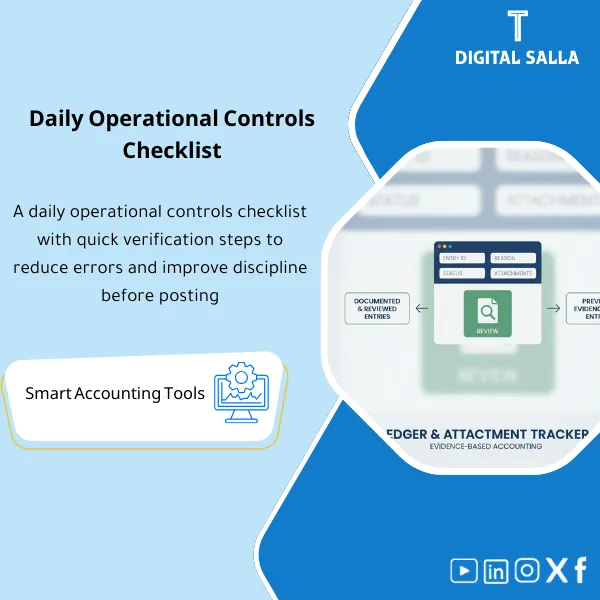
Daily Accounting Controls Checklist: Monitors posting and exceptions (bank variances, pending invoices, negative inventory, sensitive master data changes). Delivers a daily exceptions log that reduces month-end adjustments for accounting operations.
Daily Controls for Accounts
Daily Controls Checklist for Accounting Operations: Checking Posting Errors + Daily Bank Variance Report + Exception Monitoring + Daily Inventory Controls — with Evidence & Sign‑off
Value Proposition: Daily Controls for Accounts is not a “reminder list”; it is a control point that prevents the accumulation of errors until Week‑4: failed postings, pending transactions, daily bank variances, and recurring inventory exceptions. This Daily Controls Checklist provides you with a clear daily path: what to check? Where in the system? What evidence is required? And who signs off — so you enter Month‑End with most issues “closed” rather than accumulated.
In 20 Seconds: What Will You Get?
- Daily Controls Checklist divided by module: GL/AR/AP/Treasury/Inventory.
- Checking Posting Errors: A list of Checks for Posting/Interface failures + Error log + Owner.
- Daily Bank Variance Report: A quick template for matching today’s movement (Bank vs ERP) and recording variances.
- Exception Monitoring: Exceptions log (Unposted/Unmatched/Overridden controls) with SLA and escalation.
- Daily Inventory Controls: Checks for inventory movements/returns/Negative stock/Cost anomalies.
- Evidence Guide: What evidence is required for each Check (Report name / screenshot ref / export file).
- Daily Sign‑off: Prepared/Reviewed for each day + weekly summary of recurring cases.
CTA related to outputs: You will receive Checklist + Posting Errors Log + Bank Variance Log + Exceptions Tracker ready for daily use.
Suitable For
- Finance Ops / GL Team: Disciplined daily operations that prevent the accumulation of errors before closing.
- Treasury/Banking: Daily bank variance report linked to pending entries/transfers.
- Inventory Accountant / Supply Chain Finance: Daily inventory controls (illogical movements/cost/returns).
Not Suitable For
- Those looking for an “automated monitoring system” that sends alerts automatically — this is a manual checklist managed with evidence and signatures.
- Those who do not have the ability to extract reports from the system/bank — the product requires a minimum of Exports/Logs.
Without Daily Controls / With Daily Controls (Brief Comparison)
| Item | Without Daily Controls | With Daily Controls Checklist |
|---|---|---|
| Posting Errors | Discovered at Month‑End as unexplained variances | Daily check + Error log + closure before accumulation |
| Bank | Variances accumulate and complicate matching | Daily bank variance report + linking to movements/transfers |
| Inventory | Illogical movements go unnoticed until month-end | Daily inventory controls + Flags for negative/cost/returns |
Before Use: 5 Symptoms of Weak Accounting Operations Control
- Postings/Interfaces fail and remain “hidden” until they appear in closing reports.
- Daily bank variances accumulate and then turn into complex bank reconciliations at month-end.
- Exceptions such as Negative stock or pending transactions are not reviewed daily.
- There is no unified Evidence to prove that checks were actually performed (important for governance and auditing).
- Repetition of the same errors daily because there is no Owner and no closure and escalation log.
How to Implement Daily Controls for Accounts Practically Throughout the Week?
The approach: Fixed checks performed every day, then their results are recorded with Evidence, and any failure turns into an Issue with an Owner and SLA. At the end of the week, recurring cases (Root cause) are reviewed before they turn into significant variances at Month‑End.
Implementation Method (3 Steps)
Step 1: Preparation and Report Collection
- Identify daily reports according to your system: Posting/Interface status, Unposted batches, Error queues, Inventory movements.
- Identify bank sources: Online banking/daily statement + list of expected transfers.
- Identify Owners for each scope: GL/AR/AP/Treasury/Inventory and determine the timing for executing the check (End of day / Start of day).
Step 2: Reconciliations + Matches + JE Log
- Execute Checking Posting Errors: Any Posting failures are recorded in the Error log with an initial reason and corrective action.
- Execute Daily Bank Variance Report: Match today’s movement and record variances (e.g., transfers in transit / bank charges / unmatched deposits).
- Update Exception Monitoring: Pending transactions, overrides, or Negative stock are converted to a follow-up list with SLA and escalation.
Step 3: Adjusted TB + Statements + Closing Pack
- Weekly summary: Number of errors, most common causes, what has been closed and what remains open.
- Before Month‑End: Filter the list of open exceptions and link entries/corrections (if any) to the Issue IDs.
- Compile daily control evidence: Weekly/monthly copy of checklists + logs + sign‑offs as part of the operational/closing file.
Checklist Components (Clear Inventory)
-
Daily Controls Checklist (GL/AR/AP/Treasury/Inventory)
- Practical Purpose: A daily checklist with clear points (Pass/Fail) for each module.
- When to Use: Daily.
- Resulting Evidence: Daily execution log + Evidence reference for each check.
-
Posting Errors Log (Checking Posting Errors)
- Practical Purpose: Record posting/interface errors: type of error, reason, action, Owner, closure date.
- When to Use: At any Fail in posting/interface.
- Resulting Evidence: Error register + closure date + escalation if SLA is exceeded.
-
Daily Bank Variance Sheet (Daily Bank Variance Report)
- Practical Purpose: Quick daily matching: Bank movement vs ERP cash postings + identifying pending items.
- When to Use: Daily or based on transaction volume.
- Resulting Evidence: Variance list + reasons + actions (e.g., recording fees/tracking transfers).
-
Exceptions Tracker (Exception Monitoring)
- Practical Purpose: Track operational exceptions: Unposted, Unmatched, Overrides, Negative stock, pricing errors.
- When to Use: Daily and reviewed weekly.
- Resulting Evidence: Exceptions list + SLA + Owner + closure status.
-
Inventory Daily Controls (Daily Inventory Controls)
- Practical Purpose: Checks: Negative stock, abnormal return movements, cost variances, undocumented transactions.
- When to Use: Daily or before end of day.
- Resulting Evidence: List of transactions needing review + resolution decision.
-
Evidence Guide + Sign‑off
- Practical Purpose: Specify “what evidence” is required for each item (Report/export/screenshot ref) + Prepared/Reviewed signature.
- When to Use: Daily with checklist execution, and weekly when summarizing results.
- Resulting Evidence: Evidence index + signature log proving control execution.
-
Weekly Summary Dashboard
- Practical Purpose: Weekly summary: Number of Failures, SLA breaches, most common causes, and stability indicator.
- When to Use: Weekly and in operational/Hypercare meetings if necessary.
- Resulting Evidence: Dashboard that helps guide root cause fixes instead of daily fire-fighting.
What Should Be Included in the Delivery?
- 01-Daily-Controls-Checklist.xlsx: Daily accounting operations control (GL/AR/AP/Treasury/Inventory) + Pass/Fail.
- 02-Posting-Errors-Log.xlsx: Checking posting errors + brief RCA + Owner + SLA.
- 03-Bank-Variance-Daily.xlsx: Daily bank variance report + pending items + action.
- 04-Exceptions-Tracker.xlsx: Exception monitoring + escalation + closure date.
- 05-Inventory-Daily-Controls.xlsx: Daily inventory controls + Flags (Negative/Cost/Returns).
- 06-Evidence-Guide-&-Signoff.docx: Guide to required evidence + Prepared/Reviewed signatures.
- 07-Weekly-Summary-Dashboard.xlsx: Weekly summary dashboard + SLA/Failures indicators.
- 08-Archiving-Map.docx: Weekly/monthly archiving tree + naming convention for evidence.
- 09-Quick-Runbook.pdf: Quick run (when to execute each check and where to find the report in the system).
After Implementation (Two Points Only)
- Operational Result for the Team: Instead of errors accumulating until closing, they are discovered daily, recorded, and closed with SLA and Owner, entering Week‑4 with a small list of exceptions instead of a massive file.
- Control/Audit Result: You have daily Evidence proving control execution (Pass/Fail + reports/references + signature), supporting governance and making any subsequent review “tracking” rather than “investigation.”
FAQ — Questions Before Purchase
Is the Daily Controls Checklist suitable for any ERP?
Yes. Because the items rely on reports/Exports from the system (Posting status, error queues, inventory movements) and report names can be adjusted according to your system.
Does it require direct bank integration?
No. A daily bank statement/Online banking or daily movement report is sufficient to implement the daily bank variance report and record pending items.
Does it actually cover inventory?
It covers Daily Inventory Controls as exception checks (Negative stock, illogical cost, abnormal returns). Actual inventory operations are performed within the system.
Does it assist in Month‑End?
Yes. It reduces the list of open exceptions before closing and provides a weekly summary of recurring errors that need root cause treatment.
Does it include checking posting errors from integrations?
Yes, through the Posting Errors Log which covers failures from posting or interfaces, with Owner and escalation log if SLA is exceeded.
Is there a signature and approval for daily controls?
Yes: Prepared/Reviewed for each day + evidence guide required for each item, and copies can be archived weekly.
What is the minimum to get started?
Posting/Interface status report + daily bank movement + inventory/miscellaneous exception report (if any). Then identify Owners for each part.
Can it be used during Hypercare after Go‑Live?
Absolutely. Daily controls in Hypercare help detect integration and posting failures early and gradually prove stability.
Ready to make daily controls “execute and document” instead of discovering errors at closing?
Outputs: Daily Controls Checklist + Posting Errors Log + Bank Variance + Exceptions + Inventory Controls + Sign‑off.
| المسمّى الوظيفي | |
|---|---|
| Duration | |
| المستوى | |
| التحديثات | |
| القطاع | |
| الصيغة |
Related products
DOA Matrix – Excel Template

Expected Credit Losses Assessment Service (IFRS 9)
Finance SOPs – Detailed Steps


Reviews
Clear filtersThere are no reviews yet.