
Deferred Revenue Schedule – Excel Template
42.29 $
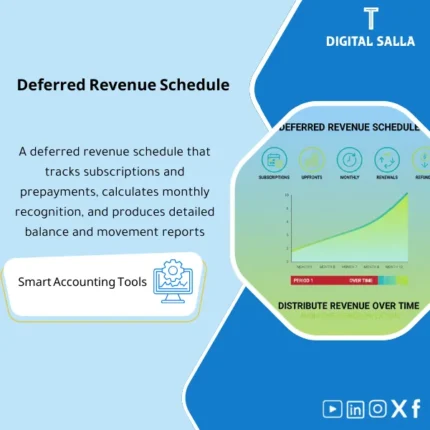
Deferred Revenue Schedule: Allocates subscription/prepayment revenue over the service period while tracking remaining balances, renewals, and cancellations. Delivers monthly recognition journals and a deferred balance per contract for recurring-revenue management.
Deferred Revenue Schedule
Deferred Revenue Schedule for Subscription Revenue and Customer Prepayments — Monthly Revenue Distribution + Subscription Cancellation Processing Refund + Deferred Revenue Entries + Month-End Pack Deliverables
Value Proposition: Deferred Revenue Schedule addresses a daily accounting challenge: collecting prepayments/subscriptions that are billed now while the service is provided over a period. Without a clear schedule, revenue moves “with the invoice” instead of “with the performance,” and discrepancies arise at Month-End, especially with cancellations and refunds. This template transforms the process into auditable outputs: Deferred Revenue Schedule monthly + Cancellation/Adjustment Log + Deferred Revenue Entries with clear references + Rollforward and reconciliation with GL.
In 20 Seconds: What Will You Get?
- Deferred Revenue Schedule: A schedule that distributes Subscription Revenue over the months with automatic prorate (Start/End mid-month).
- Customer Prepayments: Separating what has been billed/collected in advance into Deferred then Monthly Recognition.
- Cancellation/Refund Processing: A tracker that applies the effect of cancellation to the schedule and outputs an adjustment/reversal based on the cancellation date.
- Deferred Revenue Entries: A monthly JE Log ready (Recognize revenue / Move deferred) with auditable references.
- Rollforward: Movement of Deferred Revenue from opening → Additions (Billings) → Recognition → Refund/CN → Closing.
- GL Tie‑out: Matching the deferred revenue balance in the schedule with the GL account in the TB + explaining any discrepancies.
- Month‑End Pack: Monthly summary + Evidence index + Sign‑off (Prepared/Reviewed) for closing deliverables.
CTA related to outputs: Receive Deferred Revenue Schedule + JE Log + Rollforward + Tie‑out + Month‑End Pack ready.
Suitable For
- SaaS / Subscriptions and Recurring Services: Revenue recognized over a period with upfront billing and renewals.
- GL / Controller: Monthly closing of deferred revenue with traceable schedules and entries.
- Audit readiness: Preparing Workpapers and linking contracts/invoices to recognition and balance in TB.
Not Suitable For
- If all your sales are “immediate delivery” and there are no prepayments or subscriptions over a period — you will not need a monthly distribution schedule.
- If you have a Subscription Billing system that automatically outputs Revenue Schedule and only need a simple review — you may only need a Tie‑out, not the full package.
Without the Schedule / With the Schedule (Short Comparison)
| Item | Without Deferred Revenue Schedule | With Deferred Revenue Schedule |
|---|---|---|
| Month‑End | Late adjustments for closing revenue/deferred number | Monthly JE log + rollforward + ready sign‑off |
| Refund/Cancellation | Refund impacts revenue/AR without linking to the period due | Subscription cancellation Refund processing with schedule adjustment and entry reference |
| Balance in TB | Deferred balance in GL “unexplained” | Tie‑out between schedule and GL + explanation of discrepancies (Timing/Refund/CN) |
Before Use: 5 Symptoms That Deferred Revenue Is Not Properly Managed
- Subscription revenue is recorded in full at the invoice while the service extends over 3/6/12 months.
- Customer prepayments are closed monthly “by estimation” without a documented monthly distribution schedule.
- Refunds or subscription cancellations are recorded as CN/Refund without a clear adjustment to the deferred schedule.
- The Deferred Revenue balance in GL changes monthly without a rollforward explaining additions, recognition, and adjustments.
- During review, the request is: Contract/Invoice → Recognition schedule → Monthly entry → Closing balance, with no ready trail.
How the Deferred Revenue Schedule Works Practically from Invoice to Month‑End?
The operational approach: Enter billing/prepayment data with the service period (Start/End), resulting in the template distributing revenue monthly (Recognize) and showing what should remain as Deferred. When there is a cancellation/refund, it is recorded and the schedule is adjusted based on the cancellation date. At closing, deferred revenue entries (JE log) are produced, and the final balance is matched with GL, delivering a complete Month-End file.
Implementation Method (3 Steps)
Step 1: Preparation and Report Gathering
- Extract a list of subscription/prepayment invoices (Invoice#, Customer, Amount, Invoice date, Service start/end, Currency).
- Extract a Refunds/Credit Notes statement if available (CN#/Refund ref, Reference Invoice#, Date, Amount, Reason).
- Identify relevant GL accounts: Deferred revenue (liability) + Revenue account(s) + Refunds/CN accounts (based on your account structure).
Step 2: Adjustments + Reconciliations + JE Log
- Run Deferred Revenue Schedule to produce Monthly Revenue Distribution based on service days/months (with prorate if necessary).
- Record Subscription Cancellation Refund Processing: Determine the type of cancellation (before service starts/during service/after) and its effect on Recognized vs Deferred.
- Output monthly Deferred Revenue Entries:
- Recognition entry: Dr Deferred revenue / Cr Revenue (for the portion due for the month).
- Addition entry (if the invoice is posted as Deferred entirely first): Dr AR/Bank / Cr Deferred revenue.
- Cancellation/Refund entry (based on your policy): Reverse the unearned portion + document CN/Refund reference.
Step 3: Adjusted TB + Financial Statements + Closing Pack
- Output Rollforward: Opening deferred + billings/additions – revenue recognized – refunds/adjustments = Closing deferred.
- Perform Tie‑out: Closing deferred per schedule ↔ Deferred revenue account balance in TB, with a record of discrepancies (Timing/Mapping/Refund pending).
- Prepare Month‑End pack: Schedules + JE refs + rollforward + evidence index + sign‑off to attach within Closing Pack.
Template Components (Clear Inventory)
-
Subscriptions & Prepayments Import (Subscription Revenue and Customer Prepayments)
- Practical Purpose: Import invoices/prepayments with service period (Start/End) as a basis for recognition.
- When to Use: Monthly before closing, or weekly if invoices are high volume.
- Resulting Evidence: A dated source record (Billing ledger) that can be referenced.
-
Deferred Revenue Schedule (Deferred Revenue Schedule)
- Practical Purpose: Distribute revenue monthly for each invoice/contract and show Recognized vs Deferred.
- When to Use: Month-End and Quarter-End.
- Resulting Evidence: A monthly schedule that can be saved as a Snapshot for closing.
-
Proration & Period Rules (Proration Rules)
- Practical Purpose: Define the calculation method (By days/By months) and handle mid-month start/end.
- When to Use: When setting up the methodology for the first time, then reviewed when operational discrepancies arise.
- Resulting Evidence: A documented methodology that reduces calculation discrepancies between individuals/months.
-
Refunds/Cancellations Tracker (Subscription Cancellation Refund Processing)
- Practical Purpose: Document cancellations and refunds, linking them to the invoice and adjusting the schedule based on the cancellation date.
- When to Use: Immediately upon cancellation/issuing CN, with weekly reviews until closing.
- Resulting Evidence: A Refund/CN record with reasons and statuses linked to the impact on deferred/revenue.
-
JE Generator & JE Log (Deferred Revenue Entries)
- Practical Purpose: Produce recognition/deferment/adjustment entries with JE references ready for posting within ERP.
- When to Use: Every Month-End.
- Resulting Evidence: JE list + brief explanation for each entry + link to the schedule.
-
Deferred Revenue Rollforward & GL Tie‑out
- Practical Purpose: Explain the Deferred revenue balance and link it to the GL account, showing discrepancies and their reasons.
- When to Use: Month-End and Year-End (and sometimes monthly in strict audit environments).
- Resulting Evidence: Rollforward + tie‑out notes + unmatched items aging.
-
Month‑End Closing Pack + Sign‑off
- Practical Purpose: Compile closing outputs: schedule + rollforward + JE refs + evidence index + signature.
- When to Use: Week‑4/Month‑End and Year-End.
- Resulting Evidence: A ready delivery file for the head of accounts/auditor.
What Should Be Included in the Delivery?
- 01-Deferred-Revenue-Schedule.xlsx: Deferred Revenue Schedule (Recognized/Deferred monthly) + Snapshots.
- 02-Subscriptions-Prepayments-Import.xlsx: Import data for Subscription Revenue and Customer Prepayments (Invoice/Contract fields).
- 03-Proration-Period-Rules.xlsx: Monthly revenue distribution rules (Days/Months) + bucket settings.
- 04-Refunds-Cancellations-Tracker.xlsx: Subscription Cancellation Refund processing + CN refs + impact on the schedule.
- 05-JE-Generator-JE-Log.xlsx: Monthly deferred revenue entries + JE refs + brief explanation.
- 06-Deferred-Rollforward.xlsx: Opening/Movement/Closing rollforward + analysis.
- 07-GL-Tieout-Reconciliation.xlsx: Matching schedule with GL TB + record of discrepancies and reasons.
- 08-MonthEnd-Closing-Pack.xlsx: Closing summary + simple KPIs (Deferred closing / Recognized this month) + Sign‑off.
- 09-Evidence-Index.xlsx: Evidence index (Contracts/Invoices/Billing exports/Refund docs) + links/paths.
- 10-Runbook.pdf: Operational run (Import → schedule → refunds → JE → tie‑out → closing pack).
- 11-Signoff-Page.docx: Prepared/Reviewed + Closing date + Period scope.
- 12-Archiving-Map.docx: Archiving tree (Year/Month/Revenue/Deferred/Evidence) + Naming convention.
After Implementation (Two Points Only)
- Operational Outcome for the Team: You will have a monthly revenue number “based on a schedule” rather than “based on the invoice,” with a clear path for cancellations and refunds and entries ready for posting.
- Control/Audit Outcome: You can present a single file: Billing export → Deferred Revenue Schedule → JE refs → Rollforward → GL tie‑out → Sign‑off, instead of reconstructing the account at the time of review.
FAQ — Questions Before Purchase
Is the template compatible with any ERP or billing system?
Yes. The primary requirement is that you can extract billing/subscription data (Invoice date + service start/end + amount). After that, the template produces the schedule, entries, and reconciliation.
Does it support daily proration or only monthly?
It supports both according to the rule you adopt. You will document the methodology in a distribution rules file to ensure consistent results monthly.
Can it be used for customer prepayments not linked to a subscription?
Yes, as long as there is a “service period” or performance criterion you can link to the prepayment. The template treats it as Deferred then Recognition over the period.
How does it handle subscription cancellations and refunds?
Through a tracker that identifies the cancellation date and type, then adjusts what should be recognized and what should remain Deferred or be reversed, with CN/Refund reference and impact memo.
Does it automatically generate deferred revenue entries?
It outputs a JE log (proposed entries) with references ready for posting within ERP. The actual posting is done within your system according to your permissions.
What is the minimum data required to get started?
Invoice#/Contract ID + Customer + Amount + Service start/end + Invoice date. Having Refund/CN data improves the accuracy of cancellation processing.
Does it support adjustments like Upgrade/Downgrade or extending the term?
Yes, by recording the adjustment as an event (Modification) that affects the period or value, then recalculating the schedule for the remaining months with before/after documentation.
Is it suitable for Month-End only or Year-End as well?
For both. Running it monthly gives you a consistent Rollforward, and at Year-End, you have a tie-out and proof of Deferred balance without reconstructing the file.
Ready to Close Deferred Revenue with Deliverable Schedule, Entries, and Reconciliation?
Outputs: Deferred Revenue Schedule + Monthly Distribution + Refund adjustments + Deferred Revenue Entries + Rollforward + GL Tie‑out.
| المسمّى الوظيفي | |
|---|---|
| Duration | |
| المستوى | |
| التحديثات | |
| القطاع | |
| الصيغة |

Reviews
Clear filtersThere are no reviews yet.