




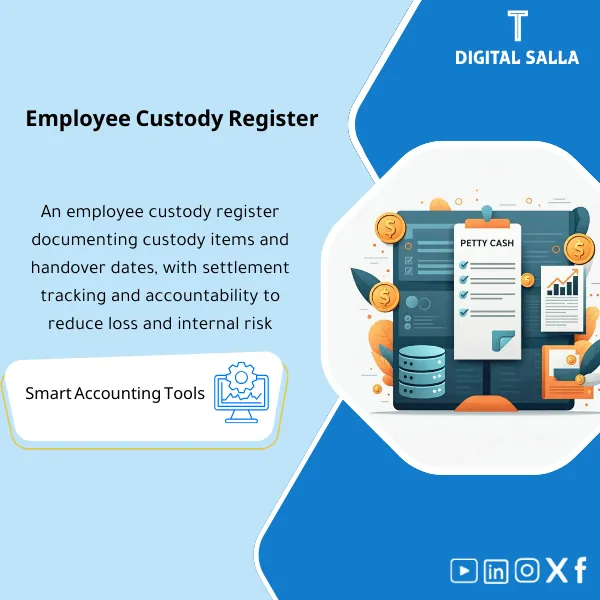
Employee Custody Register – Excel Template
34.31 $
Employee Advances/Imprest Management Template is a comprehensive Excel program to manage employee advances efficiently, providing accurate reports and analytics to strengthen financial control—especially as headcount and advance spending grow.
Employee Custody
Custody & Advances Pack: Custody Log + Reconciliations + Payroll Deductions + Evidence Archiving — for a reviewable control handover
Value Proposition: Employee Custody becomes a monthly issue when managed “via messages” instead of records: custody issued without a delivery receipt, expenses settled without invoices, deductions taken from salaries without a memo, and then at Month-End, there is no tie-out between (open custody + supported expenses + refunds + payroll deductions). This template builds a complete operational journey for managing custody: before issuance → during custody usage → at settlement/deduction → until month-end closure with a traceable evidence pack.
In 20 Seconds: What Will You Get?
- Unified Employee Custody Register: Issuance/Usage/Settlement/Refund/Deduction — with Reference IDs.
- Custody Handover Form that establishes responsibility and usage limits.
- Settlement Request Form + Checklist for accepting settlement invoices (Acceptance/Refusal/Shortages).
- Payroll Deduction Memo in case of shortages/unsettled amounts, linked to the Employee Payroll statement.
- Reconciliation to GL: Tie-out between the custody account balance in TB and the detailed record.
- Exceptions Log: Late custody, incomplete settlements, unacceptable invoices, employee left with open custody.
- Closing Pack: Monthly handover pack with evidence and approvals (Prepared/Reviewed/Approved).
The download is linked to the outputs: you will receive Custody Register + Settlement Pack + Payroll Deduction Memo + GL Reconciliation + Closing Pack.
Suitable For
- AP/GL + Cashier: You want to control custody issuance and settlement and link it to clear entries.
- Chief Accountant / Controller: You want a reviewable month-end closure with a tie-out to the GL.
- HR/Payroll (as execution only): To receive documented deduction memos and link them to the payroll statement when needed.
Not Suitable For
- Those looking for Employee Salary Scale or General Employee Salary Scale or to determine Employee Payroll Dates — the product is not a payroll system and does not provide disbursement schedules.
- Those wanting a complete Fixed Assets system (FA Register) — the product covers custody/advances and custody supplies, not the entire fixed asset cycle.
Without the Template / With the Template (Short Comparison)
| Item | Without Custody Control | With Employee Custody Management Template |
|---|---|---|
| Issuance | Issuance without a delivery receipt or usage limits | Custody handover + Reference ID + Limits/Approval |
| Settlement | Missing/unacceptable invoices then “overlooked” | Settlement checklist + Status + Exceptions log |
| Payroll Deduction | Deductions without a memo or traceable reason | Payroll deduction memo + Linked to the register + Approvals |
| Closure | Custody balance in TB does not match reality | GL reconciliation + Pack Index + Sign-off |
Before Use: 5 Symptoms That Custody Will Turn Into Discrepancies and Time Waste
- Custody issued and then not closed for weeks, with no aging report showing who is late and why.
- Settlements accepted with missing or irrelevant invoices, with no rejection/shortage log.
- Payroll deductions made “informally” without a deduction memo or retrievable approval.
- An employee transfers/resigns and their custody is open with no closure/handover procedure.
- The custody account balance in GL does not match the detailed record because the record is missing or outdated.
Employee Custody: Implementation Method (3 Steps Without Gaps)
Step 1: Preparation, Data Collection, and Establishing Operating Policy
- Define types of custody: (Cash custody/Advance/Purchase custody/Travel custody… as per your company) and limits of issuance and approvals.
- Establish a Reference ID for each custody and link it to archiving (Folder/Drive) to ensure evidence traceability.
- Gather essential data: Custody issuance statement + Employee list + Linked GL accounts (Advances/Custody/Expense/Payroll deductions).
Step 2: Issuance, Usage, and Settlement (Registers + Acceptance)
- Record custody issuance in the Custody Register with a delivery receipt and settlement due date.
- Upon settlement: Apply the invoice acceptance checklist (mandatory data/purpose/date/approval) and log any shortages in the Exceptions log.
- Record refunds (Cash/Bank) or transfer unused portions to refunds and link them to a receipt/entry.
Step 3: Month-End (Entries + Reconciliation + Closing Pack)
- Issue settlement entries (Expenses/Tax/…) and refund entries, or a payroll deduction memo in case of shortages/unsettled amounts per company policy.
- Perform Reconciliation to GL: Detailed record balance = Custody account balance in TB (with explanations for any discrepancies).
- Close the month with a handover pack: Register + Exceptions + Approvals + JE Log + Pack Index + Sign-off.
Template Components (Clear Inventory)
-
Custody Issuance Form (Custody Handover Receipt)
- Practical Purpose: To prove that custody was issued with approval and usage limits and employee responsibility.
- When Used: At the moment of custody issuance or handover of a tool/supply (within custody and asset management at a minimum).
- Resulting Evidence: Signed/approved receipt + Reference ID for archiving.
-
Custody Register (Employee Custody Register)
- Practical Purpose: A single record showing: opening balance, issuance, settlements, refunds, remaining balance for each employee.
- When Used: Weekly/Monthly updates + Month-end closure.
- Resulting Evidence: Aging report of custody + Status (Open/Settled/Deducted).
-
Settlement Request + Acceptance Checklist (Settlement Request + Acceptance List)
- Practical Purpose: To prevent acceptance of incomplete/unrelated invoices, and to document the reason for rejection or shortages.
- When Used: At every custody settlement.
- Resulting Evidence: Checklist + Status (Accepted/Rejected/On-hold) + Audited notes.
-
Refund Log (Refund Register)
- Practical Purpose: To document any amounts refunded by the employee (Cash/Transfer) and link them to a receipt/entry.
- When Used: When closing custody partially or fully.
- Resulting Evidence: Refund register + Reference for receipt/Bank transaction.
-
Payroll Deduction Memo (Employee Payroll Deduction Memo)
- Practical Purpose: To document payroll deductions in case of shortages/unsettled amounts with reason and approval linked to the custody record.
- When Used: Before the payroll cycle for the month, to ensure the deduction is documented within the payroll statement.
- Resulting Evidence: Memo + Approval + Custody ID/Reference + Clear deduction amount.
-
Exceptions Log (Exceptions Register)
- Practical Purpose: To manage late custody and incomplete settlements: Owner + Reason + Closure date.
- When Used: Weekly + Before Month-End.
- Resulting Evidence: Exceptions aging report + Status (Open/Closed) + Evidence links.
-
JE Log + Posting Checklist (JE Log and Posting Checklist)
- Practical Purpose: To link settlements and refunds/deductions to documented accounting entries, with posting checks.
- When Used: When recording settlement entries and at month-end closure.
- Resulting Evidence: JE log + Entry number in the system + Link to supporting evidence.
-
GL Reconciliation Sheet (Custody to GL Reconciliation)
- Practical Purpose: To prove that the custody account balance in TB matches the detailed record (or to explain discrepancies).
- When Used: Monthly before approving the closure.
- Resulting Evidence: Reconciliation schedule + Classified discrepancies + Closure plan.
-
Closing Pack Index + Sign-off (Closing Handover Index)
- Practical Purpose: To specify what is delivered at month-end as evidence: records/forms/entries/reconciliations.
- When Used: At Month-End and Year-End.
- Resulting Evidence: Pack Index + Prepared/Reviewed/Approved + Version.
What Should Be Included in the Handover?
- 01-Custody Register: Employee Custody Register (Open/Settled/Deducted) + Aging + References.
- 02-Issuance Forms: Signed custody handover receipts + Usage limits + Approvals.
- 03-Settlement Pack: Settlement requests + Invoices/Attachments + Acceptance checklist + Acceptance/Refusal results.
- 04-Refund Pack: Refund register + Receipts/Bank transactions + Linked to the register.
- 05-Payroll Deduction Memos: Payroll deduction memos (if any) + Approvals + Linked to custody.
- 06-Exceptions Log: List of late/incomplete custody + Owner + Target close date + Evidence links.
- 07-JE Log: Settlement/refund/deduction entries + Posting numbers + Supporting documents.
- 08-GL Reconciliation: Matching custody account balance to TB + Explanation of discrepancies.
- 09-Pack Index & Sign-off: Handover index + Month copy + Prepared/Reviewed/Approved.
- 10-Archiving Map: Folder structure + Naming Convention to link each Reference to its storage location.
After Implementation (Two Points Only)
- Operational Outcome for the Team: Each custody has a settlement due date, and any shortages turn into an Exception with an owner and closure date instead of verbal chasing.
- Control/Audit Outcome: Complete traceability: Custody → Delivery Receipt → Settlement/Attachments → Entry → GL Balance, with Pack Index and Sign-off proving the month copy.
FAQ — Questions Before Purchase
Is the template suitable for any payroll system or ERP?
Yes. The product functions as a control record and evidence. Deduction/settlement memos can be linked to payroll reports or ERP without the need for technical integration.
Does it cover “Custody and Asset Management” comprehensively?
It covers custody and advances management along with related documents, settlements, and deductions, and can be used for simple tool/supply custody. However, it is not a complete Fixed Assets system.
Does it provide Employee Salary Scale or General Employee Salary Scale?
No. Employee Salary Scale and General Employee Salary Scale are HR/Compensation topics. The product is an accounting control focused on custody and documenting deductions when necessary.
Does it determine Employee Payroll Dates?
No. Employee Payroll Dates are linked to company policy and operational calendar. The product provides a traceable “Payroll Deduction Memo” to be applied within your payroll cycle.
Is it related to Employee Return After Eid Al-Adha 1444?
No. This is a general search term (Employee Return After Eid Al-Adha 1444) and is not within the product scope. The product scope is the operation of custody, settlements, and deductions.
Is “Employee Housing” something related to the template?
No. Employee Housing is a general search term that is not related. The product pertains to employee custody records within the company.
What is the minimum data required to get started?
Custody issuance statement + any settlement documents + refund statement (if any) + payroll deduction data (if used) + TB for the custody account.
Is it suitable for multi-branch or project companies?
Yes, by adding a column (Branch/Project/Cost Center) in the custody and settlement register and then extracting Reconciliation for each branch and aggregating it for closure.
Ready to Close Custody with Evidence Instead of Suspended Balance in GL?
Outputs: Custody Register + Settlement/Refund Pack + Payroll Deduction Memo + GL Reconciliation + Closing Pack Index.
| المسمّى الوظيفي | |
|---|---|
| Duration | |
| المستوى | |
| التحديثات | |
| القطاع | |
| الصيغة |
Related products








Reviews
Clear filtersThere are no reviews yet.