
EOSB Accrual Rollforward – Excel Template

42.29 $

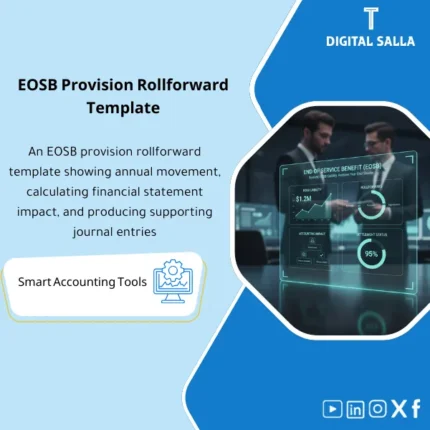
End-of-Service Provision (EOSB): Calculates EOSB liability and manages annual movements (Opening/Accrual/Utilization) with accounting journals and direct financial statement impact. Delivers rollforwards and adjustment memos ready for annual close by payroll and finance teams.

SKU: DIS099 Category:
Description

End of Service Benefit Provision

Subline: EOSB Provision Pack for annual movement + End of Service Benefit provisions + Tie-out on TB + Impact of EOSB on the statements within Closing Pack

Value Proposition: The End of Service Benefit Provision becomes a “stuck balance” at Year-End when calculated as a total figure without clear movement, without linking to employee data, and without a file explaining: how did the balance change throughout the year? What entries moved? What was actually settled upon exit? This product transforms the issue into an auditable accounting file: the Saudi End of Service Benefit (as an operational concept linked to company policies and contracts) translates into EOSB Provision with annual movement (Rollforward) + End of Service Benefit provisions + a disclosure file that clarifies the impact of EOSB on the statements.

In 20 seconds: What will you get?

  • End of Service Benefit movement (Rollforward) annually: Opening + Additions/Service cost + Settlements + Reclass/True-ups = Closing.
  • EOSB Provision listing by employee/group with references (hire date/service years/last salary/allowances per company policy).
  • End of Service Benefit provisions ready in JE Log (Expense vs Provision) + Reclass/True-up entries as needed.
  • End of Service Benefit Tracker linking exit cases to payment/reference and how the provision was settled.
  • TB tie-out: Matching Closing provision with account balance in Trial Balance/Adjusted TB + clear differences disclosure.
  • Impact of EOSB on the statements: Summary of its effect on P&L (expense), on the balance sheet (Provision), and on cash flows (Settlements).
  • Closing Pack: A delivery file ready for internal/external review (Prepared/Reviewed + Evidence index).

CTA related to outputs: Receive Movement schedule + JE Log + Settlements tracker + TB tie‑out + Disclosure pack.

Suitable for

  • Financial Controller / Head of Accounts: Year-End closing on provision supported by annual movement and balance explanation.
  • GL + Payroll Finance: Linking Payroll/HCM data to entries and settlement reconciliations and producing documented JE Log.
  • Internal Audit / External Audit support: Providing listing + movement + evidence + tie-out instead of an untestable total figure.

Not Suitable for

  • If your company has an external actuarial valuation covering all details and delivers Rollforward and Disclosures ready and linked to accounts.
  • If there are no hires/leavers and the EOSB provision is not recognized in the accounts at all — usage will be limited.

Without the template / With the template (short comparison)

Item Without End of Service Benefit Pack With End of Service Benefit template
Balance Total figure in TB without movement explanation End of Service Benefit movement (Rollforward) + supported listing
Entries One settlement entry at year-end without JE references End of Service Benefit provisions in JE Log + True-up/Reclass as needed
Settlements Settlements paid without consistently closing provision End of Service Benefit settlements linked to movement and payment reference + impact on balance

Before Use: 5 Symptoms that EOSB will appear as an “unreviewable” balance

  • End of Service Benefit balance changes annually without explained movement (Opening/Closing only).
  • No listing linking the balance to employee data (service years/last salary/allowances/categories).
  • End of Service Benefit provisions are posted without a JE log explaining: what changed? And why?
  • End of Service Benefit settlement (exit) is recorded as a payment only without linking it to provision settlement or analyzing differences.
  • At Year-End, there is no Tie-out between schedule and account balance in TB/Adjusted TB and no delivery Pack.

How is the End of Service Benefit Provision managed from employee data to the statements?

The process is managed as a traceable workflow: starting with preparing employee data (Employee master + Hire date + relevant salary elements per company policy), then building an EOSB Provision listing (by groups/cost centers if necessary) and extracting End of Service Benefit movement for the year: what increased due to service during the year? What decreased due to End of Service Benefit settlement? And what is the true-up resulting from updating salary/allowances/grades? After that, End of Service Benefit provisions are produced in JE Log and posted, followed by Reconciliations on TB to extract the impact of EOSB on the statements: expense in P&L, liability on the balance sheet, and cash outflow at settlements.

Implementation Method (3 Steps)

Step 1: Preparation and Report Gathering

  • Extract Employee master: Employee ID, Hire date, Status (Active/Leaver), Cost center/Project, and Classification/Grade.
  • Extract relevant salary elements from Payroll (Basic/Allowances per company policy) with effective date.
  • Extract settlement/exit report during the year: Exit date, settlement amount, payment reference, and any deductions/withholdings.
  • Extract TB/GL: Beginning balance of provision account, movements during the year, and ending balance.

Step 2: Calculate Movement + Settlements + JE Log

  • Prepare EOSB listing: Calculate service years and provision according to company policy (with documentation of assumptions/limits).
  • Prepare End of Service Benefit movement:
    • Opening provision
    • Additions / Service cost (increase during the year)
    • Settlements (End of Service Benefit for leavers)
    • True-ups / Reclass (updates or reclassifications based on salary items/centers)
    • Closing provision
  • Produce End of Service Benefit provisions in JE Log (with clear references for the period/report/version).
  • Record settlement differences (if any): Difference between recorded provision and actual settlement amount as documented true-up.

Step 3: TB Tie-out + Impact of EOSB on the statements + Closing Pack

  • Match Closing provision in schedule with account balance in TB/Adjusted TB and produce Differences log.
  • Produce summary of impact of EOSB on the statements:
    • P&L: Expense/reversal of End of Service Benefit provision
    • Balance Sheet: Provision (Liability) at period end
    • Cash Flow: Cash settlements for settlements
  • Prepare Closing Pack: listing + movement + JE refs + settlements proof + sign-off + evidence index.

Product Components (Clear Inventory)

  1. Employee Master Import + Service Years Calculator

    • Practical Purpose: Standardizing employee data and calculating service years linking to centers/categories.
    • When to Use: At the start of operations + during updates for joiners/leavers or CC changes.
    • Resulting Evidence: Employee listing (Active/Leavers) + calc references.
  2. EOSB Assumptions & Policy Sheet (Saudi End of Service Benefit as an operational framework)

    • Practical Purpose: Documenting “how it is calculated” within your company (salary/allowances included, limits, special cases).
    • When to Use: Year-End before approving the provision number.
    • Resulting Evidence: Assumptions memo + approval/sign-off.
  3. EOSB Provision Listing (EOSB Provision)

    • Practical Purpose: Listing supporting the balance: provision by employee/group/cost center.
    • When to Use: Year-End and/or when preparing quarterly reports.
    • Resulting Evidence: Listing that can be delivered to the auditor (with controls to hide sensitive data if needed).
  4. Movement Schedule (End of Service Benefit movement)

    • Practical Purpose: Annual Rollforward explaining the change in balance from Opening to Closing.
    • When to Use: Year-End + management reviews.
    • Resulting Evidence: Movement schedule + rollforward per category (service cost/settlements/true-ups).
  5. Settlements Tracker (End of Service Benefit settlement)

    • Practical Purpose: Linking exit cases to settlement amount and payment reference and how the provision was settled.
    • When to Use: Throughout the year + Review at Year-End to close open items.
    • Resulting Evidence: Settlements log + payment references + clearance status.
  6. JE Log (End of Service Benefit provisions)

    • Practical Purpose: Producing auditable entries (Expense vs Provision) + true-ups/reclass if needed.
    • When to Use: At Year-End (or Month-End in companies performing periodic true-ups).
    • Resulting Evidence: JE batch listing + references + prepared/reviewed sign-off.
  7. GL Tie-out Pack + Differences Log

    • Practical Purpose: Matching schedule with TB/Adjusted TB and showing differences with reasons (posting timing/incorrect mapping/missing settlement).
    • When to Use: Year-End and within Month-End if the account is material.
    • Resulting Evidence: Tie-out + differences log + resolution notes.
  8. Financial Statements Impact & Disclosure Note

    • Practical Purpose: Documenting the impact of EOSB on the statements and preparing a disclosure appendix (methodology description + movement).
    • When to Use: Year-End within the statements files.
    • Resulting Evidence: Disclosure draft + cross-references to movement and TB.

What should be included in the delivery?

  • 01-EOSB-Provision-Pack.xlsx: The main file (imports + listing + movement + tie-out + reports).
  • 02-Employee-Master-Import.xlsx: Employee data template (Employee ID/Join date/Status/CC/Grade).
  • 03-Payroll-Elements-Import.xlsx: Template for relevant salary/allowances elements with effective date.
  • 04-Service-Years-Calculator.xlsx: Calculate service years + handling special cases (joiners/leavers) as operational rules.
  • 05-EOSB-Assumptions-Memo.docx: Assumptions memo (what is included/excluded/limits/definitions) + approval.
  • 06-EOSB-Provision-Listing.xlsx: EOSB Provision listing (by employee/by CC) with control totals.
  • 07-EOSB-Movement-Schedule.xlsx: End of Service Benefit movement (rollforward) annually + category breakdown.
  • 08-Settlements-Tracker.xlsx: End of Service Benefit settlement (leavers) + payment/reference + clearance.
  • 09-JE-Log-EOSB.xlsx: End of Service Benefit provisions (Expense/Provision/True-up/Reclass) + references.
  • 10-GL-TieOut-AdjustedTB.xlsx: Tie-out with TB/Adjusted TB + differences log + resolution notes.
  • 11-Disclosure-Note-Template.docx: Disclosure draft (methodology + movement + cross-references).
  • 12-Closing-Pack-EOSB.xlsx: Final Closing pack: Summary + listing + movement + JE refs + sign-off.
  • 13-Evidence-Index.xlsx: Evidence index (HR extracts/Payroll reports/settlement proofs/JE postings/TB extracts).
  • 14-Runbook.pdf: Step-by-step operation (Collect → Calculate → Move → Post → Tie-out → Pack).
  • 15-Controls-Checklist.pdf: Control checklist (completeness/approvals/settlement linkage/CC mapping/review of differences).
  • 16-Archiving-Map.docx: Archiving tree (Year/EOSB/Inputs/Outputs/Evidence/Sign-off) + Naming convention.
  • 17-Signoff-Page.docx: Prepared/Reviewed/Approved + Version + Period scope (e.g., FY-2025).

After Implementation (Two Points Only)

  • Operational Outcome for the Team: Year-End you have a provision number supported by annual movement and clear settlements, and any differences (True-up/Settlement mismatch) appear as a task list instead of hiding in the balance.
  • Audit/Control Outcome: You can provide Traceability: Employee listing → movement → End of Service Benefit provisions → TB tie-out → disclosure, within a testable Closing Pack.

FAQ — Questions Before Purchase

Is this template suitable for any company in Saudi Arabia?

As an operational template, yes, because it focuses on documenting movement, entries, and tie-out. However, the calculation method (basis/elements/special cases) is filled according to company policies, contracts, and applicable compliance requirements.

Does it legally cover the “Saudi End of Service Benefit” in detail?

It does not provide a legal opinion. It offers an accounting framework for documenting EOSB Provision, movement, and entries, with an assumptions page to be internally approved.

Can it be run monthly or only annually?

The product is designed to be robust at Year-End (annual movement), and can be run Month-End/Quarter-End if the account is material and you perform periodic true-ups.

What is the minimum data required to get started?

Employee master (Hire date/Status) + relevant salary elements + list of leavers/settlements during the year + provision account balance in TB.

How does it handle End of Service Benefit settlement upon employee exit?

There is a Settlements tracker linking each exit case to the settlement amount and payment reference, specifying how the provision was settled and any differences needing true-up.

Does it support multiple entities/branches and cost centers?

Yes, by adding Company/Branch/Cost center at the employee data level and producing listing, movement, and entries for each entity then Consolidated.

Is there a template to show the impact of EOSB on the statements?

Yes: Summary of its impact on P&L, balance sheet, and cash flows, with a draft Disclosure note linking the figures to movement and TB.

Does it include a JE Log ready for posting?

Yes: End of Service Benefit provisions + true-ups/reclass as needed, with references and indications for tie-out and reports used.

Ready to transform provision from “stuck balance” to movement + entries + deliverable Tie-out?

Outputs: EOSB Provision listing + annual movement + entries + settlements + TB tie‑out + Disclosure pack.

Additional information
المسمّى الوظيفي
Duration

المستوى
التحديثات
القطاع
متوافق مع
الصيغة
Reviews (0)
0 reviews
0
0
0
0
0

There are no reviews yet.

Be the first to review “EOSB Accrual Rollforward – Excel Template”

Your email address will not be published. Required fields are marked *