


Enterprise Risk Register – Excel Template
183.24 $
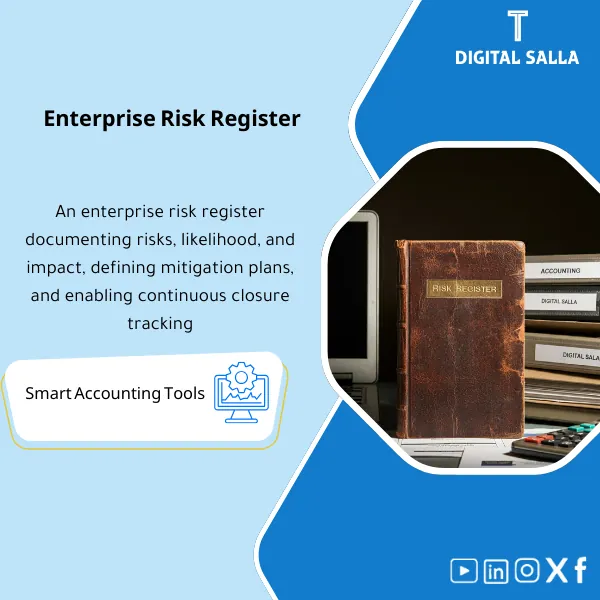
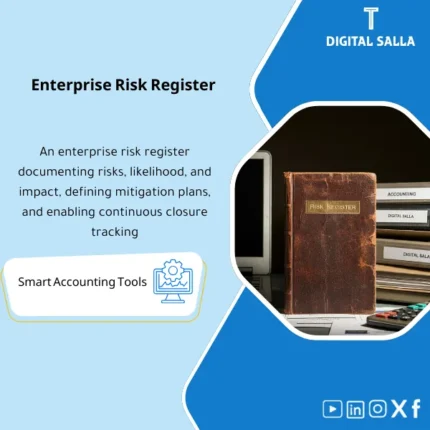
Enterprise Risk Register Template is a comprehensive Excel tool to document and assess financial and operational risks. It offers flexible scoring criteria customization—strengthening internal audit effectiveness and supporting strategic risk management.
Enterprise Risk Register
Enterprise Risk Register: Risk ID + Assessment + Controls + RACI + KRIs + Action Plan + Monitoring Pack — in an Excel format ready for review
Value Proposition: The Risk Register Template is not measured by the number of rows, but by its ability to transform “general risks” into an operational register: Define the risk → Assess it → Current controls → Control gaps → Treatment plan with owner and due date → Follow-up with evidence. This template builds a Risk Register suitable for internal audit and governance because it produces Traceability rather than mere rhetoric.
In 20 seconds: What will you get?
- Risk register xls ready: Risk ID + domain + description + cause + impact + Owner.
- Risk Assessment Template: Likelihood/Impact + Inherent vs Residual + Escalation levels.
- Controls Mapping: Linking each risk to its current controls (Prevent/Detect) and assessing their effectiveness.
- Action Plan Tracker: Treatment plan (Mitigation) with tasks, due dates, and responsibilities.
- KRIs: Early warning indicators (Thresholds) linked to the top risks.
- Heatmap + Top Risks: Risk dashboard (before/after) + list of top 10 risks for management/committee.
- Evidence Index: Index of follow-up evidence (policies/reports/tests/minutes) for each risk.
CTA related to outputs: Receive Risk Register + Scoring + Controls + Action Plan + KRIs + Heatmap + Evidence Pack.
Suitable for
- Enterprise Risk Management (ERM): Building a unified risk register for the company and linking it to controls and treatment plans.
- Internal Audit / GRC: Using the register as an input for the audit plan and linking risks to test results and evidence.
- Management / Risk Committee: Presenting Top risks and KRIs and making decisions based on Residual risk and treatment plans.
Not Suitable for
- Those looking for a Saudi commercial register template (a completely different official document) or a student tracking register template.
- Those wanting a “risk management pdf” document only for reading — this is an operational and follow-up template, not an informational file.
Without Operational Register / With Operational Register (Short Comparison)
| Item | Without Organized Risk Register | With Risk Register Template |
|---|---|---|
| Risk Assessment | General assessments without a structured approach | Likelihood/Impact + Inherent/Residual + Documenting assumptions |
| Controls | “We have controls” without Mapping/Efficacy | Controls mapping + Effectiveness assessment + Evidence links |
| Follow-up | Treatment plans without owner, due date, or measurement | Action tracker + KRIs + Heatmap + Escalation |
Before Use: 5 Symptoms That the Risk Register “Will Not Be Used”
- Risks are written as general statements without cause/impact/Owner, making it impossible to convert them into a plan.
- No distinction between Inherent and Residual, losing the concept of “Do controls actually reduce the risk?”.
- Controls are not linked to risks (No mapping) and there is no Evidence proving implementation.
- No KRIs or Thresholds, so risks appear after the event occurs rather than before.
- No Version/Review cycle, turning the register into a “one-time” file that is then forgotten.
How to Use the Risk Register Template Practically?
Step 1: Preparation and Structure Building
- Define the scope of the register: entire company or department (Finance/IT/Operations) + risk classification (Taxonomy).
- Establish the Likelihood/Impact scale and define the scores (1–5) and Risk appetite/thresholds.
- Input core risks: description + cause (Cause) + impact (Impact) + Owner + related process/goal.
Step 2: Risk Assessment and Linking Controls and Treatment Plan
- Assess Inherent risk then link current controls (Prevent/Detect) and evaluate their effectiveness.
- Calculate Residual risk after controls and determine the escalation level if it exceeds the threshold.
- Create an Action plan for the top risks: task + Owner + Due date + expected “closure evidence.”
Step 3: Follow-up and Governance (KRIs + Heatmap + Pack)
- Identify KRIs for the top risks and update them regularly with clear Thresholds.
- Prepare Heatmap + Top risks report for meetings (Risk committee/Management).
- Update Monitoring log and issue a versioned copy with Pack index and Sign-off for archiving.
Template Components (Clear Inventory)
-
Risk Register (Main Register)
- Practical Purpose: Documenting risks in an operational format (Risk ID, description, cause, impact, Owner, domain).
- When to Use: As a permanent basis for the register with periodic updates.
- Resulting Evidence: Versioned register that can be reviewed and compared over periods.
-
Scoring Methodology
- Practical Purpose: Establishing definitions for Likelihood/Impact and escalation thresholds and Risk appetite.
- When to Use: Before risk assessment and when changing policy.
- Resulting Evidence: Methodology document within the file (not varying by person).
-
Controls Mapping & Effectiveness
- Practical Purpose: Linking risks to their controls and assessing effectiveness and linking Evidence.
- When to Use: During risk assessment and after any control change.
- Resulting Evidence: Control list + mapping + effectiveness assessment + Evidence references.
-
RACI / Ownership
- Practical Purpose: Distributing responsibilities: Risk owner/Control owner/Reviewer.
- When to Use: When approving the register and linking it to governance.
- Resulting Evidence: Fixed RACI showing who is accountable for what.
-
Action Plan Tracker
- Practical Purpose: Managing treatment plans with due dates, responsibilities, and closure evidence.
- When to Use: After assessing Top risks until actions are closed.
- Resulting Evidence: Tracker Open/Closed + completion percentage + attachments/references.
-
KRIs & Thresholds
- Practical Purpose: Early warning for risks instead of waiting for them to occur.
- When to Use: Monthly/quarterly updates based on the indicator.
- Resulting Evidence: KRI dashboard + threshold exceedance alerts + escalation actions.
-
Heatmap + Top Risks Dashboard
- Practical Purpose: Management presentation: top risks + changes in Residual risk + status of plans.
- When to Use: Every committee/management meeting.
- Resulting Evidence: Board pack ready for presentation and delivery.
-
Monitoring Log + Evidence Index
- Practical Purpose: Periodic follow-up linking updates to evidence (policy/report/test/minutes).
- When to Use: With every update or change in status/score.
- Resulting Evidence: Audit trail for change history + Evidence references.
-
Pack Index + Version/Sign-off
- Practical Purpose: Establishing the approved version of the register for delivery and archiving.
- When to Use: At the end of each review cycle (month/quarter).
- Resulting Evidence: Version + Prepared/Reviewed/Approved + date.
What should be included in the delivery?
- 01-Risk Register.xlsx: File Risk Register xls (Register + Scoring + Dashboards).
- 02-Scoring Methodology: Definition of Likelihood/Impact + appetite/thresholds + escalation rules.
- 03-Controls List: List of controls + mapping for each risk + effectiveness assessment + Evidence references.
- 04-Action Plan Tracker: Treatment plans + Owners + Due dates + Closure evidence.
- 05-KRIs Dashboard: Early warning indicators + thresholds + status of exceedances.
- 06-Heatmap/Top Risks: Heatmap + report of top risks + trend changes.
- 07-Monitoring Log: Monitoring log and changes + who updated, when, and why.
- 08-Evidence Index: Index of evidence (policies/reports/tests/minutes) for each risk.
- 09-Pack Index & Sign-off: Version + Prepared/Reviewed/Approved + release date.
- 10-Archiving Map: Path for saving copies (Year/Quarter/Version) to establish the approved version.
After Implementation (Two Points Only)
- Operational Outcome for the Team: Risks are transformed into a manageable list: Assessment + Controls + Plan + Follow-up instead of a “general risks” file.
- Regulatory/Governance Outcome: Traceability: from defining the risk to the reason for the score to controls to Evidence and closure plan, with Version/Sign-off supporting audit and governance.
FAQ — Questions Before Purchase
Is this a Saudi commercial register template?
No. The Saudi commercial register template is a different official document. This is a Risk Register Template for companies to manage risks.
Is it suitable as a “risk management pdf”?
The base template is Excel for operational use. You can export dashboards and Top risks to PDF for delivery, but it is not a read-only file.
Is it suitable for any company or does it require customization?
It is suitable as a general framework. You will customize the taxonomy, KRIs, controls, and treatment plans according to your activity (Finance/Operations/IT/Compliance).
Does it support Inherent/Residual risk assessment?
Yes: It records Inherent then links controls and assesses their effectiveness, then produces Residual to prioritize and plan treatments.
Does it support a risk council or risk committee?
It supports preparing a Board pack: Heatmap + Top risks + status of treatment plans and KRIs. However, it does not represent the national risk council or any official entity.
Can it be linked to internal audit results?
Yes, through the Evidence index and Monitoring log, linking risks to the audit plan/test results and closing actions.
What is the minimum data required to get started?
A list of core risks + definition of Likelihood/Impact scores + Owners + current controls. Then you start adding KRIs and treatment plans for the top risks.
Is it suitable for someone studying risk management specialization?
Yes, as an applied template for documenting and assessing risks and linking them to controls and treatment plans, instead of just a theoretical model.
Ready to Transform Risks into an Auditable Follow-up Register?
Outputs: Risk Register + Scoring + Controls + Action Plan + KRIs + Heatmap + Evidence Index + Pack Index.
| المسمّى الوظيفي | |
|---|---|
| Duration | |
| المستوى | |
| التحديثات | |
| القطاع | |
| الصيغة |
Related products

Chart of Accounts Setup Service

Customer Contracts Register – Excel Template
Customer Contract Management Template is a comprehensive Excel-based program to manage customer contracts effectively, including contract data, payments tracking, completion percentages, delivery dates, and project profitability—supported by automated reports that improve contract oversight and customer relationships.


Reviews
Clear filtersThere are no reviews yet.