


ERP Selection & Implementation – Evaluation Templates
156.65 $
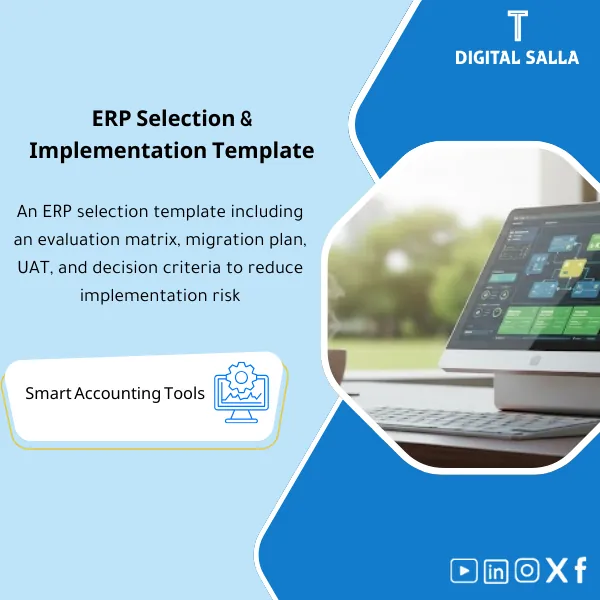
ERP Selection Matrix: A weighted evaluation framework covering finance/inventory requirements, plus a data migration plan and UAT testing scenarios. Delivers a documented selection decision, implementation plan, and testing pack before contracting.
ERP System Selection
ERP Evaluation Matrix + Data Migration Plan + UAT — Delivering a reviewable decision before signing and Go-Live
Value Proposition: The issue of ERP System Selection often lies not in the “name of the system” but in the absence of an auditable decision-making approach: unnumbered financial requirements, sales demos not tested against your scenarios, and data migration starting after signing, revealing gaps too late. This model provides you with a practical selection pathway: ERP Evaluation Matrix based on financial ERP requirements + ERP Data Migration Plan + User Acceptance Testing (UAT) Pack so that the decision is based on evidence (Scoring + Fit-Gap + Test Evidence) rather than impression.
In 20 seconds: What will you receive?
- ERP Evaluation Matrix ready with weights and financial and operational criteria + method for calculating each Vendor’s score.
- Financial ERP Requirements in a numbered Catalogue (Must/Should/Could) instead of unstructured written requirements.
- ERP System Comparison through a Demo Script based on actual accounting scenarios (O2C/P2P/Inventory/Month-End).
- Fit-Gap Log: Recording gaps (Standard / Configuration / Custom / Workaround) with their impact on closing and reporting.
- ERP Data Migration Plan: Data sources + Mapping + Cleaning rules + Cutover + Loading Opening balances.
- UAT User Acceptance Testing: Test scenarios + Test cases + Expected outputs + Defect log + Sign-off.
- Decision Pack: Shortlist + Scoring + Cost/Timeline assumptions + Reviewable decision before signing.
CTA related to outputs: Receive Scoring Matrix + Data Migration Plan + UAT Pack as ready-to-apply and deliverable files.
Suitable for
- ERP Selection for Enterprises before signing (Shortlist & Decision) needing a decision based on evidence.
- Upgrading/Replacing a System with historical data needing a clear Migration plan before implementation.
- Multi-entity/Branch Company needing Multi-entity evaluation + Consolidation readiness + Permissions and approvals.
Not Suitable for
- Those wanting to select an ERP “by name and price only” without Demo, testing, and Fit-Gap—will not achieve an auditable decision.
- Those wanting “full implementation” (Configuration/Integrations/Training) without an implementation team—this package prepares the decision and testing, not to replace the partner.
Without the approach / With the approach (Short Comparison)
| Item | Without the package | With the package |
|---|---|---|
| Requirements | Unnumbered wish list with no weights | Catalogue + Must/Should + Weights (measurable financial ERP requirements) |
| Demo | General presentation not testing your scenarios | Demo Script + Test Data + Expected outputs (comparable between Vendors) |
| Decision | Impressionistic/personal decision hard to defend | Decision pack: Scoring + Fit-Gap + Assumptions + Sign-off |
| Migration & UAT | Migration/UAT starts after signing, revealing gaps too late | ERP Data Migration Plan + UAT pack before implementation with testing evidence |
Before Use: 5 Symptoms that ERP Selection is “Not Auditable”
- The selection is based on a general Demo or Recommendation without accounting scenarios from your company.
- There is no ERP Evaluation Matrix with weights, thus the comparison turns into a personal opinion.
- Reporting requirements (TB/FS/Cost centers/Branch reporting) are discovered after signing, not during comparison.
- Data migration is postponed, then mapping/cleaning/opening balances issues arise close to Go-Live.
- UAT is a “quick trial” without Test cases, Defect log, or clear Sign-off.
How is an ERP System Selected Practically?
Step 1: Define Financial ERP Requirements and Build a Comparison Foundation
- Gather Finance/Accounting requirements: GL, AP, AR, Fixed assets, Inventory touchpoints, Tax/VAT (as per your country), Closing & reporting.
- Number and classify requirements (Must/Should/Could) and link them to outputs (Adjusted TB / Closing pack / Management reports).
- Prepare test data for the demo (Sample COA, Cost centers, Vendors/Customers, Transaction samples) to avoid a “phantom presentation.”
Step 2: Compare ERP Systems through Demo and Evaluation Matrix
- Run Demo Script on the same scenario for each Vendor: O2C, P2P, Inventory, Month-End, Approvals, Audit trail.
- Record Fit-Gap: What works Standard? What needs Configuration? What needs Custom? And what is its impact on closing/reporting.
- Update ERP Evaluation Matrix with weights and scores, documenting assumptions (Assumptions) and cost/timeline.
Step 3: ERP Data Migration Plan + UAT User Acceptance Testing before Go-Live Decision
- Establish ERP Data Migration Plan: Data sources, cleaning rules, Mapping, and method for loading Opening balances + Master data.
- Conduct UAT User Acceptance Testing: Test cases with expected outputs + Defect log + Retesting after fixes.
- Issue Decision & Readiness Pack: Approved decision + Risks/Constraints + Clear action plan before signing/before implementation.
Components of the Template (Clear Inventory)
-
Requirements Catalogue (Financial ERP Requirements)
- Practical Purpose: Transforming needs into numbered, evaluable requirements (Must/Should) instead of “general requests.”
- When to Use: Before requesting proposals (RFP) and before any Demo.
- Resulting Evidence: List of requirements + weights + Owner for each requirement + Linked outputs.
-
ERP Evaluation Matrix (Scoring & Weighting)
- Practical Purpose: Comparing ERP Systems on the same scale (Functional/Reporting/Controls/Tech/Cost/Implementation risk).
- When to Use: During evaluation and after each Demo/Workshop.
- Resulting Evidence: Scorecard for each Vendor + Justified scores + Assumptions + Ranking.
-
Demo Script + Test Data Pack
- Practical Purpose: Enforcing a real accounting scenario on the demo (O2C/P2P/Month-End) instead of showcasing Screens.
- When to Use: In demo sessions and with Fit-Gap workshops.
- Resulting Evidence: Demo agenda + Steps + Expected outputs + Vendor implementation notes.
-
Fit-Gap & Decision Log
- Practical Purpose: Documenting gaps and how they will be closed (Config/Customization/Workaround) and their impact on closing and reporting.
- When to Use: After each Demo and after receiving implementation proposals.
- Resulting Evidence: Fit-Gap register + Decision for each Gap + Owner + Risk rating.
-
ERP Data Migration Plan (Data Migration Plan)
- Practical Purpose: Defining what we will migrate and how: Master data, opening balances, historical transactions (if needed), and data cleaning rules.
- When to Use: Before starting implementation and during Sprint/preparation for Cutover.
- Resulting Evidence: Source-to-target mapping + Data cleansing rules + Migration schedule + Cutover checklist.
-
UAT User Acceptance Testing (Test Scripts + Defect Log)
- Practical Purpose: Testing that the system produces the required financial outputs (Posting, reports, approvals, audit trail) before Go-Live.
- When to Use: After completing basic setups and before Cutover.
- Resulting Evidence: UAT test cases + Expected results + Defect log + Retest evidence + Sign-off.
-
Decision & Readiness Pack (Sign-off)
- Practical Purpose: Confirming the decision and readiness: Why did we choose this ERP? What are the assumptions? What are the risks? And what is the closure plan.
- When to Use: Before signing and before Go-Live as a reference for accountability.
- Resulting Evidence: Pack index + Sign-off + Version control + Risk & action list.
You will receive decision-making and operational tools: ERP Evaluation Matrix + ERP Data Migration Plan + UAT Test Pack with Logs and Sign-off.
What should be included in the delivery?
- 01-Requirements: A numbered financial ERP requirements file (Must/Should/Could) + Weights + Owners + Linked outputs.
- 02-Scoring Matrix: ERP Evaluation Matrix (Weights/Score/Justification) + Ranking + Assumptions.
- 03-Demo Pack: Demo script + Test data + List of questions and proof requests (Audit trail/Reports).
- 04-Fit-Gap: Fit-Gap register + Decision for each gap (Config/Custom/Workaround) + Impact on closing/reporting.
- 05-Migration: ERP Data Migration Plan including Source-to-target mapping + Cleaning rules + Migration schedule + Cutover checklist + Opening balances approach.
- 06-UAT: UAT test scenarios/cases + Expected outputs + Defect log + Retest log + Sign-off template.
- 07-Decision Pack: Decision memo + Risks/Constraints + Action plan + Ready/Not ready criteria.
- 08-Versioning: Pack index + Version register + Change log + Approval page (Prepared/Reviewed/Approved).
After Implementation (Two Points Only)
- Operational Outcome for the Team: The evaluation becomes a clear Workflow: Requirements → Demo with scenario → Scores → Fit-Gap → Migration Plan → UAT → Decision, instead of scattered meetings without outputs.
- Audit/Control Outcome: The decision is auditable: there is a justified Scorecard, Gap log, UAT evidence, and documented Migration/Opening balances with Sign-off.
FAQ — Questions Before Purchase
Is the template suitable for any Vendor or any ERP system?
Yes. It is an evaluation and operational approach (Requirements/Scoring/Demo/UAT/Migration) and not templates tied to a specific system.
Does it cover ERP selection for multi-entity and branch companies?
Yes. Multi-entity requirements are included within the financial ERP requirements and evaluation criteria in the Matrix.
Does it include comparison of ERP systems in terms of financial reporting?
Yes, through the reporting section within the Matrix + Demo script that tests TB/FS/Drill-down/Audit trail and the required report outputs.
What is the minimum required input to use it?
Company structure (entities/branches), current or target COA, key business cycles (O2C/P2P), list of required reports, and volume of data to be migrated.
Does the ERP Data Migration Plan include Opening balances?
Yes, as a core component: extraction, cleaning, and review rules for opening balances, and the method for loading them, linked to TB with Tie-out before Go-Live.
How is UAT User Acceptance Testing managed practically?
Through Test cases with expected outputs + Defect log + Retesting after fixes + Final Sign-off confirming that critical financial scenarios succeeded.
Does it cover control and permission requirements (Approvals/SoD)?
It covers them as evaluation requirements within the Matrix (Approvals workflow/Audit trail/Access controls) and can be linked to a DOA/SoD package if included in your purchases.
Is this an alternative to an ERP implementation partner?
No. It prepares decision, verification, migration, and UAT documentation to mitigate risks, while implementation (Configuration/Integrations/Training) requires a team/partner.
Can it be used even if we decide to stay on the current system (Upgrade)?
Yes. The same approach is useful in evaluating the Upgrade option versus Replacement through the same requirements, scoring, and UAT.
Ready to substantiate your ERP decision with evidence before signing?
Outputs: ERP Evaluation Matrix + ERP Data Migration Plan + UAT User Acceptance Testing within the Pack with Logs and Sign-off.
| المسمّى الوظيفي | |
|---|---|
| Duration | |
| المستوى | |
| التحديثات | |
| القطاع | |
| الصيغة |
Related products

CIT & Transfer Pricing – Excel Files

Reviews
Clear filtersThere are no reviews yet.