




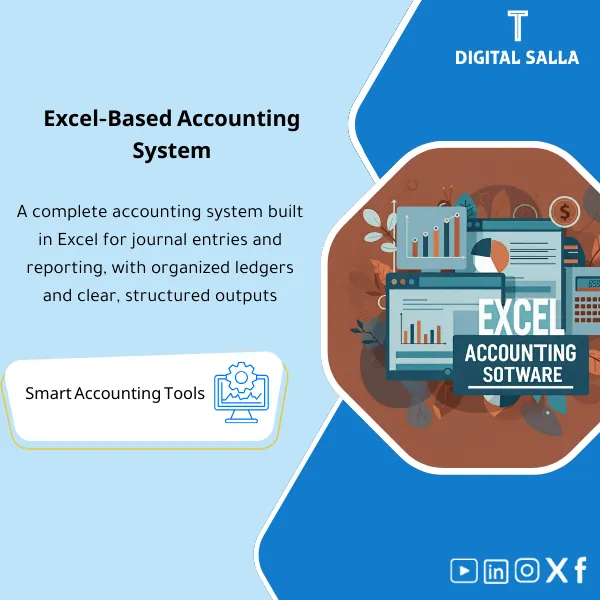
Excel Accounting Program – Excel File
338
Excel Accounting Program: A simple, effective workbook to enter journal entries and generate a trial balance, general ledger, and other print-ready reports—ideal for small businesses and freelancers.
Still tracking your accounting manually on scattered spreadsheets with no structure or audit trail?
This ready-made Excel accounting program gives you a complete accounting cycle — from journal entries and ledgers to bank reconciliation, adjustment schedules, and a professional closing pack — all in one organized Excel workbook. Just open, customize, and start working.
🛡️ 7-Day Guarantee
📊 Editable Excel File
5 Signs You Need This Excel Accounting Program
1Messy journal entries: Your transactions are scattered across random sheets with no proper JE Log to track, review, or approve them.
2Manual trial balance headaches: You spend hours building a trial balance from scratch every month instead of having it auto-populated.
3Bank reconciliation chaos: Outstanding items pile up and you have no structured template to match your books with bank statements.
4No adjustment schedules: Accruals, prepayments, and depreciation calculations are done ad hoc with no organized supporting schedules.
5No closing pack: Month-end and year-end closings feel incomplete because you have no standardized pack with sign-off and index.
What You Get
One Excel workbook containing everything you need to run a complete accounting cycle from start to finish:
| Full Accounting Workbook | Integrated sheets for Journals, Ledgers, and Trial Balance — all linked with formulas for automatic posting. |
| Journal Entry Log (JE Log) | Structured log capturing every entry with date, description, reference, amount, and approval workflow (Prepared / Reviewed / Approved). |
| Bank Reconciliation Template | Professional bank rec sheet that identifies outstanding items and reconciles your book balance to the bank statement automatically. |
| Adjustment Schedules | Ready-made supporting schedules for accruals, prepaid expenses, and depreciation — just fill in your figures. |
| Adjusted Trial Balance | Auto-calculated adjusted TB that reflects all adjusting entries, ready for financial statement preparation. |
| Closing Pack with Index | Complete closing pack including a Pack Index, JE Log summary, Bank Rec, Adjusted TB, and Sign-off sheet — everything auditors expect. |
How to Use It: 4 Steps from Download to Month-End Close
Setup: Enter Your Company Details and Chart of Accounts
Open the workbook and customize it with your company name, fiscal year, and chart of accounts. The structure is ready — just plug in your data.
Record: Post Your Transactions in the JE Log
Enter each journal entry with its date, description, and amounts. The log tracks approval status (Prepared / Reviewed / Approved) and auto-posts to ledgers.
Reconcile: Complete Bank Rec and Adjustment Schedules
Run your bank reconciliation to identify outstanding items, then complete the accrual, prepaid, and depreciation schedules. The Adjusted TB updates automatically.
Close: Assemble Your Closing Pack and Sign Off
Everything flows into the Closing Pack with an organized index. Add your sign-off and your month-end or year-end close is complete and audit-ready.
Before vs. After This Accounting Program
| Aspect | ❌ Without | ✅ With Product |
|---|---|---|
| Journal Entries | Scattered notes, no tracking or approval trail | Structured JE Log with Ledgers and TB auto-linked |
| Bank Reconciliation | Manual matching, missing outstanding items | Professional Bank Rec template with auto-calculations |
| Period-End Adjustments | Ad hoc calculations with no supporting documentation | Organized schedules for accruals, prepayments, and depreciation |
| Month-End Close | Incomplete process, no formal pack or sign-off | Full Closing Pack with index and sign-off — audit-ready |
You are an accountant, bookkeeper, finance manager, small business owner, or accounting student who needs a structured, professional accounting system in Excel — without the cost of expensive software. Ideal if you want to organize your accounting cycle, produce clean reports, and close your books with confidence.
You already use a full ERP or cloud accounting software that handles your entire cycle, or you are looking for a software application rather than an Excel-based template. This is an Excel file, not a standalone program.
Can I customize this file for my company?
Yes. It is a fully editable Excel file (XLSX). You can modify the chart of accounts, add sheets, change formulas, and adapt it to your business needs.
Does it work for any industry or business type?
Yes. The accounting structure follows standard principles applicable to any industry — simply adjust the chart of accounts to match yours.
Do I need advanced Excel skills?
No. Basic Excel knowledge is enough. The formulas and links are already built in — you just need to enter your data in the designated fields.
Does it generate financial statements automatically?
The Adjusted Trial Balance is auto-calculated from your entries and adjustments. You can use it to prepare your income statement, balance sheet, and include everything in the Closing Pack.
Ready to bring order to your accounting and close your books like a pro?
Stop wasting hours on disorganized spreadsheets. Get a complete, professional accounting system in Excel — download it now and start your next close with confidence.
| الفئات | Comprehensive Financial Solutions |
|---|---|
| Job Title | Accountant |
| Level | Intermediate |
| Format | Excel |
Related products



Fixed Assets Depreciation Model – Excel File
Fixed Assets Depreciation & Management Template is a comprehensive Excel program to manage fixed assets and calculate depreciation accurately using the straight-line method. It provides detailed and summarized depreciation and net book value reports, and can be easily reconciled to the trial balance—enhancing fixed asset control and efficiency.


Reviews
Clear filtersThere are no reviews yet.