




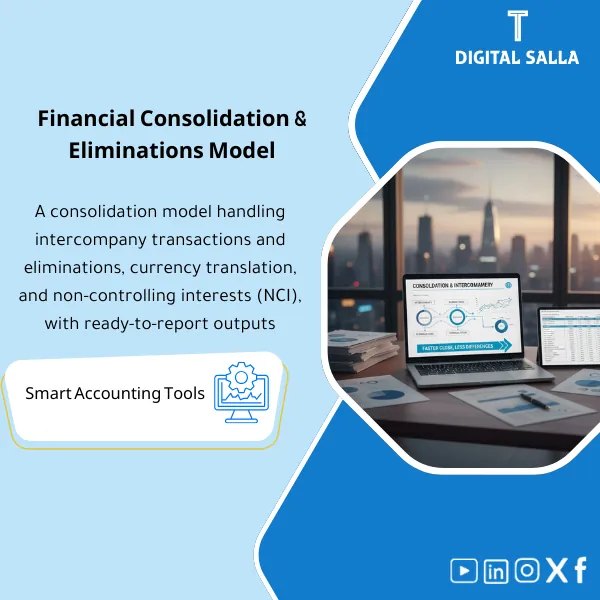
Consolidation & Eliminations – Excel File
127.39 $
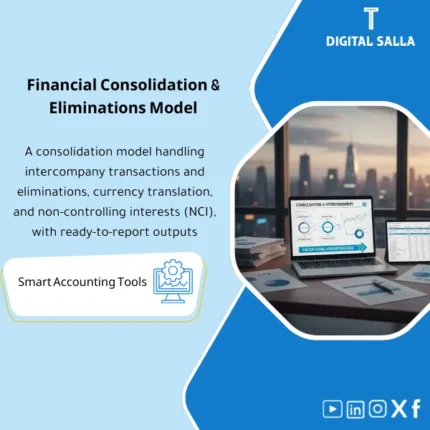
Financial Consolidation Pack: Includes an intercompany tracker to reconcile balances and transactions, prepare elimination entries, and assemble consolidation files. Delivers a consolidated trial balance and consolidated statements with documented eliminations and transfer pricing basics.
Consolidation Package for Groups
Intercompany + Eliminations + Consolidation Pack + TP Basics (Month/Quarter/Year-End)
Value Proposition: The Financial Consolidation package transforms consolidation from a “large Excel file” into a documented workflow: Intercompany Reconciliations → Eliminations (JE Log) → Group TB → Consolidation Closing Pack for delivery.
In 20 Seconds: What Will You Get?
- Intercompany Matrix + Reconciliations (AR/AP/Loans/Charges) with a closeable variance log.
- Elimination JE Templates + Elimination JE Log (Reason/Support/Approval/Impact).
- COA Mapping for the Group: Linking COA for each entity to Group Reporting Lines.
- FX Translation schedules (Rates table + TB translation according to your adopted methodology).
- Group TB after translation and eliminations + Cross-checks for verification.
- Consolidation Checklist (Month/Quarter/Year-End) + Sign-off to finalize the version.
- TP Basics Pack: Related Parties Transactions Register + Basic Documentation Checklist (without claiming full compliance).
CTA related to outputs: Start the next consolidation cycle with a process that ends with Group TB and Consolidation Closing Pack (with Intercompany Reconciliations and Elimination JE Log as evidence).
Suitable For
- Group Controller managing group closure and wants a traceable consolidation file for any review.
- Financial Controller within a holding company needing to link multiple entities + FX + eliminations with documented outputs.
- Head of Accounting responsible for Intercompany and elimination entries wanting a JE Log and consistent delivery evidence.
Not Suitable For
- Those looking for “ready-made consolidated numbers” without providing TB for each entity or Intercompany data (a reviewable consolidation cannot be built without sources).
- Those needing specialized/legal mandatory Transfer Pricing study (TP Basics here is a documentation and operational framework, not an official TP report).
Without the Package / With the Package (Brief Comparison)
| Item | Without the Package | With the Package |
|---|---|---|
| Intercompany | Accumulated variances (AR/AP/Charges) appearing at consolidation | Intercompany Reconciliations + Issue Log + Closing variances before eliminations |
| Eliminations | “Undocumented” elimination entries or repeated in different formats | Elimination JE Templates + JE Log (Reason/Support/Approval/Impact) |
| Group TB | Multiple copies of consolidated TB after each adjustment | Group TB “one approved version” after FX + Eliminations + Cross-checks |
| FX & Rates | Translation of currencies not fixed or without a clear Rates table | Rates Table + FX Translation schedules + Documentation of methodology |
| TP Basics | Related party transactions without a unified log or policy description | Related Parties Register + TP Basics Checklist + Linking transactions to agreements/pricing |
| Delivery | Scattered files upon management/auditor request | Indexed Consolidation Closing Pack + Support Index + Sign-off |
Before Use: 5 Symptoms Wasting Consolidation Time
- Intercompany balances do not match between entities (AR/AP/Loans/Management fees) and there is no Issue Log to close them.
- COA differs between companies, leading to repeated manual reclassifications when aggregating TB.
- FX translation is executed “from memory” without a unified Rates table or documented methodology.
- Eliminations are recorded as undocumented entries (no JE Log or support) hindering the audit.
- Upon management/audit request: there is no Consolidation Pack linking Group TB to sources and eliminations.
Financial Consolidation: Implementation Method (3 Steps Without Gaps)
Step 1: Preparation and Gathering Group Sources
- Gather Entity TB for each company (with the same closing date) + any local Adjustments before aggregation.
- Collect Intercompany ledgers/aging for each company (counterparty, document number, date, amount, currency).
- Establish COA Mapping to Group reporting lines + set FX rates for the period (Average/Closing/… as per your policy).
Step 2: Intercompany Reconciliations + Eliminations (JE Log)
- Execute Intercompany Reconciliations and produce Issue Log (Timing variances/Pricing variances/Missing documents) and determine the closing method.
- Prepare Elimination entries (Sales/COGS, AR/AP, IC loans/interest, IC charges…) using standardized Templates.
- Record each entry in the Elimination JE Log: entry reason + support + scope of entities + impact on Group TB.
Step 3: FX Translation + Group TB + Consolidation Closing Pack
- Translate TB for multi-currency entities according to the Rates table and document the methodology used.
- Produce Group TB after aggregation, translation, and eliminations + Cross-checks (Balance, IC net to zero, tie-outs).
- Compile an indexed Consolidation Closing Pack: Inputs + Mapping + Reconciliations + JE Log + Group TB + Support Index + Sign-off.
Package Components (Clear Inventory)
-
Group COA Mapping + Reporting Lines
- Practical Purpose: Convert TB for each entity into the same “reporting language” of the group to minimize reclassification each cycle.
- When Used: At establishment + when adding a new entity/changing COA.
- Resulting Evidence: Approved mapping sheet + classification rules for sensitive accounts (Cash/AR/AP/Taxes/Equity).
-
Entity TB Collection Pack
- Practical Purpose: A standardized template for receiving TB from each entity with Control totals and a Cut-off point.
- When Used: Every Month/Quarter/Year-End before aggregation.
- Resulting Evidence: TB files for each entity + Control totals page + approved version for the period.
-
Intercompany Matrix + Reconciliation Workbook
- Practical Purpose: Match IC balances between entities (Counterparty-based) and produce closeable variances before eliminations.
- When Used: Every consolidation cycle (monthly/quarterly/annually).
- Resulting Evidence: IC reconciliation for each pair of entities + Issue Log (Reason/Action/Status).
-
Elimination JE Templates + Elimination JE Log
- Practical Purpose: Standardize and document elimination entries instead of “free” entries without evidence.
- When Used: After closing IC variances and before approving Group TB.
- Resulting Evidence: Complete Elimination JE Log + Supporting references + Sign-off for entries.
-
FX Rates Table + Translation Schedules
- Practical Purpose: Establish the Rates used and document currency translations for entities before aggregation.
- When Used: Every cycle if you have entities in different currencies.
- Resulting Evidence: Rates table + FX translation schedule linking TB before/after translation.
-
Group TB Builder + Cross-checks
- Practical Purpose: Produce “one final version” of Group TB with tie-out tests before releasing results.
- When Used: After aggregation, translation, and eliminations.
- Resulting Evidence: Group TB + Cross-checks (Balance, IC netting, mapping completeness).
-
TP Basics Pack (Related Parties Register + Documentation Checklist)
- Practical Purpose: Register of related party transactions (type of transaction/counterparty/basis) + Basic Documentation Checklist (agreements/invoices/pricing).
- When Used: Throughout the year + completed at Year-End for management/auditor delivery.
- Resulting Evidence: Related parties register + TP basics checklist + linking transactions to documents (without claiming an official TP report).
-
Consolidation Checklist + Closing Pack Template
- Practical Purpose: Turn consolidation into a task sequence + an indexed delivery file upon request.
- When Used: Every Month/Quarter/Year-End.
- Resulting Evidence: Completed Checklist + Pack Index + Support Index + Sign-off for the approved version.
You will use it to produce Intercompany Reconciliations + Elimination JE Log → Group TB → Consolidation Closing Pack as a deliverable version.
What Should Be Included in the Delivery?
- 01-Inputs: Entity TBs (for each entity) + Cut-off schedule + any local adjustments before aggregation.
- 02-Mapping: Group COA mapping + reporting lines + classification rules for sensitive accounts.
- 03-Intercompany: IC ledgers/aging for each entity + IC matrix + Reconciliations + Issue Log and closure status.
- 04-FX: Rates table (Average/Closing/… as per your policy) + Translation schedules for multi-currency entities.
- 05-Eliminations: Elimination JE templates used + Elimination JE Log + support for entries (Support references).
- 06-Group TB: Final Group TB after translation and eliminations + Cross-checks and balance confirmation.
- 07-TP Basics: Related parties register + list of core IC transactions + documentation checklist (agreements/pricing/invoices).
- 08-Pack Index: Complete file index + Support index linking each table to its source (Exports/ledgers/agreements).
- 09-Sign-off: Approval page for the version (period/entities/currencies) + who approved + date of approval.
After Implementation (Two Points Only)
- Operational Outcome for the Team: Consolidation becomes a repeatable cycle: TB collection → IC reconciliations → eliminations → FX → Group TB, instead of rebuilding the file each period.
- Control/Audit Outcome: Traceability: Any number in Group TB can be traced back to Entity TB + Mapping + Elimination/IC reconciliation entry within the Consolidation Pack with Support Index.
FAQ — Questions Before Purchase
Is the package suitable for any accounting/ERP system?
Yes, as long as TB can be extracted for each entity and Intercompany data (ledger/aging) + FX data when needed. The methodology relies on outputs, not on the system name.
Does it work with multi-currency groups?
Yes. It includes Rates table and Translation schedules. The accuracy of translation depends on the availability of rates and the methodology you adopt internally.
Does it include consolidation of many companies/multiple levels?
Yes, as a framework. TB and IC are separated for each entity and then aggregated into Group TB. The more entities, the more important the Tracker and Support index within the Pack.
Does it include the consolidated statements themselves (P&L/BS/CF)?
The package focuses on producing Group TB and outputs for eliminations, reconciliations, and delivery. Preparing the final statements (presentation/disclosures) depends on the template used by the group and your standards requirements.
Does it cover NCI / Minority Interest or Equity method?
It provides a framework for consolidation and eliminations. NCI/Equity method cases require additional inputs and a clear accounting policy; they can be included in the Templates if their data is available to you.
What is the minimum data required to start?
Entity TB for each company + IC balances by counterparty + COA mapping + FX rates (if currencies exist). Without this, the consolidation will not be matchable and traceable.
Does “TP Basics” replace an official Transfer Pricing report?
No. It is a documentation and operational Pack: transaction register + documentation checklist and linking. The official/mandatory report (if requested) requires specialized work according to regulations and country.
Is there a delivery template for internal/external audit?
Yes. The Consolidation Closing Pack is indexed and includes: Inputs + Mapping + IC reconciliations + Eliminations + FX + Group TB + Support index + Sign-off.
Ready to Deliver Group Consolidation with a Clear Evidence File?
Outputs: Intercompany Reconciliations + Elimination JE Log + Group TB within the indexed Consolidation Closing Pack for delivery.
| المسمّى الوظيفي | |
|---|---|
| Duration | |
| المستوى | |
| التحديثات | |
| القطاع | |
| الصيغة |




Reviews
Clear filtersThere are no reviews yet.