


Fixed Assets Depreciation Model – Excel File
318
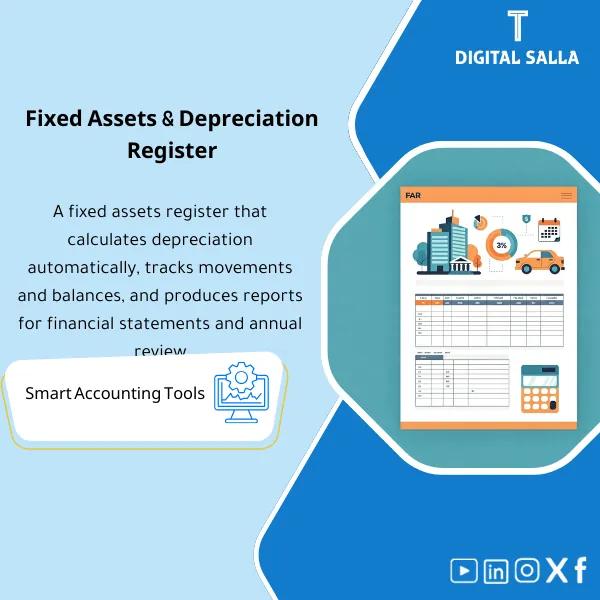
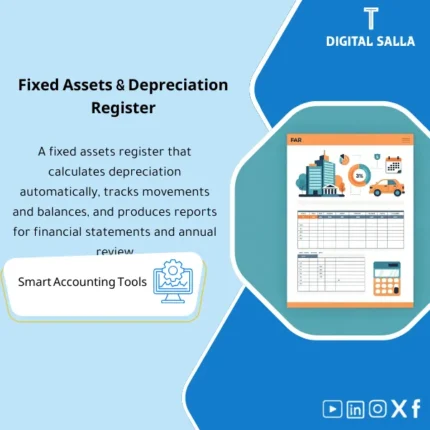
Fixed Assets Depreciation & Management Template is a comprehensive Excel program to manage fixed assets and calculate depreciation accurately using the straight-line method. It provides detailed and summarized depreciation and net book value reports, and can be easily reconciled to the trial balance—enhancing fixed asset control and efficiency.
Still tracking fixed assets manually and losing hours reconciling depreciation every month?
The Fixed Assets Depreciation Model is a ready-to-use Excel file designed to give you full control over your asset register, depreciation schedules, and capital expenditure tracking. It features asset tagging, automatic straight-line depreciation calculations, CAPEX/CIP monitoring, and a built-in GL reconciliation sheet. Manage your entire fixed asset lifecycle in one organized, formula-driven workbook — from acquisition to disposal.
🛡️ 7-Day Guarantee
📊 Editable Excel File
5 Signs You Need This Fixed Assets Model
1Manual depreciation calculations: You are computing depreciation by hand or in scattered spreadsheets with no single source of truth.
2No asset tagging or categorization: Your assets lack proper tags, cost center assignments, or location tracking, making audits a nightmare.
3CAPEX spending is hard to track: Capital expenditures and construction-in-progress items are buried across multiple files with no clear capitalization workflow.
4GL reconciliation takes forever: Matching your fixed asset sub-ledger to the general ledger is a time-consuming, error-prone process every closing period.
5No ready closing pack for auditors: When auditors ask for a fixed asset summary, you scramble to pull data from different sources instead of handing over one clean report.
What You Get
One Excel workbook with 6 interconnected sheets covering the entire fixed asset management cycle from registration to closing
| Asset Register | Complete asset database with fields for asset tag, description, category, location, cost center, acquisition date, and useful life |
| Depreciation Schedule | Automated straight-line depreciation with monthly and annual expense, accumulated depreciation, and net book value (NBV) calculations |
| CAPEX/CIP Tracker | Tracks construction-in-progress projects and capital expenditures from initial spend through capitalization into the asset register |
| Transfers & Disposals | Records inter-department transfers, asset retirements, and disposals with gain/loss calculations and proper audit trail |
| FA to GL Reconciliation | Side-by-side reconciliation of fixed asset sub-ledger to general ledger balances for cost, accumulated depreciation, and NBV |
| FA Closing Pack | Audit-ready closing package with summary schedules, movement reports, and key disclosures for period-end reporting |
How to Use This Model
Enter Your Assets in the Register
Input each asset’s details: unique tag number, description, category, location, cost center, acquisition date, original cost, and estimated useful life. The formulas will handle the rest automatically.
Review the Depreciation Schedule
The model automatically calculates straight-line depreciation based on your inputs, generating monthly charges, accumulated depreciation, and net book value for every asset in your register.
Track Capital Projects and Movements
Log any new capital expenditures in the CAPEX/CIP tracker, record asset transfers between departments, and process disposals — the model updates all related balances automatically.
Reconcile and Generate the Closing Pack
Use the GL reconciliation sheet to match your sub-ledger to the general ledger, then pull the FA Closing Pack for a clean, auditor-ready summary of all fixed asset activity for the period.
Your Fixed Asset Management: Before vs After
| Aspect | ❌ Without | ✅ With This Model |
|---|---|---|
| Depreciation Tracking | Manual calculations prone to errors and inconsistencies | Automated straight-line schedules with instant NBV updates |
| Asset Organization | Scattered records with no tagging or categorization system | Centralized register with tags, categories, and cost centers |
| GL Reconciliation | Hours spent matching numbers with frequent unexplained variances | Built-in reconciliation sheet that highlights differences instantly |
| Period-End Reporting | Scrambling to compile data from multiple sources for auditors | One-click closing pack ready for auditors and management review |
You are an accountant, financial controller, or finance manager responsible for fixed asset tracking. You need a structured, formula-driven Excel model to manage depreciation, reconcile to the GL, and produce clean closing packs — especially if your company does not use a dedicated fixed asset module in its ERP system.
You already use a full ERP system (like SAP or Oracle) with an integrated fixed asset module that handles depreciation and reporting automatically, or you are looking for a non-Excel software solution for asset management.
What depreciation method does this model support?
The model is built on the straight-line depreciation method, which is the most widely used approach under international accounting standards. You can adjust useful life and residual value for each asset individually.
Can I add more assets beyond the initial template rows?
Yes. The workbook is fully unlocked and editable. You can insert additional rows and the formulas are designed to be easily extended to accommodate any number of assets.
Which version of Excel do I need?
The model works with Excel 2016 or later, including Microsoft 365. All formulas are compatible and no macros or add-ins are required.
Can I customize the model for my company’s chart of accounts?
Absolutely. The file is fully editable so you can rename account categories, adjust GL codes, and tailor every sheet to match your organization’s specific structure and reporting needs.
Ready to bring order to your fixed asset management once and for all?
For just 318.15 SAR, get a complete, professional-grade Excel model that handles depreciation, CAPEX tracking, GL reconciliation, and audit-ready closing packs — backed by a 7-day money-back guarantee.
| الفئات | Fixed Assets |
|---|---|
| Job Title | Accountant |
| Level | Intermediate |
| Format | Excel |


Reviews
Clear filtersThere are no reviews yet.