




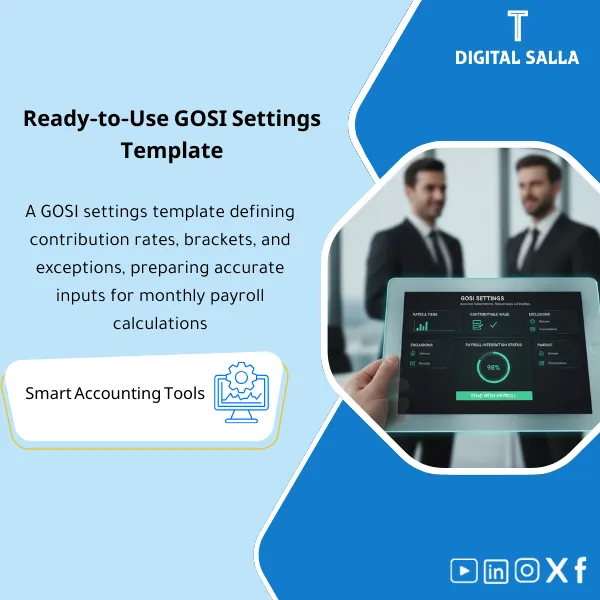
GOSI Setup Template – Excel Template
42.29 $
GOSI Setup Configuration: Documents contribution rates/slabs, contributory wage, exceptions, and mapping to payroll components within the system. Delivers settings ready for review and deployment for Saudi payroll teams before running monthly GOSI.
GOSI Insurance Settings
Subline: Payroll GOSI Settings template to adjust rates/bands/exceptions and build the “insurable wage” with Reconciliation and JE Log within the Closing Pack
Value Proposition: GOSI Insurance Settings is not just a “settings screen in Payroll”; it is a recurring failure point at Month-End: employee deductions do not match the insurance report, employer contributions are posted to the wrong account, or insurable wage is calculated with incorrect salary components (allowances included/excluded), leading to accumulated discrepancies and a file of rejects and undocumented exceptions. This template transforms GOSI Settings in Payroll into an auditable file: a matrix of social insurance rates and GOSI bands, definition of insurable wage, a register of GOSI exceptions, and a testing plan + monthly reconciliation with GL to close accounts without “patching” at month-end.
In 20 Seconds: What Will You Get?
- Recurring “Settings File”: A single file that sets Payroll GOSI settings instead of scattered notes.
- Social Insurance Rates Matrix: Rates & components by employee categories (your internal definitions) with effective dates and documentation.
- GOSI Bands: Bands/thresholds/caps recorded as auditable settings data with Change log.
- Insurable Wage: Clear mapping of salary components (Basic/Allowances/…): “included/excluded” with reason/reference.
- GOSI Exceptions: Register for special treatments (categories/cases/exceptions) with approvals.
- UAT/Test Cases: Practical test scenarios (Joiner/Leaver/Retro/Salary change) to demonstrate that the setup is correct.
- Month-End Reconciliation: Matching Payroll contributions with the insurance report and GL + JE Log for account settlement.
CTA related to outputs: you will receive Settings matrix + Insurable wage mapping + Exceptions register + Test log + Reconciliation + JE Log.
Suitable For
- Payroll Manager / HR Ops: Adjusting GOSI settings in Payroll and reducing rework and rejects through documented testing.
- GL / Controller: Month-End tie-out between payroll contributions and GL and clearing liability accounts.
- Internal Audit / Compliance: Auditable evidence: what is the setup? When did it change? Who approved it? And what is its impact on entries.
Not Suitable For
- If your company is not subject to Saudi insurance or there is no internal Payroll to modify its settings — the template will not add operational value.
- If you require “ready rates” as an alternative to referring to the latest GOSI rules/decisions — this product does not replace regulatory verification, but documents and tests your settings.
Without the Template / With the Template (Brief Comparison)
| Item | Without GOSI Settings File | With GOSI Insurance Settings |
|---|---|---|
| Insurable Wage | Salary components included/excluded in an undocumented manner → recurring discrepancies | Documented mapping of salary components + review upon any change |
| Exceptions | Exceptions handled manually without a record and approval | GOSI exceptions with a register + reason codes + approvals |
| Month-End | Total entry + discrepancy with insurance reports/GL | Reconciliation + JE Log + Tie-out ready for delivery within Closing Pack |
Before Use: 5 Symptoms That GOSI Will Create Discrepancies at Month-End
- Employee deduction and employer contribution are calculated, but there is no file indicating “on what basis” they were calculated (insurable wage).
- Salary/allowance changes (Retro/Increment) are updated in Payroll but not reviewed against the insurable wage settings.
- Employee exceptions are resolved manually (case-by-case) without an exceptions record and approval, leading to repeated errors.
- No monthly tie-out between the insurance report/file and what has been posted in GL.
- The GOSI payable/clearing account in TB accumulates a balance with no one having a Rollforward explanation.
How to Set Up GOSI Insurance Settings in Payroll from Start to Month-End?
The goal is not to write a “Policy,” but to operate a traceable cycle: it starts with gathering salary components and defining what falls under insurable wage, then adjusting social insurance rates and GOSI bands according to employee categories within your company, documenting any GOSI exceptions. After that, the setup is tested through real scenarios (Joiner/Leaver/Retro/Salary change) and then a monthly reconciliation is performed: Payroll totals ↔ insurance report/file ↔ GL. The final output is not just “settings,” but a file of evidence: settings + testing + reconciliation + JE log that can be placed directly into the Closing Pack.
Implementation Steps (3 Steps)
Step 1: Preparation and Report Gathering
- List of salary components in your system (Payroll elements) + definition of each component (Basic/Allowance/Overtime/Bonus…)
- Classification of employees (categories/cases) as used in Payroll (e.g., coverage categories/exempt/etc. based on your reality)
- Extract Payroll outputs for the month (Employee-level or summary) + any insurance report/file for the period
- GL accounts used: Payroll expense, GOSI payable/clearing, (and any Reclass accounts you have)
- Compile a brief internal policy: what the company considers “insurable wage” + how to handle special cases
Step 2: Payroll GOSI Settings + Testing
- Fill in the rates/bands matrix within the template (with effective dates + version) and define application rules by category.
- Build mapping for the insurable wage: salary component → included/excluded → reason/reference → owner for review.
- Create a GOSI exceptions register: define the case + processing decision + approval + effective date.
- Run UAT/Test Cases on sample data or a sample of employees: verify calculations before Go-live.
Step 3: Month-End Reconciliations + JE Log + Closing Pack
- Match Payroll contributions outputs with the insurance report/file for the same period and highlight any discrepancies (Timing/Eligibility/Elements).
- Match the balance posted in GL (GOSI payable/clearing) with the total due for the period + payments if any.
- Output JE Log for adjustments/True-ups/Reclass as needed, linking each entry to a reason/reference within the reconciliation file.
- Prepare Closing Pack: settings version + test log + reconciliation + tie-out + sign-off.
Product Components (Clear Inventory)
-
Rates & Bands Matrix (Social Insurance Rates + GOSI Bands)
- Practical Purpose: Documenting rates/components of contributions and bands and limits of application by employee categories within your company.
- When to Use: During initial setup + upon any official update/internal change with Version control.
- Resulting Evidence: Settings matrix with version and effective date and approval.
-
Insurable Wage Builder (Insurable Wage)
- Practical Purpose: Defining salary components that are included/excluded in the insurable wage (clear mapping).
- When to Use: When building GOSI settings in Payroll + when adding a new allowance/component.
- Resulting Evidence: Mapping table + salary components dictionary with a clear decision for each component.
-
Eligibility & Exceptions Register (GOSI Exceptions)
- Practical Purpose: Recording special cases and exceptions as Cases with a decision and approval instead of oral processing solutions.
- When to Use: Throughout the year + review Week‑4/Month-End for open items.
- Resulting Evidence: Exceptions register + reason codes + approvals.
-
Payroll System Settings Checklist (GOSI Payroll Settings)
- Practical Purpose: A checklist that specifies “what needs to be adjusted” within the Payroll system (fields, codes, mapping, effective dates).
- When to Use: Before Go-live and after any settings change to ensure no step is missed.
- Resulting Evidence: Checklist signed (Prepared/Reviewed) with execution date.
-
UAT / Test Cases Pack
- Practical Purpose: Testing the setup on practical scenarios: Joiner/Leaver/Salary change/Retro/Leave…
- When to Use: Before actual operation + upon any update of rates/bands/exceptions.
- Resulting Evidence: Test log showing expected vs actual + repair decisions.
-
Monthly Reconciliation (Payroll ↔ GOSI ↔ GL)
- Practical Purpose: Matching contributions for the period from Payroll with the insurance report and GL to identify timing/eligibility/component discrepancies.
- When to Use: Monthly as part of Month-End.
- Resulting Evidence: Reconciliation schedule + differences log + resolution notes.
-
JE Log + Control Account Rollforward
- Practical Purpose: Documenting entries related to employer contributions and adjustments and closing the GOSI payable/clearing account via Rollforward.
- When to Use: Month-End and Year-End.
- Resulting Evidence: JE batch list + rollforward + TB tie-out.
-
Change Log & Approvals (Change Governance)
- Practical Purpose: Tracking any changes in rates/bands/insurable wage or exceptions: who requested? Who approved? When was it applied?
- When to Use: Upon any settings update (especially during organizational changes or system upgrades).
- Resulting Evidence: Change log + approval evidence + impact on Month-End.
What Should Be Included in the Delivery?
- 01-GOSI-Payroll-Settings-Pack.xlsx: The main file (Matrices + Mapping + Tests + Reconciliation + JE).
- 02-Rates-Bands-Matrix.xlsx: Social insurance rates + GOSI bands (Effective dates/versions).
- 03-Insurable-Wage-Mapping.xlsx: Insurable wage: salary components → included/excluded + reason/reference.
- 04-Payroll-Elements-Dictionary.xlsx: Payroll elements dictionary (definition of each component + owner + adjustment notes).
- 05-Eligibility-Exceptions-Register.xlsx: GOSI exceptions + reason codes + approvals.
- 06-Payroll-GOSI-Settings-Checklist.pdf: Checklist for implementing GOSI Payroll settings within the system.
- 07-UAT-Test-Cases.xlsx: Test cases (expected vs actual) + log of repair decisions.
- 08-Monthly-Reconciliation-Template.xlsx: Matching Payroll ↔ GOSI ↔ GL + differences log.
- 09-GOSI-Control-Account-Rollforward.xlsx: Reconciliation of GOSI payable/clearing account (opening/movements/closing).
- 10-JE-Log-GOSI.xlsx: JE Log for employer contributions/adjustments/True-ups/Reclass with references.
- 11-GL-Mapping-GOSI.xlsx: Linking GOSI outputs to GL accounts (expense/payable/clearing) according to your design.
- 12-Change-Log-Approvals.xlsx: Settings change log + approvals + application date.
- 13-Evidence-Index.xlsx: Evidence index (Payroll exports/Reports/Settings screenshots/GL postings/Reconciliation).
- 14-Runbook.pdf: Step-by-step operation (Configure → Test → Reconcile → Close).
- 15-Controls-Checklist.pdf: Control checklist (completeness/insurable wage/rates update/reconciliation review).
- 16-Archiving-Map.docx: Archiving tree (Year/Month/Payroll/GOSI/Settings/Tests/Reconciliations).
- 17-Signoff-Page.docx: Prepared/Reviewed/Approved + Version + Effective date.
After Implementation (Two Points Only)
- Operational Outcome for the Team: Every change in salary components or employee categories goes through mapping and testing, reducing discrepancies in contributions and unexpected exceptions at closing.
- Audit/Compliance Outcome: There is a clear trace: settings → Test cases → Reconciliation → JE Log → TB tie-out, making GOSI compliance review possible without “efforts” at year-end.
FAQ — Questions Before Purchase
Is it suitable for any Payroll system?
Yes. The template does not depend on a specific system; it relies on your ability to extract Payroll elements and monthly results and link them to GL.
Does it include ready social insurance rates with numbers?
No. The template is designed to document the rates/bands applicable in your company with effective dates and approvals, as the numbers may change and should refer to the official source.
How is the “insurable wage” determined?
Through mapping of salary components: each component is classified (included/excluded) with reason/reference and an owner for review, then the output is tested on a sample of employees.
Does it support exceptions and special cases?
Yes, through a GOSI exceptions register that records the case, decision, approval, and effective date instead of undocumented solutions.
Is it suitable for multi-entity/branch companies?
Yes, by adding Company/Branch and linking settings and discrepancies and Reconciliation for each entity then Consolidated.
When do I use it: only at setup or monthly?
It is used during setup/modification, then monthly within Month-End through Reconciliation and rollforward for GOSI payable/clearing account.
Is there a JE Log for recording employer contributions and adjustments?
Yes. There is a JE Log to document entries (expense/payable/clearing) and true-ups/reclass as needed with references for reconciliation.
What is the minimum data required to get started?
A list of salary components + employee/category data + monthly Payroll outputs + balance/movement of GOSI accounts in TB + insurance report/file for the period.
Ready to Stop GOSI Discrepancies at Closing and Adopt a Deliverable Settings + Reconciliation File?
Outputs: Settings matrix + Insurable wage mapping + Exceptions + Tests + Monthly reconciliation + JE Log + Closing Pack.
| المسمّى الوظيفي | |
|---|---|
| Duration | |
| المستوى | |
| التحديثات | |
| القطاع | |
| متوافق مع | |
| الصيغة |
Related products

Customer Contracts Register – Excel Template
Customer Contract Management Template is a comprehensive Excel-based program to manage customer contracts effectively, including contract data, payments tracking, completion percentages, delivery dates, and project profitability—supported by automated reports that improve contract oversight and customer relationships.







Reviews
Clear filtersThere are no reviews yet.