


Gross Margin Bridge – Excel Template
55.59 $
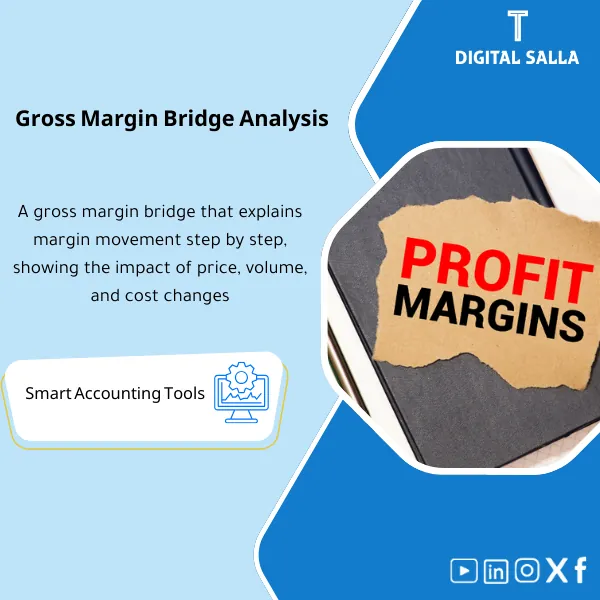
Gross Margin Bridge Analysis: Breaks margin movement into price/volume/mix/cost/discounts/returns drivers. Delivers variance-driver reporting by product or channel for management review and month-end performance analysis.
Profit Margin Analysis
The Gross Margin Bridge template explains margin changes through Price‑Volume‑Mix + Discount Impact + Cost of Sales Analysis to provide explanations for margin variances with evidence (Excel)
Value Proposition: Instead of saying “the margin dropped,” this model provides you with a Gross Margin Bridge that explains the drop/increase: Price / Volume / Mix / Discounts / Cost — with traceable numbers.
Practical Definition: True Profit Margin Analysis during closing or performance review does not stop at (Gross Margin %).
The real scenario: management sees the margin change compared to the previous month or the same period last year. The question is not “how much?” but “why?”.
The usual problem is that the report only presents Sales and COGS, without explanation: Is the reason Price Volume Mix? Did discounts increase? Did the cost of sales rise due to supplier/shipping/inventory pricing?
This model builds the Gross Margin Bridge step by step: starting from revenue and COGS data at the (Product/Customer/Channel) level as data is available,
then breaks down the change into drivers, shows the impact of discounts on the margin, and produces a Cost of Sales Analysis linking the increase to its source.
The result: an explanation of margin variances in a single file, deliverable to the head of accounts, management, and auditors.
In 20 Seconds: What Will You Get?
- A Gross Margin Bridge file that links margin from period to period (Current vs Prior).
- Price Volume Mix analysis at the SKU/Customer/Channel level based on your data.
- Measurement of impact of discounts on margin (Discounts/Allowances/Rebates) instead of merging them into sales.
- Cost of Sales Analysis clarifies: Is the issue in Unit cost? In Mix? In shipping/expenses within COGS?
- Reconciliation proves that the analysis result = actual change in GM (Tie‑out).
- Exceptions List: Products/Customers that caused the largest variances (Top drivers).
- Ready narrative summary: Explanation of Margin Variances in concise points suitable for presentation.
CTA related to outputs: You will receive GM Bridge + PVM + Discount Impact + Cost Analysis.
Suitable For
- FP&A / Management Accounting: Explaining margin changes before performance and budget meetings.
- Head of Accounts / Month-End Owner: Preparing explanations for margin variances as part of the Closing Pack.
- Commercial Finance: Isolating the impact of discounts, price, and mix on profitability by channels and customers.
Not Suitable For
- If there is no Quantity data or any Dimension (SKU/Customer/Channel) — the analysis will revert to a limited aggregate level.
- If COGS itself is not substantiated or has significant unexplained variances — it is better to run COGS Reconciliation first and then create the margin bridge.
Without Analysis / With Profit Margin Analysis (Brief Comparison)
| Item | Without Template | With Template |
|---|---|---|
| Margin Reading | GM% only | Gross Margin Bridge explains sources of change |
| Discounts | Merged into revenue | Impact of discounts on margin is separate and measurable |
| Decision | No clear Drivers | Top drivers by SKU/Customer/Channel + exceptions |
Before Use: 5 Symptoms That Margin is “Changing Without Explanation”
- Declining GM% despite stable apparent prices in the price list.
- Increased discounts/rebates but their impact is not clearly shown in performance analysis.
- COGS rises while Volume is stable — and you don’t know if the reason is Unit cost or Mix.
- Management asks about the reasons for the change and there is no file linking causes to numbers.
- Each team provides a different explanation (Sales says discounts, Ops says costs, Finance says mix) without a single bridge to clarify.
How Does Profit Margin Analysis Work Practically Using the Gross Margin Bridge?
The operation begins by defining a comparison period: the current month versus the previous one, or YTD versus LYTD.
Sales and COGS data (and discount items if available) are loaded at an appropriate analysis level: SKU or Customer or Channel.
The model then breaks down the change in revenue into Price Volume Mix (price/quantity/mix),
then isolates the impact of discounts on margin as a separate item so it does not get lost within “Net Sales”.
On the cost side, a Cost of Sales Analysis is constructed: Is the increase due to Unit cost? Due to mix? Due to including expenses within COGS?
Finally, a Gross Margin Bridge is produced that links GM from period to period (Tie‑out) with a list of major drivers and exceptions.
Application Method (3 Steps)
Step 1: Preparation and Report Gathering
- Sales report: Qty + Sales value (Gross/Net) by SKU/Customer/Channel.
- COGS report at the same dimensions or the closest available level.
- Discounts/Allowances/Rebates (if separate) to determine the impact of discounts.
- Define the reference period (Prior month / Budget / LY).
Step 2: Build Price‑Volume‑Mix + Isolate Discounts
- Calculate Price impact, Volume impact, and Mix impact on revenue.
- Produce a PVM table by SKU/Channel/Customer with Top drivers.
- Separate discounts from Net sales and measure their impact on GM.
Step 3: Analyze Cost of Sales + Tie‑out + Deliverable Outputs
- Analyze changes in COGS: Unit cost change vs Mix vs other cost drivers.
- Build a final Bridge: GM Prior → +/‑ drivers → GM Current (Reconciliation).
- Produce a narrative summary + exceptions list + sign‑off.
Product Components (Clear Inventory)
-
GM Baseline & Tie-out
- Practical Purpose: Establish GM for each period and link it to reports/GL.
- When to Use: At the beginning of the analysis.
- Resulting Evidence: baseline GM + reconciliation check.
-
Price Volume Mix (PVM) Module
- Practical Purpose: Break down revenue change into Price/Volume/Mix.
- When to Use: When sales/prices/mix change.
- Resulting Evidence: PVM table + top drivers.
-
Discount Impact Schedule (Impact of Discounts on Margin)
- Practical Purpose: Measure the impact of discounts/rebates/allowances on GM.
- When to Use: Monthly or during major campaigns/discounts.
- Resulting Evidence: discount impact schedule + reconciled net sales.
-
Cost of Sales Analysis
- Practical Purpose: Explain changes in COGS to Unit cost/Mix/Other costs.
- When to Use: When COGS changes or supplier/shipping/pricing costs change.
- Resulting Evidence: cost drivers table + exceptions.
-
Gross Margin Bridge Output (Waterfall)
- Practical Purpose: Produce a final Bridge: GM prior → drivers → GM current.
- When to Use: Before presenting results to management.
- Resulting Evidence: GM bridge waterfall + summary.
-
Exceptions & Commentary Pack
- Practical Purpose: List of SKUs/Customers that caused the variance + brief explanation for each reason.
- When to Use: During operational/commercial inquiries.
- Resulting Evidence: exception list + narrative bullets.
-
Controls & Sign-off Pack
- Practical Purpose: Verification: tie‑out, consistency, data sources, and report approval.
- When to Use: Before delivering the analysis as part of the Closing Pack.
- Resulting Evidence: controls checklist + approvals.
What Should Be Included in the Delivery?
- 01-Gross-Margin-Bridge-Pack.xlsx: The main file (PVM + discounts + cost analysis + bridge).
- 02-Data-Import-Template.xlsx: Sales/COGS/Discounts import template with dimensions.
- 03-PVM-Module.xlsx: Price‑Volume‑Mix tables + top drivers.
- 04-Discount-Impact.xlsx: Impact of discounts on margin + reconciled net sales.
- 05-Cost-Drivers-Analysis.xlsx: Cost of sales analysis and explanation of changes in COGS.
- 06-Bridge-Waterfall.xlsx: Final Gross Margin Bridge + tie‑out.
- 07-Exceptions-Log.xlsx: Exceptions list (SKU/Customer/Channel) + reasons for variances.
- 08-Narrative-Summary.docx: Explanation of margin variances in presentation-ready points.
- 09-Assumptions-Log.xlsx: Analysis assumptions (baseline/period/definitions).
- 10-Controls-Checklist.pdf: Checklist: completeness/tie‑out/consistency.
- 11-Runbook.pdf: Step-by-step operation (Import → PVM → Discounts → Cost → Bridge).
- 12-Signoff-Page.docx: Prepared/Reviewed/Approved.
- 13-Archiving-Map.docx: Evidence retention tree (exports + bridge + exceptions).
- 14-Management-Summary.pdf: Executive summary: key drivers and their impact on GM.
After Implementation (Two Points Only)
- Operational Outcome for the Team: Instead of “verbal explanation,” you will have a consistent monthly Bridge + Top drivers that can be tracked.
- Control/Audit Outcome: Tie‑out proves that the analysis equals the actual change in GM + a file of evidence and assumptions.
FAQ — Questions Before Purchase
Does the analysis require Quantity?
It is highly preferred because Price‑Volume‑Mix relies on quantity. Without Quantity, a total Bridge can be created but with less explanatory value.
Can it be run at the Customer or Channel level instead of SKU?
Yes, depending on the dimensions available in your data. It is best to run it from multiple perspectives when data is available.
How does it measure the impact of discounts on margin?
It separates Discounts/Allowances/Rebates as an independent item and compares them between periods to measure their impact on GM.
Does it include Cost of Sales Analysis?
Yes: it isolates changes in COGS to Unit cost/Mix/Other cost drivers based on the available data level.
Is it suitable for monthly closing only or also for annual closing?
For both; monthly for performance tracking, and annually to support explanations of variances in audit and management.
Does it recalculate COGS from the inventory equation?
No; it assumes that COGS is ready from the system. If COGS is not substantiated, it is better to use COGS Reconciliation first and then the Bridge.
Can Budget vs Actual be added?
Yes, as a comparison period (Budget) instead of Prior, provided that Sales/COGS/Discounts are available at the same dimensions.
What is the minimum data required?
Sales value + COGS for two periods. It is preferable to include Qty + Discounts to create PVM and measure the impact of discounts accurately.
Ready to Provide Management with a Numerical Explanation of Margin Changes Instead of “General Reasons”?
Outputs: Gross Margin Bridge + Price Volume Mix + Impact of Discounts + Cost of Sales Analysis.
| المسمّى الوظيفي | |
|---|---|
| Duration | |
| المستوى | |
| التحديثات | |
| القطاع | |
| الصيغة |
Related products

EOSB Calculator – Excel Template

Expected Credit Losses Assessment Service (IFRS 9)

Reviews
Clear filtersThere are no reviews yet.