



Lease Data Pack – IFRS 16 Inputs – Excel Templates
63.56 $
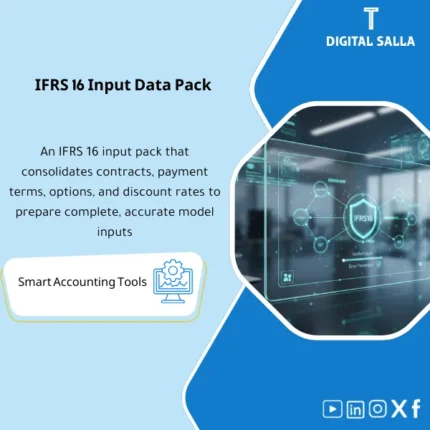
IFRS 16 Lease Contracts Input Pack: Consolidates contract details, payment schedules, renewal/termination options, and IBR into a standardized input file. Delivers a measurement-ready data pack and liability schedules for multi-contract adoption.
Lease Data Pack (IFRS 16 Inputs for Lease Contracts)
A standardized Excel template for preparing IFRS 16 Inputs for lease contracts: contract data, Lease Payment Schedule, Extension and Termination Options, and documentation of Incremental Borrowing Rate (IBR) — ensuring inputs are “complete and auditable” before any calculations or postings.
Value Proposition:
Most IFRS 16 errors stem not from the calculation model, but from the data:
a contract without a correct start date, an incomplete payment schedule, an “undocumented” extension option, or inconsistent IBR across contracts.
This Lease Data Pack transforms each contract into a “Data Card + Payment Schedule + Decision File for Options + Discount Rate Reference”.
The result: Lease Liability and ROU figures become traceable and reviewable from the first instance.
In 20 seconds: What will you get?
- Lease Contract Master: A standardized record of contracts (Contract ID / Lessor / Asset / Location / Currency).
- Payment Schedule: Lease Payment Schedule (Fixed/Step-up/Free Rent/Indexed) with due dates.
- Options Register: Extension and Termination Options + “Reasonably Certain” assessment with documented rationale.
- IBR Table: Incremental Borrowing Rate (IBR) by currency/term/risk classification + approval date and source.
- Indexation & Variable Payments: Documentation of variable payments and what is included/excluded in initial measurement.
- Non-lease Components: Separation of service components (if any) prior to measurement (optional).
- Portfolio Tags: Portfolio classification (Real Estate/Vehicles/Equipment/Branches) for cleaner reporting.
- Controls: Data completeness alerts (Missing IBR / Missing Payments / Dates Issues).
- Export Views: Pages ready for export to any IFRS 16 calculator or Lease Accounting system.
Suitable for
- Finance teams consolidating lease contracts from multiple branches needing a “standardized dataset”.
- Companies working in Excel or transferring data to an IFRS 16 system.
- Entities needing a robust “Inputs” file for auditor delivery (Audit-ready Inputs Pack).
Not Suitable for
- Companies not applying IFRS 16 or lacking significant lease contracts.
- Those seeking only an “IFRS 16 calculator” without organizing inputs — this product focuses on data quality as the foundation for calculations.
Without Lease Data Pack / With Lease Data Pack
| Item | Without the Pack | With the Pack |
|---|---|---|
| Contract Data | Scattered/Incomplete | Standardized Contract Master + Mandatory Fields |
| Payment Schedule | Missed periods/Free rent/Indexation | Organized Schedule + Payment Types + Accurate Dates |
| IBR | Inconsistent/Undocumented | IBR Table with Reference + Approval Date + Selection Logic |
| Options | Undocumented decision | Options Register + Reasonably Certain rationale |
| Audit | Comments on completeness and assumptions | Checks + Evidence fields + export-ready views |
Before Use: 5 Symptoms That Your IFRS 16 Inputs Are “Not Accurate”
- Differences in Lease Liability between each update cycle due to missing payments or incorrect dates.
- Extension/termination options decided “verbally” without rationale, creating disputes with auditors.
- IBR used uniformly across contracts despite differing terms/currencies/risks.
- Variable payments (Indexation) included or excluded without documentation.
- Difficulty in preparing a single file for audit delivery as an “Inputs Pack”.
After Implementation (Two Points Only)
- Consistency: Each contract has a standardized dataset (Contract + Payments + Options + IBR) without gaps.
- Auditability: Each decision (IBR/Options/Payments) is documented with reference, date, and selection logic.
How Does the Lease Data Pack Work in Practice?
1) Building the Contract Master
- Unique Lease ID + Lessor data + Asset description + Location + Contract currency.
- Commencement date + lease term + payment frequency + payment timing (advance/arrears).
- Separation of lease/non-lease components if necessary (optional).
2) Preparing the Lease Payment Schedule
- Recording Payment/Period: Due Date + Amount + Type (Fixed / Step-up / Free rent / Index-linked).
- Documenting variable payments: what is included in initial measurement and what is treated as period expense.
3) Documenting Options (Extension / Termination Options)
- Identifying the option and its activation date/impact on the term.
- Assessing Reasonably Certain + rationale: (Termination penalties, strategic location, relocation costs, renewal dates…).
4) Determining the Discount Rate (IBR) and Linking it to the Contract
- IBR Table by currency/term/credit rating/portfolio.
- Linking IBR to the contract with approval date and source of methodology (internal/external/financing).
5) Data Quality Checks (Controls)
- Missing fields: Commencement/Term/IBR/Payments.
- Illogical dates: end before start, payments outside the term.
- Consistency: Frequency does not match the number of payments, contract currency does not match IBR table.
Deliverables Included in the Excel File
- Contracts (Master): Core contract data.
- Payments: Detailed Lease Payment Schedule.
- Options: Extension and termination options + rationale.
- IBR Table: Discount rates with selection rules.
- Index/Variables: Documentation of variable payments (optional).
- Controls: Completeness/consistency checks + alerts.
- Export Views: Pages ready for upload into IFRS 16 system or auditor delivery.
If you want IFRS 16 results to be “correct from the first time,” start with the inputs
| المسمّى الوظيفي | |
|---|---|
| Duration | |
| المستوى | |
| التحديثات | |
| القطاع | |
| الصيغة |
Related products

Chart of Accounts Setup Service

Customer Contracts Register – Excel Template
Customer Contract Management Template is a comprehensive Excel-based program to manage customer contracts effectively, including contract data, payments tracking, completion percentages, delivery dates, and project profitability—supported by automated reports that improve contract oversight and customer relationships.

Reviews
Clear filtersThere are no reviews yet.