


Stock Movement Register – Excel Template
42.29 $
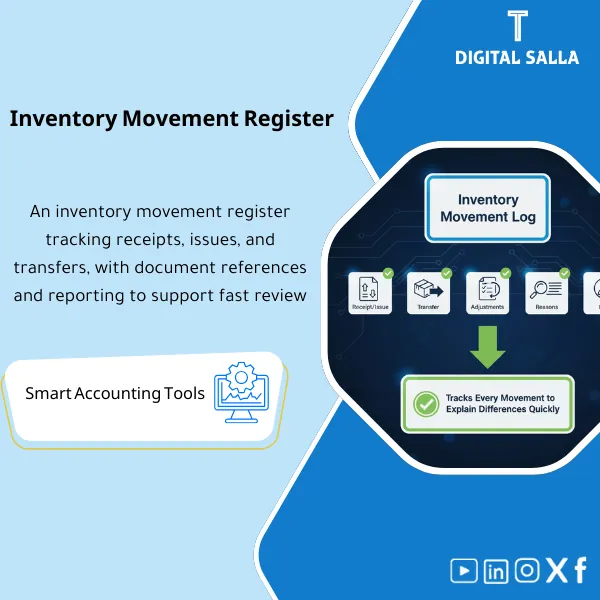
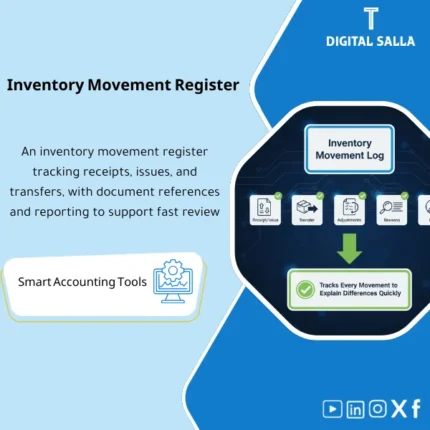
Inventory Movement Log: Records every receipt/issue/transfer/adjustment with reference, location, quantity, cost, and user. Delivers movement and exception reporting that explains inventory and COGS variances for inventory teams and chief accountants.
Stock Movement Register
Stock Movement Register for documenting receipt/issue/transfers and adjustments, generating item movement reports, and analyzing inventory variances (Excel)
Value Proposition: Stock Movement Register is a journal for the warehouse—but in an analyzable and reconcilable format. The real-world scenario: when a discrepancy arises in inventory or an “illogical” balance on a specific item, the accounting question is not: “Do we have discrepancies?” but rather: “Where did it happen? When? And with which document?”. Without a unified register, movements get lost among GRN/Issue/Transfers/Returns, making inventory variance analysis a manual effort. This product provides you with a Stock Movement Register as an Excel inventory movement that consolidates all item movements (receipt/issue/transfer/adjustment) at the warehouse/location/bin level (if applicable), and generates ready reports: item movement reports, tracking warehouse movements, and variance analysis windows that help you link discrepancies to documents and reasons (Reason code) before Month-End and inventory counts.
In 20 Seconds: What Will You Get?
- Stock Movement Register consolidates all item movements.
- Inventory Receipt and Issue Log: GRN/Issue/Returns with a reference document for each movement.
- Warehouse Movement Tracking: Transfers between warehouses/locations with sender/receiver parties.
- Excel Inventory Movement with lookups (movement/reason/warehouse/location/approvals).
- Item Movement Reports: Item card + period movement + rolling balance.
- Inventory Variance Analysis: variance view linking discrepancies to reasons/documents/location/date.
- Exceptions log: Negative movements/without documents/Backdated/unauthorized adjustments.
CTA related to outputs: you will receive Register + Item Movement Reports + Variance Analysis + Exceptions Log + Runbook.
Suitable For
- Inventory Controller / Warehouse Supervisor: Documenting movements and linking each movement to a document and reason.
- Finance/Costing: Analyzing inventory variances before inventory counts and during Month-End to reduce “unexplained adjustment” entries.
- Internal Audit: Ensuring traceability of movements (document reference + approvals + reason codes).
Not Suitable For
- If your WMS/ERP system generates a complete Stock Movement Register with ready reports and prevents movements without documents — this template will only be an additional layer.
- If you need a pricing/Valuation tool (FIFO/Weighted Avg) rather than a movement tool — this product records movements and investigations, not a Valuation engine.
Without a Unified Register / With Stock Movement Register (Short Comparison)
| Item | Without Register | With Stock Movement Register |
|---|---|---|
| Investigating Discrepancies | Searching among disparate documents | Filtering by item/warehouse/reason/document in seconds |
| Movements Without Documents | Difficult to detect early | Exceptions log captures them and turns them into a to-do list |
| Movement Reports | Unstandardized and non-comparable | Item movement reports + warehouse movement + rolling balance |
Before Use: 5 Symptoms That Inventory Discrepancies Will Recur
- There is no unified Inventory Receipt and Issue Log, as movements are scattered across files/documents.
- When a discrepancy arises, it is impossible to identify the “first point” where the error began.
- Warehouse transfers do not appear as two-party movements (out/in), causing discrepancies to be lost.
- Backdated movements or those without documents go undetected early.
- There is no standardized way to conduct inventory variance analysis (by reason/location/warehouse).
How the Stock Movement Register Works Practically from Daily Operations to Investigation Before Inventory?
The idea is not just “inputting movements”; the idea is to convert every movement into a traceable footprint. You start by recording every movement in Excel Inventory Movement with a fixed minimum: date, movement type (Receiving/Issue/Transfer/Return/Adjustment), quantity, warehouse/location/bin (if applicable), document reference (GRN/Issue note/Transfer order), and reason code for non-standard movements (damaged/defective/samples/corrections). Then validation checks are run to extract Exceptions: movements without documents, negative movements, incomplete transfers (out without in), or backdated. When a discrepancy arises, ready Views are used to generate item movement reports (Item card) and analyze variances by reason and location to identify the movement/document that caused the discrepancy and close it before Month-End.
Implementation Method (3 Steps)
Step 1: Preparation and Report Collection
- Item list + warehouses/locations (from ERP or Excel).
- Movement reports from the system or operational documents (GRN/Issue/Transfer).
- Define standard reason codes (Sale/Return/Damage/Shrinkage/Adjustment/Reclass).
- Identify who will input and who will review (Prepared/Reviewed).
Step 2: Recording Movements + Verification
- Input/import movements into Stock Movement Register in a standardized format.
- Require a document reference for each movement (Document reference) or log it as an exception with a reason.
- Extract the Exceptions log and follow up to close each exception (owner + action + date).
Step 3: Reporting + Inventory Variance Analysis
- Generate item movement reports: period movement + rolling balance + aggregation by movement type.
- Generate reports tracking warehouse movements: movement by warehouse/location/bin.
- Run inventory variance analysis: identify the movement that caused the discrepancy and link it to the document/reason/location.
Product Components (Clear Inventory)
-
Stock Movement Register (Main Sheet)
- Practical Purpose: Record all inventory movements in a standardized format.
- When to Use: Daily/Weekly.
- Resulting Evidence: Complete inventory movement register.
-
Receiving/Issue/Transfer Sub‑Logs (Inventory Receipt and Issue Log)
- Practical Purpose: Categorize movements by type with mandatory fields for each type.
- When to Use: When operational movement details are needed.
- Resulting Evidence: Deliverable logs.
-
Reason Codes Lookup
- Practical Purpose: Standardize reasons for non-standard movements (Damage/Shrinkage/Obsolete/Adjust).
- When to Use: When entering adjustments/exceptions movements.
- Resulting Evidence: Clear classification of variances facilitating analysis.
-
Exceptions Log
- Practical Purpose: Monitor unacceptable/incomplete movements (without documents/negative/incomplete transfers).
- When to Use: Weekly and before Month-End and inventory counts.
- Resulting Evidence: To-do list for closing exceptions.
-
Item Movement Reports (Item Movement Reports)
- Practical Purpose: Item card and period movement aggregated by movement type.
- When to Use: When investigating or preparing reports for management/finance.
- Resulting Evidence: Reviewable and deliverable reports.
-
Warehouse Movement Views (Tracking Warehouse Movements)
- Practical Purpose: Analyze movements by warehouse/location/bin to identify where variances recur.
- When to Use: Before inventory and during performance analysis.
- Resulting Evidence: High-risk location reports (High variance locations).
-
Variance Analysis (Inventory Variance Analysis)
- Practical Purpose: Link inventory discrepancies/balances to specific movements and reasons/locations.
- When to Use: When discrepancies arise or before Month-End.
- Resulting Evidence: Variance analysis with references to documents.
-
Runbook + Controls Checklist
- Practical Purpose: Operating steps, acceptance criteria, and signatures (Prepared/Reviewed).
- When to Use: During initial implementation and then as a reference.
- Resulting Evidence: Unified operation reducing application discrepancies across branches.
What Should Be Included in the Delivery?
- 01-Stock-Movement-Register-Pack.xlsx: Main file (Register + Reports + Lookups).
- 02-Stock-Movement-Register.xlsx: Stock Movement Register (main tab).
- 03-Receiving-Log.xlsx: Receiving log (GRN) with Document refs.
- 04-Issue-Log.xlsx: Issue/shipping log with issue reasons.
- 05-Transfer-Log.xlsx: Transfers log (Out/In) linking transfer parties.
- 06-Returns-Log.xlsx: Returns log (Sale/Supplier) linking to documents.
- 07-Adjustments-Log.xlsx: Adjustments log (Shrinkage/Damage/Obsolete/Reclass) + approvals.
- 08-Reason-Codes-Lookup.xlsx: Lookup for movement reasons.
- 09-Exceptions-Log.xlsx: Exceptions (without documents/negative/Backdated/Incomplete transfers) + closure plan.
- 10-Item-Movement-Reports.xlsx: Item movement reports (Item card/period movement/rolling balance).
- 11-Warehouse-Movement-Reports.xlsx: Tracking warehouse movements by location/bin.
- 12-Variance-Analysis.xlsx: Inventory variance analysis linking documents.
- 13-Cutoff-Checklist.pdf: Cut-off checklist for movements before Month-End and inventory counts.
- 14-Controls-Checklist.pdf: Operating controls (document references/approvals/exception handling).
- 15-Signoff-Page.docx: Prepared/Reviewed/Approved for monthly delivery.
- 16-Runbook.pdf: Step-by-step operation (capture → validate → report → investigate).
- 17-Archiving-Map.docx: Movement evidence and investigation report archiving tree.
After Implementation (Two Points Only)
- Operational Outcome for the Team: Movements become standardized and categorized, with exceptions appearing early instead of being discovered during inventory.
- Control/Audit Outcome: In case of inventory discrepancies or review inquiries, you have a record linking movements to documents, reasons, and locations (Traceability).
FAQ — Questions Before Purchase
Is it suitable as an alternative to ERP/WMS?
It serves as an operational/control layer in Excel, but it does not replace ERP functions entirely. Its core value lies in unification, investigation, and reporting.
Can it be used with an existing system?
Yes: movements can be imported from system reports (CSV/Excel) and then analysis and exceptions can be run.
Does it support multiple warehouses and locations and bins?
Yes, it includes fields for warehouse/location/bin (optional based on the level of detail available).
Does it cover receipt, issue, and transfer logs?
Yes: Receiving/Issue/Transfer logs are integrated and can be consolidated into a unified register.
Does it help in analyzing inventory variances after inventory counts?
Yes, through the Variance analysis view to track the last movements that may explain the discrepancy and link them to the document.
What is the minimum data required to get started?
Item code + date + movement type + quantity + warehouse + document reference. Locations/bins and reason codes are added as possible.
Are there controls to enforce documentation?
Yes, through mandatory fields + exceptions log for any movement without a Document reference or without approval.
Is there a ready delivery for reviewers?
Yes: Monthly sign-off + archiving map + deliverable reports (Movement/Exceptions/Variance).
Ready to Transform Inventory Discrepancies from “Number” to “Movement + Document + Reason”?
Outputs: Stock Movement Register + Item Movement Reports + Warehouse Movement Tracking + Inventory Variance Analysis + Exceptions Log.
| المسمّى الوظيفي | |
|---|---|
| Duration | |
| المستوى | |
| التحديثات | |
| القطاع | |
| الصيغة |
Related products

Chart of Accounts Setup Service

Customer Contracts Register – Excel Template
Customer Contract Management Template is a comprehensive Excel-based program to manage customer contracts effectively, including contract data, payments tracking, completion percentages, delivery dates, and project profitability—supported by automated reports that improve contract oversight and customer relationships.


Reviews
Clear filtersThere are no reviews yet.