



Returns & COGS Impact – Excel Template
55.59 $
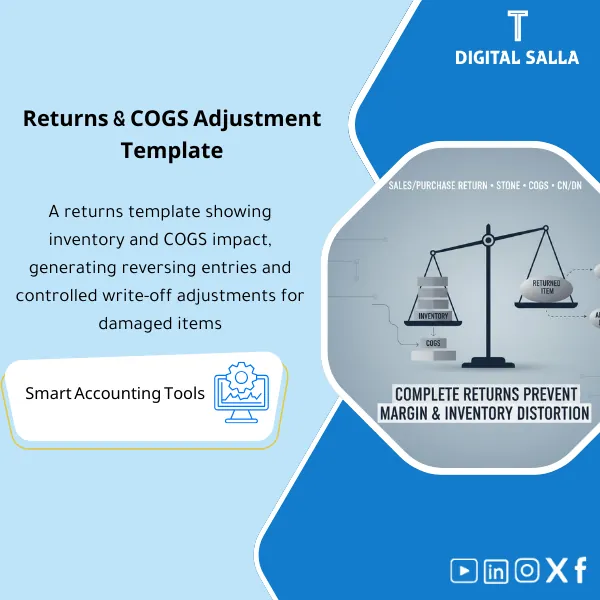
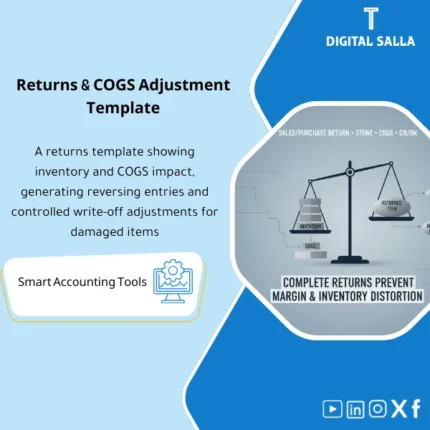
Inventory Returns Template: Manages customer/vendor returns from request to receipt (quarantine/inspection), then CN/DN issuance, COGS reversal, and inventory updates. Delivers a complete returns register with full accounting impact for month-end close.
Inventory Returns Template
Returns template (Customers/Vendors) with a clear impact on inventory and COGS, and issuance of a credit note for returns (Excel)
Value Proposition: Inventory Returns Template addresses a common breakdown point in the O2C and P2P cycles: the return is entered “operationally” but its accounting impact is delayed or recorded incorrectly—resulting in inaccurate net sales, distorted COGS, and unexplained increases or decreases in inventory. The real-world scenario: a customer returns goods (Sales return) — the warehouse team receives them, but finance does not know: Should they be returned to inventory? Scrapped? Should we issue a credit note for returns? What is the impact of returns on COGS and is the cost of goods reversed? Conversely: a vendor receives a purchase return — should we record a credit note from the vendor? Should we close GR/IR? Should inventory be re-evaluated? This product provides you with a practical template that consolidates customer and vendor returns into a unified log, linking each return to its documents (RMA/GRN/Invoice/CN), and outputs downloadable results: Journal Entries + lists of credit/debit notes + exception reports (return without reason/without document/without pricing). The result is not just “organization” — the result is inventory returns processing with an accounting impact that is traceable up to closure.
In 20 Seconds: What Will You Get?
- Sales Returns Template for customer returns (linked to invoice/delivery).
- Purchase Returns Template for vendor returns (linked to PO/GRN/Invoice).
- Classification of Return Reasons (Reason codes) + acceptance/rejection policy.
- Disposition Decision: Restock / Scrap / Repair / Return-to-vendor.
- List of Credit Notes for Returns (Customer CN / Vendor CN) with references.
- Schedule showing Impact of Returns on COGS (reversal of cost/proof of scrap).
- Exception logs: return without invoice/without inspection/without approval/without cost determination.
CTA related to outputs: you will receive Returns register + CN list + COGS impact schedule + Inventory adjustments.
Suitable For
- AR / Sales Accounting: Manage customer returns and issue CN linked to invoices.
- AP / Procurement Accounting: Manage vendor returns and close credit notes and GR/IR.
- Inventory + Finance (Month-End): Document the impact of returns on inventory and COGS with proofs.
Not Suitable For
- If your system has a fully configured Returns module (RMA/inspection/workflow/automatic posting) — the template will serve more as a “Checklist & reconciliation” than an operational tool.
- If returns are “not allowed” or very rare (project/service without inventory) — you will not benefit from a complete cycle.
Without Returns Management / With Inventory Returns Template (Short Comparison)
| Item | Without Template | With Template |
|---|---|---|
| Documents | Return enters the warehouse without linking to invoices | Linking the return to the invoice/delivery/PO/GRN + inspection |
| COGS | Unclear impact or reconciled at month-end | Clear schedule for reversing COGS or proving scrap |
| Closure | Inventory discrepancies + incomplete CN | Returns register + CN list + reconciliation ready |
Before Use: 5 Symptoms That Returns Disrupt Inventory and COGS
- Returns enter/exit without invoice number or delivery reference.
- Credit notes for returns are issued late or not issued at all.
- No clear decision on the fate of the return (Restock vs Scrap) leading to inflated unsellable quantities.
- Unclear impact of returns on COGS (Was the cost reversed or not?).
- Accumulation of “return under inspection” without closure leading to discrepancies in inventory and closure.
How the Inventory Returns Template Works Practically from Request to Impact on Inventory and COGS?
The application starts with a return request (Customer return request or Vendor return request) with mandatory document reference (invoice/delivery for the customer or PO/GRN for the vendor) and reason for the return. Upon receipt in the warehouse, “Receipt of return” is recorded, followed by inspection of condition (Good/Need repair/Damaged) and determining “Disposition”: restock or scrap or return to vendor or repair. The template then outputs two paths: (1) Commercial document path: Credit Note for Returns for the customer or credit note from the vendor. (2) Accounting path: inventory adjustment and reversal/proof of impact of returns on COGS based on the disposition. Finally, the return is closed with a reconciliation process: each return = document + decision + CN + impact on inventory/COGS + approval signature.
Application Method (3 Steps)
Step 1: Preparation and Gathering Reports
- List of sales invoices/deliveries or purchase invoices/receipts related to the return.
- Item data and returned quantities + reason for return.
- Reference unit cost (Standard/Moving average/FIFO layer according to your system).
- Define approval authorities (Who approves CN? Who approves Scrap?).
Step 2: Record the Return + Inspection + Disposition Decision
- Record Receipt of return in the warehouse and link it to the document.
- Record inspection result (QC/warehouse) and determine Restock/Scrap/Repair/RTV.
- Activate exception flags for incomplete returns (without inspection/without cost/without approval).
Step 3: Credit Note + Impact on Inventory and COGS + Closure
- Issue CN for the customer or follow up on CN from the vendor and link it to the return.
- Output entries/loading: reverse sales/tax if necessary + process COGS and inventory according to the disposition.
- Close the return with sign-off and match total returns with CN and entries.
Product Components (Clear Inventory)
-
Sales Returns Template (Customer Returns)
- Practical Purpose: Record customer return and link it to the invoice/delivery and reason for return.
- When to Use: Upon receiving any return from a customer.
- Resulting Evidence: Customer Returns Register + status.
-
Purchase Returns Template (Vendor Returns)
- Practical Purpose: Record vendor return and link it to PO/GRN/Invoice.
- When to Use: When returning items to the vendor.
- Resulting Evidence: Vendor Returns Register + CN follow-up.
-
Inspection & Disposition Module
- Practical Purpose: Document inspection and determine the fate of the return (Restock/Scrap/Repair/RTV).
- When to Use: Immediately upon receipt before any entry/credit note.
- Resulting Evidence: Inspection report + approved disposition decision.
-
Credit Note Tracker (Credit Note for Returns)
- Practical Purpose: Track CN for the customer or CN from the vendor and link it to each return.
- When to Use: When issuing/receiving CN and until closure.
- Resulting Evidence: Reviewable CN list.
-
COGS Impact Schedule (Impact of Returns on COGS)
- Practical Purpose: Determine what is reversed from COGS and what is recorded as scrap/write-off.
- When to Use: Upon approving the fate of the return and during Month-End.
- Resulting Evidence: Schedule linking each return to its cost and impact.
-
Inventory Adjustment Output
- Practical Purpose: Inventory adjustment list (increase upon restock / decrease upon scrap/RTV).
- When to Use: After inspection and before closure.
- Resulting Evidence: Inventory adjustment list.
-
Exceptions & Controls Log
- Practical Purpose: Identify incomplete returns (without document/inspection/approval/cost/CN).
- When to Use: Weekly and during monthly closure.
- Resulting Evidence: Exception tracker + sign-off.
-
Reconciliation & Month‑End Checklist
- Practical Purpose: Match total returns with CN, entries, and inventory balances.
- When to Use: Month-End and Year-End.
- Resulting Evidence: Reconciliation report + approvals.
What Should Be Included in the Delivery?
- 01-Returns-Pack.xlsx: Main file (Registers + CN + COGS impact + controls).
- 02-Sales-Returns.xlsx: Sales Returns Template (Customer Returns).
- 03-Purchase-Returns.xlsx: Purchase Returns Template (Vendor Returns).
- 04-Inspection-Disposition.xlsx: Inspection of return + disposition decision.
- 05-CN-Tracker.xlsx: Credit Note Tracker for Returns (Customer/Vendor).
- 06-COGS-Impact-Schedule.xlsx: Impact of Returns on COGS + write-offs.
- 07-Inventory-Adjustments.xlsx: Inventory Adjustments List (Restock/Scrap/RTV).
- 08-Writeoff-Register.xlsx: Write-off register related to returns.
- 09-Approvals-Signoff.docx: Prepared/Reviewed/Approved (CN/Disposition/Write-off).
- 10-Exceptions-Log.xlsx: Incomplete/Pending Returns.
- 11-Reconciliation-Sheet.xlsx: Reconciliation of returns with inventory and COGS and CN.
- 12-Month-End-Checklist.pdf: Month-End Returns Closure Checklist.
- 13-Runbook.pdf: Step-by-step operation from receipt to closure.
- 14-Archiving-Map.docx: Tree for archiving return documents and evidence.
- 15-Reason-Codes-List.pdf: Standard Return Reasons List for unified analysis.
After Implementation (Only Two Points)
- Operational Result for the Team: Each return transforms into a clear path: Receipt → Inspection → Decision → CN/Settlement → Closure, instead of scattered files.
- Control/Audit Result: Traceability: return linked to document, disposition decision, CN, and schedule of impact on COGS/inventory with approval signature.
FAQ — Questions Before Purchase
Does it cover both customer and vendor returns?
Yes: there is a Sales Returns Template and a Purchase Returns Template within the same package.
Does it clarify the impact of returns on COGS?
Yes, through the COGS impact schedule that specifies cost reversal or proof of scrap based on the return’s fate.
Does it include a credit note for returns?
Yes, through the CN tracker to monitor credit notes for customers or credit notes from vendors and link them to each return.
How do I handle a damaged return?
The inspection is documented, and scrap/write-off is determined with approval, then it appears in the write-off register and the impact entries list.
Is it suitable for any ERP?
Yes, as long as you can export invoices/movements or input them into the template. The template does not require direct integration.
What is the minimum data required?
Invoice/PO reference, item and quantity, reason for return, and unit cost (or how it is calculated according to your system).
Is it suitable for monthly closure only or also for annual closure?
It is suitable for both: daily operation + Month-End reconciliation + Year-End review.
Is there a delivery template for references?
Yes: returns register + CN list + COGS schedule + write-off approvals + reconciliation + archiving map.
Ready to close returns with a clear impact on inventory and COGS instead of month-end adjustments?
Outputs: Sales/Purchase returns + CN tracker + COGS impact + Inventory adjustments + reconciliation.
| المسمّى الوظيفي | |
|---|---|
| Duration | |
| المستوى | |
| التحديثات | |
| القطاع | |
| الصيغة |
Related products

CIT & Transfer Pricing – Excel Files


Expected Credit Losses Assessment Service (IFRS 9)



Reviews
Clear filtersThere are no reviews yet.