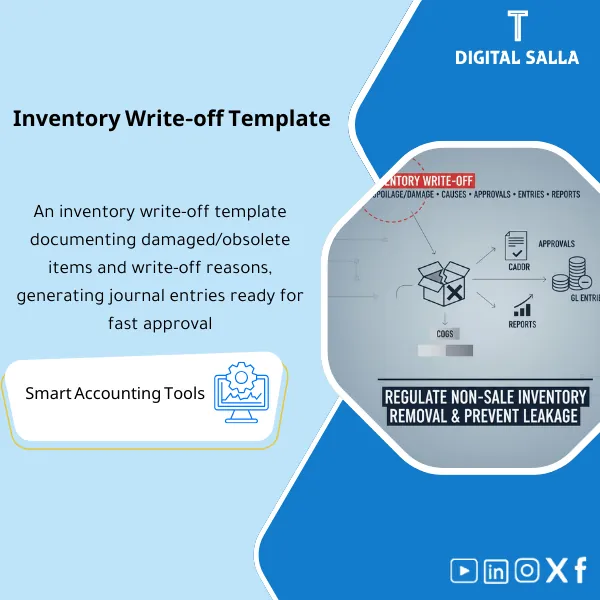
Inventory Write-off Template – Excel Template

55.59 $

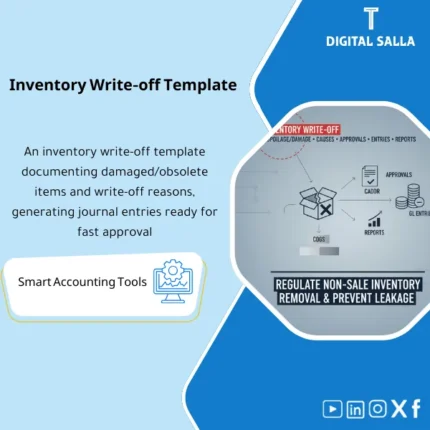
Inventory Scrap & Write-Off Template: Documents scrap/damage, disposal reasons, approval limits, write-off journals, and linkage to warehouse/item. Delivers disposal minutes and monthly scrap reporting for inventory teams and chief accountants.

SKU: DIS119 Category:
Description

Stock Write-off Template

Stock Write-off / Damaged / Inventory Write-off Template with Inventory Destruction Minutes and Inventory Write-off Journal Entry List to Control Losses in the Warehouse (Excel)

Value Proposition: Stock Write-off Template transforms “inventory write-off due to damage” from a last-minute decision at month-end into a documented, reviewable process. The real-life scenario repeats: expired items, damage during transport or storage, breakage, loss, or inventory discrepancies turn directly into a single entry “stock write-off” without evidence. Then the auditor’s question arises: who decided? On what basis? Where is the destruction minutes? Were responsibilities for ordering/inspection/approval separated? And what impact does this have on COGS and inventory? This product provides you with a practical Stock Write-off Template: a record of write-off requests, inspection and evaluation (QTY/Cost/Reason), approval committee, a ready Inventory Destruction Minutes, and then accounting outputs: Inventory Write-off Journal Entries and a posting list ready by item, warehouse, and cost center. The result is not “general control” — the result is controlling losses in the warehouse with clear evidence, signatures, and an audit trail.

In 20 Seconds: What Will You Get?

  • Stock Write-off Template with a unified write-off record by item/warehouse/location.
  • Reason codes for write-offs: Damage/Expiration/Breakage/Loss/Obsolete/Inventory Adjustment.
  • Inspection and Evaluation Section: Quantity, Reason, Condition, and Suggested Action.
  • Inventory Destruction Minutes ready for signature (Committee/Approval).
  • A list of Inventory Write-off Journal Entries (Posting list) ready to download in the system.
  • Analysis of Controlling Losses in the Warehouse: write-offs by reason/warehouse/repeated item.
  • Exception logs: write-offs without inspection/without approval/without cost/without evidence.

CTA related to outputs: you will receive Destruction Minutes + Journal Entries + Write-off Register + Loss Reports.

Suitable For

  • Inventory Control / Warehouse: Documenting write-offs and identifying the source of losses and closing them.
  • Finance (COGS/Inventory): Recording inventory write-off entries at the correct cost and cost center/branch.
  • Internal Audit: Verifying the separation of duties and the approval process and availability of evidence.

Not Suitable For

  • If you do not have the authority to dispose of inventory or an approved disposal policy — you need to approve the policy first before operating the template.
  • If all discrepancies are managed within WMS with electronic destruction procedures and a complete workflow with ready reports — the template will only be for reconciliation.

Without Documenting Write-offs / With Stock Write-off Template (Short Comparison)

Item Without Template With Template
Decision Inventory write-off due to damage “verbally” Request + Inspection + Approval Committee + Destruction Minutes
Accounting Impact One total entry Inventory write-off entries by item/warehouse/reason
Control No traceability Evidence + Signatures + Exception logs

Before Use: 5 Symptoms That Losses Are Out of Control

  • Large inventory reconciliations closed as “write-off” without detail.
  • No Inventory Destruction Minutes for each disposal operation.
  • Repeated damage to the same items/same locations without corrective action.
  • Mixing responsibilities for ordering, inspection, and approval (lack of separation of duties).
  • Difficulty extracting a report on “Controlling Losses in the Warehouse” by reason/warehouse.

How the Stock Write-off Template Works Practically from Damage Discovery to Entry?

The process begins when the warehouse/inventory control discovers damage, expiration, breakage, or an obsolete item. A “Write-off request” is opened, and the item, quantity, location, and reason for the write-off are recorded, along with evidence (photos/inspection note). The quantity is then inspected and confirmed for saleability or not, and it is submitted to the committee/approver according to DOA. Upon approval for destruction, Inventory Destruction Minutes (signed by the parties) are issued, documenting the disposal method (Scrap/Destroy/Return). The template then generates a list of Inventory Write-off Journal Entries: reducing inventory and recognizing the write-off expense or provision/loss, with the option to load it by cost center/warehouse. Finally, a reconciliation is performed between the write-off register and system balances, and the process is closed.

Application Method (3 Steps)

Step 1: Preparation and Report Collection

  • On-hand report by location/bin to select affected items.
  • Cost data (Standard/Moving average/FIFO layer according to your system).
  • Write-off policy/limits or approval authorities (DOA) if available.
  • Evidence of damage/expiration (photos/inspection/destruction minutes).

Step 2: Write-off Request + Inspection + Approval

  • Record the request with reason code and proposed quantity.
  • Confirm inspection and determine: destruction/write-off/repair/transfer/return.
  • Committee approval and issuance of Inventory Destruction Minutes.

Step 3: Write-off Inventory + Inventory Write-off Journal Entries + Closure

  • Generate a list of inventory write-offs due to damage by item and location.
  • Generate a posting list for write-off entries and link it to the write-off register.
  • Match the impact and close the process with sign-off.

Product Components (Clear Inventory)

  1. Write-off Request Register

    • Practical Purpose: Record write-off requests and specify the reason, quantity, and location.
    • When to Use: When damage/expiration/breakage/loss is discovered.
    • Resulting Evidence: A register of write-off requests in status (Open/Under review/Approved/Closed).
  2. Inspection & Evidence Sheet

    • Practical Purpose: Document inspection and attach evidence (photos/notes/QC result).
    • When to Use: Before final approval.
    • Resulting Evidence: A reviewable inspection report.
  3. Reason Codes & Root Cause Notes

    • Practical Purpose: Standardize reasons for damaged and wasted inventory to measure trends.
    • When to Use: With every request.
    • Resulting Evidence: Loss analysis by reason.
  4. Disposal Minutes (Inventory Destruction Minutes)

    • Practical Purpose: An official record proving the destruction/disposal and who attended and approved.
    • When to Use: After approval and before executing the destruction.
    • Resulting Evidence: Signed destruction minutes.
  5. Write-off Valuation (Costing)

    • Practical Purpose: Determine the cost of the written-off quantity according to the cost policy in the system.
    • When to Use: Before issuing the entries.
    • Resulting Evidence: Valuation schedule for the write-off.
  6. Posting List (Inventory Write-off Journal Entries)

    • Practical Purpose: Generate entries for reducing inventory and recognizing the write-off/loss expense.
    • When to Use: Upon write-off approval and within Month-End.
    • Resulting Evidence: A downloadable and traceable posting list.
  7. Exceptions & Controls Log

    • Practical Purpose: Identify cases of write-offs without inspection/without approval/without cost/without evidence.
    • When to Use: Weekly and at closure.
    • Resulting Evidence: Exception tracker + sign-off.
  8. Loss Dashboard (Controlling Losses in the Warehouse)

    • Practical Purpose: Analyze write-offs by warehouse/reason/item/period.
    • When to Use: Monthly within management reports and closure.
    • Resulting Evidence: A dashboard identifying hotspots for losses.

What Should Be Included in the Delivery?

  • 01-Writeoff-Pack.xlsx: The main file (Requests + Inspection + Costing + Posting + Reports).
  • 02-Writeoff-Request-Register.xlsx: Write-off requests register.
  • 03-Inspection-Evidence.xlsx: Write-off inspection + evidence + photos/notes.
  • 04-Reason-Codes.xlsx: Reasons for damaged and wasted inventory + root cause notes.
  • 05-Disposal-Minutes.docx: Inventory destruction minutes ready for signature.
  • 06-Valuation-Schedule.xlsx: Cost valuation schedule for write-offs according to cost policy.
  • 07-Posting-List.xlsx: Inventory write-off journal entries (Inventory credit / Expense debit) by item/cost center.
  • 08-Inventory-Adjustment-List.xlsx: List of inventory write-offs due to damage (for updating in the system/warehouse).
  • 09-Approvals-Signoff.docx: Prepared/Reviewed/Approved (Request/Inspection/Destruction/Entry).
  • 10-Exceptions-Log.xlsx: Incomplete documentation/approvals for write-offs.
  • 11-Loss-Dashboard.xlsx: Controlling losses in the warehouse (trend analysis).
  • 12-Month-End-Checklist.pdf: Write-off and damaged closure checklist.
  • 13-Runbook.pdf: Step-by-step operation from request to entry.
  • 14-Archiving-Map.docx: Archive tree for destruction minutes and evidence.
  • 15-Policy-Note.pdf: Brief policy memo: When to record a write-off? And when to open an investigation?

After Implementation (Only Two Points)

  • Operational Result for the Team: Write-offs become a standardized process: Request → Inspection → Approval → Minutes → Inventory Write-off → Entry, instead of month-end decisions.
  • Control/Audit Result: Every write-off entry has evidence: Destruction Minutes + Cost Valuation + Signatures + Exception Log.

FAQ — Questions Before Purchase

Does the template cover write-offs, damages, and discounts together?

Yes: it records damaged and wasted inventory and any inventory write-off due to damage, expiration, or breakage with reason codes.

Does it include inventory write-off journal entries?

Yes, through the posting list, it generates entries for reducing inventory and recognizing the write-off/loss expense with details.

Is there an inventory destruction minutes template?

Yes, there is a ready-to-sign inventory destruction minutes template included in the delivery.

How is the cost of the write-off determined?

According to your system’s cost policy (Standard/Moving average/FIFO). The template provides a valuation schedule to document the basis.

Is it suitable for any ERP?

Yes, as long as adjustments or GL entries can be input and on-hand reductions can be made. The template does not require direct integration.

Does it help in controlling losses in the warehouse?

Yes, through the dashboard and analysis by reason, warehouse, and repeated items to identify hotspots.

Is it suitable for monthly closure only or also for annual closure?

It is suitable for both: daily operations + Month-End checklist + Year-End evidence pack.

Is there a delivery template for the auditor?

Yes: Destruction Minutes + Request Register + Valuation + Posting List + Exceptions + Sign-off.

Ready to Stop “Write-off” Adjustments Without Evidence and Get Minutes + Reviewable Entries?

Outputs: Inventory Destruction Minutes + Inventory Write-off Journal Entries + Loss Analysis + Approval Logs.

Additional information
المسمّى الوظيفي
Duration

المستوى
التحديثات
القطاع
الصيغة
Reviews (0)
0 reviews
0
0
0
0
0

There are no reviews yet.

Be the first to review “Inventory Write-off Template – Excel Template”

Your email address will not be published. Required fields are marked *