




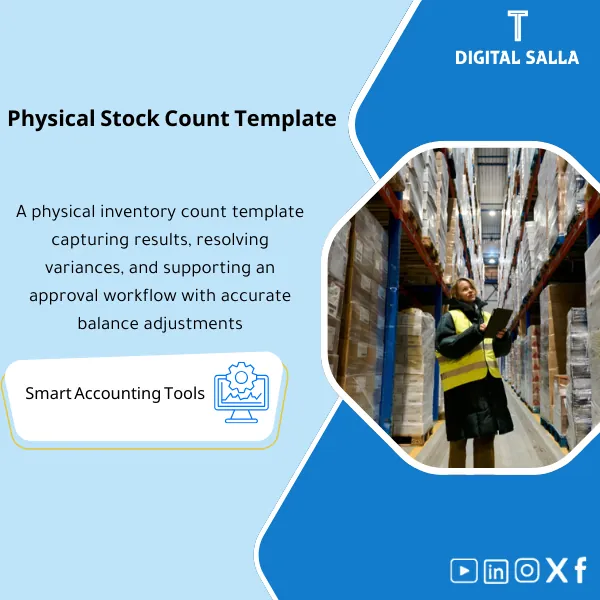
Inventory Count & Variance Resolution – Excel Template
208
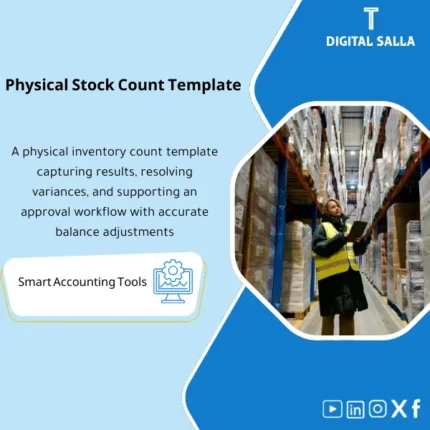
Inventory Stocktake Template: Organizes planning, counting, review, variance analysis, approvals, and posting of adjustment entries by variance reason. Delivers variance reports and approved stocktake minutes for periodic or annual counts.
Still Counting Inventory on Paper and Hoping the Numbers Match?
Stop guessing and start managing. This ready-to-use Excel template gives you a complete inventory count and variance resolution system — from pre-count preparation and blind counting to variance analysis, root cause investigation, and corrective action tracking. One file, one workflow, zero confusion.
🛡️ 7-Day Guarantee
📊 Editable Excel File
5 Signs You Need This Template
1Messy Count Records: Your inventory counts are scattered across notebooks, loose sheets, and random spreadsheets — making it impossible to trace errors back to their source.
2Unexplained Variances: You find discrepancies between system quantities and physical counts but have no structured way to investigate why or document the resolution.
3Biased Counting Process: Counters see the expected quantities before counting, which defeats the purpose of a physical count and leads to rubber-stamped results.
4No Audit Trail: When management or auditors ask how a variance was resolved, there is no documented decision trail — just verbal explanations and assumptions.
5Recurring Inventory Losses: The same shrinkage patterns repeat every cycle because there is no corrective action log to track fixes and prevent repeat issues.
What You Get
One Excel workbook with everything you need to run a professional inventory count from start to finish:
| Pre-Count Checklist | A step-by-step preparation checklist covering inventory freeze, team assignment, zone mapping, and equipment readiness. |
| Blind Count Sheet | A dedicated sheet for recording physical counts without showing system quantities — ensuring unbiased, accurate results. |
| Variance Analysis Sheet | Automatically compares physical counts against system records and calculates variances by quantity and value (surplus/shortage). |
| Variance Resolution Sheet | Documents root cause for each discrepancy (theft, damage, data entry error, etc.) with assigned owners and resolution status. |
| Summary Dashboard | A visual overview showing total count accuracy, variance value, category breakdown, and key performance indicators at a glance. |
| Corrective Action Log | Tracks follow-up actions with deadlines and responsible parties — so the same issues do not repeat in the next count cycle. |
How to Use This Template
Prepare for the Count (Pre-Count)
Open the Pre-Count Checklist and work through each item: confirm inventory freeze, assign counting teams to zones, and verify that all supplies and equipment are ready.
Conduct the Blind Count
Have your teams record physical quantities on the Blind Count Sheet — without access to system balances. This eliminates confirmation bias and produces trustworthy data.
Analyze Variances and Resolve
Enter system quantities into the Variance Analysis Sheet to auto-calculate discrepancies. Then use the Resolution Sheet to document root causes, assign owners, and approve adjustments.
Log Corrective Actions and Report
Record all corrective actions with deadlines in the Action Log. Review the Summary Dashboard to present results to management and track improvement over time.
Before vs. After This Template
| Aspect | ❌ Without | ✅ With Template |
|---|---|---|
| Count Process | Ad-hoc counting with no checklist — steps get skipped every time | Structured workflow from preparation through final reporting |
| Variance Handling | Discrepancies found but never formally investigated or documented | Every variance traced to a root cause with an assigned owner |
| Audit Readiness | No paper trail — scrambling to explain adjustments during audits | Full documentation: resolution log + dashboard + action items |
| Continuous Improvement | Same inventory errors repeat cycle after cycle | Corrective actions tracked and reviewed to prevent recurrence |
You are a warehouse manager, inventory controller, operations supervisor, or store owner who runs periodic physical counts and needs a reliable, professional system to count stock, identify discrepancies, and document resolutions — without investing in expensive software.
You already use a fully integrated WMS with built-in cycle counting and variance workflows (system + barcode scanners), or you are looking for a software application rather than an Excel-based template.
Can I use this template for cycle counts, not just full physical counts?
Absolutely. The template works for both full inventory counts and partial cycle counts — just filter or limit the items you include in each session.
Do I need advanced Excel skills to use this?
Not at all. The file is pre-built with formulas and formatting in place. You only need to enter your data — the template handles the calculations and analysis automatically.
What makes the blind count approach more accurate?
By hiding system quantities from counters, you eliminate confirmation bias. Counters record what they actually see — not what the system tells them to expect.
Can I customize the template for my product categories?
Yes. The Excel file is fully editable — you can add columns, modify categories, adjust formulas, and tailor it to your specific inventory structure.
Ready to Run Your Next Inventory Count with Confidence?
Get a proven, professional system that takes you from preparation to resolution — all inside one Excel file.
| الفئات | Inventory |
|---|---|
| Job Title | Accountant |
| Level | Intermediate |
| Format | Excel |




Reviews
Clear filtersThere are no reviews yet.