




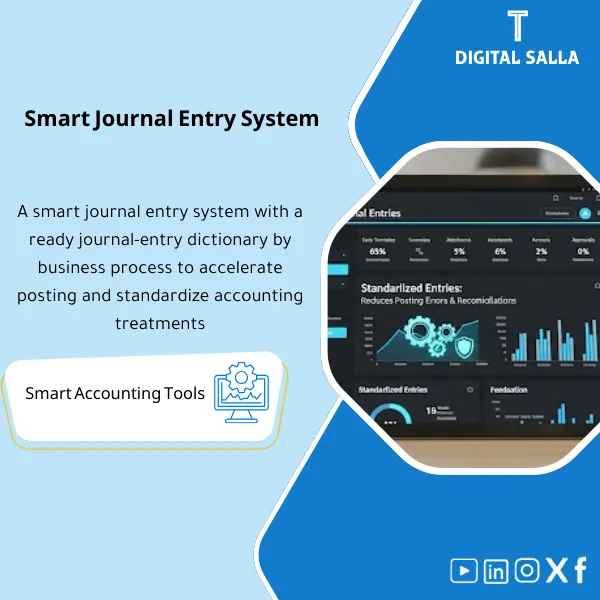
Smart Journal Entries System – Excel File
318
Journal Entry Posting Tool: Organizes journal posting by transaction type (sales/purchases/inventory/payroll/FX) with suggested accounts and mandatory attachments. Delivers standardized entries with clear review/approval—reducing reclassifications and strengthening close documentation.
Still recording journal entries manually with no structure, no approval trail, and no audit-ready log?
This ready-made Excel system lets you create, approve, and track every journal entry from start to finish — with built-in narration, workflow controls, and a full JE log. Designed for accountants who need a professional, organized process without relying on expensive ERP software.
🛡️ 7-Day Guarantee
📊 Ready-to-Use Excel File
5 Signs You Need This Journal Entries System
1Messy Formatting: Every accountant on your team records journal entries differently — inconsistent layouts, missing references, and no standard narration style.
2Approval Gaps: There is no clear trail showing who prepared, reviewed, or approved each entry — a red flag during any audit.
3Weak Narrations: Writing clear, professional narrations from scratch every time wastes hours and still produces inconsistent descriptions.
4No Central Log: Without a proper JE log, finding a specific entry from three months ago turns into a painful scavenger hunt across folders.
5Month-End Chaos: Recurring entries like accruals, reclassifications, and provisions get handled ad hoc with no repeatable template or checklist.
What You Get
A complete Excel workbook containing structured templates, automated narration, approval workflow, and a full tracking log:
| Chart of Accounts Sheet | Pre-built chart of accounts structure with account codes and categories — fully customizable to match your company setup. |
| Journal Entry Input Form | Standardized entry template with fields for date, type (daily/adjusting/closing/reversing/accrual), debit/credit amounts, account codes, and narration. |
| Auto Narration Generator | Smart narration templates that auto-fill based on entry type — saving time and ensuring consistent, audit-friendly descriptions. |
| Approval Workflow | Built-in Prepared → Reviewed → Approved workflow fields to enforce internal controls and maintain a clear authorization trail. |
| JE Log Tracker | Centralized journal entry log capturing: entry number, posting date, status, amount, and linked supporting documents. |
| Supporting Documents Index | Organized index to link each entry to its backup (invoice, PO, bank advice, contract) for instant retrieval during audits. |
| Month-End Closing Templates | Ready-made templates for recurring month-end entries: accruals, reclassifications, and provisions — so nothing gets missed. |
How to Use It in 4 Simple Steps
Set Up Your Chart of Accounts
Open the Chart of Accounts sheet and customize account codes, names, and categories to match your company structure. This is your foundation.
Record Journal Entries Using the Input Form
Select the entry type (daily, adjusting, accrual, etc.), fill in the debit/credit lines, and let the narration generator create a professional description automatically.
Route Through Approval Workflow
Each entry flows through the Prepared → Reviewed → Approved workflow. Assign responsible names and dates to maintain full internal control compliance.
Log It and Link Supporting Documents
Every approved entry is recorded in the JE Log automatically. Use the Supporting Documents Index to link backup files so everything is audit-ready at a glance.
Before vs. After Using This System
| Aspect | ❌ Without | ✅ With This System |
|---|---|---|
| Entry Format | Inconsistent layouts across team members, prone to errors | Standardized template with structured fields and auto-narration |
| Audit Trail | No record of who prepared or approved entries | Full workflow trail with names, dates, and approval status |
| Internal Controls | Entries posted without proper review or segregation of duties | Built-in approval workflow enforcing Prepare → Review → Approve |
| Tracking & Retrieval | Searching through scattered files to find past entries | Central JE Log + document index for instant retrieval |
You are an accountant, finance manager, or small business owner who needs a structured, professional way to record and track journal entries — especially if you do not use an ERP system or need a reliable offline solution alongside your existing software.
You already use a full ERP system that handles journal entry workflows, approvals, and logging completely — and you have no need for an Excel-based backup or standalone process.
Can I customize the chart of accounts to fit my company?
Absolutely. The chart of accounts is fully editable — add, remove, or rename accounts and categories to match your exact structure.
Does this work with different accounting standards (IFRS, GAAP)?
Yes. The system is framework-neutral — you define your own accounts and entry types, so it works with any accounting standard your organization follows.
What version of Excel do I need?
The file works with Excel 2016 and later, including Microsoft 365. All formulas and features are compatible with standard Excel functionality.
Is the approval workflow enforceable for multiple users?
The workflow fields (Prepared/Reviewed/Approved) are built into each entry. You can assign names and dates to each stage, creating a clear and documented authorization trail.
Ready to bring structure, control, and audit confidence to every journal entry you post?
Stop wasting time on messy spreadsheets. Get a professional journal entries system in Excel — ready to use in minutes.
| الفئات | Comprehensive Financial Solutions |
|---|---|
| Job Title | Accountant |
| Level | Intermediate |
| Format | Excel |
Related products




Fixed Assets Depreciation Model – Excel File
Fixed Assets Depreciation & Management Template is a comprehensive Excel program to manage fixed assets and calculate depreciation accurately using the straight-line method. It provides detailed and summarized depreciation and net book value reports, and can be easily reconciled to the trial balance—enhancing fixed asset control and efficiency.


Consolidated FS Template – Excel File
Consolidated Financial Statements Template is an advanced Excel tool to prepare consolidated financial statements efficiently for a group of subsidiaries in accordance with international accounting standards, with effective consolidation of subsidiary financial data to improve consistency and transparency.

Reviews
Clear filtersThere are no reviews yet.