



Journal Entry Tracker – Excel Template
34.31 $
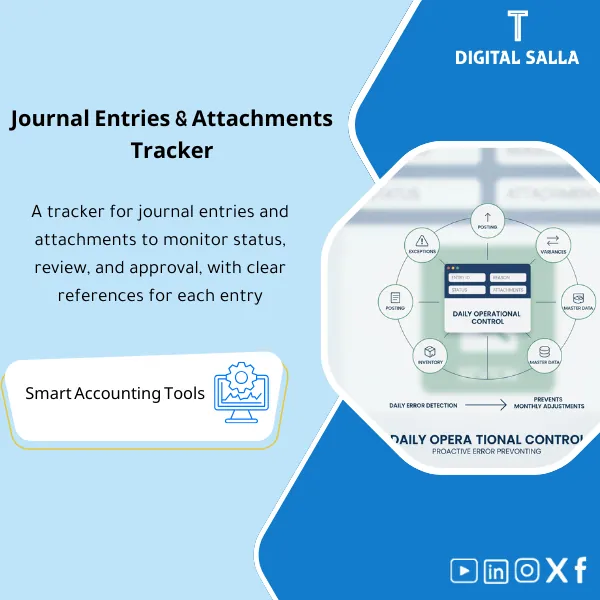
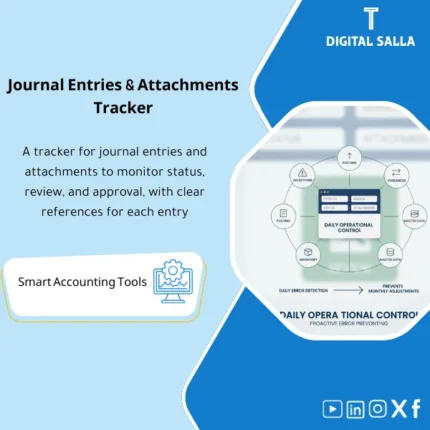
Journal Entry Tracker: Logs JE number, rationale, review/approval status, attachment completeness, and linkage to the close period. Delivers a delivery-ready JE list within the Close Pack for accounting and audit teams.
Accounting Entries Tracking
Journal Entry Tracker for managing entries and attachments: JE Log + Evidence Index + Approval Workflow + Pre-Closing Review (Excel)
Value Proposition: Accounting Entries Tracking is not resolved by a “Journal Entry Log” file alone; it is resolved when each entry has: a number, status, attachments, and approval before posting/before closing. This Journal Entry Tracker links the entry to the attachments (Evidence) and immediately shows what cannot be closed: entries without documents, entries without approval, or entries that have been prepared but not posted.
In 20 Seconds: What Will You Get?
- Numbered Daily Journal Log: JE# + Period + Entity + Debit/Credit totals + Scenario.
- Tracking Entries and Attachments: Evidence status (Attached/Missing) + Document type + Link/storage path.
- Accounting Entries Approval: Prepared/Reviewed/Approved + Dates + Who approved + Comments if necessary.
- Posting Status: Posting status in ERP (Not posted / Posted / Reversed / Cancelled) + Reference number of the entry in the system.
- Exception Flags: High-risk entries disclosure (Manual, Large, Round amounts, Weekend posting…) based on your setup.
- Month-End Review View: “Review Entries Before Closing” screen to filter what prevents closing.
- Dashboard: Indicators: Entries without attachments, entries without approval, entries not posted, and weekly trend.
CTA related to outputs: Receive JE Register + Evidence Index + Approval Workflow + Month-End Review Dashboard ready.
Suitable For
- Chief Accountant / GL Lead: Managing entries and reconciliations and reviewing them before period closing.
- Controllers & Finance Ops: Tracking operational entries (AR/AP/Payroll/Treasury) with attachments.
- Internal Audit / Compliance: Testing documentation of entries and approvals and quickly selecting samples for review.
Not Suitable For
- Those seeking an ERP program that performs posting or technically prevents posting — this Tracker documents and tracks outside the system.
- Those wanting a complete “Document Management” (DMS) with OCR search and advanced permissions — here there is an Evidence index and paths, not a DMS platform.
Without Tracker / With Tracker (Short Comparison)
| Item | Without Organized Tracking | With Journal Entry Tracker |
|---|---|---|
| Attachments | Scattered attachments + you only know what is missing during the review | Evidence status + ready “Missing attachments” list |
| Approval | Verbal/email approval without a record | Approval log + dates + who approved + comments |
| Before Closing | Filtering entries on the “last day” reveals surprises | Month-End review view immediately shows what prevents closing |
Before Use: 5 Symptoms of Weak Entry Documentation
- Many entries are “Manual” but there is no distinction or risk flag for review.
- Attachments are only reviewed during the external auditor’s time, leading to late requests.
- The posting status is unclear: an entry is prepared but not posted, or it was reversed without recording the reason.
- Reviewing entries before closing is done through random searches in ERP instead of a clear list.
- There is no record of accounting entries approval, making it difficult to prove the separation between preparation and approval.
How is Accounting Entries Tracking Practically Done Before Closing?
The approach starts from the moment the entry is created: it is recorded in the tracker with a JE# number, linked to the process/scenario, attachments or their path added, then it goes through approval stages, and after posting, the Posting status is updated. Before Month-End, a dashboard shows you: what is missing? What has not been approved? What has not been posted? So you close the period knowing that the evidence is complete.
Implementation Method (3 Steps)
Step 1: Preparation and Report Gathering
- Establish the COA structure and mandatory fields: Period/Entity/Cost center (if applicable).
- Define the storage path for attachments (archive) + Naming convention (YYYY‑MM / JE# / DocType).
- Define approval permissions (Prepared/Reviewed/Approved) and who the authorized reviewers are.
Step 2: Reconciliations + Matching + JE Log
- Record each entry in the Daily Journal Log within the Tracker: scenario, accounts, amount, description, reference.
- Add/link attachments: Evidence status + link/path + document type.
- Pass the entry through Accounting Entries Approval and then update the Posting status after posting in ERP.
Step 3: Adjusted TB + Reports + Closing Pack
- Before closing: Run the “Review Entries Before Closing” view to filter missing entries (attachments/approval/posting).
- Review high-risk entries via Exception flags (Manual/Large/Unusual) and take internal samples.
- Compile the closing pack: JE tracker export + evidence index + approval log as part of the Closing Pack.
Tracker Components (Clear Inventory)
-
Journal Entry Tracker (Core Log)
- Practical Purpose: A single log for documenting entries: JE#, process, accounts, amount, period, status.
- When Used: Daily throughout the month.
- Resulting Evidence: Numbered JE register suitable as an internal reference before review.
-
Evidence Index (Tracking Entries and Attachments)
- Practical Purpose: Linking each entry to its documents/attachments and their storage path.
- When Used: When preparing the entry or before its approval.
- Resulting Evidence: List of missing/completed attachments + archiving reference.
-
Approval Workflow (Accounting Entries Approval)
- Practical Purpose: Documenting who prepared, reviewed, and approved and when.
- When Used: Before any posting (or at least before closing) according to your policy.
- Resulting Evidence: Approval log + status for each entry (Ready/Not ready).
-
Posting & Reversal Tracking
- Practical Purpose: Tracking posting status within ERP (Posted/Reversed/Cancelled) and linking it to the reference.
- When Used: After posting or reversing the entry.
- Resulting Evidence: Status log showing “what actually entered TB.”
-
Exception Flags & Review Queue
- Practical Purpose: Creating an automatic review checklist for high-risk entries before closing.
- When Used: Weekly + Week-4/Month-End.
- Resulting Evidence: Review queue + review outcome + closing decision.
-
Month-End Review Dashboard
- Practical Purpose: A dashboard that immediately shows: entries without attachments, without approval, not posted, or pending.
- When Used: Before closing the period, and in closing meetings.
- Resulting Evidence: Snapshot dashboard that can be saved as evidence before/after closing.
-
Sign‑off & Archiving Map
- Practical Purpose: Establishing a copy of the tracker for the month (Prepared/Reviewed) and archiving it with the evidence.
- When Used: Immediately after closing.
- Resulting Evidence: Approved copy for the month + clear archiving path.
What Should Be Included in the Delivery?
- 01-Journal-Entry-Tracker.xlsx: Daily journal log + entry status + numbering + filters.
- 02-Evidence-Index.xlsx: Tracking entries and attachments + document type + path/link + status.
- 03-Approval-Workflow.xlsx: Accounting entries approval (Prepared/Reviewed/Approved) + approval log.
- 04-Posting-Status.xlsx: Tracking for posting/reversal + ERP entry reference + reason for reversal.
- 05-Exceptions-Review-Queue.xlsx: High-risk entries review checklist + decision + closing.
- 06-MonthEnd-Review-Dashboard.xlsx: Review dashboard for entries before closing + documentation deficiency indicators.
- 07-Signoff-Pack.docx: Monthly approval page + notes + signatures + pack index.
- 08-Quick-Guide.pdf: Quick run-through (Daily entry → attachments → approvals → posting → month-end review).
- 09-Archiving-Map.docx: Archiving structure (Year/Month/JE#) + naming convention for attachments.
After Implementation (Two Points Only)
- Operational Result for the Team: Instead of searching for entries and attachments before closing, you have a clear list “Ready to close” and another “Blocking close” based on the status of attachments, approval, and posting.
- Control/Audit Result: Entry documentation becomes verifiable: JE# → Evidence → Approvals → Posting status, with an approved copy for the month reducing subsequent auditor requests.
FAQ — Questions Before Purchase
Is the Tracker a replacement for the JE Log within ERP?
It is a complement. Many ERP systems save the entry but do not properly link “attachments/approval/documentation status” for the team. The Tracker consolidates all of that into a single reviewable file.
Is it suitable for daily entries only or also for Month-End adjustments?
For both. It is designed to cover daily operational entries and adjustment and reclassification entries in Week-4.
Can it be made mandatory before posting?
Yes, as an operational policy: “No Posting without Approval/Evidence.” The file contains Ready/Not ready fields to enforce the policy.
How do I handle attachments if they are on SharePoint/Drive?
You use the Evidence index to add a link/path. The product does not host files; it indexes them and establishes their location.
Does it support multiple entities/branches?
Yes, through Entity/Branch fields, and reports can be extracted for each entity and a consolidated Dashboard.
Is it useful for internal audit?
Yes: Exception flags and Review queue help internal audit quickly select high-risk entry samples and link them to documents and approvals.
What is the minimum to get started?
COA + defining the approval cycle + storage path for attachments. You can start immediately and then add Flags and customize the Dashboard according to your company policy.
Ready to close the month with a list of “complete evidence” entries?
Outputs: Journal Entry Tracker + Evidence Index + Approval Workflow + Month-End Review Dashboard.
| المسمّى الوظيفي | |
|---|---|
| Duration | |
| المستوى | |
| التحديثات | |
| القطاع | |
| الصيغة |
Related products






Reviews
Clear filtersThere are no reviews yet.