



Master Data Change Request Workflow – Excel Template
42.29 $
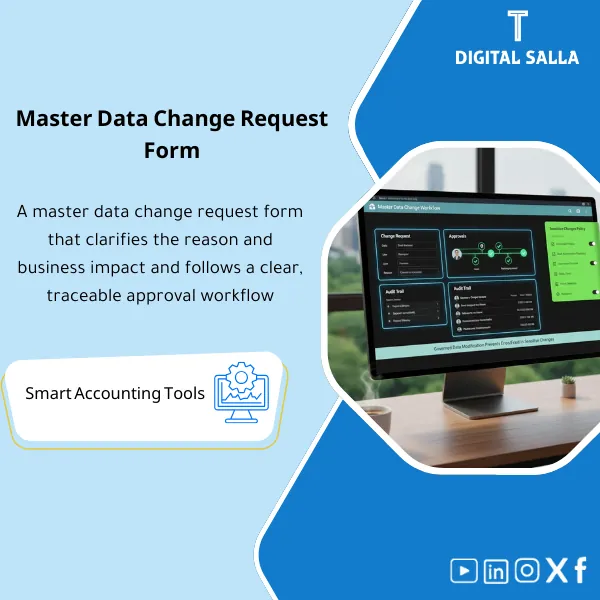
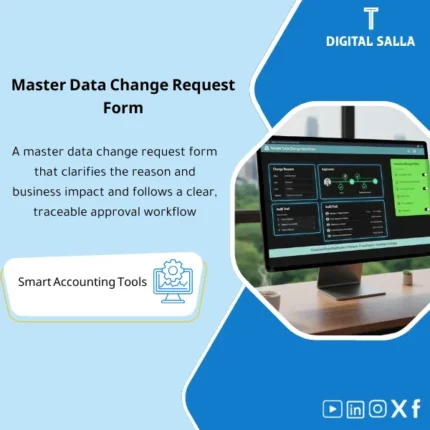
Master Data Change Request Template: Documents before/after changes with an approvals workflow and audit trail for sensitive updates (e.g., IBAN, tax details). Delivers an approved change log that reduces errors and fraud risk in daily operations.
Master Data Change Request
Subline: Change Request + Approval Workflow + Audit Trail — Control changes to customer/vendor/item data with auditable documentation
Value Proposition: Master Data Change Request is the “control point” that prevents sensitive changes without a clear trail: modifying a vendor’s IBAN, changing a customer’s Tax ID, or altering item properties that affect inventory and COGS. This package offers Master Data Change Request as a numbered form + Data Approval Workflow (Approval Workflow ERP) + Audit Trail of changes so that any change becomes: documented request → review → approval → implementation → post-change verification → archiving, instead of direct modifications within the ERP that cannot be explained when an AP/AR/Inventory issue arises.
In 20 seconds: What will you get?
- Data Change Form (Master Data Change Request) numbered: type of change + reason + impact + before/after.
- Data Approval Workflow: review/approval path based on change sensitivity (Low/Medium/High).
- Approval Workflow ERP as a Matrix: who reviews? who approves? who executes? and who verifies after execution?
- Audit Trail of changes: Change log linking the request number to execution, evidence, and verification results.
- Evidence checklist: “What to attach” list for sensitive changes (Bank/Tax/Terms/UoM/Valuation).
- Post-change verification: verification step after the change (Pass/Fail) before closing the request.
- Emergency change path: urgent path with compensating control + subsequent approval + closure date.
CTA related to outputs: receive Request + Workflow + Audit Trail ready for implementing Master Data changes in an auditable manner.
Suitable for
- AP/AR/Treasury: Sensitive changes (Vendor bank / Customer tax / Payment terms) require Evidence and Approvals.
- Multi-user ERP: When Master Data modifications cause operational errors or disputes between teams.
- Audit and Compliance Environment: Requires Traceability of changes to vendor/customer data and an auditable record.
Not suitable for
- Those seeking immediate changes without approvals or evidence—the package is designed to reduce the risks of manipulation/errors.
- A company that cannot implement any separation between who requests and who approves/executes—will need at least a documented subsequent review as a compensating control.
Without Workflow / With Workflow (Short Comparison)
| Item | Without Control | With the Package |
|---|---|---|
| Change Initiation | Direct modification within ERP or via messages | Master Data Change Request with number and attachments |
| Approval | No clear approver based on sensitivity | Approval Workflow ERP based on type/sensitivity of change |
| Evidence | Evidence scattered or non-existent | Evidence checklist + archiving linked to request number |
| Audit | Difficult to prove who changed and why | Audit Trail of changes + before/after + Sign-off |
Before Use: 5 Symptoms of Uncontrolled Master Data Changes
- Vendor/customer data modifications are made via WhatsApp/Email without a request number.
- Bank/tax changes are executed without documentation or verification.
- No “before/after” record showing what was changed and its operational impact.
- AP/AR errors appear after payment/collection because the modification was not reviewed.
- Lack of task separation: the same person requests, approves, and executes or there is no approval at all.
Master Data Change Request: Implementation Method (3 Steps Without Gaps)
Step 1: Submit Master Data Change Request + Gather Evidence
- Fill out the request: Domain + type of change + reason + impact + before/after data + effective date.
- Attach evidence as per type (e.g., proof of IBAN, tax certificate, contract/offer, written approval).
- Classify sensitivity (Low/Medium/High) to determine the required approval level.
Step 2: Data Approval Workflow (Review → Approve)
- Data Steward review: completeness of fields + duplicate checks + document matching.
- Approval by Data Owner/Finance: validity of the change and its impact on AP/AR/Tax/Inventory.
- Document the decision: Approved/Rejected/Need more info with a clear reason.
Step 3: Implementation + Post-change Verification + Audit Trail
- Implement the change by a designated Executor (as separate from the Approver as much as possible).
- Post-change verification: verify (Pass/Fail) that the change has been accurately reflected in transactions/reports.
- Close the request: update Change log and link evidence + Sign-off and archive according to retention policy.
Package Components (Clear Inventory)
-
Master Data Change Request Form
- Practical Purpose: Standardize requests (reason/impact/before-after/attachments) instead of “verbal” changes.
- When to Use: For any modification to customer/vendor/item data or accounting dimensions.
- Resulting Evidence: Request ID + attachments + effective date + approval decision.
-
Approval Workflow ERP Matrix
- Practical Purpose: Define approval level based on change sensitivity (especially Bank/Tax/Terms/Valuation).
- When to Use: Before execution as a condition of operation (Gate).
- Resulting Evidence: Documented approval path + names + dates.
-
Evidence Checklist
- Practical Purpose: Prevent changes without auditable documentation.
- When to Use: During request submission and at review before approval.
- Resulting Evidence: Evidence status (Complete/Missing) + explanation of any deficiencies.
-
Audit Trail of Changes
- Practical Purpose: A central record linking the request to execution and post-change verification.
- When to Use: Daily + during audits + when investigating AP/AR/Inventory errors.
- Resulting Evidence: Who/When/What/Why + link to request and evidence + verification result.
-
Post-change Verification Sheet
- Practical Purpose: Prove that the change is “correct and functional” and not just a value entry.
- When to Use: Immediately after execution and before closing the request.
- Resulting Evidence: Pass/Fail + notes + corrective action if necessary.
-
Emergency Change Path
- Practical Purpose: Handle urgent cases without breaking governance (compensating control + subsequent approval).
- When to Use: Urgent payment/collection or critical item before closure.
- Resulting Evidence: Urgent reason + temporary approval + closure date + subsequent ratification.
-
Versioning + Sign-off
- Practical Purpose: Establish the approved version of forms and approval paths and prevent version conflicts.
- When to Use: When updating Owners/Workflow or modifying evidence requirements.
- Resulting Evidence: Version register + Change log + Prepared/Reviewed/Approved.
What should be included in the delivery?
- 01-Pack Index: Domains + Owners/Approvers + Version + Archiving method.
- 02-Change Request Form: Master Data Change Request Form (before/after + reason + impact + effective date).
- 03-Approval Matrix: Approval Workflow ERP based on type/sensitivity of change + approval levels.
- 04-Evidence Checklist: Evidence list based on change + acceptance criteria for evidence.
- 05-Change Log: Audit Trail of changes + links to requests and attachments + request status.
- 06-Verification: Post-execution verification form + Pass/Fail + corrective actions.
- 07-Emergency Path: Urgent change form + compensating control + subsequent approval + closure date.
- 08-Versioning & Sign-off: Version register + Change log + Prepared/Reviewed/Approved.
After Implementation (Two Points Only)
- Operational Outcome for the Team: Any modification to Master Data becomes a Ticket/Request with a number, evidence, and approval path, reducing errors that appear “after payment has been made” or “after the invoice has been created.”
- Control/Audit Outcome: There is a complete Audit Trail: Request → Approvals → Execution → Post-change verification → Archiving, and the modification of vendor/customer data can be traced with clear evidence.
FAQ — Questions Before Purchase
Can it be applied to any ERP?
Yes. It can be run as an external form with a log, or linked to a Workflow within the ERP, or via a ticketing system. The important thing is to have a Request ID, Approvals, and Evidence.
Does it include sensitive vendor/customer data modifications?
Yes, with an Evidence checklist and a stronger approval path for sensitive changes (Bank/Tax/Terms).
How does it achieve Separation of Duties (SoD)?
By defining roles for Requester/Reviewer/Approver/Executor. If full separation is not possible, a compensating control (documented subsequent review) is used.
Does it provide an Audit Trail within the ERP?
The package provides a Change log linking the request number to execution and attachments. If the ERP provides an internal Audit Trail, it can be linked to the request number to complete the story.
Is there an emergency change path?
Yes: Emergency change with a compensating control + subsequent approval + specified closure date.
Is it suitable for multi-branch/entities companies?
Yes, by adding Entity/Branch in the request and defining Owner/Approver for each scope.
Does it integrate with Master Data Governance (Policy + RACI)?
Yes: Governance defines who has decision-making authority and rules, and this product translates them into a daily operational path (Request/Approve/Log).
What is the minimum requirement to get started?
Define Domains, identify Owners/Approvers, list sensitive changes and their evidence requirements, then run the Change log.
Ready to prevent undocumented changes to Master Data?
Outputs: Master Data Change Request + Approval Workflow ERP + Audit Trail of changes with Evidence checklist and Verification and Sign-off.
| المسمّى الوظيفي | |
|---|---|
| Duration | |
| المستوى | |
| التحديثات | |
| القطاع | |
| الصيغة |
Related products

Chart of Accounts Setup Service





Reviews
Clear filtersThere are no reviews yet.