




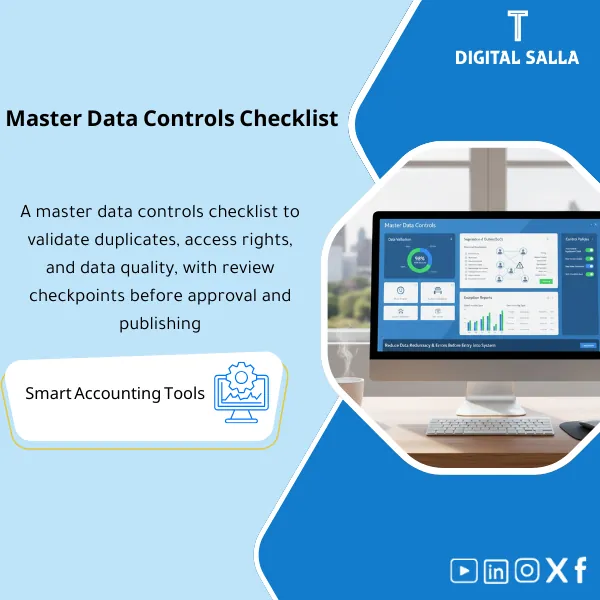
Master Data Controls Checklist – Excel File
34.31 $
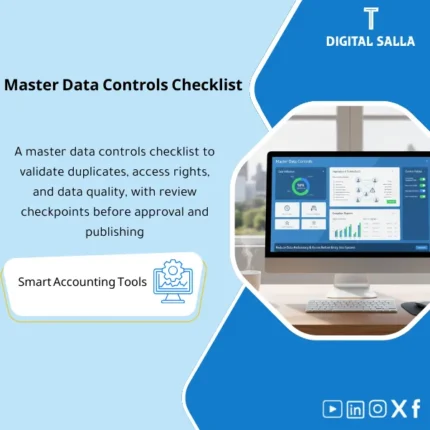
Master Data Controls Checklist: Applies field validation, duplicate detection, and SoD review for create/change permissions. Delivers exception reports and remediation steps before approval—supporting internal audit and finance control.
Master Data Controls
Subline: Controls Checklist regarding Validation + Duplicates + SoD — with Exception Reports and Reviewable Evidence
Value Proposition: Master Data Controls prevent operational errors that later turn into AP/AR and inventory issues: a vendor appearing twice, changing IBAN without evidence, or the same user creating and approving the Master modification (SoD). This product offers a practical Validation Checklist + Duplicates Detection checks + SoD data controls with data exception reports, providing you with a clear audit file: what do we review? When? And what evidence results from each review?
In 20 seconds: What will you get?
- Validation Checklist for critical fields: Mandatory/Formats/Referential integrity based on the type of Master.
- Duplicates Detection approach: Matching rules + Keep/Merge/Block decision log with Owner.
- SoD Data: Conflict check of permissions (Create/Approve/Change) on Master Data and output traceable Findings.
- Vendor Creation Controls: Mandatory checkpoints before creating a Vendor (Identity/Tax/Terms/Bank/Evidence).
- IBAN Modification Controls: Checklist “Before/During/After” + verification post-modification + archiving change evidence.
- Data Exception Reports: Ready templates for Exceptions + Aging + Closure Responsible + Target Date.
- Evidence Pack: What to save for each check (Screenshots/Exports/Approvals) + Monthly Sign-off.
CTA related to outputs: Receive Exception Reports + Duplicate Log + SoD Findings as a ready-to-archive operational package for auditing.
Suitable for
- Financial Controller / Chief Accountant: Looking to reduce AP/AR errors arising from Vendor/Customer master.
- ERP Finance Lead / Data Steward: Needs to run daily/weekly controls on Master data and close exceptions.
- Internal Control / Internal Audit: Requires testable evidence on SoD and sensitive changes like IBAN.
Not suitable for
- Those looking for an “automatic cleaning tool” instead of controls and operations—this is a monitoring package (Checks + Evidence) and not an Automation tool.
- Those unable to implement any closure paths or responsibilities (Owners/Approvers)—without Accountability, exceptions will remain open.
Without controls / With controls (short comparison)
| Item | Without Controls Checklist | With Master Data Controls |
|---|---|---|
| Vendor/Customer setup | Missing/Inconsistent fields appear at payment/invoicing | Validation checklist + Exception report before impacting transactions |
| Duplicates | Duplicates accumulate and then appear in Aging/Reconciliations | Duplicate log + Keep/Merge decision + Owner sign-off |
| IBAN changes | Bank modification without evidence/verification | IBAN modification controls + Evidence + Post-change verification |
| SoD | The same user creates/approves/changes | SoD data + Findings + Corrective plan or compensating control |
Before usage: 5 symptoms that Master Data is a “source of operational errors”
- Duplicate vendors/customers with multiple codes without a merge rule or an Owner deciding.
- IBAN or tax data modifications without stored documents or verification post-modification.
- Missing mandatory fields (Payment terms / Tax category / Currency / Address) appear as disruptions at AP/AR.
- No periodic review of permissions: the same person has Create + Approve + Change on the same Master (SoD conflict).
- No Data Exception Reports with problem aging and clear closure responsibility.
Master Data Controls: Implementation Method (3 Steps Without Gaps)
Step 1: Preparation and Gathering Reports/Exports
- Extract Master lists (Vendors/Customers/Items…) + Change history log if available.
- Extract User roles/permissions related to Master data to achieve SoD for data.
- Identify sensitive and mandatory fields for each Domain (especially Vendor bank and Tax fields).
Step 2: Run Validation + Duplicates + SoD and Output Exceptions
- Apply Validation Checklist: Completeness/Validity/Format/Referential and output Exception report.
- Run Duplicates Detection according to Match rules (Name/Tax ID/IBAN… based on the Domain) and issue Duplicate log.
- Run SoD Data: Check Create/Approve/Change conflicts and output SoD findings + remediation recommendation.
Step 3: Closure, Archiving, and Evidence of Execution
- Assign Owner for each Exception/duplicate/SoD finding + Target closure date.
- Evidence of closure: before/after + supporting documents + Post-change verification result (especially IBAN).
- Monthly/Quarterly Sign-off on control results + save the package within the archiving policy.
Package Components (Clear Inventory)
-
Validation Checklist
- Practical Purpose: Check Mandatory fields/Formats/Validity/References before errors disrupt transactions.
- When to Use: Weekly/Monthly based on the volume of Master creation/modification.
- Resulting Evidence: Validation results + Exception report + Closure status.
-
Duplicates Detection Rules + Duplicate Log
- Practical Purpose: Detect duplicates and document Keep/Merge/Block decisions instead of undocumented processing.
- When to Use: Periodically + before data migration + after large input campaigns.
- Resulting Evidence: Duplicate log + Match rules + Owner decision + Execution date.
-
SoD Data (Segregation of Duties Checklist)
- Practical Purpose: Detect permission conflicts on Master Data (Create/Approve/Change) and document remediation.
- When to Use: Monthly/Quarterly or when changing Roles within ERP.
- Resulting Evidence: SoD findings report + corrective plan (role change) or compensating control.
-
Vendor Creation Controls
- Practical Purpose: Checkpoints before creating a Vendor: Mandatory fields + Documents + Approvals (as per policy).
- When to Use: For each new Vendor or Vendor re-activation.
- Resulting Evidence: Vendor onboarding checklist + Evidence list + Acceptance/Rejection result.
-
IBAN Modification Controls
- Practical Purpose: Control bank data changes: IBAN evidence + review + post-modification verification + archiving.
- When to Use: For any IBAN/Bank account modification (before executing new payments).
- Resulting Evidence: Bank change checklist + Before/After snapshot + Post-change verification.
-
Data Exception Reporting Pack
- Practical Purpose: Convert inspection results into a closeable log: Exception type + Owner + Aging + Target close date.
- When to Use: After each run of Validation/Duplicates/SoD.
- Resulting Evidence: Exception register + Aging report + Closed evidence links.
-
Evidence & Sign-off Pack
- Practical Purpose: Define “what to save” as evidence for each check and issue periodic Sign-off.
- When to Use: At the end of each review cycle (Monthly/Quarterly).
- Resulting Evidence: Evidence index + Sign-off (Prepared/Reviewed/Approved) + Versioning.
What should be included in the delivery?
- 01-Pack Index: Scope of Domains + Operating Cycle + Version + Owners.
- 02-Validation Checklist: Validation checklists for each Domain + definition of Mandatory and constraints.
- 03-Duplicates: Match rules + Duplicate log + Keep/Merge/Block decision + Execution record.
- 04-SoD Review: SoD data checklist + Conflict report + corrective plan/compensating control.
- 05-Vendor Controls: Vendor creation controls + required evidence list + acceptance/rejection result.
- 06-IBAN Change Controls: IBAN modification controls + Before/After + post-change verification + archiving path.
- 07-Exception Register: Data exception reports + Aging + Target close dates + Owners.
- 08-Evidence Index: Evidence index (Exports/Screenshots/Approvals) related to each check.
- 09-Sign-off: Prepared/Reviewed/Approved + summary of cycle results + key decisions.
- 10-Versioning: Version register + Change log for the package (when modifying rules or scope).
After implementation (two points only)
- Operational outcome for the team: Exceptions are detected early and managed with a log (Owner/Aging/Closure) instead of late corrections at payment/invoicing or during closing.
- Control/Audit outcome: Clear Evidence exists on 3 axes: Validation + Duplicates + SoD, with exception reports and closure evidence that can be tested.
FAQ — Questions Before Purchase
Are Master Data Controls suitable for any ERP?
Yes. They rely on Exports, user permissions, and operational logs, and can be applied manually or linked to a ticket/Workflow system within the ERP.
Do they cover customers, vendors, and items?
They cover the methodology and checklists, and the final scope (Domains) is defined within the Pack index based on what your company considers Master Data.
Is this package a substitute for a governance policy (Master Data Governance Policy)?
No. These are operational controls that produce Exception reports and evidence. The governance policy defines ownership and general rules; the controls implement them and generate evidence.
What is the minimum data required to get started?
Export of the Master (Vendors/Customers/Items…) + Roles/Permissions list + (if possible) Change log or modification requests to document sensitive changes like IBAN.
How are duplicates handled?
Through Match rules then Duplicate log then Owner decision (Keep/Merge/Block) with documentation of execution, not automatic merging without approval.
Do IBAN modification controls actually include?
Yes, as a Checklist and verification evidence (Before/After + Evidence). If you want a complete request and approvals template, it can be linked to the “Master Data Change Request + Approval Workflow” package.
How often should the controls be run?
Validation and Duplicates based on the volume of changes (Weekly/Monthly). SoD review is often Monthly/Quarterly or whenever Roles change.
Is it suitable for multi-entity and branch companies?
Yes, by adding Entity/Branch in exceptions and defining Owners based on the entity’s scope, with separate results in reports.
Ready to stop Master Data surprises and start operating with controls backed by evidence?
Outputs: Validation Checklist + Duplicate Log + SoD Findings + Data Exception Reports with Evidence and Sign-off.
| المسمّى الوظيفي | |
|---|---|
| Duration | |
| المستوى | |
| التحديثات | |
| القطاع | |
| الصيغة |
Related products

Chart of Accounts Setup Service

Customer Contracts Register – Excel Template
Customer Contract Management Template is a comprehensive Excel-based program to manage customer contracts effectively, including contract data, payments tracking, completion percentages, delivery dates, and project profitability—supported by automated reports that improve contract oversight and customer relationships.


Reviews
Clear filtersThere are no reviews yet.