




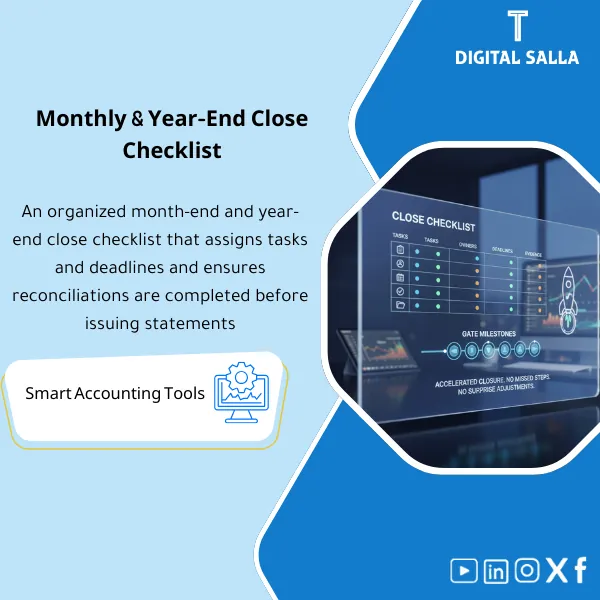
Close Checklist – Excel File
21.01 $
Month-End Close Checklist: Organizes close tasks—AR/AP/Bank reconciliations, accruals/prepayments/depreciation/provisions, and final review before issuance. Delivers progress tracking and Close Pack outputs for month and year-end close.
Monthly/Year-End Close Checklist
Subline: Month-End Close Checklist + Year-End Close Checklist + Close Calendar + RACI + Status Tracker + Closing Pack Index
Value Proposition: A checklist that links each task to a reviewable output: Reconciliations + JE Log → Adjusted TB → Closing Pack with “Owner/Due Date/Reference” for each item instead of relying on memory for the close.
In 20 Seconds: What Will You Get?
- Month-End Close Checklist organized sequentially (Cut-off → Reconciliations → Adjustments → Adjusted TB → Closing Pack).
- Year-End Close Checklist for year-end closing items + common deliverable requirements for auditors.
- Close Calendar (schedule template) to assign the day/owner/output for each item.
- RACI / Ownership Matrix clarifying “who executes/who reviews/who approves.”
- Status Tracker to track open items + exceptions + notes + closure date.
- Closing Pack Index (delivery index) linking items to their attachments: Reconciliations / JE Log / Adjusted TB / Supporting Reports.
CTA linked to deliverables: Download it to close the period with clarity: Adjusted TB + Closing Pack (with Reconciliations and JE Log as evidence).
Suitable For
- Head of Accounting / GL Supervisor seeking a structured closing process and defined responsibilities.
- Financial Controller needing monthly/annual deliverables with organized documentation within the Closing Pack.
- General Accountant / GL Accountant executing Reconciliations and recording entries, needing to track closing items.
Not Suitable For
- Those seeking a “ready-to-close with numbers” solution without a team to execute reconciliations and entries (this is a checklist and deliverable, not a closing service).
- Those expecting the checklist to resolve data/system issues (it addresses organization and delivery, while data remains sourced from your system).
Without the Checklist / With the Checklist (Quick Comparison)
| Item | Without the Checklist | With the Checklist |
|---|---|---|
| Task Distribution | Unclear responsibility + overlap of review/execution | RACI defines “who executes/reviews/approves” for each item |
| Closing Tracking | Open items only visible on the last day | Status Tracker + Exception Log + closure date for each item |
| TB Issuance | Multiple TB versions among the team | Fixed point: Adjusted TB linked to closing items and entries within JE Log |
| Delivery | Distributed files without indexing | Closing Pack Index links items to their attachments (Reconciliations/JE Log/TB) |
Before Use: 5 Symptoms Indicating Uncontrolled Closing
- The team lacks a “closing sequence”; each month starts from scratch and in a different order.
- Bank/AR/AP reconciliations are delayed because “there is no clear owner or fixed due date.”
- Reconciliation entries are made without standardized documentation (reason/support/approval) within the JE Log.
- Numbers change after the report is sent because open items do not appear in the “Status” view.
- When requested by auditors/management: there is no delivery index (Index) compiling the Closing Pack.
Monthly/Year-End Close Checklist: Implementation Method (3 Steps Without Gaps)
Step 1: Preparation and Gathering Reports
- Extract TB/GL for the period + supporting reports as per activity (AR/AP Aging + Bank Statements + Payroll Summary + Fixed Assets/Inventory if applicable).
- Open the Month-End or Year-End Checklist and assign Owner + Due Date + Output for each item via the Close Calendar.
- Establish the period scope and cut-off (last day/last invoice/last bank notice) to avoid input discrepancies among the team.
Step 2: Reconciliations + Matching + JE Log
- Execute Reconciliations for control accounts according to specified items (Bank / AR / AP / Taxes / Accruals… as per your list).
- Record Adjustments and include them within the JE Log (reason + support + approval + impact).
- Update the Status Tracker: “Closed/Open/Pending Approval/Exception” with notes and attachments.
Step 3: Adjusted TB + Reports + Closing Pack
- Issue Adjusted TB after closing the core items and finalizing the entries.
- Generate the required reports from the Adjusted TB (as per your internal template).
- Compile the Closing Pack using the Closing Pack Index and link each item to the supporting document (Traceable Delivery).
Product Components (Clear Inventory)
-
Month-End Close Checklist
- Practical Purpose: Organize month-end closing tasks as actionable and trackable items, with a “reference/attachment” field for each item.
- When to Use: Every month from the start of closing until the Adjusted TB is finalized and deliverables are issued.
- Resulting Evidence: Completed Checklist + Final Status of items + Links/References to attachments.
-
Year-End Close Checklist
- Practical Purpose: Add Year-End items (expanded cut-off/disclosures/audit requests/reclassifications) within a clear pathway.
- When to Use: End of the fiscal year + while preparing the audit file.
- Resulting Evidence: Completed Year-End Checklist + List of deliverable requirements for auditors linked to attachments.
-
Close Calendar (Closing Schedule Template)
- Practical Purpose: Transform the checklist into a timeline: Day/Date + Owner + Output + Review Point.
- When to Use: Before starting the monthly/yearly close to establish due dates and approvals.
- Resulting Evidence: Internally approved calendar showing the due date for each output and who approves it.
-
RACI / Ownership Matrix
- Practical Purpose: Establish responsibilities and prevent “I thought someone else would handle it.”
- When to Use: When distributing tasks at the beginning of the cycle + when changing the team/assigning substitutes.
- Resulting Evidence: Printable/Sendable Responsibility Matrix linked to checklist items.
-
Status Tracker + Exception Log
- Practical Purpose: A dashboard for open/closed items, recording exceptions and reasons for delays and what is needed to close them.
- When to Use: Throughout the closing cycle, daily/weekly depending on the length of the close.
- Resulting Evidence: Status Log with closure dates + Exception Log that can be referenced in the next close.
-
Closing Pack Index (Closing Delivery Index)
- Practical Purpose: Compile deliverables into a single index linking: Reconciliations + JE Log + Adjusted TB + Supporting Reports.
- When to Use: At the end of the monthly/yearly close to prepare a delivery file for management/auditors.
- Resulting Evidence: Final Index + List of attachments specified by their locations/names/references.
-
Sign-off Sheet (Closing Approval)
- Practical Purpose: Evidence of period closure approval (who reviewed? who approved? what is the final version of Adjusted TB?).
- When to Use: The last step before sending reports or delivering the Closing Pack.
- Resulting Evidence: Completed Sign-off Form specifying the reference version for the period.
CTA linked to deliverables: Month-End/Year-End Checklists + Status + Closing Pack Index to finalize Adjusted TB and produce Closing Pack uniformly.
What Should Be Included in the Delivery?
- Month-End Checklist File: Items + Owner + Date + Status + “Reference/Attachment” field.
- Year-End Checklist File: Year-end items + List of audit/disclosure requirements (if within your scope).
- Close Calendar: Closing schedule (Dates/Owners/Review points).
- RACI Matrix: Responsibility matrix linked to closing items.
- Status Tracker + Exception Log: Status log + exceptions + what is needed to close each item.
- Closing Pack Index: Index of attachments and delivery sections (TB/JE Log/Reconciliations/Reports) with file names/reference locations.
- Sign-off Sheet: Closing approval + specification of the final version of Adjusted TB + approval date.
- Folder/Structure for Delivery: (01 TB & Reports) + (02 JE Log) + (03 Reconciliations) + (04 Support) — according to your filing system, ensuring the index reflects it.
After Implementation (Two Points Only)
- Operational Outcome for the Team: Closing transforms into a clear cycle: items are distributed (RACI) and dated (Calendar) and tracked (Status) until the Adjusted TB is finalized without conflicting responsibilities.
- Control/Audit Outcome (Evidence & Traceability): Each item in the close has “evidence” and a place within the Closing Pack Index + Sign-off specifying the reference version for the period when requested for review.
FAQ — Questions Before Purchase
Is the Checklist suitable for any accounting system?
Yes. It relies on common outputs: TB/GL and supporting reports (Aging/Bank Statements). Customization is in account names and report extraction methods, not in the closing order.
Is it suitable for multi-branch companies?
Yes. You can run the same checklist for each branch/entity (or for each Dimension) and then compile the company delivery through one or multiple Closing Pack Indexes depending on your approach.
Does it include items for inventory and fixed assets?
It includes standard items that can be activated if you have inventory/assets (such as Inventory Reconciliation and Depreciation Review), but implementation depends on the availability of inventory reports/assets schedule within your company.
What is the minimum data required to get started?
TB/GL for the period + bank statements + AR/AP Aging (if within your scope). Other items are activated based on the company’s activity (Payroll/Assets/Inventory/Taxes… etc.).
Is it suitable for monthly closing only or also for annual closing?
For both: Month-End Checklist for monthly closing, and Year-End Checklist for adding year-end items and annual delivery requirements.
Is there a template for the closing delivery (Close Pack)?
Yes. There is a Closing Pack Index + section structure + Sign-off to document the final version of Adjusted TB and attachments.
Can a small team implement it?
Yes. One person can take on multiple roles, but it is important to establish: (Executor/Reviewer/Approver) even if the same names are involved, and document items within Status and Sign-off.
Does it provide a closing schedule with due dates?
Yes. The Close Calendar is part of the deliverables to specify due dates for items and review/approval points within the closing cycle.
Ready to close the month with a clear task list and deliverables?
You will receive: Month-End/Year-End Checklists + RACI + Status Tracker + Closing Pack Index to finalize Adjusted TB and prepare Closing Pack uniformly.
| المسمّى الوظيفي | |
|---|---|
| Duration | |
| المستوى | |
| التحديثات | |
| القطاع | |
| الصيغة |
Related products






Reviews
Clear filtersThere are no reviews yet.