



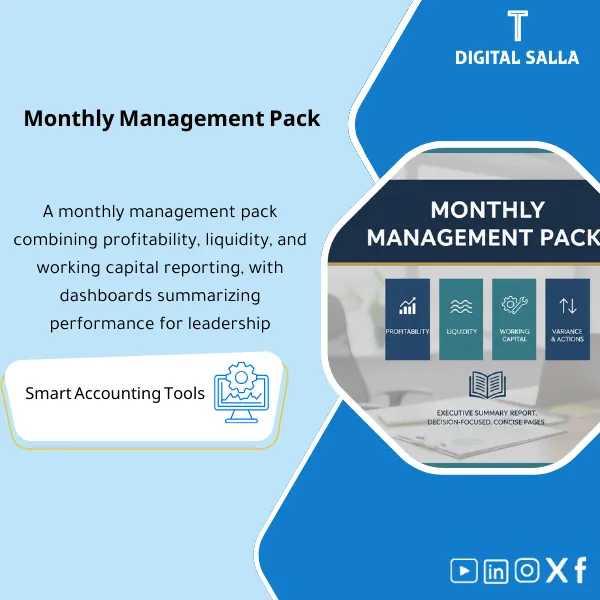
Monthly Management Pack – Excel File
687
Monthly Finance Management Report Pack: Consolidates profitability/margins, liquidity and cash forecast, working capital, and budget variances into a single executive pack. Delivers a management pack with an action log for monthly leadership reviews.
Still Building Your Monthly Management Report From Scratch Every Single Month?
Stop wasting hours stitching together scattered spreadsheets. This ready-made Excel file gives you a complete Monthly Management Pack covering P&L, cash flow, KPIs, variance analysis, and executive commentary — all in one professional template. Just plug in your numbers, and your board-ready report is done in minutes, not days.
🛡️ 7-Day Guarantee
📊 Editable Excel File
5 Signs You Desperately Need This Management Pack
1Your P&L Tells Half the Story: Revenue and expenses sit in a basic table with no margin analysis, no YTD comparison, and no trend visibility — leaving leadership to guess what’s really happening.
2Budget vs. Actual Is a Mystery: Actuals and budget numbers live in separate files. When someone asks “why did we miss target?” — you scramble to find the answer.
3KPIs Are Nowhere in Sight: Key performance indicators are either not tracked or buried across multiple tabs, making it impossible to spot problems before they escalate.
4Reports Take Days to Compile: Every month-end is a fire drill — copying data between workbooks, fixing broken formulas, and formatting charts under deadline pressure.
5No Version Control or Sign-Off: Multiple drafts float around with no clear owner, no approval trail, and no action items tracked from one month to the next.
What You Get
One comprehensive Excel file containing every component you need to produce a professional monthly management report:
| Profitability Pack | Full P&L statement + YTD totals + margin analysis (Gross / EBITDA / Net) + month-over-month trend charts. |
| Liquidity Snapshot | Cash position summary + operating cash flow tracker + short-term obligation coverage to keep leadership informed. |
| Working Capital Dashboard | AR / AP / Inventory balances + DSO / DPO / DIO calculations + cash conversion cycle visualization. |
| Variance Analysis | Actual vs Budget/Forecast + MoM comparisons with driver-level breakdowns (Price / Volume / Mix / One-offs). |
| KPI Dashboard | Visual scorecard for 6–12 KPIs (fully customizable) with RAG status indicators and sparkline trends. |
| Management Commentary | Structured template for the “what happened and why” narrative — so the numbers always come with context. |
| Sign-off + Action Log | Version control section (Version / Date / Owner) + action item tracker carried forward from month to month. |
How to Use It in 4 Simple Steps
Input Your Adjusted Trial Balance
Paste your monthly adjusted trial balance or export from your accounting system into the designated input sheet. All formulas auto-populate from there.
Review Auto-Generated Dashboards
Charts, KPI scorecards, and variance tables update automatically. Review each section and verify the numbers align with your source data.
Write the Management Commentary
Use the built-in commentary template to explain key movements: what drove the variances, what risks are emerging, and what actions are recommended.
Finalize and Distribute
Complete the sign-off section, log any action items, then export the Management Pack as a PDF or share the Excel file directly with stakeholders.
The Reporting Reality: Before vs. After
| Aspect | ❌ Without | ✅ With Management Pack |
|---|---|---|
| Financial Reporting | Basic P&L with no margin layers or trends | Full profitability view: margins + YTD + trend charts |
| Variance Explanation | Vague comments with no structured breakdown | Driver-level analysis: Price / Volume / Mix / One-offs |
| Performance Tracking | KPIs scattered or not tracked at all | Visual KPI dashboard with RAG status and trends |
| Month-End Process | Days of manual work under pressure | Structured workflow: input data → review → sign off |
You are a finance manager, FP&A analyst, CFO, or controller who needs to deliver a professional monthly management report to leadership — and you want a proven, ready-to-use Excel template that saves hours every close cycle.
You are looking for a fully automated ERP-integrated reporting tool, you need industry-specific regulatory reports, or you have no basic Excel knowledge to input and adjust data.
Which version of Excel do I need?
The template works with Excel 2016 and later. It is also compatible with Google Sheets, though some advanced formatting may require minor adjustments.
Can I customize the KPIs and sections for my industry?
Absolutely. Every section is fully unlocked and editable. You can add, remove, or rename KPIs, adjust chart layouts, and tailor the commentary template to your business.
Does it work for companies of any size?
Yes. The template is designed to be scalable — whether you run a startup or a mid-size enterprise, you simply adjust the chart of accounts and KPI selection to fit your needs.
What if it doesn’t meet my expectations?
You are covered by a 7-day money-back guarantee. If the template does not match what was described, contact our support team for a full refund — no questions asked.
Ready to Transform Your Monthly Reporting Process?
Stop reinventing the wheel every month. Get a professional Management Pack template that makes your reports faster, clearer, and board-ready from day one.
| الفئات | Management Reports & Financial Analysis |
|---|---|
| Job Title | Finance Manager |
| Level | Advanced |
| Format | Excel/PowerBI |
Reviews
Clear filtersThere are no reviews yet.