




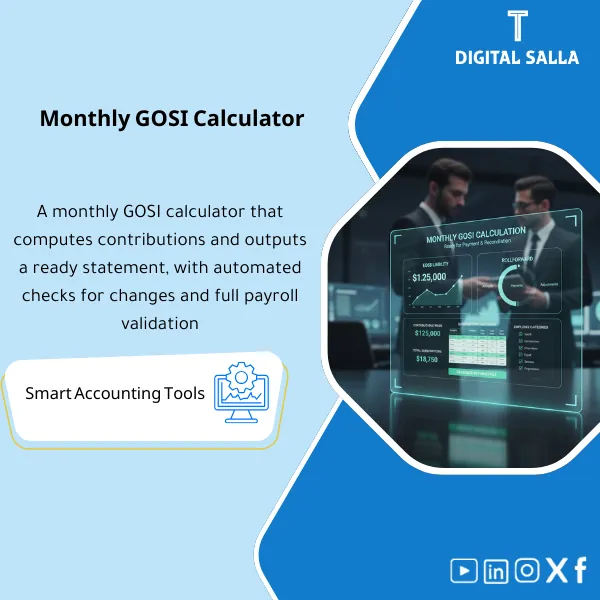
GOSI Monthly Calculator – Excel Template
42.29 $
Monthly GOSI Calculation: Calculates employee and employer GOSI contributions based on contributory wages and generates a detailed per-employee contribution schedule. Delivers payment-ready figures and reconciliation support for payroll and finance teams.
Monthly GOSI Calculation
GOSI Excel Template for generating a monthly GOSI report (Employee deduction + Employer contribution) along with a statement of insurance subscriptions linked to GL within the Closing Pack
Value Proposition: Monthly GOSI Calculation verifies that the amounts deducted from employees and charged to the company equal “what is due” based on the insurable wage, and closes the GOSI payable balance at Month-End. The practical issue is not just sending the file; the problem is that Payroll produces numbers, and the insurance requires a consistent Statement of Insurance Subscriptions, and GL needs an entry that matches these numbers. Any discrepancy appears as differences: Employee GOSI Deduction does not equal the monthly report, Employer GOSI Contribution is posted to the wrong account, or employees change status (Joiner/Leaver/Salary change) without proper reflection. This product provides you with a GOSI Excel Template that calculates, verifies, and generates a reviewable monthly report linked to the entries.
In 20 Seconds: What Will You Get?
- GOSI Excel Template calculates contributions at the employee level and then aggregates them as Monthly totals.
- GOSI Contribution Calculation: Building the insurable wage and then applying rates to produce employee/employer contributions.
- Employee GOSI Deduction: Total deduction from salaries with a breakdown for employees and reasons for any discrepancies.
- Employer GOSI Contribution: Employer charge with GL mapping.
- Monthly GOSI Report: Summary ready for internal review and linking to Month‑End.
- Statement of Insurance Subscriptions: Monthly statement (listing) that can be used as an operational guide/send-out.
- Reconciliation + JE Log: Matching the report with GL and liability accounts + adjustment entries/true-ups as needed.
CTA related to outputs: Receive Monthly statement + employee/employer breakdown + differences log + GL tie‑out + JE Log.
Suitable For
- Payroll Team: Producing a monthly GOSI report and a reviewable subscription statement before sending/approving.
- GL / Controller: Matching monthly contributions with entries and closing the GOSI payable/clearing account.
- Treasury / AP: Linking receivables to payments and explaining any discrepancies or Retro adjustments.
Not Suitable For
- If there are no GOSI contributions (not applicable/other countries) — the product will not be used.
- If your Payroll system produces a subscription statement + Reconciliation to GL ready and signed off monthly — you may only need the Pack for delivery, not the Calculator.
Without the Template / With the Template (Brief Comparison)
| Item | Without Calculation Template | With Monthly GOSI Calculation |
|---|---|---|
| Verification | Payroll numbers are sent as-is without clear cross-check | GOSI Contribution Calculation + differences statement before sending/closing |
| Employee/Employer | Mixing between employee deduction and employer contribution in entries | Clear breakdown: Employee GOSI Deduction + Employer GOSI Contribution + GL mapping |
| Month‑End | GOSI payable balance accumulates without tie-out | GL tie-out + JE Log + deliverable Closing Pack |
Before Use: 5 Symptoms That GOSI Contributions Will Result in Monthly Differences
- No unified Monthly GOSI Report; each month a “different format” statement is prepared that is difficult to review.
- Employee GOSI Deduction does not match the total deductions in Payroll or changes without explanation.
- Employer GOSI Contribution does not match the expense/liability entry in GL due to unclear mapping.
- Monthly changes (Joiners/Leavers/Retro) enter without testing on “insurable wage” leading to discrepancies.
- The GOSI payable/clearing account in TB does not zero out, and there is no rollforward explaining the movement.
How is Monthly GOSI Calculated Practically from Payroll to Closing?
The process is managed as a clear pathway: First, the “insurable wage” for each employee is built from approved Payroll elements, then rates are applied (according to employee category if applicable) to produce employee and employer contributions. The results are then aggregated in a Statement of Insurance Subscriptions and a Monthly GOSI Report is issued summarizing totals and identifying any discrepancies compared to Payroll outputs. Finally, the totals are linked to GL accounts and a JE Log is produced for recording/reconciliation, with a tie-out clarifying why the liability balance moved and how it will be settled with payments.
Implementation Steps (3 Steps)
Step 1: Preparation and Gathering Reports
- Employee list for the month + employee status (Active/Leaver) + category/exemption if applicable.
- Payroll elements used to build the insurable wage (Basic/Allowances… according to your settings).
- Payroll deductions report for the month (employee deduction) + employer contribution report (if available).
- TB/GL: GOSI expense account (Employer) + GOSI payable/clearing account + JE batch reference.
Step 2: Calculation + Subscription Statement + Differences
- Run GOSI Contribution Calculation at the employee level: Insurable wage × rates = employee/employer.
- Generate Statement of Insurance Subscriptions (listing) + summary totals.
- Compare template results with payroll reports and extract differences (Eligibility/Elements/Retro/Cap/band) within the Differences log.
- Document reasons for differences and the closing plan (correcting setup/correcting wage element/true-up entry).
Step 3: GL tie-out + JE Log + Closing Pack
- Link total Employee GOSI Deduction and Employer GOSI Contribution to GL accounts (expense/payable/clearing) according to your design.
- Generate JE Log to record employer contribution and reconcile any discrepancies/true-ups.
- Perform rollforward for GOSI payable account: Opening + current month contributions − payments = Closing, then match it with TB.
- Prepare Month‑End pack: statement + reconciliation + JE refs + sign‑off.
Product Components (Clear Inventory)
-
Employee & Payroll Inputs Import
- Practical Purpose: Standardizing employee data and insurable wage elements for the month.
- When to Use: Monthly after Payroll run.
- Resulting Guide: Inputs snapshot for the period (can be delivered as a data guide).
-
Monthly GOSI Calculator (GOSI Excel Template)
- Practical Purpose: Calculating contributions (employee/employer) for each employee based on the insurable wage.
- When to Use: Monthly and before sending/closing.
- Resulting Guide: Calculation sheet + totals controls.
-
GOSI Statement / Subscription Register (Statement of Insurance Subscriptions)
- Practical Purpose: Monthly listing showing total contributions + employee details (as privacy policies allow).
- When to Use: Monthly as an operational guide/review.
- Resulting Guide: Statement ready for saving within monthly files.
-
Monthly GOSI Report (Monthly GOSI Report)
- Practical Purpose: Summary: Employee GOSI Deduction + Employer GOSI Contribution + number of employees + change from the previous month.
- When to Use: Before month approval and in Month‑End pack.
- Resulting Guide: Monthly summary + management sign-off.
-
Differences & Exceptions Log
- Practical Purpose: Recording differences (elements/eligibility/retro/caps) as a worklist with Owner and decision.
- When to Use: Monthly before closing, especially during joiners/leavers and late adjustments.
- Resulting Guide: Differences aging + resolution notes.
-
GL Mapping + JE Log
- Practical Purpose: Linking contribution totals to GL accounts and producing entries ready for posting.
- When to Use: Month‑End.
- Resulting Guide: JE batch listing + references.
-
GOSI Payable Rollforward + TB Tie‑Out
- Practical Purpose: Reconciling GOSI payable/clearing account and proving that Closing matches the TB.
- When to Use: Month‑End and Year‑End.
- Resulting Guide: Rollforward + tie-out + open items (if any).
-
Month‑End Closing Pack
- Practical Purpose: Compiling all evidence (statement + report + reconciliation + JE refs) into a single delivery file.
- When to Use: Monthly (and Year‑End as a reference for periods).
- Resulting Guide: Pack + sign‑off + evidence index.
What Should Be Included in the Delivery?
- 01-Monthly-GOSI-Calculation-Pack.xlsx: The main file (inputs + calc + statement + reports + tie-outs).
- 02-Employee-List-Import.xlsx: Employee data template for the month (ID/Status/Category/CC).
- 03-Insurable-Wage-Inputs.xlsx: Insurable wage elements for each employee (Basic/Allowances according to your settings).
- 04-GOSI-Calculator.xlsx: GOSI Excel Template for calculating GOSI Contribution (Employee/Employer) + controls.
- 05-GOSI-Subscription-Statement.xlsx: Statement of Insurance Subscriptions (listing) for the period.
- 06-Monthly-GOSI-Report.xlsx: Monthly GOSI Report (Summary + variance vs last month).
- 07-Employee-Deduction-Recon.xlsx: Employee GOSI Deduction: Matching the deduction with Payroll deductions.
- 08-Employer-Contribution-Recon.xlsx: Employer GOSI Contribution: Matching the charge with payroll/employer report.
- 09-Differences-Exceptions-Log.xlsx: Monthly differences/exceptions + reason codes + owner + action.
- 10-GL-Mapping-GOSI.xlsx: Linking totals to GL accounts (expense/payable/clearing) according to your design.
- 11-JE-Log-GOSI-Monthly.xlsx: JE Log for monthly entries (Employer exp / Payable) + true-ups as needed.
- 12-GOSI-Payable-Rollforward.xlsx: Reconciling GOSI payable/clearing account (opening + current − payments = closing).
- 13-TB-TieOut.xlsx: TB/Adjusted TB tie-out + differences log.
- 14-Evidence-Index.xlsx: Evidence index (Payroll exports/GL postings/statements/approvals) + links/paths.
- 15-Runbook.pdf: Step-by-step run (Import → Calculate → Review → Reconcile → Post → Pack).
- 16-Controls-Checklist.pdf: Control checklist (elements review/joiners-leavers/retro handling/tie-out sign-off).
- 17-Archiving-Map.docx: Archiving tree (Year/Month/GOSI/Inputs/Outputs/Pack) + naming convention.
- 18-Signoff-Page.docx: Prepared/Reviewed/Approved + period scope (e.g., Dec‑2025).
After Implementation (Two Points Only)
- Operational Outcome for the Team: Every month you have a subscription statement + Monthly GOSI Report + documented differences, instead of random reviews after sending or when inquiries arise.
- Control/Audit Outcome: You can prove Trace: inputs → calculation → statement → JE posting → TB tie‑out within the Closing Pack, making the review of contributions and liabilities easily possible.
FAQ — Questions Before Purchase
Does it automatically include official rates?
No. The template relies on entering your company’s rates/slabs (according to the official source) and documenting the effective date, as the numbers may change.
Is it suitable for any Payroll system?
Yes. As long as you can extract wage elements and monthly deductions and provide an Employee list, it can be run.
Can the Statement of Insurance Subscriptions be extracted in a sendable format?
A statement can be generated from the template as an organized monthly file. The final sending method depends on your platform/requirements.
How does it handle joiners/leavers during the month?
The employee status and eligibility period are recorded within the inputs, and their impact is reflected in the differences if special handling is required.
Does it cover Retro or late adjustments?
Yes, through the Differences log and determining whether the difference pertains to the current month or requires true-up/adjustment entries.
Is there a link with GL and ready entries?
Yes: GL mapping + JE Log for employer contribution and reconciliation of differences linked to TB tie-out.
What is the minimum data required to get started?
Employee list + insurable wage elements for the month + employee deduction/employer contribution reports from Payroll + TB/GL for GOSI accounts.
Is it suitable for multi-entity/branch companies?
Yes, by adding Company/Branch/Cost center and producing reports for each entity and then Consolidated.
Ready to Generate a Reviewable Monthly GOSI Report and Link it to the Entries Instead of Accumulated Differences?
Outputs: Statement of Subscriptions + Monthly Report + Employee Deduction/Employer Contribution + Reconciliation + JE Log + TB tie‑out.
| المسمّى الوظيفي | |
|---|---|
| Duration | |
| المستوى | |
| التحديثات | |
| القطاع | |
| متوافق مع | |
| الصيغة |







Reviews
Clear filtersThere are no reviews yet.