




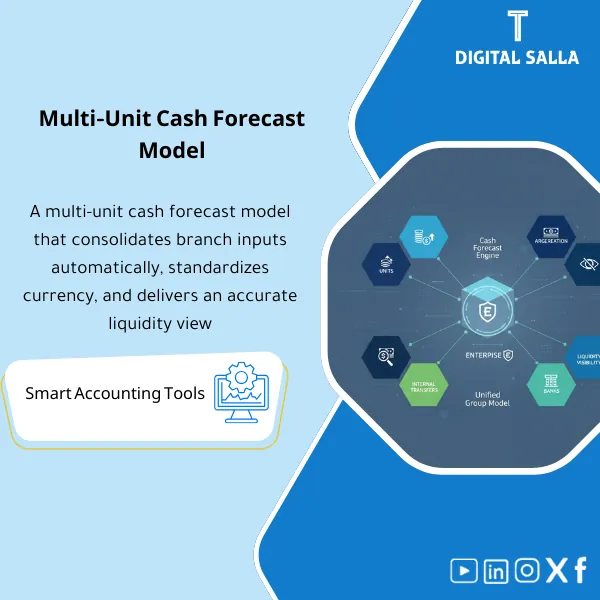
Multi-Unit Cash Forecast – Excel File
111.44 $
Multi-Branch Cash Forecast: Produces a cash forecast per entity/unit and consolidates at group level, including intercompany transfers and branch cash constraints. Delivers surplus/deficit visibility per unit for treasury funding decisions.
Multi-Unit Cash Forecast
Subline: Multi-Unit Cash Forecast + Group View + Intercompany Transfers + Bank Positions + Variance vs Forecast + Sign-off
Value Proposition: A multi-unit liquidity model that establishes forecasts at each branch/unit level and consolidates them at the company/group level: Opening Bank per Unit → Inflows/Outflows Schedule → Intercompany Transfers → Net Cash Movement → Closing Bank → Group Consolidated View instead of a total liquidity forecast that does not clarify where the deficit and surplus are.
In 20 Seconds: What Will You Get?
- Unit-level Cash Forecast: Forecasts for each branch/unit (Opening → In/Out → Closing) by week/month.
- Collections Schedule: Expected collections (by Aging or Sales/Collection Plan) for each unit.
- Payments Schedule: Expected payments (Suppliers/Payroll/Taxes/Rent) for each unit.
- Intercompany Transfers Tracker: Intercompany transfers (From/To/Date/Amount) with an “internal elimination” rule upon consolidation.
- Bank Position Dashboard: Expected bank balances for each unit + total group + deficit/surplus alert.
- Variance vs Forecast: Comparison of the current version’s forecast with the previous version and identification of reasons for changes (Collections/Payments/Transfers).
- Sign-off + Version: Confirmation of the published version (Prepared/Reviewed/Approved + Date).
CTA related to deliverables: Receive Unit Forecasts + Total Consolidation + Transfer Tracker to identify deficits/surpluses early and link changes to their causes.
Suitable For
- Treasury / Finance Ops needs visibility of bank balances and forecasts by unit to determine internal transfers.
- Financial Controller wants to monitor monthly liquidity with a reference version and compare variances.
- FP&A wants to link liquidity forecasts to collections/payments and operational plans.
Not Suitable For
- A company that cannot estimate collections and payments at the unit level (unit forecasts will not be accurate).
- Anyone looking for “automated cash forecasting” from banks/ERP via API—this is an Excel model for aggregation and control.
Without the Template / With the Template (Quick Comparison)
| Item | Without Multi-Unit Forecast | With Multi-Unit Forecast |
|---|---|---|
| Liquidity View | A total figure that does not clarify the source of the deficit/surplus | Balances and forecasts for each unit + total group |
| Internal Transfers | Transfers without a record leading to inflated flows upon consolidation | Transfers tracker + elimination upon consolidation |
| Forecast Variances | Cannot explain why the forecast changed | Variance sheet identifies whether the change is due to collections, payments, or transfers |
Before Use: 5 Symptoms Present in Liquidity Forecasts
- The liquidity forecast is “total” while the deficit occurs in a specific branch and does not appear early.
- Intercompany transfers inflate flows because there is no elimination upon consolidation.
- A significant gap between forecast and reality with no analysis of “why did it change?”.
- Customer collections are estimated without linking to aging or collection plans, leading to cash surprises.
- No published reference version (Version/Sign-off) makes it difficult to compare forecasts over time.
Multi-Unit Cash Forecast: Implementation Method (3 Steps Without Gaps)
Step 1: Set Up Units and Link Data Sources
- Define units: branches/companies/business units + bank accounts associated with each unit.
- Establish Opening bank balances for each unit (from bank statement/system balance as of a specific date).
- Identify sources of collection/payment: AR collections plan + AP payments plan + payroll/taxes/rent.
Step 2: Build Inflows/Outflows + Internal Transfers
- Input/update Collections schedule and Payments schedule for each unit throughout the period.
- Record Intercompany transfers (from/to) and determine if the transfer is fully internal or with an external party.
- Output Unit cash position for each unit (Opening + Net movement = Closing) with a deficit alert.
Step 3: Consolidation + Variances + Publication
- Consolidate group units into a Consolidated view with elimination of internal transfers.
- Run Variance vs last forecast to explain changes in forecasts (collections/payments/transfers).
- Confirm a published version via Sign-off (Version/Date) and archive the pack for the period.
Product Components (Clear Inventory)
-
Unit Setup & Bank Accounts Map
- Practical Purpose: Link each unit to bank/cash accounts to accurately track opening/closing.
- When Used: Once at setup + updated when adding a branch/account.
- Resulting Guide: A map of units/banks that prevents mixing balances between units.
-
Collections Schedule
- Practical Purpose: Forecast customer collections based on collection/aging plan for each unit.
- When Used: Weekly/monthly updates as per cycle.
- Resulting Guide: A collections schedule that shows expected cash inflows and their sources.
-
Payments Schedule
- Practical Purpose: Forecast payments based on supplier, payroll, tax, and contract obligations for each unit.
- When Used: Periodic updates before executing payments.
- Resulting Guide: A payments schedule that outlines cash outflows and their timing.
-
Intercompany Transfers Tracker
- Practical Purpose: Record transfers between units and prevent inflated flows upon consolidation.
- When Used: With every planned/actual transfer.
- Resulting Guide: A transfer record with From/To/Date/Amount and reason for the transfer.
-
Unit Cash Forecast Output
- Practical Purpose: Output Opening/Inflows/Outflows/Closing for each unit over the time horizon.
- When Used: At each forecast update.
- Resulting Guide: A liquidity table for the unit showing transfer/financing needs.
-
Consolidated Cash View
- Practical Purpose: Consolidate unit forecasts with elimination of internal transfers to show the net liquidity of the group.
- When Used: When presenting to management or treasury.
- Resulting Guide: A net overall view without internal inflation.
-
Variance vs Forecast
- Practical Purpose: Explain changes in the forecast compared to the previous version or later compared to actuals.
- When Used: When publishing a new version or after closing the period.
- Resulting Guide: A table showing the drivers of change (collections/payments/transfers).
-
Sign-off & Version Control
- Practical Purpose: Confirm the published version and who reviewed and approved it along with the date.
- When Used: When publishing an official weekly/monthly forecast.
- Resulting Guide: A reference version that can be referred to for comparison.
CTA related to deliverables: Unit forecasts + transfers tracker + consolidated cash to identify deficits/surpluses and plan transfers.
What Should Be Included in the Delivery?
- 01 – Unit Setup: List of units + bank accounts for each unit.
- 02 – Opening Balances: Reference opening balances (from statement/report with a clear date).
- 03 – Collections Plan: Collections plan (AR aging/collection plan) by unit.
- 04 – Payments Plan: Payments plan (AP/Payroll/Taxes/Rent) by unit.
- 05 – Transfers Tracker: Planned/executed internal transfers with From/To/Date/Amount.
- 06 – Unit Outputs: Liquidity tables for each unit (Opening/Net/Closing) over the horizon.
- 07 – Consolidated Output: Group net consolidation with elimination of internal transfers.
- 08 – Variance Sheet: Comparison with the previous version + reasons for changes.
- 09 – Sign-off: Version/Date + Prepared/Reviewed/Approved for the published version.
After Implementation (Two Points Only)
- Operational Outcome for the Team: Treasury sees liquidity for each unit in advance and plans internal transfers before an actual deficit occurs.
- Management Outcome: The net liquidity of the group appears without inflation from internal transfers, along with variance analysis explaining changes in the forecast between versions.
FAQ — Questions Before Purchase
Is the template weekly or monthly?
It can be run both ways. You choose the Granularity (Week/Month) based on the nature of flows and the accuracy of collection and payment data.
How do we handle intercompany transfers?
They are recorded in the Transfers tracker as a “From/To” movement, then elimination occurs during group consolidation to avoid inflating flows.
Does AR/AP Aging need to be done for each unit?
Highly preferred to improve the accuracy of collections and payments. You can start with operational estimates and then gradually improve them as more accurate reports become available.
Does it support multiple currencies?
Currency columns and exchange rates can be added if units are in different currencies, with documentation of the source of the rate. The final consolidation will be in one reporting currency according to your rules.
Can it be linked to a budget or Rolling forecast?
Yes: Outputs from the Rolling forecast can be used as input drivers (Sales/Collections) and converted into cash forecasts at the unit level.
Does it automatically generate a “transfer recommendation”?
It displays the deficit/surplus by unit, and internal logic can be added to suggest a proposed transfer, but the decision and execution remain with the treasury and company policy.
What is the minimum data required to start?
Units + opening balances + collections plan and payments plan (even if estimated) + any expected internal transfers.
Does it include version sign-off?
Yes, through Version/Sign-off to confirm the published version that is sent to management or used in decision-making.
Ready to Manage Liquidity by Unit Instead of a Total Figure?
You will receive: unit cash forecast + transfers tracker + consolidated view + variance + sign-off as a multi-unit liquidity model that assists in planning and transfers.
| المسمّى الوظيفي | |
|---|---|
| Duration | |
| المستوى | |
| التحديثات | |
| القطاع | |
| الصيغة |








Reviews
Clear filtersThere are no reviews yet.