




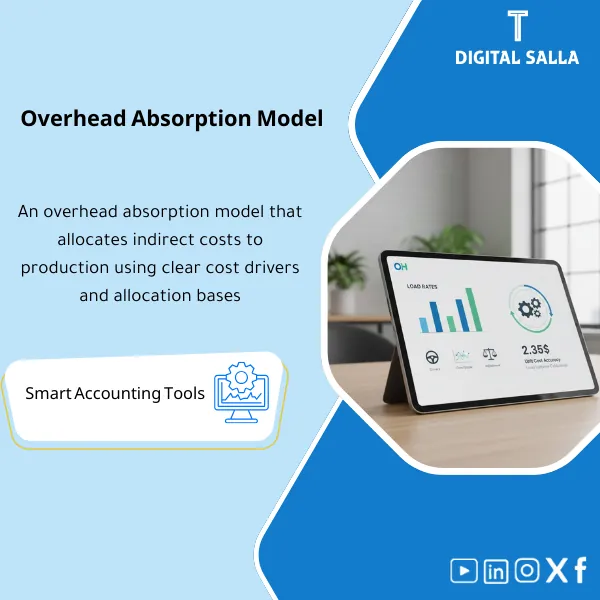
OH Absorption Model – Excel Template
63.56 $
Overhead Absorption Model: Calculates overhead rates by driver (labor hours, wages, machine hours, etc.) and applies them to production orders, measuring over/under absorption. Delivers absorption adjustments and more accurate unit costing at month-end close.
Download Indirect Costs
Overhead Absorption on Excel to calculate the OH Rate (Predetermined overhead rate) and apply it to production, then measure Over/Under absorption and produce a Loading Variance Reconciliation that is reviewable and reliable within the month-end close.
Value Proposition: Instead of indirect costs being “factory expenses” accumulating in accounts without explanation, this template transforms them into a clear system: Loading Rate + Distribution of Manufacturing Expenses + Measurement of Loading Variances + Documented Accounting Reconciliation.
In 20 Seconds: What Will You Get?
- OH Rate Builder: Build a Predetermined overhead rate from (OH Budget ÷ Activity Budget).
- Cost Pools & Drivers: Support for multiple Cost Pools (Maintenance/Energy/Supervision…) and more than one Driver (Machine Hours / Labor Hours / Units).
- OH Absorption Engine: Apply absorption to production orders/products based on actual activity.
- Over/Under Absorption: Calculate the loading variance (Applied vs Actual) and analyze its causes.
- Reconciliation: Match OH (Actual/Applied/Variance) with GL and clearly display variances.
- Close-out & JE Pack: Propose Loading Variance Reconciliation (Closing Entry/Distribution) according to your policy.
- Dashboard: Summary dashboard: loading rate, total absorption, variance percentage, Top Drivers.
Delivery associated with the button: Overhead Rate + Absorption + Over/Under + Reconciliation + JE Pack.
Suitable For
- Cost Accountant / Plant Controller: Needs a stable system for loading rates and closing variances.
- Finance Closing Team: Wants to match OH with GL and substantiate reconciliations.
- Operations: Wants to explain “Why did the unit cost increase?” from the OH perspective (Hours/Energy/Production Volume).
- Internal/External Audit: Wants a clear and documented impact of the absorption policy and Over/Under reconciliation.
Not Suitable For
- If there is no measurable Driver (like Machine Hours or Labor Hours) or if its data is inaccurate—absorption results will be weak.
- If your goal is a comprehensive costing system within ERP with Workflow—this is an “Excel template” not an ERP system.
Without the Template / With the Template
| Item | Without the Template | With the Template |
|---|---|---|
| OH Rate | Unstable or undocumented rate | Predetermined overhead rate clear for each Pool/Driver |
| Distribution of Manufacturing Expenses | Manual/Approximate distribution | Distribution to production based on Activity Actual (MH/DLH/Units) |
| Over/Under absorption | Accumulated variances without explanation | Calculated and analyzed loading variance + Causes + Trends |
| Month-End Close | Random reconciliation/quick decision | Loading Variance Reconciliation (JE Pack) is audit-ready |
Before Use: 5 Symptoms That Your OH Loading Needs Adjustment
- There is a large fluctuating balance monthly in the “Over/Under absorption” account without explanation or a fixed methodology.
- The unit cost changes significantly due to OH and you cannot isolate the cause: (Spending) or (Lower Production Volume) or (Incorrect Driver).
- There is no document/file showing how the OH Rate was calculated and where the data came from.
- Matching factory expenses with WIP/FG/COGS is difficult and discrepancies appear during audits.
- Departments argue over “who bears OH” because the distribution is not based on an agreed-upon Driver.
What Does the Indirect Cost Loading Template Cover?
This template is designed to cover the entire loading cycle:
Preparing the Predetermined overhead rate from the budget, then applying Overhead Absorption
to the actual activity, then measuring Over/Under absorption and issuing Loading Variance Reconciliation in the close.
Application Method (3 Steps)
Step 1: Set Up Rates
- Define Cost Pools (e.g., Electricity, Maintenance, Supervision, Factory Rent…).
- Identify the Driver for each Pool (MH/DLH/Units or custom Driver).
- Input OH Budget and Activity Budget to produce the OH Rate.
Step 2: Apply to Production (Absorption)
- Input/import Activity Actual by line/work center/production order.
- Calculate Applied OH = Rate × Activity Actual.
- Aggregate absorption by product/order/period to update production/WIP costs.
Step 3: Variances and Reconciliation (Over/Under + Close)
- Input OH Actual (actual expenses from GL) by the same Pools.
- Calculate Over/Under absorption = Actual OH − Applied OH (with variance explanation).
- Propose Loading Variance Reconciliation according to policy: close to COGS or distribute to WIP/FG/COGS.
Product Components (Clear Inventory)
-
Cost Pool Setup
- Purpose: Standardize the classification of indirect costs and link them to their source in GL.
- Outputs: Pool List + GL Accounts Mapping + Driver for each Pool.
-
Predetermined OH Rate Calculator
- Purpose: Calculate the loading rate in a standardized way (Budgeted OH ÷ Budgeted Activity).
- Outputs: Rate per Pool + Rate per Department/Work Center (optional).
-
OH Absorption Sheet
- Purpose: Distribute manufacturing expenses to production orders/products based on activity.
- Outputs: Applied OH by Order/SKU/Line + Monthly Total Applied OH.
-
Over/Under Absorption Tracker
- Purpose: Determine if Over or Under occurred and where (which Pool/Driver) and why.
- Outputs: Variance Summary + Variance % + Trend by Month.
-
GL Reconciliation
- Purpose: Clear tie-out between OH Actual from GL and Applied OH and the Variance.
- Outputs: Reconciliation Table + Exceptions List.
-
Close-out & JE Pack
- Purpose: Extract proposed entries for closing: entry to COGS or distribution by ratios.
- Outputs: Proposed Journal Entries + Evidence/Notes.
-
OH Dashboard
- Purpose: Summary for management: Rate, Applied, Actual, Variance, and Top Drivers.
- Outputs: Executive Summary Page + Top 5 Pools Variance.
What Should Be Included in the Delivery?
- Clear Tabs: Pools | Rates | Activity Actual | Applied OH | OH Actual | Over/Under | GL Tie-out | JE Pack | Dashboard.
- Input Rules (Validation): Prevent negative/zero Drivers, prevent OH Actual without Pool, and check period consistency.
- Consistent Methodology: Document the method for calculating the loading rate and timing for updates.
- Auditability: Link every number to (GL Account / Pool / Period / Driver Source).
After Implementation (Only Two Points)
- Financial Outcome: Production/inventory costs become more consistent, and loading variances are understood and managed instead of being an “unknown number” at month-end.
- Control Outcome: Matching OH with GL becomes clear, and Loading Variance Reconciliation is issued with a documented and easily reviewable entry.
FAQ — Questions Before Purchase
What is the difference between Predetermined overhead rate and Actual rate?
The Predetermined rate is calculated in advance from the budget (Budgeted OH ÷ Budgeted Activity) and is used to load OH during the period.
The Actual rate reflects the actual and may change monthly; using it directly may cause unit costs to fluctuate and become unstable.
Which Driver should I use: Machine Hours, Labor Hours, or Units?
It depends on the nature of the plant: machine-intensive plants often use MH, while labor-intensive plants may suit DLH.
The template supports multiple Drivers and multiple Pools to avoid a “one-size-fits-all” solution.
Does it support separating Fixed/Variable OH?
Yes, as a classification within Pools (Fixed vs Variable) to show the impact of “lower production volume” on fixed OH more clearly in Over/Under.
How do I handle Over/Under absorption in the close?
The template supports two common scenarios: (1) full close to COGS or (2) distribution to WIP/FG/COGS based on balances/activity—the choice is according to your policy.
Is it suitable for more than one plant or multiple production departments?
Yes—it can build Rates by (Plant/Department/Work Center) and apply absorption at a detailed level and then aggregate for reporting.
Does it help with auditing?
Yes, because every variance number is based on clear sources (Budget/Actual/Driver/Rate) along with a GL Tie-out and JE Pack, making tracking and examination easier.
If You Want a Unified OH Loading Rate + Loading Variance Reconciliation Without Monthly Disputes
Outputs: Rates + Applied OH + Over/Under + GL Reconciliation + JE Pack + Dashboard.
| المسمّى الوظيفي | |
|---|---|
| Duration | |
| المستوى | |
| التحديثات | |
| القطاع | |
| الصيغة |
Related products




Reviews
Clear filtersThere are no reviews yet.