




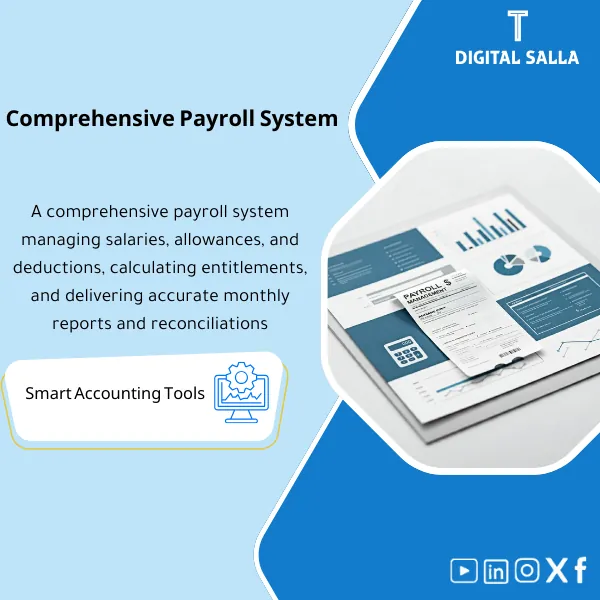
Payroll Management System – Excel File
129
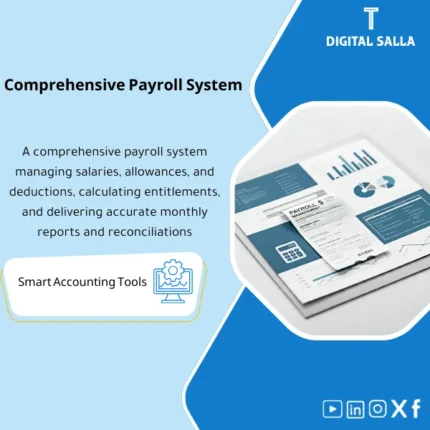
Payroll Management System is a comprehensive Excel tool for payroll administration. It links payroll data with employee contracts and the general ledger to ensure accurate accounting mapping. Highly flexible with in-depth analytical reporting—ideal for payroll control and labor cost analysis.
Still Running Payroll on Scattered Spreadsheets and Praying Nothing Breaks?
Stop gambling with your employees’ salaries. This all-in-one Excel payroll system gives you Master Data management, automated Payroll Runs, Bank Transfers, Journal Entries, Reconciliation, and a ready-to-sign Closing Pack — structured, auditable, and error-free every single pay cycle.
🛡️ 7-Day Guarantee
📊 Editable Excel File
5 Signs Your Payroll Process Is Hurting Your Business
1Manual Calculation Errors: Computing salaries, deductions, and allowances by hand leads to costly mistakes that damage employee trust and invite compliance risks.
2No Clear Audit Trail: When changes happen — promotions, terminations, salary adjustments — there is no structured log to track what changed, when, and why.
3Bank Transfers Are a Nightmare: Preparing payment files manually each month wastes hours and opens the door to incorrect account numbers or amounts.
4Accounting Entries Are an Afterthought: Without a proper Journal Entry template, payroll liabilities, accruals, and provisions are posted inconsistently or forgotten entirely.
5No Month-End Closing Package: When finance or management asks for a payroll summary, you scramble to pull data from five different places instead of handing over one clean pack.
What You Get
One structured Excel workbook containing seven interconnected modules that cover the entire payroll cycle from start to close:
| Payroll Calendar | Pre-built monthly timeline with cut-off dates, processing windows, and payment deadlines to keep every cycle on track. |
| Payroll Register | Complete Gross-to-Net calculation sheet covering basic salary, allowances, deductions, and net pay for every employee. |
| Change Log | Structured tracker for all employee changes — new hires, terminations, salary adjustments, and position transfers — with date stamps. |
| Bank Transfer List | Ready-to-upload payment file with employee bank details, amounts, and references formatted for direct bank submission. |
| Payroll JE Template | Journal Entry template mapping salary components to GL accounts — salaries, social insurance, provisions, and accruals in one entry. |
| Bank Reconciliation | Side-by-side reconciliation sheet to match payroll records against actual bank debits and catch discrepancies instantly. |
| Payroll Closing Pack | End-of-month summary package: totals, variances, approval signatures, and supporting schedules — ready for management sign-off. |
How to Use It in 4 Simple Steps
Set Up Your Master Data
Enter your employee information: names, positions, departments, salary structures, and bank details. Log every future change in the Change Log to maintain a clean audit trail.
Run the Monthly Payroll
The Payroll Register calculates everything automatically: allowances, deductions, overtime, and net pay. Input variable items like absences or bonuses, and the Gross-to-Net flows through instantly.
Generate Transfers and Journal Entries
The Bank Transfer List produces a payment-ready file for your bank. The Payroll JE Template maps every salary component — liabilities, provisions, and expenses — directly to your General Ledger accounts.
Reconcile and Close
Match actual bank debits against payroll records using Bank Reconciliation. Then compile everything into the Payroll Closing Pack: summary, register, variances, and approvals — month closed in minutes.
The Real Difference: Before vs. After
| Aspect | ❌ Without | ✅ With This System |
|---|---|---|
| Employee Data | Scattered across multiple files with no change history | Centralized Master Data + full Change Log for every update |
| Salary Calculation | Manual formulas, frequent errors, and last-minute fixes | Automated Payroll Register with built-in validation checks |
| Bank Payments | Copy-pasting bank details each month, risking wrong transfers | Bank Transfer List auto-generated and ready for upload |
| Month-End Closing | No formal process, missing entries, auditor questions pile up | JE Template + Reconciliation + Closing Pack delivered together |
You are an HR manager, payroll officer, accountant, or business owner who processes payroll manually or with basic spreadsheets — and you want a structured, professional, and auditable Excel system without paying for expensive ERP software.
You already use a fully integrated ERP or HRIS with built-in payroll modules (like SAP, Oracle HCM, or similar platforms), or you need a cloud-based multi-user system with real-time collaboration features.
Can I customize the file for my company?
Absolutely. The entire workbook is fully unlocked and editable. You can add columns, modify formulas, change labels, and adapt every sheet to match your company’s specific payroll structure.
Does it support WPS (Wage Protection System) formats?
The Bank Transfer List includes all required fields (employee name, bank code, account number, amount). You can easily map these to your country’s WPS or bank-specific upload format.
Does it handle social insurance and tax deductions?
Yes. The Payroll Register includes dedicated columns for statutory deductions like social insurance and income tax. The amounts flow directly into the JE Template for accurate accounting entries.
Do I need advanced Excel skills to use this?
No. The system uses standard Excel formulas — no VBA, no macros. If you can fill in cells and follow clear instructions, you can run your entire payroll cycle with this file.
Ready to Run Payroll With Confidence Instead of Crossing Your Fingers?
Get a complete, professional payroll management system in one Excel file — no subscriptions, no complex software, just download and start.
| الفئات | Payroll & Human Resources |
|---|---|
| Job Title | Accountant |
| Level | Intermediate |
| Format | Excel/نظام |
Reviews
Clear filtersThere are no reviews yet.