




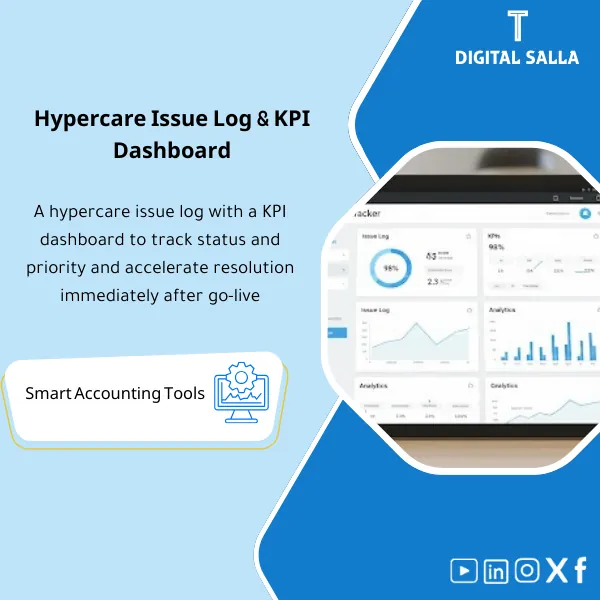
Hypercare Issue Log & KPI Dashboard – Excel File
55.59 $
Hypercare Tracker: Logs go-live issues and classifies them by impact and SLA, with KPI dashboards for case volumes, closure time, and recurrence. Delivers a daily ERP stability tracker for project, support, and finance teams post-launch.
Hypercare Tracker
Hypercare Issue Log + KPI Dashboard for Launch: SLA + RCA + System Stability Report + Sign‑off Pack — in reviewable Excel/Doc format
Value Proposition: The Hypercare Tracker transforms the post-Go‑Live week/month from a “WhatsApp problem list” into a manageable operation: clear Issue ID, categorization (ERP/Integration/Data/Process), Severity, SLA for issue resolution, Owner and due date, Root Cause Analysis (RCA), followed by a Dashboard that demonstrates stability day by day and produces a System Stability Report suitable for management and governance.
In 20 seconds: What will you get?
- Managed Issue Log ERP: ID + Module/Interface + Severity + Impact + Owner + Due date.
- SLA for Issue Resolution: Definition of SLA levels + Compliance/Exceedance + Escalation log.
- Root Cause Analysis (RCA): Cause classification (Data/Mapping/Config/Integration/Process) + Corrective/Preventive actions.
- KPI Dashboard for Launch: Daily/Weekly indicators (Open issues by severity, MTTR, SLA compliance, backlog trend).
- Go‑Live Issue Tracking by module/integration: AP/AR/Inventory/Banking/Payments/Payroll.
- Stability Report Template: A template for the System Stability Report for management with recommendations to Go/Continue/Extend hypercare.
- Sign‑off Pack: Delivery index + Dashboard copy + Issue log + Stability approval minutes.
CTA related to outputs: You will receive a ready-to-implement Issue Log + KPI Dashboard + SLA/RCA + Stability Report.
Suitable for
- ERP PMO / Hypercare Lead: Managing the issue list with SLA and escalation, demonstrating stability with numbers.
- Finance Ops / Controller: Linking system issues to financial impact (posting failures, unmatched subledgers) before the first close.
- IT/Vendor Coordination: Standardizing problem language and identifying Root cause and responsible parties along with timelines.
Not Suitable for
- If your goal is “real-time technical monitoring” (APM/Monitoring) or automatic Alerting — these are different tools.
- If you want a full Ticketing tool like Service Desk (ticket creation/integrations/automated SLAs) — this product is a Runbook + Tracker + Dashboard for documentation and follow-up.
Without Hypercare Tracker / With Hypercare Tracker (Brief Comparison)
| Item | Without Organized Tracker | With Hypercare Tracker |
|---|---|---|
| Issue Tracking | Uncoordinated list (multiple messages/sheets) + Repetition of the same issue | Issue ID + Owner + Severity + SLA + Status + Evidence |
| RCA & Actions | Temporary solutions without root cause or preventive action | RCA + Corrective/Preventive + Measurement of issue recurrence |
| Stability Decision | No fixed KPI; decision is “subjective” | KPI Dashboard + System Stability Report + Sign‑off |
Before Use: 5 Symptoms of Unmanaged Hypercare
- The same Go‑Live issue recurs (migration/integration failure) because there is no RCA or preventive action.
- No SLA or Severity, causing issues like “collection/payment stoppage” to be treated as incidental problems.
- Ownership overlaps between Finance/IT/Vendor; “Who is responsible?” takes longer than the solution.
- No Dashboard showing Trend (Are things improving or worsening?) leading to decisions without data.
- No stability report, thus extending/ending Hypercare is done without evidence or Sign‑off.
How Does Hypercare Tracker Work Practically After Go‑Live?
The approach starts with logging the issue and ends with presentable outputs: Unified Issue log → Cause classification and Severity → Setting SLA and escalation path → Performance measurement (KPIs) → Issuing a Weekly/Final Stability Report with clear recommendations.
Implementation Method (3 Steps)
Step 1: Preparation and Report Gathering
- Define daily data sources: Job monitor / Interface logs / Error queues / Posting failures / Subledger summaries.
- Identify the “impact” we will measure: Unposted transactions, payment gateway integration failures, subledger discrepancies, invoice stoppages… etc.
- Establish the list of Owners and SLA matrix (Finance L1/L2, IT, Vendor) before starting the countdown.
Step 2: Reconciliations + Matches + JE Log
- Open an Issue Log ERP for each issue: Severity + Owner + Due date + Evidence (log/screenshot/report ref).
- Conduct RCA: Identify Root cause (Data/Mapping/Config/Integration/Process) and link it to a corrective + preventive action.
- When there is a temporary financial impact (e.g., failed transactions needing monthly processing): record it in an internal JE/Adjustment log (if necessary) and link it to the Issue ID to maintain traceability.
Step 3: Adjusted TB + Lists + Closing Pack
- Run the KPI Dashboard for launch: SLA compliance + MTTR + Backlog + Top recurring causes + trend by module/interface.
- Before the first Month‑End: Link stability indicators to what affects the close (posting completeness, subledger/GL tie‑outs) to identify closing risks early.
- Issue Weekly/Final Stability Report + Sign‑off pack (System Stability Report + KPI Dashboard + Issue log + Approval minutes).
Package Components (Clear Inventory)
-
Issue Log ERP (Tracker Sheet)
- Practical Purpose: Log every issue with fixed numbering: Module/Interface + Description + Impact + Severity + Owner + SLA + Status.
- When to Use: Daily during Hypercare (Day+1 → Day+30).
- Resulting Evidence: Managed issue log + Change history + Evidence references for each Issue.
-
SLA Matrix + Escalation Rules
- Practical Purpose: Define SLA for issue resolution by Severity + when to escalate and to whom + what constitutes “exceedance.”
- When to Use: Before starting Hypercare and reviewed weekly based on performance.
- Resulting Evidence: SLA sign‑off + Escalation log linked to SLA numbers.
-
RCA Template (Root Cause Analysis)
- Practical Purpose: Standardize RCA: root cause + 5-Why (optional) + Corrective/Preventive actions + Owner.
- When to Use: For critical or recurring issues or those affecting the close.
- Resulting Evidence: Completed RCA + Closure decision + Prevention of recurrence (evidence).
-
KPI Dashboard for Launch (Stabilization KPIs)
- Practical Purpose: Measure stability: number of open issues by Severity, MTTR, SLA compliance rate, backlog/closure trend, most recurring causes.
- When to Use: Daily/weekly updates and presented in Hypercare meetings.
- Resulting Evidence: Documented Dashboard used as a reference for stability decisions.
-
Go‑Live Monitoring Pack (Jobs/Interfaces)
- Practical Purpose: Link Issue log to its sources: Job/Interface failures, Error queue, Posting batches, Success rate.
- When to Use: Daily in the first two weeks and then as needed.
- Resulting Evidence: Evidence index: Links/references to Logs for each Issue.
-
Weekly Stability Report Template
- Practical Purpose: Issue a weekly System Stability Report: what has been closed, what remains open, closing risks, resource/escalation recommendations.
- When to Use: End of each week during Hypercare.
- Resulting Evidence: Ready report for management with KPI snapshot and decisions.
-
Final Stability Sign‑off Pack
- Practical Purpose: Establish the moment of “the system is stable”: Acceptance criteria + KPI targets + List of outstanding items and plan for them + Signatures.
- When to Use: End of Hypercare or before transitioning to stable operation (BAU).
- Resulting Evidence: Official internal sign‑off + Index of archived evidence.
What Should Be Included in the Delivery?
- 01-Hypercare-Issue-Log.xlsx: Issue Log ERP (ID/Severity/Owner/SLA/Status/Evidence refs).
- 02-SLA-&-Escalation-Matrix.xlsx: SLA for issue resolution + Escalation rules + Exceedance log.
- 03-RCA-Templates.xlsx or DOCX: Root Cause Analysis templates + Corrective/Preventive actions.
- 04-KPI-Dashboard.xlsx: KPI Dashboard for launch (Backlog/MTTR/SLA compliance/Trend/Top causes).
- 05-Monitoring-Evidence-Index.xlsx: Evidence index (Jobs/Interfaces/Error queues) linked to Issue IDs.
- 06-Weekly-Stability-Report.docx: Weekly System Stability Report template + KPI snapshot.
- 07-Final-Signoff-Pack.docx: Stability approval minutes + Acceptance criteria + List of outstanding items and plan for them.
- 08-Archiving-Map.docx: Copy retention structure (Week1/Week2/Final) + Naming convention.
After Implementation (Two Points Only)
- Operational Outcome for the Team: Each issue has an ID, Owner, SLA, source (Evidence), and closure path; Hypercare meetings become decisions based on KPIs rather than a recounting of issues.
- Regulatory/Audit Outcome: Traceability: Issue → RCA → Action → Evidence → KPI trend → Sign‑off, with a weekly and final archived copy supporting any subsequent review.
FAQ — Questions Before Purchase
Is Hypercare Tracker an alternative to a Service Desk system or Ticketing tool?
No. It is an operational and documentation Pack (Issue log + KPIs + SLA + RCA + Reports). It can be used alongside any Service Desk to standardize follow-up and demonstrate stability.
Can it be used to track financial Go‑Live issues only?
Yes, and it can be expanded. You will find Modules/Interfaces classifications that allow distinguishing financially impactful issues (Posting/Subledgers/Bank integrations) from others.
How are Severity and SLA for issue resolution defined?
The package includes an SLA matrix defining Severity levels (e.g., collection/payment/posting stoppage) linked to resolution time and escalation, along with exceedance logs and approvals.
Does it actually include Root Cause Analysis (RCA)?
Yes, through the RCA template: Root cause classification + Corrective/Preventive actions + Owner + Evidence to close the cause, not just “present the issue.”
Is it suitable for multi-branch or multi-integration companies?
Yes. You can add an Entity/Branch and Interface name and analyze KPIs by entity or integration to determine where failures recur.
Does it produce a System Stability Report ready for management?
Yes: Weekly stability report template + Final sign‑off pack with KPI snapshot and clear recommendations (Continue/Extend/Exit hypercare).
Does it help before the first Month‑End after Go‑Live?
Yes, because the dashboard captures indicators affecting the close (unposted transactions, integration failures, backlog trend) early, allowing you to enter Month‑End aware of risks instead of discovering them on the last day.
What is the minimum data required to get started?
A list of Owners + List of Integrations/Modules + Source logs or error queue reports. If TB/GL extracts are available, you can add “financial impact” for some issues, but it is not a requirement for operation.
Ready to document Hypercare with numbers instead of a “problem list”?
Outputs: Issue Log ERP + KPI Dashboard for Launch + SLA/RCA + System Stability Report + Sign‑off Pack.
| المسمّى الوظيفي | |
|---|---|
| Duration | |
| المستوى | |
| التحديثات | |
| القطاع | |
| الصيغة |
Related products

Customer Contracts Register – Excel Template
Customer Contract Management Template is a comprehensive Excel-based program to manage customer contracts effectively, including contract data, payments tracking, completion percentages, delivery dates, and project profitability—supported by automated reports that improve contract oversight and customer relationships.







Reviews
Clear filtersThere are no reviews yet.