




Post Go-Live Runbook – Word & Excel Files
84.84 $
Post Go-Live Runbook: Defines daily/weekly/month-end tasks after ERP go-live—interface monitoring, error resolution, and monthly reconciliations. Delivers stable operating procedures that reduce reliance on consultants in the first months.
Post Go-Live Runbook
Post Go-Live Runbook for ERP Operations: Daily/Weekly Tasks + Month-End after ERP + Integration Error Management + Escalation Path + Hypercare Pack
Value Proposition: Post Go-Live Runbook protects you during the critical two weeks after Go-Live: the system is “running” but the numbers are not closing, and issues recur because there is no Owner, no escalation, and no clear definition: what is an “Integration Error”? What is a “Data Error”? What is preventing Month-End? This Runbook transforms operations into a reviewable routine: Daily checks → Weekly controls → Month-End close → Incident triage → Escalation → Evidence & sign-off.
In 20 Seconds: What Will You Get?
- Daily ERP Ops Checklist: Daily ERP tasks (Jobs/Interfaces/Posting/Exceptions) with Evidence for each item.
- Weekly Controls: Weekly checks (Control accounts, aging sanity checks, unmatched items).
- Month-End after ERP: Runbook for closing the first month after Go-Live (Freeze/Close/Adjustments/Tie-outs).
- Integration Error Management: Framework for Integration Error Management: Classification + Root cause + Reprocessing + Financial impact.
- Escalation Playbook: Issue Escalation Procedures (from L1 → L2 → Vendor/IT) with clear SLA.
- Hypercare Tracker: Issue log + Impact on AR/AP/Inventory/Posting + Repair timeline.
- Sign-off Pack: Operations delivery index + Approval signatures for the first week/month.
CTA related to outputs: Receive Daily/Weekly/Month-End Checklists + Integration Error Log + Escalation Matrix ready for implementation.
Suitable For
- Finance Ops / GL Team: Consistent daily operations and filtering exceptions before they turn into TB variances.
- ERP Support Lead / PMO: Managing Hypercare, escalation, and tracking SLA with the Vendor/IT.
- Internal Controls / Audit: Documenting operational evidence (Jobs/Interfaces/Controls) and linking it to closing.
Not Suitable For
- If you are still pre-Go-Live and need a Cutover/Go-Live readiness plan — this is a post-Go-Live package.
- If you are looking for a “technical solution” to fix the integration itself (Integration development) — this Runbook is for operations, escalation, and documentation.
Without the Runbook / With the Runbook (Brief Comparison)
| Point | Without Runbook | With Post Go-Live Runbook |
|---|---|---|
| Daily Tasks | Everyone monitors “at their discretion” + no Evidence | Daily checklist + Results + References + Sign-off |
| Integration Errors | The same errors recur without Root cause or SLA | Error log + Classification + Reprocessing + Financial impact + Escalation |
| Month-End | The first month close becomes an “exception war” | Month-End runbook + tie-outs + JE log + pack index |
Before Use: 5 Symptoms That Post Go-Live Operations Are Unstable
- Jobs/Interfaces fail and no one knows “did it fail today or yesterday?” and there is no official Log.
- Accumulation of “Unposted/Errored” transactions that are discovered at month-end as TB variances.
- There is no classification of errors: Data issue vs Mapping issue vs Integration issue, wasting the team’s time.
- There is no escalation path or SLA, so the issue remains “open” and recurs daily.
- The first Month-End after Go-Live occurs without tie-outs or a clear JE log, resulting in untraceable Adjustments.
How Does the Post Go-Live Runbook Work Practically?
The idea: to transform “ERP Operations after Go-Live” into Monitoring + Exception Triage + Closing processes. Each task has: Owner, Execution Time, Evidence, and Escalation Criteria. The ultimate goal is to produce a Month-End with a balanced TB and a deliverable closing file.
Implementation Method (3 Steps)
Step 1: Preparation and Report Collection
- Prepare a list of Integrations/Interfaces (Payment gateways/Banks/Payroll/Inventory/Store, etc.) and link them to an Owner.
- Identify daily reports that validate operational integrity: Job monitor, Interface status, Error queues, Posting batches.
- Identify Control accounts and TB extracts that will be used in weekly/monthly tie-outs.
Step 2: Reconciliations + Matches + JE Log
- Run Daily checklist: Monitor errors, classify them, and determine if they need Reprocessing or Fix data or Fix mapping.
- Manage integration errors through Error log: Root cause + workaround + Financial impact + Responsible party.
- Record any necessary adjustments in the JE Log (especially during Hypercare) with a Reference linking it to a clear reason.
Step 3: Adjusted TB + Lists + Closing Pack
- Before closing: Run Weekly controls/tie-outs to filter Unmatched/unposted before they turn into significant variances.
- At Month-End: Run Month-End runbook after ERP: closing periods, reconciliations, tie-outs, and producing Adjusted TB.
- Compile the closing pack for the first week/month: checklists + logs + tie-outs + approvals + sign-off.
Runbook Components (Clear Inventory)
-
Post Go-Live Runbook (DOCX/PDF)
- Practical Purpose: Standardizing post-Go-Live operations: What do we monitor? What do we close? What do we escalate?
- When to Use: Daily during Hypercare and then adopted as BAU reference.
- Resulting Evidence: Runbook with Version/Sign-off.
-
Daily Checklist (Jobs/Interfaces/Posting/Exceptions)
- Practical Purpose: Daily ERP tasks to close exceptions before they accumulate.
- When to Use: Every business day (Day-1 and beyond).
- Resulting Evidence: Daily log + Pass/Fail result + Evidence reference.
-
Weekly Controls & Tie-outs
- Practical Purpose: Weekly checks to prevent subledgers from “diverging” from GL before closing.
- When to Use: Weekly (or twice weekly in the first two weeks).
- Resulting Evidence: Tie-out summary + variance list + resolution decision.
-
Integration Error Log + RCA
- Practical Purpose: Managing integration errors as cases: Root cause (RCA) + Reprocessing + SLA.
- When to Use: As soon as any Error appears in an Interface or Job.
- Resulting Evidence: Error log + Status (Open/Resolved) + Financial impact + Owner.
-
Incident Triage Sheet (Finance/IT/Vendor)
- Practical Purpose: Sorting the issue: Data vs Configuration vs Integration vs User process, to direct it to the correct party.
- When to Use: Daily during Hypercare.
- Resulting Evidence: Triage decision + Escalation party + Resolution time.
-
Escalation Matrix + SLAs
- Practical Purpose: Issue escalation procedures: When to escalate? To whom? What is the SLA? What is the impact of delays on closing?
- When to Use: When exceeding a specified time or high financial/operational impact.
- Resulting Evidence: Escalation log + Approvals + Closure date.
-
Month-End after ERP Runbook + Close Checklist
- Practical Purpose: Month-end closing tasks after ERP: closing periods, preventing Postings, opening/closing Modules, reconciliations, Tie-outs, Adjusted TB.
- When to Use: First month after Go-Live and then reused with improvements.
- Resulting Evidence: Close checklist + JE log references + pack index.
-
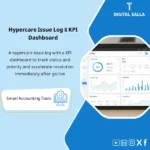
Hypercare Dashboard (Day+1 → Day+30)
- Practical Purpose: Monitoring dashboard: number of errors, their impact, average closure time, risks to Month-End.
- When to Use: Daily/Weekly in Hypercare meetings.
- Resulting Evidence: Dashboard supporting resource and escalation decisions.
-
Sign-off Pack (Operations + Close)
- Practical Purpose: Proving “operational stability” through Checklists and Logs and weekly/monthly signatures.
- When to Use: At the end of each week in the first month + end of the first Month-End.
- Resulting Evidence: Pack index + Version/Sign-off + Archiving.
What Should Be Included in the Delivery?
- 01-Post-GoLive-Runbook.docx: Post-Go-Live operational runbook + Roles + Update policy.
- 02-Daily-Checklist.xlsx: Daily ERP tasks + Evidence references.
- 03-Weekly-Controls-Tieouts.xlsx: Weekly tie-outs + variance log.
- 04-Integration-Error-Log.xlsx: Integration error management + RCA + Reprocess + SLA.
- 05-Incident-Triage.xlsx: Triage template to identify escalation party (Finance/IT/Vendor).
- 06-Escalation-Matrix-&-SLAs.xlsx: Issue escalation procedures + levels + times + approvals.
- 07-MonthEnd-After-ERP-Runbook.xlsx: Month-end closing tasks after ERP + Close checklist + gates.
- 08-JE-Log.xlsx: Hypercare/Month-End JE log + References.
- 09-Hypercare-Dashboard.xlsx: Day+1 → Day+30 monitoring dashboard.
- 10-Signoff-Pack.docx: Weekly/Monthly approval minutes + evidence index.
- 11-Archiving-Map.docx: Backup structure + Naming convention for documentation.
After Implementation (Two Points Only)
- Operational Outcome for the Team: Operations become Routine: Daily checks filter exceptions, Weekly controls prevent variance accumulation, and Month-End proceeds steadily after ERP.
- Control/Audit Outcome: Reviewable operational evidence: Logs + Tie-outs + JE references + Escalations with Version/Sign-off proving what happened, when, and why.
FAQ — Questions Before Purchase
Is the Runbook specific to a certain ERP system?
No. It is Vendor-agnostic. It will work with any ERP as the approach relies on: Monitoring logs, error queues, TB/GL extracts, and tie-outs.
Does it cover ERP operations after Go-Live only daily?
It covers Daily ERP Tasks + Weekly checks + Month-End tasks after ERP (Month-End) + Hypercare.
How does it differentiate between an Integration Error and a Data Error?
There is an Incident triage sheet to classify the error: Data/Mapping/Configuration/Integration/User process, then determine the Owner, escalation path, and SLA.
Does it actually include issue escalation procedures?
Yes: Escalation matrix with levels L1/L2/Vendor/IT, and escalation criteria (Time/Impact/Close risk) with an escalation log and closure date.
Does it assist in the first Month-End after Go-Live?
Yes. There is a Month-End after ERP runbook: closing periods, preventing Postings, reconciliations, tie-outs, JE log, and producing Adjusted TB.
Does it include managing integration errors with payment gateways/banks/payroll?
Yes, as an operational approach: Error log + RCA + Reprocess + SLA + Financial impact. The technical integration solution (development) remains the responsibility of the IT/vendor team.
Is it suitable for multi-branch or entity companies?
Yes. Checklists and tie-outs can be applied for each entity/branch with a consolidated Hypercare dashboard to identify the most affected units.
What is the recommended duration for Hypercare?
The Runbook is structured for the Day+1 → Day+30 phase by default, and it can be adjusted based on integration complexity and operational volume.
Ready to Stabilize Operations after Go-Live before the First Month-End?
Outputs: Daily/Weekly/Month-End Runbook + Integration Error Log + Escalation Matrix + Hypercare Pack.
| المسمّى الوظيفي | |
|---|---|
| Duration | |
| المستوى | |
| التحديثات | |
| القطاع | |
| الصيغة |
Related products



Expected Credit Losses Assessment Service (IFRS 9)


Sales Controls Template – Excel Template
Sales Control Template is an effective Excel tool to manage and monitor sales invoices and revenue contracts with automated workflows, analytical reports, and charts to help you understand sales performance. Highly flexible and editable to fit your needs—strengthening sales controls and improving performance.

Reviews
Clear filtersThere are no reviews yet.