




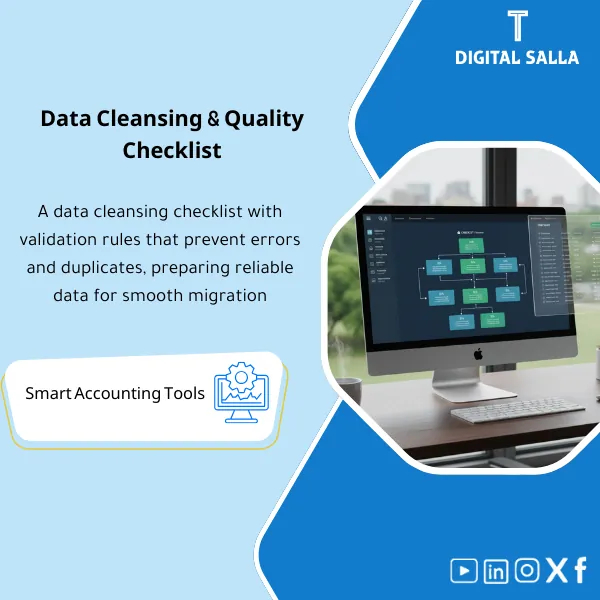
Data Cleansing Checklist – Rules & Standards
42.29 $
Pre-Migration Data Cleansing Checklist: Defines duplicate checks, mandatory fields, formatting rules, and data quality controls for each master data domain. Delivers an issues-and-fixes list before ERP loading—especially where codes and masters are inconsistent.
Data Cleansing Before Migration
Data Cleansing Checklist + Data Quality Rules + Duplicate Log — Master Data Readiness Before Data Migration and UAT
Value Proposition: Data Cleansing Before Migration is the difference between a “one-time working” migration and a “repeatable” migration. Before any Master Data is loaded into the ERP, a checklist needs to close 3 questions: What errors exist? What rule prevents them from recurring? And what evidence shows that the data is Ready to Load? This package combines Data Cleansing Checklist + Data Quality Rules + Tracking Logs (Duplicates/Exceptions/Owners Sign-off) so that you have a clear delivery for the PMO/Vendor: Cleaned Data + Closed Errors + Auditable Quality Rules.
In 20 Seconds: What Will You Get?
- Data Cleansing Checklist ready: “What needs to pass before we call the file Ready to Load?”
- Data Quality Rules: Mandatory fields + Formats + Referential integrity + Thresholds.
- Duplicate Removal: Duplicate log + Match rules + Keep/Merge decision + Owner sign-off.
- Customer and Vendor Data Audit: VAT/Tax IDs, Payment terms, Address, Bank (if necessary) with Flags for errors.
- Exceptions Register: “Temporarily allowed” errors with reason + Compensating control + Closure date.
- Ready-to-Load Status: Clear status (Pass/Fail/At risk) for each Master Data (Customers/Vendors/Items…).
- Evidence Pack: Links to reports/sheets that prove errors were closed before sending the migration file to the Vendor.
CTA related to outputs: Receive Checklist + Rules + Duplicates/Exceptions Logs + Sign-off as a readiness package before data migration.
Suitable For
- ERP Project: You want to prepare ERP data before starting migration iterations.
- Companies with “Dirty” Data: Customer/Vendor duplicates or missing fields affecting AR/AP and Tax.
- Teams Working with Vendor: Need an official “Ready to Load” delivery instead of sending raw files and then fixing rejects.
Not Suitable For
- Those who want “full automatic cleansing” without Owners deciding to Merge/Keep — decisions on Master Data require data owner approval.
- Those without an extractable data source (Exports) or unable to define required fields for the target ERP.
Without Cleansing / With Cleansing (Brief Comparison)
| Item | Without the Package | With the Package |
|---|---|---|
| Loading | Many rejects during loading + Sporadic fixes | Ready-to-load after clear checks + Error log before loading |
| Duplicates | Customer/Vendor duplicates appear after Go-Live | Duplicate log + Keep/Merge decisions with Sign-off |
| Taxes and Payments | Missing VAT/Bank/Payment terms disrupt AP/AR | Customer and Vendor data audited according to Rules and checks |
| Evidence | No Pass/Fail criteria or evidence of error closure | Checklist + Evidence links + Exceptions register + Version/Sign-off |
Before Use: 5 Symptoms That Your Data Is Not Ready for Migration
- Clear duplicates in customers/vendors (same name with multiple codes) without a merge rule.
- Missing mandatory fields (Tax ID / Payment terms / Address / Currency) only appearing during loading.
- Uncontrolled codes (different lengths/symbols/spaces) breaking the new ERP rules.
- No clear linkage between dimensions (Entity/Branch/Cost center) or Referential integrity not guaranteed.
- No Owner signing off that the data is “acceptable” — thus any error turns into a dispute after Go-Live.
Data Cleansing Before Migration: Implementation Method (3 Steps Without Gaps)
Step 1: Preparation and Data Source Collection and Target Definition
- Extract source data for each Master (Customers/Vendors/Items/COA/CC/Employees/FA based on your scope).
- Establish naming and numbering rules (Code rules) and define “required ERP fields” (Target mandatory fields).
- Assign Owners (who decides?) and Reviewer/Approver (who signs?) for each Master Data.
Step 2: Run Data Quality Rules + Duplicate Removal + Exception Logging
- Apply Data Quality Rules: Mandatory/Format/Uniqueness/Range/Referential checks.
- Output Duplicate log according to Match rules (Name/Tax record/IBAN… based on type) and log Keep/Merge decision.
- Open Exceptions register for any item that cannot be fixed before migration with reason, compensating control, and closure date.
Step 3: Issue Ready-to-Load Pack and Deliver for Migration and UAT
- Establish Pass/Fail status for each Master Data after closing errors.
- Issue a “Ready to Load” version with Version and Sign-off and evidence links.
- Deliver the package for Data Migration Iteration and UAT as a reference: the same data is used in Test loads, then Cutover.
Package Components (Clear Inventory)
-
Data Cleansing Checklist
- Practical Purpose: Identify what needs to be checked before any loading (Mandatory/Format/Duplicates/References).
- When Used: In every migration cycle (Iteration 1/2/3) and before Cutover.
- Resulting Evidence: Completed Checklist + Pass/Fail for each Master Data.
-
Rules Library
- Practical Purpose: Document quality rules as a single reference instead of “rules in emails.”
- When Used: When running checks and during any dispute over record acceptance/rejection.
- Resulting Evidence: Rules catalogue + Rule definition + Type of check + Owner.
-
Duplicate Detection & Resolution
- Practical Purpose: Identify duplicates and document Keep/Merge decisions with clear impact.
- When Used: Before migrating Customers/Vendors specifically.
- Resulting Evidence: Duplicate log + Decision for each case + Owner sign-off.
-
Customer/Vendor Audit Checks
- Practical Purpose: Prevent AP/AR issues post-go-live (Payment terms/Tax IDs/Bank fields/Addresses).
- When Used: Before Test loads and before UAT for O2C/P2P scenarios.
- Resulting Evidence: Validation results + List of missing fields + Correction register.
-
Exceptions Register
- Practical Purpose: Manage what cannot be fixed immediately: Why was it accepted? What is the control? When will it close?
- When Used: When there are time constraints before Cutover or missing data from an external source.
- Resulting Evidence: Exception register + Owner + Compensating control + Target close date.
-
Ready-to-Load Sign-off + Versioning
- Practical Purpose: Establish the approved version of the cleaned data and prevent multiple versions.
- When Used: Before sending migration files to the Vendor and before any final loading.
- Resulting Evidence: Sign-off (Prepared/Reviewed/Approved) + Version register + Change log.
Final delivery: Checklist + Rules Library + Duplicate/Exceptions Logs + Ready-to-Load Sign-off as an operational package before migration.
What Should Be Included in the Delivery?
- 01-Pack Index: File index + Scope of Masters + Version + Owners.
- 02-Checklist: Data Cleansing Checklist with Pass/Fail for each Master Data.
- 03-Rules: Rules library (Data Quality Rules) with rule definition, type of check, and Owner.
- 04-Duplicates: Duplicate log + Match rules + Keep/Merge decisions + Data Owner signature.
- 05-Customer/Vendor Audit: Customer and Vendor data audit checks (VAT/Tax/Payment terms/Bank/Address) + Results.
- 06-Exceptions: Exceptions register + Compensating controls + Target close dates.
- 07-Ready-to-Load: Approval page + Ready criteria + Evidence links.
- 08-Versioning: Version register + Change log (what changed and why).
- 09-Runbook: Instructions for running checks and how to update status before Iteration/before Cutover.
After Implementation (Two Points Only)
- Operational Outcome for the Team: Master Data flows through a fixed Workflow (Extract → Check → Fix → Decide → Sign-off) and migration iterations become faster as errors are closed before loading.
- Control/Audit Outcome: There is a decision log for duplicates and exceptions with Owners and Version/Sign-off, and it is possible to review “why this record was accepted/rejected” after Go-Live.
FAQ — Questions Before Purchase
Is the package suitable for any ERP?
Yes. Because it works on source data and documents quality rules and decisions. Target columns are adapted to the loading model of the target system.
Does it cover all types of data or just customers and vendors?
It covers a methodology and rules applicable to multiple Masters (Customers/Vendors/Items/COA/CC/Employees/FA). The most commonly used part is usually the customer and vendor data audit and duplicate removal.
Is this package an alternative to Data Migration Templates?
No. This is a “readiness and quality” package before migration. Data migration templates prepare the loading file. The two packages complement each other: Cleansing → Migration template → Load.
What is the minimum input required to get started?
Exports from the current system + Definition of the core target ERP fields + Owners for the data to sign off on merge/exceptions decisions.
How are duplicates handled practically?
Through Match rules (such as Tax ID/IBAN/Name) then Duplicate log then Keep/Merge decision documented with Owner signature. No automatic merging occurs without Owner decision.
Does it support multi-entity and branch companies?
Yes, through Referential integrity rules: linking Entity/Branch/CC and ensuring codes are valid within the entity’s scope, with an Exception register when exceptions occur.
Does it require special tools other than Excel?
No. It is based on Excel/Sheets. It can be fed from Power Query later if you have large Exports, but the product itself is standalone.
When do I use it in relation to UAT?
Before UAT. Because if the test data (Customers/Vendors/Items) is dirty, it will produce “false” UAT defects resulting from data, not the system.
Ready to Deliver “Ready to Load” Data Instead of Sending Raw Files to the Vendor?
Outputs: Data Quality Rules + Duplicate Removal + Customer and Vendor Data Audit within the Data Cleansing Checklist with Logs and Sign-off.
| المسمّى الوظيفي | |
|---|---|
| Duration | |
| المستوى | |
| التحديثات | |
| القطاع | |
| الصيغة |
Related products

Chart of Accounts Setup Service




Reviews
Clear filtersThere are no reviews yet.