


Production Cost Report – Excel File
63.56 $
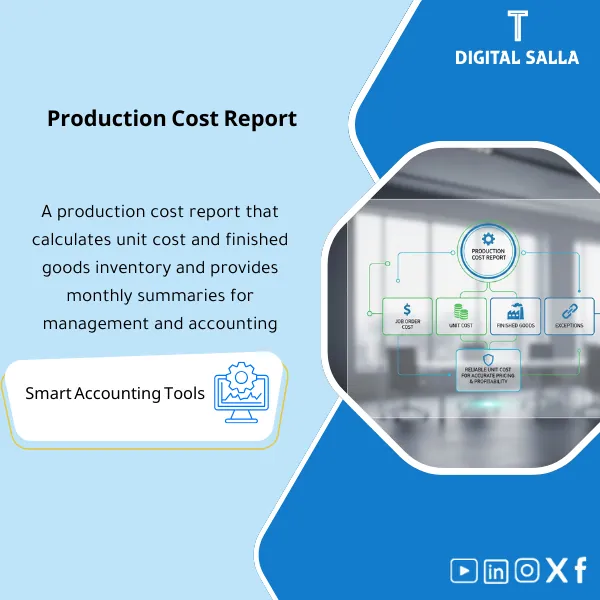
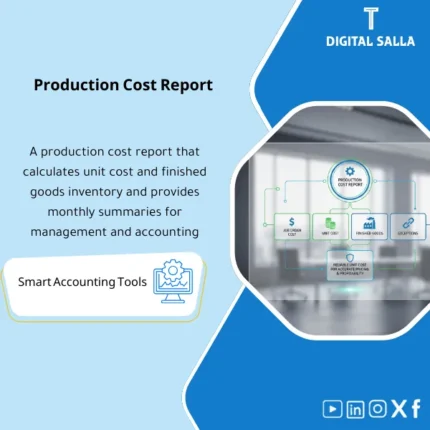
Production Cost Report: Consolidates materials, labor, and overhead costs by production order, calculates unit cost, and links results to finished goods inventory. Delivers unit cost reporting, exception analysis, and finished goods valuation support for month-end close.
Production Cost Report
A practical template (Excel/Report Pack) for generating monthly production costs and unit cost along with the valuation of Finished Goods, detailing the cost of production orders/products and linking them to WIP, COGS, and GL in an auditable manner.
Value Proposition: This product transforms production data (Materials + Hours + OH Allocation + Outputs) into a clear cost report: What did production cost us? What is the unit cost? What is the value of Finished Goods? with Traceability down to the lowest level (Order/SKU/Batch/Period) to facilitate closing and auditing.
In 20 seconds: What will you get?
- Production Cost Report: Production cost (Materials + Labor + OH) by month/line/production order.
- Unit Cost Engine: Unit cost calculated by SKU/Order with sound distribution rules.
- Finished Goods Valuation: Valuation of Finished Goods (FG) by value and quantity, linked to production movements.
- COGM/COGS Bridge: Bridge from Cost of Goods Manufactured (COGM) to COGS with the impact of WIP and FG.
- Reconciliation Pack: Matching (WIP/FG/COGS) with GL and identifying discrepancies.
- Dashboards: Dashboard indicators: Cost/Unit, Cost/Hour, Top 10 Costliest Products, Monthly Cost Changes.
- Audit-Friendly: Every number has a source (Material Issue, Labor Hours, OH Applied, Output Qty) and links to files/entries.
Delivery associated with the button: Production Cost Report + Unit Cost + Finished Goods Valuation + Reconciliation.
Suitable for
- Cost Accountant: Needs a consistent report for closing production costs and unit costs.
- Plant/Factory Controller: Requires understanding of final product costs and monthly trends.
- Finance & Reporting: Wants to quickly link WIP/FG/COGS with GL and identify discrepancies.
- Internal/External Audit: Needs a clear audit file: where the inventory cost and sales cost came from.
Not Suitable for
- If there is no reliable production data (output quantities/material issues/hours) — any costing report will be estimative.
- If you want a costing system within ERP with Workflow/Approvals — this is an Excel/Report template, not an ERP system.
Without the report / With the report
| Item | Without the report | With the report |
|---|---|---|
| Monthly Production Cost | An unclear total number or scattered across accounts | Clear COGM (Materials + Labor + OH) detailed by product/order |
| Unit Cost | Manual/approximate calculation or fixed cost that does not reflect reality | Cost/Unit calculated on actual outputs with documented distribution rules |
| Finished Goods | Inventory value not linked to actual cost or production | FG valuation by quantities and values linked to monthly production and issues/sales |
| WIP/COGS Matching with GL | Discrepancies appear during closing or auditing | Reconciliation Pack shows the difference and its source and suggests resolution |
Before Use: 5 Symptoms That Your Costing Needs a Unified Report
- There is no fixed and recurring number to answer: What is the cost of production for the month? and each closing gives different results.
- Unit cost changes without explanation, or you cannot break down the increase: Materials? Wages? OH? Production volume?
- The WIP/FG balance in the books does not match production/warehouse reports.
- The production order cost report is unavailable or inconsistent across departments (Production vs Finance).
- Audits request proof of inventory cost and COGS, and there is no traceable file from the source.
What Does the Production Cost Report Cover?
This report covers three core outputs for factories:
(1) Monthly Production Cost, (2) Unit Cost, (3) Finished Goods Valuation,
with a clear bridge to WIP and COGS and GL.
Calculation Method (Concise and Clear)
- Direct Materials Used: Materials issued for production (Net of returns/scrap if applicable).
- Direct Labor: Direct hours/wages on orders or centers.
- Applied OH: Allocation of indirect costs (from OH Absorption model or internal rate).
- Total Manufacturing Cost: Sum of (DM + DL + OH Applied).
- COGM: Cost of manufacturing = Total Manufacturing Cost + Opening WIP − Closing WIP.
- Unit Cost: Unit cost = (Order/Product Cost) ÷ (Sellable/Receivable Quantity).
- FG Valuation: FG balance by value = (Opening FG + Transfers In/Production Receipt − Issues/Sales) by value.
Application Method (4 Steps)
Step 1: Import Data
- Production Orders / Output Qty (Actual Production)
- Material Issues/Returns (Material Issued + Returns)
- Labor Hours/Payroll allocation (Hours/Wages)
- OH Applied/Actual (OH Allocation + Actual)
- WIP/FG Opening & Closing (Opening and Closing Balances)
Step 2: Production Order Cost
- Aggregate material + labor + OH costs at the production order or SKU level.
- Handle exceptions: Scrap/Reject/Rework (if any).
Step 3: Unit Cost + FG Valuation
- Calculate Unit Cost for each SKU/Order based on the accepted/received quantity division rule.
- FG Valuation: Update the finished goods inventory cost by value and quantity.
Step 4: Bridge and Reconciliation
- COGM → COGS Bridge with the impact of (WIP/FG) clearly shown.
- Match report numbers with GL and determine: Is the difference from data? From entry? From Cut-off?
Product Components (Clear Inventory)
-
Data Import & Mapping
- Purpose: Standardize data sources (ERP/MRP/Excel) and link them to SKU/Order/Period.
- Outputs: Data Staging Tables + Mapping (SKU/Order/Cost Center/GL).
-
Production Order Cost Report
- Purpose: Show the cost of the order in detail: Materials/Labor/OH/Total.
- Outputs: Cost per Order + Variance vs Standard (optional if Standard Cost is available).
-
Unit Cost Calculator
- Purpose: Extract Unit Cost for each product/order with clear division rules.
- Outputs: Unit Cost by SKU + Trend by Month + Top Movers.
-
Finished Goods Valuation
- Purpose: Valuate FG by value and quantity and link it to production receipts and issues.
- Outputs: FG Quantity & Value + Aging/Turns (optional).
-
COGM/COGS Bridge
- Purpose: Link manufacturing cost to WIP and FG movements up to COGS.
- Outputs: Statement-style Bridge + Explanations.
-
Reconciliation Pack
- Purpose: Tie-out between the report and the ledger and identify discrepancies/exceptions.
- Outputs: Reconciliation Table + Exceptions + Action Notes.
-
Costing Dashboard
- Purpose: Quick summary for management: Cost/Unit, Cost/Hour, Top Cost Products, Trends.
- Outputs: Executive Summary + KPI Tiles.
What Should Be Included in the Delivery?
- Clear Tabs: Data | Orders | Materials | Labor | OH | Unit Cost | FG Valuation | COGM/COGS Bridge | GL Tie-out | Dashboard.
- Validation Rules: Prevent illogical negative quantities, detect orders without Output, detect materials without Order, detect OH without Pool.
- Cut-off Controls: Rules for closing the period (Production/Issuance/Receipt) to avoid discrepancies between WIP, FG, and COGS.
- Traceability: Drill-down from the total to the source row (issue/hours/receipt).
After Implementation (Two Points Only)
- Financial Outcome: Production cost and unit cost become interpretable—so you know whether the increase is from materials, wages, OH loading, or decreased production volume.
- Control Outcome: Finished goods valuation and COGS become “reconcilable” with GL and with a ready audit file instead of searching through multiple sources.
FAQ — Questions Before Purchase
Does the report rely on Standard Cost or Actual Cost?
The default is Actual Cost (Material Issuance + Wages + OH Applied). A comparison against Standard Cost can be added if you have a standard cost ready.
How is OH calculated within the report?
The report accepts OH in two ways: (1) Applied OH ready from the OH Absorption model or (2) Internal Rate × Actual Driver.
The effect of OH then appears within the order cost and unit cost.
Does it support Job/Order Costing?
Yes—it is one of the core components of the product: Production Order Cost Report detailing Materials/Labor/OH then total and Cost/Unit.
How is Finished Goods (FG) valued?
FG valuation is built from opening balances + production receipts − issues (sales/transfers) while keeping the value linked to unit cost (according to your valuation policy).
Is it suitable for a multi-line and multi-product factory?
Yes—it can aggregate and analyze data by Plant/Line/Work Center/SKU/Order. The condition is that the data carries these dimensions or can be linked through Mapping.
What are the most common causes of discrepancies revealed by the report?
Typically: Cut-off errors, open orders without closure, materials issued without an order, production quantities not received into inventory, or OH loading inconsistent with actuals.
If you want a “conceptual” production cost report + accurate unit cost + FG valuation ready for closing
Outputs: Production Cost Report + Unit Cost + Finished Goods Valuation + COGM/COGS Bridge + GL Tie-out.
| المسمّى الوظيفي | |
|---|---|
| Duration | |
| المستوى | |
| التحديثات | |
| القطاع | |
| الصيغة |
Related products




Sales Controls Template – Excel Template
Sales Control Template is an effective Excel tool to manage and monitor sales invoices and revenue contracts with automated workflows, analytical reports, and charts to help you understand sales performance. Highly flexible and editable to fit your needs—strengthening sales controls and improving performance.
Reviews
Clear filtersThere are no reviews yet.