


Production Orders Tracker – Excel Template
55.59 $
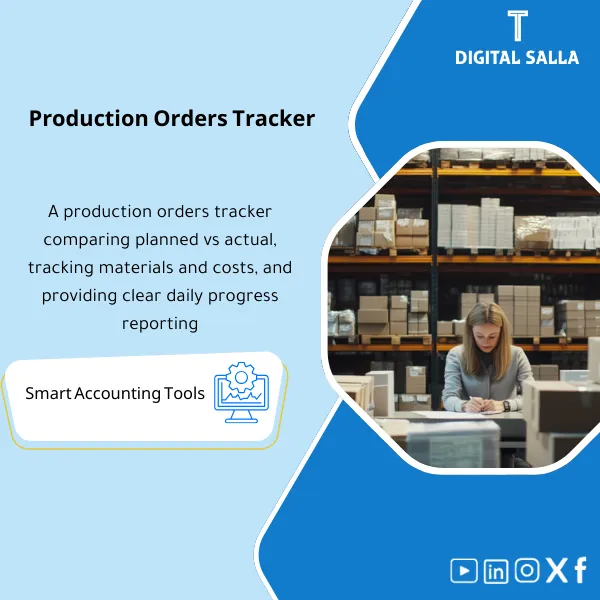
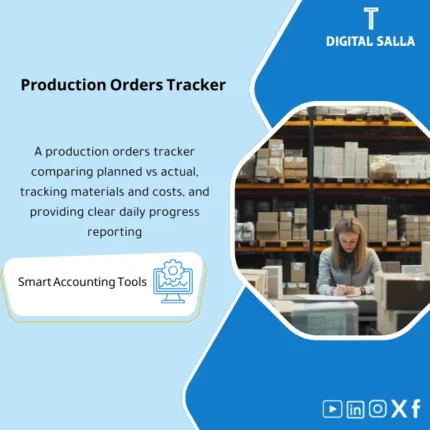
Production Order Tracker: Compares planned vs actual, consolidating issued materials, labor hours, order cost, and order closures. Delivers production order cost reporting and early variance signals before WIP month-end close.
Production Orders Tracking
Production Orders Tracker (Planned/Actual + Materials + Hours) on Excel to link material consumption and operating hours to Order Cost and generate Daily Production Reports that are traceable and reviewable.
Value Proposition: If WIP moves “in total” without a clear link between the production order (MO/WO) and the materials and operating hours, your Production Orders Tracking turns into discussions instead of traceable numbers—this template transforms it into a daily operating log with outputs that close WIP and explain variances.
In 20 seconds: What will you get?
- Production Order Tracker for production orders: Planned vs Actual at the order level.
- Materials Tracking Log: Issue/Return/Scrap linked to each production order.
- Production Hours Log: Labor/Machine Hours + documentable rates/cost per hour.
- Variance Dashboard: Material Usage Variance + Labor Efficiency/Rate Variance (based on available data).
- Summary of Order Cost: Materials + Labor + Overhead + Cost per unit.
- Daily Production Reports: Completed production, open orders, WIP Aging, and summarized variances.
- Validation + Exceptions Log + Sign-off to reduce “orders without documentation” before closing.
Outputs linked to the button: Plan vs Actual + Materials & Hours + Order Cost + Daily Report Pack.
Suitable for
- Cost Accountant / Factory: Wants an explainable order cost instead of general averages.
- Production Controller / Planning: Needs a planned vs actual at the order level with reasons for variances.
- Finance Manager (Manufacturing): Wants daily production reports that support WIP and closing without documentation gaps.
Not Suitable for
- If there is no numbering of production orders or no documentation for material/hour movements—this template will not create nonexistent data.
- If you expect a “factory operating program” instead of an accounting/monitoring tracker—this product prepares records and evidence, not an MES system.
Without Tracking / With Production Orders Tracker
| Item | Without Tracking | With Tracking |
|---|---|---|
| Plan vs Actual | “Open/Closed” orders without variance details | Planned vs Actual for each order + reason for variance |
| Materials | Material consumption on inventory/total without linking to orders | Materials tracking (Issue/Return/Scrap) linked to the order |
| Hours | Operating hours not charged to orders | Production hours at the order level + documented cost rate |
| Order Cost | Order cost not explainable upon review | Cost summary for each order + evidence + exceptions + sign-off |
Before Use: 5 Symptoms That Your Order Tracking is Uncloseable
- WIP changes at month-end without the ability to link movements to specific production orders.
- Material consumption appears as “general” inventory usage and cannot be allocated to orders/products.
- Production hours exist (timesheets/machine) but there is no practical accounting method to charge them to the order.
- Variances appear in margin/COGM but there is no planned vs actual to show where the problem lies (materials/hours/quantities).
- When auditors ask: “Provide the cost evidence for this order,” there is no single file linking materials, hours, and quantity.
How to Manage Production Orders Tracking Practically?
The concept is as simple as operational accounting: each production order has a “bundle of evidence”:
Materials (Issue/Return/Scrap) + Hours (Labor/Machine) + Outcome (Completed Qty + WIP).
The template transforms this bundle into a daily updateable Production Order Tracker, then outputs Order Cost and reports
used directly in closing and operational discussions.
Implementation Method (3 Steps)
Step 1: Preparation and Report Gathering
- List of production orders (MO/WO): Order number, product, planned quantity, start/end dates, status.
- Material movements: Issue to line/order, material returns, Scrap/Reject (if any).
- Operating hours: Timesheets or Machine Hours (by shift/day/work center).
- Supporting data (optional): BOM/Standard Consumption, cost per hour rates, overhead allocation basis.
Step 2: Record Actual + Reconciliations
- Update planned vs actual: Planned Qty vs Completed Qty + Remaining / Over-production.
- Input materials tracking and link each movement to the order number (with document/reference).
- Input production hours and link them to the order (Labor/Machine) with documented cost rate.
- Run validation: Orders without materials, materials without order, hours without order, closed orders with subsequent movements.
Step 3: Order Cost + Daily Production Reports
- Output order cost: Materials + Labor + (Overhead) + Cost per unit.
- Output daily report: Completed production, critical orders, WIP Aging, and major variances.
- Prepare “Closing Support Pack” for the month: Summary of open orders + required reconciliations + closed/open exceptions.
Product Components (Clear Inventory)
-
Production Orders Register (Planned vs Actual)
- Practical Purpose: Order register with planned/completed quantities, status, and dates.
- When Used: Daily update + weekly review + month-end closing.
- Resulting Evidence: Deliverable Planned vs Actual Log.
-
Materials Issue/Return Log (Materials Tracking)
- Practical Purpose: Link material consumption, returns, and scrap to the production order number.
- When Used: During daily operations or when issuing/returning materials.
- Resulting Evidence: Materials by Order Evidence (Issue Slips/Refs).
-
Hours Log (Production Hours)
- Practical Purpose: Charge labor/machine hours to the order and link them to a cost rate.
- When Used: At the end of each shift/day or weekly based on the factory system.
- Resulting Evidence: Hours by Order + Rate Source (Timesheet/Report Ref).
-
Order Cost Summary (Order Cost)
- Practical Purpose: Aggregate material + labor + overhead (if used) costs at the order level and cost per unit.
- When Used: When closing the order or evaluating WIP/COGM.
- Resulting Evidence: Cost Sheet for each order + Variance Flags.
-
Variance Panel (Planned vs Actual Drivers)
- Practical Purpose: Explain variances: increased material consumption, higher hours, or differing production quantities.
- When Used: Weekly review + preparing summary for management/closing.
- Resulting Evidence: Variance Summary that is discussable and reviewable.
-
Daily Production Reports (Daily Production Reports)
- Practical Purpose: Output summarized reports: Production Output + Orders at Risk + WIP Aging.
- When Used: Daily or according to the factory reporting policy.
- Resulting Evidence: Daily Pack ready for sharing/archiving.
-
Validation Checklist + Exceptions Log + Sign‑off
- Practical Purpose: Identify documentation gaps before they turn into “forced reconciliations” at month-end.
- When Used: Before closing orders and before month-end closing.
- Resulting Evidence: Exceptions Register + Responsible Approval (Sign‑off).
What Should Be Included in the Delivery?
- Main Excel File with tabs: Orders (Plan/Actual) / Materials Log / Hours Log / Rates / Order Cost / Variances / Daily Report / WIP Aging / Validations / Exceptions / Sign‑off.
- Ready Outputs (Views): Daily Pack View + Month‑End Support View + Order Cost Sheets.
- Concise Runbook: Definition of each field, linking rules between materials, hours, and orders, and validation rules.
- Archiving Structure: Daily / Weekly / Month‑End / Approved Versions / Exceptions Evidence.
- Reference List: Reference fields for documents (Issue Slip/Timesheet/ERP Doc No) to ensure traceability.
After Implementation (Just Two Points)
- Operational Outcome for the Team: You will have a daily report showing completed production, stalled orders, and variances in materials/hours—instead of discovering the issue at month-end.
- Control/Audit Outcome: Order cost becomes traceable from the order to material movements and hours log with Exceptions Log and approval—suitable for internal and external audits.
FAQ — Questions Before Purchase
Is the template suitable for any ERP or Manufacturing Execution System (MES)?
Yes. As long as you can extract or input order/material/hour data into Excel or CSV, you will use it directly. You may need to adapt column names to match your system reports.
Does it support multiple production lines or multiple factories?
Yes. You can add Plant/Line/Work Center fields to aggregate reports (Daily/Weekly/Month‑End) by location.
Does it include WIP tracking?
It includes WIP at the order level through order status and completed/remaining quantities, with WIP Aging to identify orders that are “stuck” and need follow-up.
Does it handle Scrap/Reject and material returns?
Yes. There is a pathway for Scrap/Returns movements within the Materials Log so that their impact on Order Cost and variances is visible.
What is the minimum data required to get started?
Order number + product + planned/completed quantity + material movements linked to the order + operating hours linked to the order. Without this linkage, the outputs will not be reviewable.
Is it suitable for daily operations only or also for month-end closing support?
Both. Daily operations prepare the data, and at month-end, the Month‑End Support View outputs for open/closed orders, variances, and exceptions.
Is there a ready template for audit delivery (Audit Pack)?
There is a Sign‑off + Exceptions Log + reference fields for documents, so evidence for each production order can be compiled in one file.
Can it be used with Standard Cost or Actual Cost?
Yes. If you have Standard Rates, variances will be clearer. If you only work with Actual, the template will still provide you with order cost and its sources (materials/hours) along with explanations for operational variances.
If you want an order cost that can be “explained” with numbers, not estimates
Outputs: Production Orders Tracking + Planned vs Actual + Materials Tracking + Production Hours + Order Cost + Daily Production Reports.
| المسمّى الوظيفي | |
|---|---|
| Duration | |
| المستوى | |
| التحديثات | |
| القطاع | |
| الصيغة |




Reviews
Clear filtersThere are no reviews yet.