




Project Budget vs Actual – Excel Template
55.59 $
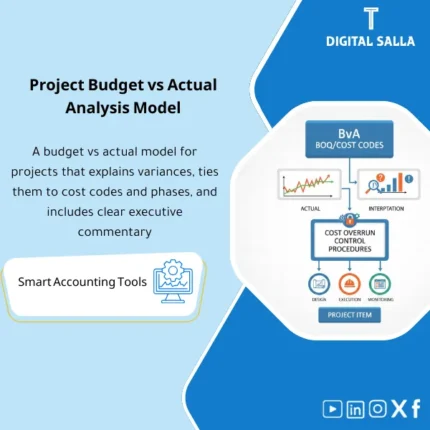
Project Budget vs Actual: Compares project budgets to actuals by line item/cost code, with variance explanation, action owner, and remediation tracking. Delivers cost overrun reporting and corrective action governance for project accountants and PMs.
Budget vs Actual for Projects + Variance Explanation — Budget vs Actual for Projects
A practical Excel template for comparing Project Budget against Actual Costs by Cost Codes/BOQ, with a clear Variance Analysis (quantitative + causal) and a Corrective Action Plan to reduce cost overruns and improve financial discipline in projects.
Value Proposition:
Many “Budget vs Actual” reports stop at the variance figure. This template completes the picture:
Why did the variance occur? (Root Cause) + What is the action? (Corrective Actions) + Who is responsible? + When is the closure?.
Suitable for contracting, services, and projects that rely on BOQ/Cost Codes and need a report for PMO and Finance meetings.
In 20 seconds: What will you get?
- Budget vs Actual for each project/phase/cost code + MTD/YTD/LTD
- Variance (value and percentage) + classification: Favorable / Unfavorable
- Variance Cause Analysis with a customizable list of standard reasons
- Commitments (optional) to show “true variance” before invoices arrive
- Change Orders (optional) to separate scope variances from execution variances
- Project Cost Overruns with Threshold Alerts (e.g., 5%/10%)
- Contractor Variance Report (BOQ/Cost Codes) ready for management presentation
- Corrective Actions for Variances (Action Plan Tracker) + closure follow-up
- Dashboard: Top variance items + monthly trend
Delivery associated with the button: Budget vs Actual | Variance Analysis | Root Cause | Action Plan | Dashboard | Controls.
Suitable for
- Contracting/Projects: BOQ/Cost Codes + Monitoring cost overruns and preparing reports for leadership.
- PMO + Finance: Standardizing the approach to variance interpretation and closure with clear actions.
- Multi-Project Companies: Comparing multiple projects and extracting the highest sources of variance.
Not Suitable for
- If there is no “Budget Baseline” or actuals are not recorded with project/cost code tagging.
- If the goal is only total expenses without detail or explanation (a total GL statement suffices).
Without the report / With the report
| Item | Without the report | With the report |
|---|---|---|
| Variance Reading | “There is an increase” without specifying its source | Variance by Cost Code/BOQ + Time Trend |
| Variance Explanation | General/unstandardized comments | Root Cause Taxonomy + Cause Guide + Evidence |
| Corrective Action | No clear owner or closure date | Action Plan Tracker (Owner/Deadline/Status) |
| Early Warning | Overrun appears late | Threshold Alerts + (optional) Actual+Committed |
| Accountability | Long meetings with no outputs | List of Causes + Actions + Follow-up on variance closure |
Before Use: 5 Symptoms that your Budget vs Actual is “Not Managed”
- Variances recur monthly without resolution (same items, same excuses).
- Significant discrepancies between PM figures and financial figures due to inconsistent coding/classification.
- Items exceed budget without approvals or clear Change Orders.
- No alert “thresholds” (5%/10%), leading to management surprises after accumulated overruns.
- Lack of a corrective action plan linked to the variance (Owner/Deadline/Status).
What does the Budget vs Actual Template for Projects cover?
1) Basic Settings and Concepts
- Budget Baseline: Approved budget (Baseline) as a reference point.
- Actual: Recorded actual costs (Invoices/Payroll/Expenses/Material).
- Variance: Actual − Budget (showing value + % + F/U classification).
- Optional — Committed: Remaining commitments to anticipate overruns early.
2) Cost Structure
- Project → Phase/Work Package (optional) → Cost Codes/BOQ
- Standard classifications: Materials, Labor, Subcontractor, Equipment, Direct Expenses, Other
- Support for dual linking: BOQ Item + Cost Code for contractor reports
3) Actual Import
- Monthly upload from GL/ERP or “clean” manual entry
- Quality control columns: Date, Document, Vendor, Description, Project, Cost Code, Amount
- Select period range: MTD / YTD / LTD
4) Variance Report
- Budget vs Actual at the level of: Project/Phase/Cost Code
- Top Variances: Top 10 items with overruns + their impact on total project
- Simplified view of monthly changes: Trend line (optional within Dashboard)
5) Variance Explanation (Root Cause)
Instead of “cost increases,” the template enforces the selection of a standardized cause/classification to facilitate analysis over time and across projects.
You can adopt a standard list such as:
- Scope Change: Unauthorized additional work or unrecorded CO
- Quantity Overrun: Quantities exceeding BOQ/estimates
- Rate/Price Increase: Rising prices of materials/subcontractors/transport
- Productivity: Lower productivity/more hours/rework
- Planning/Schedule: Delays leading to extension/disruption costs
- Procurement: Delayed supply, urgent purchases, more expensive alternative suppliers
- Accounting/Mapping: Incorrect coding/uploading to the wrong project
6) Corrective Actions for Variances
- Action + Action Owner + Due Date + Status (Open/In Progress/Closed)
- Value of “Expected Impact” from the action (Savings/Cost Avoidance)
- Documenting evidence: Reference/Attachment/Notes
7) Controls & Alerts
- Budget % overrun alerts based on thresholds you set
- Items with Actual but no Budget (Budget Missing)
- Items with Budget but no Actual for a long time (may indicate recording issues)
- Distribution of variances by “Cause” to identify where problems recur
Product Components (Clear Inventory)
-
Project Register
- Project definitions + Project Manager + Client + Dates + Project Status.
-
Cost Codes / BOQ Mapping
- Mapping BOQ items to Cost Codes for easier reporting.
-
Budget Baseline
- Approved budget by Cost Code/Phase with organized update capabilities.
-
Actuals Import
- Monthly actual upload with quality control fields (Document/Date/Vendor/Code).
-
Variance Report
- Budget vs Actual + Variance% + Top Drivers + Monthly Trend.
-
Root Cause Library
- Customizable standard list of variance causes + cause selection for each item.
-
Corrective Actions Tracker
- Corrective actions + Owner + Due Date + Status + Expected Financial Impact.
-
Controls & Dashboard
- Overrun alerts + Display of top projects/items with variances + Executive summary.
Suggested Tabs within the Delivery File
- Projects | CostCodes_BOQ | Budget | Actuals | Variance | RootCause | Actions | Controls | Dashboard
After Implementation (Two Points Only)
- Variance is understood and manageable: Not just a number… but a cause + action + closure follow-up.
- Stronger Financial Discipline: Reducing project cost overruns through early alerts and linking variance to accountability and action.
FAQ — Frequently Asked Questions Before Purchase
Does the report display variance monthly or cumulatively?
Both: You can display MTD (monthly) and YTD/LTD (cumulative) based on your recording method.
Does it support BOQ for contracting?
Yes. There is a tab linking BOQ Item with Cost Code to clearly show contractor variances.
How do I separate scope variances from execution variances?
By distinguishing items related to Change Orders (optional) and classifying the cause of variance (Scope Change vs Productivity…).
Can it be used with GL?
Yes. The idea is to have the “source of actuals” from the GL/ERP statement with Project/Cost Center/Cost Code,
then the report provides an operational reading + explanation + actions.
Can Committed Costs be added?
Yes as an option: to show Actual + Committed and anticipate overruns before invoices arrive (very useful for procurement and contracting).
How do I set the threshold for alerts?
You set it (e.g., 5% first alert, 10% critical alert) at the project or Cost Code level according to your policy.
If your goal is not just to “show the variance” but to “close the variance”… this template is designed for that
Outputs: Variance Report | Root Cause | Corrective Actions | Dashboard | Alerts.
| المسمّى الوظيفي | |
|---|---|
| Duration | |
| المستوى | |
| التحديثات | |
| القطاع | |
| الصيغة |
Related products


Expected Credit Losses Assessment Service (IFRS 9)


Sales Controls Template – Excel Template
Sales Control Template is an effective Excel tool to manage and monitor sales invoices and revenue contracts with automated workflows, analytical reports, and charts to help you understand sales performance. Highly flexible and editable to fit your needs—strengthening sales controls and improving performance.
Reviews
Clear filtersThere are no reviews yet.