



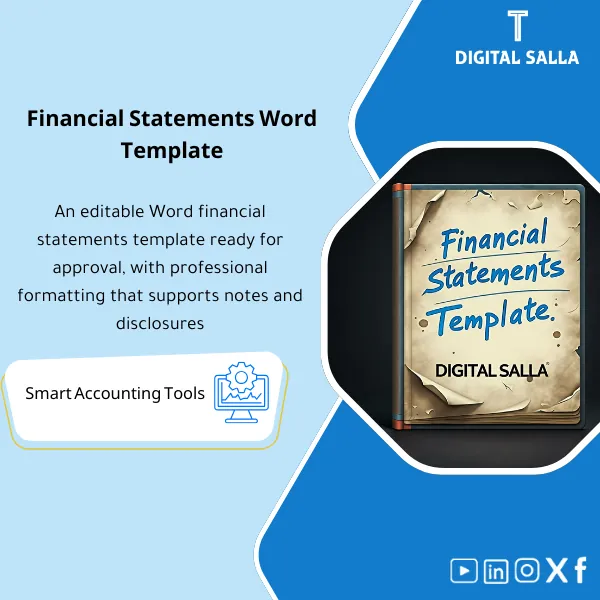
Financial Statements Template – Editable Word File
58.24 $
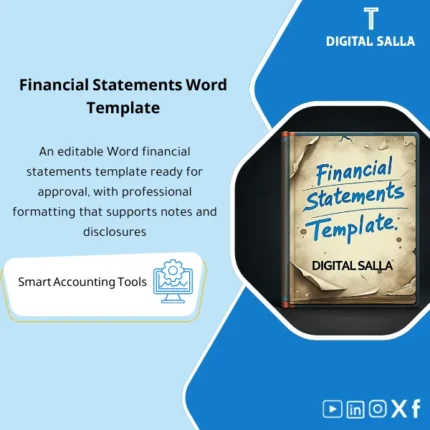
Ready-Made Financial Statements (Word) Template is an essential tool for accountants and auditors to produce accurate financial statements aligned with international standards. Includes an IFRS-compatible design that ensures clear, transparent presentation.
Financial Statements Word
Financial Statements Word Pack: P&L + Balance Sheet + Cash Flow + Notes Index + TB Tie-out + Closing Pack for Year-End delivery
Value Proposition: Ready-made Financial Statements Template is valuable not just for its “beautiful format”; its value lies in the fact that at year-end, you do not start from a blank page, nor do you write notes without linking them to the numbers. This template builds a delivery path: Adjusted TB → number linking (FS Mapping/Tie-out) → inserting statements into Word → preparing and indexing notes → issuing a final version suitable for delivery within the Closing Pack, with every number traceable back to a TB item.
In 20 Seconds: What Will You Get?
- Organized Financial Statements Word Template: Ready pages for statements + fixed headings + delivery formatting.
- Notes Structure: Clear index and linking each Note to a line item within the statements.
- Tie-out Sheet: A table linking statement numbers to items in Adjusted TB (for tracking during review).
- Disclosure Checklist: A checklist for disclosures (to be completed per your policy) to avoid missing a Note at the last minute.
- Version & Sign-off: Version page (Prepared/Reviewed/Approved) + Issue Date + Period Reference.
- Final PDF Output: A template that facilitates producing a final PDF version for delivery within the Closing Pack.
CTA related to outputs: Receive Financial Statements Word Pack + Notes Index + Tie-out Sheet + Disclosure Checklist for delivery.
Suitable For
- Chief Accountant / Financial Reporting: Preparing Year-End statements in Word with Tie-out to Adjusted TB.
- Controller: Preparing a delivery file for the auditor: statements + notes + index + Sign-off.
- Accounting/Audit Firms (Delivery-focused): To standardize report formats across multiple clients with the same delivery structure.
Not Suitable For
- Those looking for a “Statement Preparation System” that automatically pulls numbers from ERP and issues statements without any human review — this is a Word template for delivery with linking and review procedures.
- Those seeking non-financial services/issues such as Labor Court or Labor Calculator or general educational materials like Financial Academy.
Without the Template / With the Template (Brief Comparison)
| Item | Without Structured Word Template | With Ready-made Financial Statements Template |
|---|---|---|
| Year-End Start | Writing/formatting from scratch + repeating the same work every year | Ready structure: statements + Notes + index + Sign-off |
| Tracking for Review | Auditor’s question: “Where does this number come from?” and the search begins | Tie-out Sheet links each item to Adjusted TB |
| Notes and Disclosures | Unindexed Notes + easy to lose disclosures | Notes Index + Disclosure checklist + Version control |
Before Use: 5 Symptoms That “Statements” Will Turn Into a Formatting Project Rather Than Delivery
- Content exists in Excel but there is no ready Word structure to output the statements as an official document.
- Every year, the same titles/notes are rephrased, wasting hours formatting tables instead of linking them to the numbers.
- No clear Tie-out between statement items and Adjusted TB, leading to recurring audit questions.
- Notes are written without an index, and with last-minute changes, numbering/linking of Notes disappears.
- Multiple copies of the file without Version/Sign-off, causing the “final version” to get lost before delivery.
How to Use the Ready-made Financial Statements Template Practically?
Step 1: Preparation and Gathering Reports
- Approve Adjusted TB (after Month-End/Year-End JEs and basic Reconciliations).
- Prepare Mapping for statement items (FS lines) and link them to accounts/sections in TB (even if from a separate file).
- Define the comparison: Current year / Prior year + any required reclassifications for presentation.
Step 2: Insert Numbers + Link Notes + Document Tie-out
- Insert statement numbers into Word (P&L / Balance Sheet / Cash Flow) from TB after linking approval.
- Run/update Tie-out Sheet: each item in the statements ↔ TB balance/Mapping, documenting any Reclass.
- Prepare Notes: insert policies/operational notes and link each Note to a number/item within the statements via Notes Index.
Step 3: Final Review + Deliver Closing Pack
- Quick internal review: totals, cross-references, consistency between statements and notes.
- Complete Disclosure checklist (per your policy/reporting requirements) and document what was included and what was excluded with reasons.
- Produce final PDF version + fill out Sign-off page and attach it within the Closing Pack.
Product Components (Clear Inventory)
-
Word Financial Statements Template
- Practical Purpose: To provide a structure for an official document instead of starting from scratch.
- When to Use: Year-End (Essential) and Quarter-End (Optional).
- Resulting Output: Deliverable Word file + Version/Sign-off table.
-
Pack Layout: P&L / Balance Sheet / Cash Flow
- Practical Purpose: Ready pages for core statements with logical presentation order.
- When to Use: After approving Adjusted TB.
- Resulting Output: Completed financial statements within Word that can be converted to PDF for delivery.
-
Notes Structure + Notes Index
- Practical Purpose: To prevent notes distraction and establish numbering linking them to statement items.
- When to Use: During Year-End preparation and before final issuance.
- Resulting Output: Notes Index + traceable cross-references.
-
Tie-out Sheet
- Practical Purpose: To prove that statement numbers are not “manually transferred” without evidence; rather linked to Adjusted TB.
- When to Use: At the review stage before final issuance.
- Resulting Output: Tie-out table that facilitates auditor questions (Traceability).
-
Disclosure Checklist
- Practical Purpose: To manage disclosures as a checklist instead of relying on memory at the last week.
- When to Use: Year-End (especially before issuing the final PDF).
- Resulting Output: Completed checklist + notes “included / not applicable / pending”.
-
Sign-off & Version Control Page
- Practical Purpose: To establish the approved version: Prepared/Reviewed/Approved + Date + Period.
- When to Use: Before final delivery.
- Resulting Output: Sign-off page to be attached within the Closing Pack.
-
Delivery Checklist
- Practical Purpose: Inventory of what is delivered to the auditor/management (Word/PDF/Tie-out/Notes/Checklist).
- When to Use: When preparing the final package.
- Resulting Output: Delivery file list that can be signed/archived.
What Should Be Included in the Delivery?
- 01-Financial Statements.docx: File of Ready-made Financial Statements Template (Word) after filling in numbers and notes.
- 02-Final PDF: Final signed/approved PDF version (if this is the company’s practice).
- 03-Notes Index: Notes Index + Cross-references between statements and notes.
- 04-Tie-out Sheet: Linking statement items to Adjusted TB/Mapping + any Reclass for presentation.
- 05-Disclosure Checklist: Disclosure checklist + status of each item (Complete/NA/Pending).
- 06-Version & Sign-off: Prepared/Reviewed/Approved page + issue date + reporting period.
- 07-Source References: Reference to source files (Adjusted TB / Reconciliations summaries) within the Closing Pack.
- 08-Archiving Map: File naming and archiving path (Year/Period/Version) to establish the final version.
After Implementation (Two Points Only)
- Operational Outcome for the Team: Preparing statements turns into clear steps after Adjusted TB: Insert numbers → Tie-out → Notes → Issue PDF instead of reformatting a new document each time.
- Control/Audit Outcome: Traceability: Each item in the statements has a link to TB/Mapping via Tie-out Sheet + Notes Index + Sign-off within the Closing Pack.
FAQ — Questions Before Purchase
Is this “Financial Statements Word Template” ready for immediate use?
Yes, as a structure and delivery. However, the numbers are filled from your company’s Adjusted TB, with a Tie-out proving the link.
Is it suitable for any ERP?
Yes. It relies on general outputs: TB/Reports. No technical integration is needed, just inputting and linking the numbers.
Does it replace the need to prepare statements from TB entirely?
It does not “calculate” statements instead of TB; it provides a Word delivery template + linking tools (Tie-out/Checklist) to prepare a reviewable report.
Does it include additional “ready-made financial reports” or “financial reporting templates”?
The focus is on core statements and notes and the delivery pack. It can be considered a foundation for building ready-made financial reporting templates within your company as the presentation structure is fixed and repeatable.
Is it suitable only for Year-End or also for Month-End?
It is primarily designed for Year-End. It can be used for Quarter-End if your company issues a condensed statement package, but Month-End typically requires more management reports than complete financial statements.
What is the minimum data required to get started?
Adjusted TB for the period + Mapping for statement items + comparative numbers (Prior year) + required company accounting policies within Notes.
Is it related to the Financial Academy or Labor Court or Labor Calculator?
No. These are general search terms. The product is not general training content or a labor-related tool; it is an accounting template for delivering financial statements.
Is the template “automatically compliant with all standards”?
The template facilitates delivery (structure + Notes + Checklist), but detailed compliance with standards depends on your company’s policy and the content you place within the Notes and disclosures.
Ready to Deliver Year-End Statements as a Word/PDF Package with Tie-out instead of an Untraceable File?
Outputs: Word FS Pack + Notes Index + Tie-out Sheet + Disclosure Checklist + Sign-off within the Closing Pack.
| المسمّى الوظيفي | |
|---|---|
| Duration | |
| المستوى | |
| التحديثات | |
| القطاع | |
| الصيغة |
Reviews
Clear filtersThere are no reviews yet.