Accounting Templates Library – Excel & Word Files

84.84 $

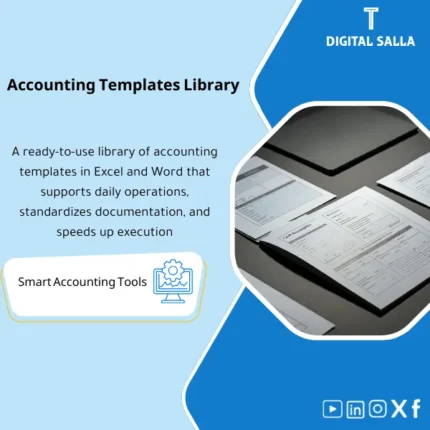
Ready-to-Use Accounting Templates Library: A comprehensive library of professional Excel templates—cash receipts/disbursements, purchase & sales invoices, payroll sheets, advances settlements, HR forms, and more. Saves time and improves accuracy and operational efficiency.

SKU: DIS047 Category:
Description

Ready Accounting Templates

Accounting Templates (XLS) + Operating Logs + Month-End Outputs — to prepare a deliverable and reviewable accounting file

Value Proposition: Ready Accounting Templates are not just “template sheets”; they are a daily/monthly operational package that resolves the issue of each accountant building their file in their own way. The package combines xls Accounting Templates and numbered Registers that link entries to documents, transforming work from scattered files into a “mini closing file” that can be delivered: JE Log + Bank Recs + AP/AR Registers + Schedules + Summary TB/Reports based on your inputs.

In 20 seconds: What will you get?

  • Ready Accounting Schedules for daily operations: Daily entry + Attachments + Reference + Approval.
  • Unified JE Log: Entry number, description, accounts, reference, review/approval status.
  • AP/AR Registers: Supplier/Customer invoice register + Due dates + Payment/Collection status.
  • Bank/Cash Pack: Cashbook + Bank reconciliation + Suspense items register.
  • Schedules: Accrued/Prepaid expenses + Brief reconciliation memos (Accrual/Prepaid).
  • Ready Accounting Reports for quick review: Summary of expenses/revenues by groups + Document linkage.
  • Closing Mini-Pack: Delivery index (Pack Index) showing what has been done and where each part is documented.

CTA related to outputs: Receive JE Log + Registers + Bank Recs + Closing Mini-Pack as a deliverable operational package.

Suitable for

  • Accountant/Head of Accounts in a Small-Medium Company: Looking for organized accounting operations on Excel instead of scattered files.
  • Team using a simple accounting software: Needs Registers and Month-End guides outside the system (for archiving/auditing).
  • Delivery/Receiving Environment: When employee changes are frequent and you need a “deliverable accounting file” quickly.

Not Suitable for

  • Those looking for Download Free Ready Accounting Software or Free Download Ready Accounting Software — the product is not free software; it is operational templates (Templates) in XLS format.
  • A company with a complete ERP with Workflow and automated Closing Pack reports that does not need Excel registers — the package may not add value except as an additional repository of guides.

Without Templates / With Templates (Short Comparison)

Item Without Template Pack With Ready Accounting Templates
Daily Entries Different sheets + Hard to track entry attachments Unified JE Log + Reference IDs + Review/Approval status
AP/AR Manual or unstable aging Registers + Due dates + Collection/Payment status
Bank/Cash Delayed reconciliations + Suspense items without record Bank rec template + Suspense items register + Evidence
Delivery No clear Pack for review Closing Mini-Pack Index showing files and guides

Before Use: 5 Symptoms You Are Working with “Files” Instead of an Operating System

  • The daily entry exists but its attachments/references are not linked, leading to questions like “Why was the entry made?”.
  • Supplier/Customer records are not unified: an invoice here, a payment there, and no Register to consolidate the picture.
  • Bank reconciliation relies on one person, and when they are absent, no one knows the latest version or the outstanding items.
  • No clear schedule for accrued/prepaid expenses, resulting in repeated reconciliations without supporting schedules.
  • During closing, “ready accounting reports” are compiled from scratch instead of having fixed templates updated monthly.

Ready Accounting Templates: Application Method (3 Steps Without Gaps)

Step 1: Preparation and Gathering Reports and Documents

  • Establish a chart of accounts/classification of expense and revenue items (even if simple).
  • Gather bank statement + invoice files + receipts + any existing schedules.
  • Determine the archiving location (Folder/Drive) and the naming convention for files linked to Reference IDs.

Step 2: Daily Operations (Registers + JE Log)

  • Record entries in the JE Log with a Reference for each entry (Invoice/Receipt/Contract).
  • Update AP/AR registers: invoice/due/payment/collection + notes on disputes if any.
  • Operate Cashbook/Bank book and link transactions to entry details (for quick reference during reconciliation).

Step 3: Mini Monthly Closing (Recs + Schedules + Pack)

  • Perform Bank reconciliation and close outstanding items with a clear record (Outstanding items).
  • Update Schedules (Accrual/Prepaid) and attach supporting documents within the Evidence index.
  • Produce Closing Mini-Pack: JE Log + Registers + Recs + Summary report + Sign-off.

Package Components (Clear Inventory)

  1. JE Log Template (Daily Entry Log)

    • Practical Purpose: Document entries with reference and supporting documents and internal approval (Prepared/Reviewed/Approved).
    • When to Use: Daily, then closed monthly as part of Month-End.
    • Resulting Evidence: JE Log with reference number + Links to attachments + Approval status.
  2. Invoice & Payment Register (AP Register)

    • Practical Purpose: Register of supplier invoices, due dates, payments, and comments (Discount/Dispute/Notes).
    • When to Use: With each invoice/payment, and monthly review before closing.
    • Resulting Evidence: AP register + List of open invoices + Reference for each document.
  3. Sales & Collection Register (AR Register)

    • Practical Purpose: Track invoices, collections, unapplied amounts if any.
    • When to Use: With each invoice/collection, and monthly review to produce AR status.
    • Resulting Evidence: AR register + List of overdue/suspended amounts + Reference IDs.
  4. Cashbook / Bankbook (Cash and Bank Register)

    • Practical Purpose: Daily transaction record linked to daily entries for easier reconciliation.
    • When to Use: Daily/Weekly depending on transaction volume.
    • Resulting Evidence: Cash/Bank ledger in Excel + Link to bank transactions.
  5. Bank Reconciliation Template

    • Practical Purpose: Reconcile bank statement with the register and document outstanding items and steps to close them.
    • When to Use: Monthly (or weekly for high transaction volume).
    • Resulting Evidence: Bank reconciliation + Outstanding items register + Evidence.
  6. Accruals & Prepaids Schedule

    • Practical Purpose: Monthly adjustments based on a schedule (not guesswork): What is due? What is deferred?
    • When to Use: Month-End before issuing the final expense report.
    • Resulting Evidence: Schedule + Adjustment entries linked to Reference + Brief memo.
  7. Expense & Petty Cash Pack

    • Practical Purpose: Control petty expenses and advances: Request/Attachments/Reconciliation/Closing.
    • When to Use: Weekly/Monthly depending on policy.
    • Resulting Evidence: Advances/Expenses register + Supporting documents + Adjustment entry.
  8. Mini Closing Pack Index

    • Practical Purpose: Transform “closing” into specific files: What does the head of accounts/financial manager receive?
    • When to Use: Every month when preparing the delivery.
    • Resulting Evidence: Pack Index linking file ↔ location ↔ Owner ↔ Update date ↔ Sign-off.
  9. Summary Reports

    • Practical Purpose: Present a reviewable summary: Totals by account groups + Linkage to evidence (from register/entry).
    • When to Use: After closing the month and before sending the management summary.
    • Resulting Evidence: Summarized reports + Their source from Registers/JE Log.

What should be included in the delivery?

  • 01-Pack Index: File index + Owners + Version + Sign-off.
  • 02-JE Log: Entry log + References + Review/Approval status.
  • 03-AP Register: Supplier register + Open invoices + Due dates + Payment status.
  • 04-AR Register: Customer register + Collection + Suspended amounts + Dispute cases (if any).
  • 05-Bank/Cash: Cashbook/Bankbook + Used bank statement + Reference linkage.
  • 06-Bank Recs: Bank reconciliation + Outstanding items + Plan to close outstanding items.
  • 07-Schedules: Accruals/Prepaids + Brief memos + Linked entries.
  • 08-Expense/Imprest: Advances/Expenses register + Documents + Adjustments.
  • 09-Reports: Summarized reports (Ready Accounting Reports) + Their source from registers.
  • 10-Evidence Index: List of “evidence” for each entry/reconciliation/schedule (Link/Folder/Reference ID).
  • 11-Change Log: Log of changes to templates/classifications + Reason for change.

After Implementation (Two Points Only)

  • Operational Result for the Team: Daily operations become based on fixed Registers; any new file is linked to a Reference ID, thus the monthly closing relies on updating the same schedules rather than “rebuilding” every time.
  • Control/Audit Result: Any number can be traced back to its source: Entry ↔ Document ↔ Register ↔ Reconciliation/Schedule ↔ Sign-off, making delivery for internal/external review practical.

FAQ — Questions Before Purchase

Are these “ready accounting software” or Excel templates?

They are Ready Accounting Templates in Excel format (XLS/XLSX) and operational logs. They are not software to be installed like ERP or accounting software.

Are the templates free? (Free Ready Accounting Templates)

No. The product is paid because it is an organized operational and delivery Pack, not links to “download free ready accounting software”.

Are they suitable for a company fully operating on Excel?

Yes. They are designed to be a practical Excel operating system: JE Log + Registers + Bank rec + Schedules + Delivery Pack.

Can they be used with existing accounting software?

Yes, as a layer of “guides” and records: use the software reports as a source, and close the month via Recs/Schedules and a unified Delivery Pack.

Do they include ready accounting reports for management?

They include summarized reports based on the same registers (Registers) to avoid reports without sources. Account groups can be adjusted according to your chart of accounts.

What is the minimum to get started?

A chart of accounts or basic classification of items + Bank statement + Transaction documents (Invoices/Receipts) + A fixed archiving location to link the evidence.

Do they cover tax/payroll/inventory comprehensively?

This package focuses on general accounting operations (GL/AP/AR/Bank/Schedules). If you need specialized Packs (VAT/Payroll/Inventory/COGS), it is better to use dedicated packages for each area.

Can they be customized for multiple branches/entities?

Yes, by adding a column (Entity/Branch/Cost Center) within the registers and producing separate summarized reports, with Versioning for the approved version.

Ready to transition operations from random sheets to a monthly delivery Pack?

Outputs: xls Accounting Templates + Registers + Bank Recs + Closing Mini-Pack with Evidence index and Sign-off.

Additional information
المسمّى الوظيفي
Duration

المستوى
التحديثات
القطاع
الصيغة
Reviews (0)
0 reviews
0
0
0
0
0

There are no reviews yet.

Be the first to review “Accounting Templates Library – Excel & Word Files”

Your email address will not be published. Required fields are marked *