



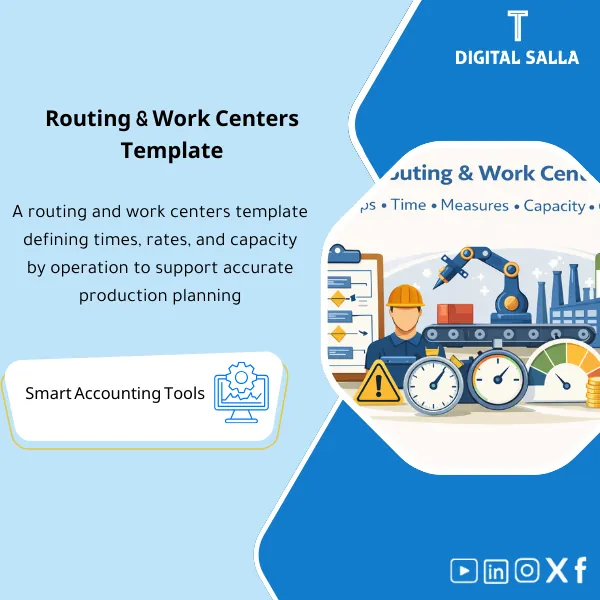
Routing & Work Centers Template – Excel Template
63.56 $
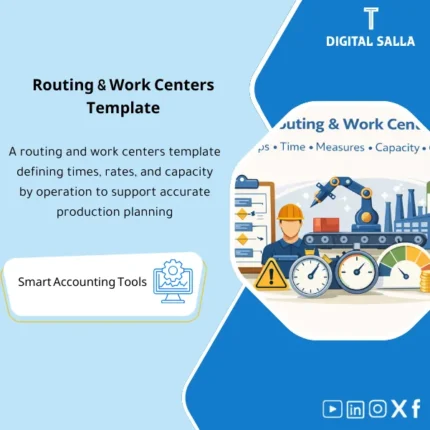
Routing & Work Centers: Defines operation steps, setup/run times, production rates/capacity, and work center cost per operation. Delivers routing data for upload and standard-hour costing to support capacity planning and efficiency analysis.
Routing & Work Centers Template
Subtitle: Routing & Work Centers on Excel to build a Manufacturing Routing Template and Work Centers Template with standard run times, production line capacity, and work center cost loading rates — ready for delivery or upload into ERP.
Value Proposition: When Standard Cost is “unexplainable” or production variances (Labor/Overhead) recur without Trace, the issue often lies not in the entries… the problem is in unmanaged Routing & Work Centers: no documented standard run time, no clear capacity, and no reviewable work center rates.
This template does not explain the concept of Routing theoretically; rather, it engages you with an actual operating file:
defining Work Centers, specifying standard run time for each operation (Setup/Run/Queue),
calculating production rates and capacity, then converting that into work center costs and outputs
suitable for delivery to the production team, ERP team, or internal auditor.
In 20 seconds: What will you get?
- Work Centers Template: A record of work centers (Machine/Labor/Line) with capacity, shifts, and calendar.
- Manufacturing Routing Template: A routing operations schedule for each product (Operation Seq + Work Center + Times).
- Detailed fields for standard run time: Setup / Run (Cycle Time) / Queue / Wait / Move.
- Production Line Capacity tab: Available Hours + Utilization + Bottleneck View.
- Production Rates tab: Throughput per hour / per shift based on standard run time.
- Work Center Cost tab: Labor Rate / Machine Hour Rate / Overhead Absorption Rate that is traceable.
- Validation + Exceptions Log + Sign-off page to approve assumptions before uploading to ERP.
The button is linked to the outputs: Routing Master + Work Centers Master + Capacity + Rates + Sign‑off.
Suitable for
- Cost Accountant / Manufacturing Finance: Needs to link run time to cost (Labor/Overhead) and explain production variances.
- Production Planning / Industrial Engineering (with Finance): Needs production line capacity and usable production rates for planning.
- ERP Implementation / Data Migration Team: Wants Work Centers + Routings ready for upload with Validations and Sign‑off.
Not Suitable for
- If there are no run/setup time data or no one to approve them (Production/IE) — the template does not guess the time on behalf of the factory.
- If your goal is “to run ERP for you” or set up Costing within the system — the template prepares Master Data and provides you with reviewable and uploadable outputs.
Without the template / With Routing & Work Centers Template
| Item | Without the template | With the template |
|---|---|---|
| Standard Times | “Unwritten” run times or in scattered files | Standard run time is unified + documented + approved |
| Capacity | No reference for production line capacity or bottleneck | Production line capacity + Utilization + Bottleneck View |
| Cost Rates | Work center cost is calculated “approximately” and not reviewed | Rate Sheet documented (Labor/Machine/Overhead) + Sign‑off |
Before Use: 5 Symptoms that Your Routing Causes Variances
- Labor/Overhead variances in production recur and cannot be linked to standard time or work center rate.
- Production capacity is “unclear”; the plan does not match reality because production line capacity is not calculated or updated.
- Work Centers are not uniformly defined (codes/calendar/shifts), causing upload operations in ERP to fail or yield distorted results.
- No separation between Setup Time and Run Time, leading to illogical production rates and erroneous planning decisions.
- Work center cost is built on undocumented estimates (wage/hour/loading rate) and thus Standard Cost cannot be reviewed.
How to Use Routing & Work Centers Practically?
The goal is to produce two usable “Master Data” files:
Work Centers Master defines capacity, resources, and calendar, and Routing Master defines the operating path and time for each operation.
Once these inputs are complete, finance can extract a logical Conversion Cost, and operations can plan based on realistic capacity.
Application Method (3 Steps)
Step 1: Preparation and Input Gathering
- List of work centers: Lines/Machines/Cells/Teams (Work Center Codes + Center Type).
- Operating calendar: Shifts, working hours, downtime, and availability ratios (if approved).
- List of products and their routes (Operation List) or Process Flow from production/engineering.
- Run times: Setup and Run/Cycle Time + (optional) Queue/Wait/Move.
- Resource costs: Hourly wages/Machine rates/Overhead Pools (according to your loading policy).
Step 2: Build Work Centers + Routing and Link Them
- Define Work Centers: nominal capacity, number of resources, calendar, and link each center to a Cost Center (for costing purposes).
- Define Routing Operations: sequence of operations, Work Center for each operation, and detailed standard run time.
- Calculate production rates derived from standard time (and show where bottlenecks occur).
- Adjust Batch / Lot Size rules (if part of the operation) and their impact on Setup Time per unit.
- Run Validations: UOM for time (min/hr) standardized, undefined centers, unjustified zero times, operations without work center.
Step 3: Extract Outputs (Cost + Capacity) and Approve Them
- Output production line capacity in Summary: Available Hours / Utilization / Bottleneck per Work Center.
- Output work center cost (Rate Sheet): Labor Rate + Machine Rate + Overhead Absorption (according to your company’s formula).
- Output “ERP Upload View” in a suitable column order for import.
- Sign‑off: Approval of times and rates from production + finance with an Exceptions Log.
Product Components (Clear Inventory)
-
Work Centers Master (Work Centers Template)
- Practical Purpose: Define each work center as a planning and costing reference (Code/Type/Resources/Calendar/Cost Center).
- When Used: At the beginning of building Master Data or before Migration/ERP Setup.
- Resulting Guide: Work Centers Register that is deliverable and auditable.
-
Routing Operations Register (Manufacturing Routing Template)
- Practical Purpose: Build the operating path for each product: Sequence + Work Center + Times + Operating Notes.
- When Used: When setting up Routing for the first time or when updating the process/assembly.
- Resulting Guide: Routing Master Table that is uploadable into ERP or deliverable to production.
-
Standard Time Sheet (Standard Run Time)
- Practical Purpose: Standardize the way of recording Setup/Run/Queue/Move with clear time units.
- When Used: When documenting time or when reviewing production variances and linking them to assumptions.
- Resulting Guide: Standard Time Assumptions that are reviewable (Traceable).
-
Capacity Model (Production Line Capacity)
- Practical Purpose: Convert the calendar and resources into available hours and identify bottlenecks.
- When Used: Before approving a production plan or when evaluating work center loading.
- Resulting Guide: Capacity Summary + Utilization View + Bottleneck Indicators.
-
Production Rates (Production Rates)
- Practical Purpose: Extract Throughput based on standard time (Units/Hour or Units/Shift).
- When Used: When comparing the plan to reality or when repricing/reestimating operation time.
- Resulting Guide: Rate Output showing the impact of any changes in Setup/Run on production capacity.
-
Work Center Cost Rate Sheet (Work Center Cost)
- Practical Purpose: Build a cost rate/hour (Labor/Machine/Overhead) and link it to the cost center.
- When Used: Before updating Standard Cost or before analyzing Labor/Overhead variances.
- Resulting Guide: Rate Sheet that is deliverable + documented Absorption Basis.
-
Validation Checklist + Exceptions Log
- Practical Purpose: Identify errors that undermine planning and costing accuracy (illogical times/undefined centers/undefined calendar).
- When Used: Before Sign‑off and before ERP Upload.
- Resulting Guide: Closed Exceptions Log + “Ready for Upload/Release”.
-
ERP Upload View + Sign‑off
- Practical Purpose: Output a ready upload copy + responsible approval page.
- When Used: During migration or periodic updates on Routings/Work Centers.
- Resulting Guide: Export file + approval + release date.
What should be included in the delivery?
- Main Excel File with tabs: Work Centers / Calendars & Shifts / Routing Operations / Standard Times / Capacity / Rates / Validations / Exceptions / Export View / Sign‑off.
- Export Version (CSV/Upload View) separated by sections (Work Centers Upload + Routings Upload) to facilitate column adjustments according to ERP.
- Concise Runbook: Field definitions, method for documenting standard time, capacity calculation rules, and work center cost building rules.
- Archiving Structure: Drafts / Approved Versions / Rate Snapshots / Assumptions / Exceptions History.
- Assumptions Attachment: Any conversion factors (Minutes↔Hours) or Overtime Factor or Utilization Rate used in calculations.
After Implementation (Just Two Points)
- Operational Result for the Team: Planning becomes based on documented capacity and production rates linked to standard time; bottlenecks appear early instead of being discovered after plan failure.
- Control/Audit Result: Conversion Cost (Labor/Overhead) has a basis: Work Center Rate + Standard Times + Sign‑off — thus production variances can be traced and explained through assumptions instead of “guesses.”
FAQ — Questions Before Purchase
Is the template suitable for any ERP?
Yes. The template prepares Routing and Work Centers data on Excel. You will only need to adjust the columns in the “Export View” to match your system’s import interface (Excel/CSV).
Does it support multiple plants/lines/shifts?
Yes. You can define Plant/Line/Work Center for each site with different calendars and shifts, and output production line capacity for each site separately.
Does it separate Setup Time and Run Time?
Yes. The template separates Setup/Run/Queue/Move, as mixing them results in unrealistic production rates and costs.
Does it help in building work center cost?
Yes. There is a Work Center Cost tab to document labor/machine/loading rate (Overhead Absorption) according to your company’s policy, with the ability to save Snapshots for review.
Does it include full overhead loading or absorption?
It provides a Rate Sheet as a basis for loading and documents its assumptions. However, building an Overhead Pools structure within ERP or redesigning the loading policy is outside the scope of the template.
What is the minimum data required to get started?
Work Centers + Calendar/Shift + List of Operations for each product + Setup/Run Times. To calculate costs: wage/hour rates or Machine Rate or Overhead Rate with their source.
Does it support Batch Size and its effect on standard time?
Yes. Batch/Lot Size can be entered so that the effect of Setup Time per unit and resulting production rates is shown.
Is there a sign-off/delivery template for internal review?
Yes. There is a Sign‑off + Exceptions Log so that any time/cost rate has an approver, date, and note.
If you want a Standard Cost that is explainable and planning based on actual capacity
Outputs: Manufacturing Routing Template + Work Centers Template + Standard Run Time + Production Line Capacity + Production Rates + Work Center Cost.
| المسمّى الوظيفي | |
|---|---|
| Duration | |
| المستوى | |
| التحديثات | |
| القطاع | |
| الصيغة |
Related products

Chart of Accounts Setup Service




Reviews
Clear filtersThere are no reviews yet.