



Sales Controls Template – Excel Template
34.31 $
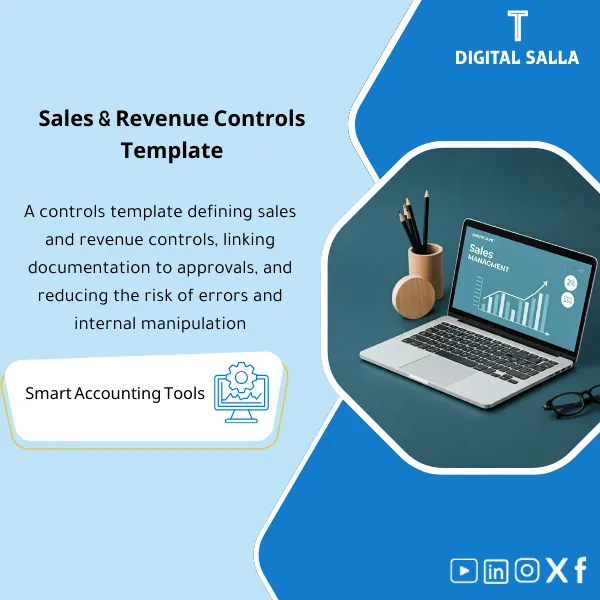
Sales Control Template is an effective Excel tool to manage and monitor sales invoices and revenue contracts with automated workflows, analytical reports, and charts to help you understand sales performance. Highly flexible and editable to fit your needs—strengthening sales controls and improving performance.
Sales Control
Sales Control Pack: Sales Log + Discount and Return Controls + Channel/System/GL Matching + Sales Journal Entry — with a reviewable delivery file
Value Proposition: Sales Control is not just “Sales Reports”; it is a system of controls that prevents three recurring issues during closing: (1) Sales recorded in the system but not in the GL or vice versa, (2) Discounts/Returns without approvals or documentation, (3) Cut-off not properly set between shipping/invoicing/collection. This template transforms the sales cycle (O2C) into an operational file: from receiving sales reports (branches/online/gateways) → executing control tests and reconciliations → posting the monthly sales journal entry with its supporting documents → issuing a delivery Pack that can be traced from the invoice number to the GL account.
In 20 seconds: What will you get?
- A unified Sales Register (Invoices + Credit/Debit Notices) with Reference IDs and links to documentation.
- Discount & Price Override Log: A log of discounts/price changes with approvals and limits.
- Returns & Credit Notes Control: A log of returns/credit notices linked to the original invoice, reason, and approval.
- Sales Cut-off Checklist: Cut-off period tests between (Delivery/Invoice/Recognition) according to your company policy.
- Subledger ↔ GL Reconciliation: Matching total sales/discounts/returns between sales reports and GL accounts.
- Sales Journal Entry (JE Template): A ready monthly/weekly journal entry template linked to matching numbers and supporting documents.
- Control Analysis answering common operational questions: In which month was the sales percentage highest? and Which products are most volatile in sales percentage? with a follow-up exceptions list.
CTA linked to outputs: Receive Sales Register + Reconciliation to GL + Sales JE + Closing Pack for a traceable Month-End delivery.
Suitable for
- Chief Accountant / GL: You want to verify revenue completeness and link sales to GL accounts with documentation.
- O2C / AR Accountant: You want to manage discounts/returns/credit notices and reconcile them with invoices and collections.
- Sales Management: You want interpretable control reports (exceptions/product volatility/channels) instead of aggregated numbers without sources.
Not suitable for
- Those looking for “Marketing Analytics” only without GL matching or documentation (the product is primarily an accounting control).
- A company that does not have essential sales Exports (Invoice list/Credit notes/Settlements) — minimum data is a prerequisite for operation.
Without the template / With the Control Template (Short Comparison)
| Item | Without Control Pack | With the Pack |
|---|---|---|
| Sales Completeness | Aggregate numbers without a clear tie-out | Sales Register + Subledger↔GL Reconciliation with references |
| Discounts and Returns | Discount/Return “appears” in the report without approval | Logs + Approvals + Link to original invoice + Reason |
| Cut-off | End-of-month invoices without delivery/shipping testing | Cut-off checklist + Sample tests + Documented results |
| Sales Journal Entry | Aggregate entry without linking to supporting documents | Sales JE Template linked to documented matches and totals |
Before Use: 5 Symptoms That the Sales Cycle Will Disrupt Month-End
- The total sales in the system report does not match the revenue accounts in the GL, and there is no table showing “where the difference is.”
- Discounts recur without a clear approval limit or without an approval record (especially branch/sales representative discounts).
- Returns/Credit Notices are recorded without linking to the original invoice or without documented operational reasons.
- Last 3–5 days of the month: Invoices issued after delivery/before delivery without cut-off testing.
- Electronic sales channels (including channels that may be searched under the name electronic sales stc) are settled late because Settlement/Fees are not linked to the GL.
Sales Control: Implementation Method (3 Steps Without Gaps)
Step 1: Preparation and Collection of Sales Reports by Channel
- Pull Export of sales invoices + Credit Notes + Discounts Report (if any) + Returns Report.
- Pull Settlement from payment gateways/electronic channels (e.g., a gateway/channel named stc or others) + Fees/Commissions + Collection dates.
- Prepare TB/GL: Revenue accounts, allowed discounts, sales returns, payment gateway fee accounts, and related AR/Bank accounts.
Step 2: Control Tests + Exceptions Logs + Reconciliations
- Update Sales Register and establish a Reference for each invoice/notice and link documentation (Invoice/Delivery Note/Sales Order as needed).
- Update Logs: Discounts/Price Changes + Returns/Credit Notices, and record any out-of-policy item in the Exceptions log with Owner and closure date.
- Run Subledger↔GL Reconciliation: (Sales/Discounts/Returns) and match Settlements with bank entry/AR (with a clear variance schedule).
Step 3: Sales Journal Entry + Delivery Pack + Control Summaries for Management
- Issue Sales Journal Entry from Template: Detail (Revenue/Discounts/Returns/Taxes/Fees) and link to matching numbers.
- Output Monthly Pack: Register + Recs + Exceptions + Cut-off results + Sign-off.
- Output concise control analyses for management: Highest sales month (In which month was the sales percentage highest?) + Stability/Change (In the month where the sales percentage did not change) + Product Volatility (Which products are most volatile in sales percentage?) with data-driven explanations.
Template Components (Clear Inventory)
-
Sales Register (Invoice and Credit Notice Log)
- Practical Purpose: A single log that verifies the completeness of sales invoices and Credit Notes with Reference ID and links to documentation.
- When to Use: Daily/Weekly for updates + Monthly at closing.
- Resulting Evidence: Closed Register for the month + Document links + Review status.
-
Discount & Price Override Log (Discounts and Price Change Log)
- Practical Purpose: Establishing each discount/override within clear approval limits and linking it to approval (instead of showing the discount as just a number).
- When to Use: With every non-standard discount or discount above the sales representative/branch limit.
- Resulting Evidence: Log + Approval evidence + Out-of-policy exceptions.
-
Returns & Credit Notes Control (Returns Log)
- Practical Purpose: Linking the return to the original invoice and reason (defect/pricing/shipping) and determining its impact on revenue.
- When to Use: When issuing a Credit note or recording a return in any channel.
- Resulting Evidence: Returns log + Invoice reference + Approval + Receipt documents (if available).
-
Sales Cut-off Checklist (Cut-off Tests)
- Practical Purpose: Testing a sample from the last/first days of the month to adjust revenue recognition according to your company policy.
- When to Use: Monthly + Annually (Year-End) with a larger sample.
- Resulting Evidence: Checklist with test results + items requiring reconciliation/journal entry.
-
Channel Settlement Reconciliation (Electronic Channel Matching)
- Practical Purpose: Matching electronic sales with actual Settlement (net after commission/fees) and addressing timing differences.
- When to Use: Monthly (and weekly during high transaction volumes).
- Resulting Evidence: Settlement↔Sales↔Bank/AR table + Classified variances + Reason.
-
Subledger ↔ GL Reconciliation (Sales to GL Matching)
- Practical Purpose: Digital tie-out between system reports and GL accounts: Revenue/Discounts/Returns/Taxes.
- When to Use: Monthly before closing approval.
- Resulting Evidence: Reconciliation schedule + Explanation of variances + Closure status.
-
Sales Journal Entry Template (Sales Journal Entry)
- Practical Purpose: Standardizing the method of recording sales journal entries and linking them to documented totals (Recs/Registers) instead of an aggregate entry without reference.
- When to Use: Monthly (or weekly depending on transaction volume and policy).
- Resulting Evidence: JE Template + Entry number + Reference to reconciliation tables.
-
Sales Control Analytics (Sales Control Analysis)
- Practical Purpose: Transforming sales figures into control signals: Highest month/Stability/Product volatility/Discount exceptions.
- When to Use: After month-end closing and before sending management summary.
- Resulting Evidence: Reports answering questions like: In which month was the sales percentage highest? and In the month where the sales percentage did not change and Which products are most volatile in sales percentage? with links to supporting rows.
-
RACI & Role Tasks (Sales Representative + Finance Tasks)
- Practical Purpose: Establishing who does what: Who raises a discount? Who approves? Who issues a Credit note? Who reviews variances?
- When to Use: When operating the template for the first time and when handing over tasks.
- Resulting Evidence: RACI clarifying Sales Representative Tasks against Finance/Warehouse/Collection responsibilities.
What should be included in the delivery?
- 01-Pack Index: Month delivery index (Owners + Version + Sign-off).
- 02-Sales Register: List of invoices + Credit Notes + Links to documentation (Invoice/Delivery/Order as needed).
- 03-Discount Log: Log of discounts/price changes + approvals + approval limits.
- 04-Returns/Credit Notes Log: Returns log + Link to original invoice + Reason + Approval.
- 05-Cut-off Testing: Checklist with a sample from the last/first days of the month + results + items requiring reconciliation.
- 06-Channel Settlement Recs: Matching electronic sales with Settlements (including fees/commissions) + Classified variances.
- 07-Subledger↔GL Reconciliation: Tie-out of Revenue/Discounts/Returns/Taxes to GL accounts.
- 08-Sales JE Template: Approved sales journal entry + Reference to tables + Entry number in the system.
- 09-Exceptions Log: Exceptions (Discount without approval/Return without reason/Matching variances) + Owner + Closure date.
- 10-Analytics Summary: Control summary for management (Highest month/Stability/Product volatility) linked to sources.
- 11-RACI/Tasks: Distribution of operational responsibilities (Sales/Finance/Collection/Warehouse) to reduce “lost balls.”
After Implementation (Two Points Only)
- Operational Outcome for the Team: Closing does not start with the question “What are the sales numbers?” but starts from the Register and ready reconciliations; any difference is recorded as an exception with an owner and closure date.
- Control/Audit Outcome: Clear Traceability: Invoice/Credit note → Register → Reconciliation → Sales Journal Entry → GL Account → Pack Index with Sign-off, reducing the need to request documents during the audit.
FAQ — Questions Before Purchase
Is the template suitable for any sales/ERP system?
Yes, as long as you can extract a list of invoices and Credit Notes and a report of Settlements/Collections (even CSV/Excel). The template operates on the logic of Register + Tie-out and not on technical linking.
Does it cover multi-channel sales (branches + online)?
Yes. There is a channel matching component (Channel settlement reconciliation) to settle each channel individually and then aggregate and link it to the GL.
What about electronic sales stc? Is the template dedicated to it?
It is not dedicated to any specific entity. The term is used as a search term for electronic channels. The template addresses any channel that has (Sales report + Settlement + fees) and verifies timing differences and commissions.
Does it automatically generate the sales journal entry?
The Sales Journal Entry is generated as a ready template with documented numbers from reconciliations. Execution within the ERP is done by entering the entry (or importing it) according to your system, while maintaining the Reference for the supporting documents.
How does it help me answer: In which month was the sales percentage highest?
There is a monthly summary within Analytics that identifies the highest month based on the documented Sales Register, not on an unlinked aggregate number. The number can be reviewed by referring to the supporting rows.
How do I answer: Which products are most volatile in sales percentage?
Volatility analysis is based on product data within the Sales Register (if SKU/Item is available). It outputs a list of products with the highest deviations with links to the transactions/months causing the volatility.
Does it include sales representative tasks?
Yes, as part of RACI/Tasks: what the sales representative raises (discount request/return document) and what they approve, and what finance receives as evidence before recording the impact.
What is the minimum data required to get started?
Invoice list + Credit notes + Discounts/Returns report (or at least Credit notes reasons) + Settlement for banks/payment gateways + TB for sales/discounts/returns accounts.
Ready to close sales with documentation and reconciliations instead of month-end variances?
Outputs: Sales Register + Discount/Returns Logs + Cut-off Tests + Reconciliation to GL + Sales JE + Sign-off.
| المسمّى الوظيفي | |
|---|---|
| Duration | |
| المستوى | |
| التحديثات | |
| القطاع | |
| الصيغة |
Related products


Reviews
Clear filtersThere are no reviews yet.