




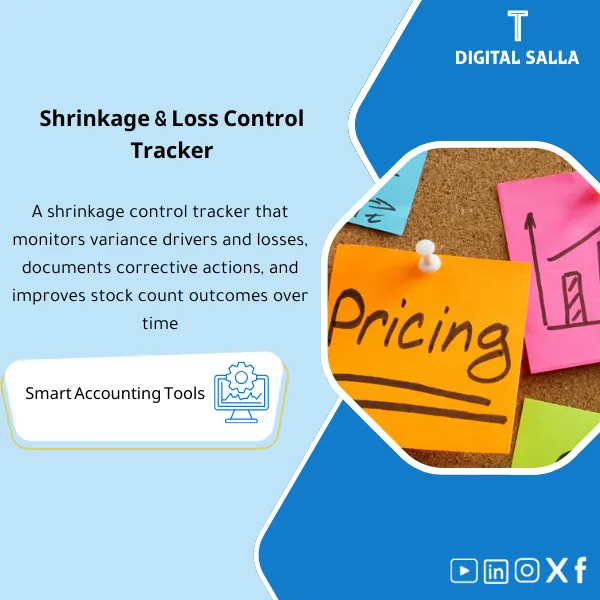
Shrinkage Control – Excel Template
42.29 $
Shrinkage Monitoring: Compares book vs physical inventory and classifies loss drivers by site/item/movement type with follow-up controls. Delivers shrinkage reporting and corrective action tracking for inventory and internal audit teams.
Shrinkage Control
Shrinkage Control Template to convert Book vs Physical variances into a shrinkage log + investigation file + traceable Write-off/Adjustments entries (Excel)
Value Proposition: Instead of inventory variances becoming a “number” at month-end—this template builds a Shrinkage Control that identifies where shrinkage occurred, why it recurs, and what the entry and supporting document are for each treatment.
Practical Definition: Shrinkage Control means that any difference between book inventory and actual inventory is not closed with a single “Adjustment” entry without investigation. The real-world scenario: Stocktaking or Cycle Count results yield recurring variances, the team processes them as Write-offs, and after 2–3 months, the same item/location/shift recurs. This template consolidates inventory shrinkage into a single log, linking variances to their source (receipts/issues/transfers/returns/pricing/damage/theft/coding errors), and produces an investigation file (Root Cause + Corrective Actions) with a clear tie-out between Book vs Physical and the accounting entry and supporting document. The outcome is not just “audit talk”; it provides evidence for internal and external audits, and reports that show analysis of recurring inventory variances and prioritize treatments.
In 20 Seconds: What Will You Get?
- A Book vs Physical file that substantiates variances (Qty/Value) before any reconciliation.
- Shrinkage Register that links variances to item/warehouse/location/cause.
- Classification of Causes of Inventory Loss (Operational / Process / Fraud / Data) with a unified code.
- Analysis of Recurring Inventory Variances to identify root causes instead of repeated treatments.
- Approval Workflow: Investigation request → Recommendations → Approval of Write-off/Adjustment.
- JE Log for adjustments with attachments/supporting documents for each entry.
- A simple dashboard showing the Shrinkage rate by warehouse/item/category.
CTA related to outputs: you will receive Book vs Physical + Shrinkage Register + RCA + JE Log.
Suitable For
- Inventory Controller / Warehouse Finance: Standardizing the treatment of inventory variances and documenting their causes and approvals.
- Head of Accounts / Month-End Owner: Preventing “Inventory Reconciliation Entry” without a file of evidence and explanation.
- Internal Audit / IC: Building audit evidence for Shrinkage and monitoring corrective actions.
Not Suitable For
- If there is no physical inventory or Cycle Count at all—Book vs Physical cannot be built without count results.
- If the goal is “to prevent theft in the field” only without any accounting/documentation linkage—you will need security and operational solutions alongside this template.
Without the Template / With Shrinkage Control (Brief Comparison)
| Item | Without the Template | With the Template |
|---|---|---|
| Book vs Physical | Inventory differences are recorded as a total number | Tie‑out at item/location/cause + document level |
| Investigation | No Root cause or follow-up | RCA + Corrective actions + Repeat analysis |
| Accounting Entry | Adjustment without evidence | JE Log + approvals + evidence index |
Before Use: 5 Symptoms That Shrinkage is “Recurring” Without Control
- Stocktaking variances appear every time in the same category/location without practical explanation.
- Variances are closed with a single entry at Month-End without tracking the item or cause of loss.
- The rate of wastage/loss is rising, but there are no “Top drivers” to guide actions.
- No clear separation between operational errors (receiving/issues) and data errors (UOM/Barcode/Bin).
- The auditor requests evidence: “Why was a Write-off done?” and there is no investigation/approval file.
How Shrinkage Control Works Practically from Counting to Write-off Approval?
The operation starts from count results (Cycle Count or Stocktaking) and linking them to the book inventory to produce Book vs Physical. Then, the variances are converted into a unified shrinkage log with cause classification, followed by repeat analysis: which items/locations are showing the same variance? A ticket is then opened for each “material” variance according to company policy, specifying the action: correct movement, correct data, or approve Write-off. Finally, a JE Log is created for adjustments with attachments and approvals, and the file is closed within Month-End with a dashboard showing the Shrinkage trend.
Implementation Method (3 Steps)
Step 1: Preparation and Report Collection
- Inventory results: Stocktaking/Cycle Count (Physical counts) with (Item, Warehouse, Location/Bin).
- Book quantities/values from ERP/WMS for the same date (clear cut-off).
- Relevant inventory movements: GRN / Issues / Transfers / Returns during the counting period.
- Company policy: When do we investigate? Who approves? And what are the processing paths (Write-off/Adjustments/Data fixes).
Step 2: Book vs Physical + Classification + Investigation
- Extract Qty/Value variances and link them to locations and items.
- Classify Causes of Inventory Loss: (Mis-pick, receiving error, transfers in-transit, returns, expiry/damage, theft, master data).
- Analyze Recurring Inventory Variances to identify patterns (specific location/shift/sensitive item).
- Open RCA: Root cause + Corrective action + Action owner + Closure date.
Step 3: Approve Adjustments + JE Log + Evidence File
- Determine the type of processing: (Process correction / Data correction / Approved write-off).
- Prepare adjustment entries (Write-off/Inventory adjustment) and link them to the JE Log and attachments.
- Prepare an “Investigation Pack” for delivery: tie-out + approvals + action log.
- Update the Dashboard: Shrinkage rate by warehouse/category/item and document trends.
Product Components (Clear Inventory)
-
Book vs Physical Reconciliation Sheet
- Practical Purpose: To substantiate variances (Qty/Value) before any reconciliation entry.
- When to Use: Immediately after Stocktaking/Cycle Count and before Month-End.
- Resulting Evidence: reconciliation tie‑out showing the source and date of each variance.
-
Shrinkage Register
- Practical Purpose: To convert variances into a unified log by item/warehouse/location/cause.
- When to Use: Monthly and cumulatively (Trend tracking).
- Resulting Evidence: filterable register + shrinkage numbers by categories.
-
Root Cause Codes & Classification
- Practical Purpose: To standardize “Causes of Inventory Loss” instead of different descriptions each time.
- When to Use: During the investigation of each material variance.
- Resulting Evidence: RCA codes + mapping of causes (Operational/Data/Fraud/Other).
-
Repeat Variance Analyzer
- Practical Purpose: To reveal recurrence by Item/Warehouse/Bin/Shift to guide actions.
- When to Use: Weekly/Monthly or after each Cycle Count.
- Resulting Evidence: List of Top repeat items/locations + frequency & value.
-
Investigation & Action Tracker
- Practical Purpose: To manage the investigation from ticket opening to corrective action closure.
- When to Use: After variances appear and before approving adjustments.
- Resulting Evidence: action log (Owner/Deadline/Status) + closure evidence.
-
Write‑off / Adjustment JE Log
- Practical Purpose: To document entries (Inventory adjustment / Write‑off) and link them to documents and approvals.
- When to Use: Month-End or when approving adjustments outside of closure per policy.
- Resulting Evidence: JE log + attachments index + approvals.
-
Shrinkage Dashboard & Management Summary
- Practical Purpose: To display trends: Shrinkage rate, largest categories, and most impactful locations.
- When to Use: Monthly in performance meetings or with the risk/audit committee.
- Resulting Evidence: dashboard + narrative summary for delivery.
-
Controls Checklist (Cycle Count / Stocktaking Controls)
- Practical Purpose: To prove that inventory has controls: cut-off, segregation of duties, documentation, review.
- When to Use: During and after inventory and before closing results.
- Resulting Evidence: signed checklist + supporting evidence (sign-off pages).
What Should Be Included in the Delivery?
- 01-Shrinkage-Control-Pack.xlsx: the main file (reconciliation + register + RCA + JE log + dashboard).
- 02-Book-vs-Physical-Import.xlsx: import template for Book/Physical/Count results.
- 03-Shrinkage-Register.xlsx: inventory shrinkage register (Item/Warehouse/Location/Reason).
- 04-RCA-Codes-Library.xlsx: library of causes of inventory loss codes and classification.
- 05-Repeat-Variance-Analyzer.xlsx: analysis of recurring inventory variances (frequency/value).
- 06-Investigation-Form.docx: investigation template (What/Where/When/Who/Why + Evidence).
- 07-Action-Tracker.xlsx: tracking corrective actions (Owner/Deadline/Status/Closure).
- 08-Writeoff-Adjustment-JE-Log.xlsx: JE Log for adjustments with linked attachments.
- 09-Approvals-Page.docx: approval page (Prepared/Reviewed/Approved) per policy.
- 10-Stocktaking-CycleCount-Controls-Checklist.pdf: checklist for counting and inventory controls.
- 11-Runbook.pdf: step-by-step operation (Import → Reconcile → Classify → Investigate → Approve → JE).
- 12-Evidence-Indexing-Template.xlsx: evidence indexing and linking to variances and entries.
- 13-Management-Summary.pdf: summary of shrinkage trends + Top drivers and recommendations.
- 14-Archiving-Map.docx: archiving tree (Exports + counts + approvals + JE + evidence).
After Implementation (Two Points Only)
- Operational Outcome for the Team: Each inventory variance turns into a “case” with a cause and correction or Write-off with an Owner and closure date, instead of repeating the same variances.
- Audit/Control Outcome: tie‑out between Book vs Physical and the entry + evidence file (RCA/Approvals/Attachments) reduces audit questions and increases traceability.
FAQ — Questions Before Purchase
Is it compatible with any ERP/WMS?
Yes, as long as you can export Book quantities/values and count results (Physical counts) and inventory movements to Excel/CSV.
Is it suitable for multi-warehouse and location (Bins) companies?
Yes, the design relies on Warehouse/Location/Bin as key dimensions to link variances and analyze recurrence.
Does it support Serial/Lot/Expiry?
It supports entering them as additional fields within the variance log if available in count results, to strengthen investigations especially for sensitive items.
How is the Shrinkage rate measured within the template?
The measurement is displayed based on what you choose as a policy: (Value variance / Net sales) or (Value variance / Book value) with the option to measure by warehouse/category.
What is the minimum data required to get started?
Count results (Physical) + Book qty/value for the same date. Having inventory movements helps explain the “cause” but is not a prerequisite for initial operation.
Is it suitable for Cycle Count only or full Stocktaking?
For both: Cycle Count for periodic monitoring, and Stocktaking for period-end reconciliation, with the same methodology of Book vs Physical and documentation.
Does it include controls for inventory theft prevention?
It includes a “control/documentation” aspect: cause classification, segregation of duties, approval of Write-off, and analysis of location/item recurrence as evidence for following up on suspicious cases. However, it is not a substitute for physical security or monitoring systems.
Is there a template for delivering to auditors (Audit pack)?
Yes: Evidence index + approvals + JE log + RCA + tie-out, allowing tracking each variance to the document and entry.
Ready to Prevent “Inventory Reconciliation” Entry Without Investigation and Evidence?
Outputs: Shrinkage Register + Book vs Physical + RCA + JE Log + Evidence Pack.
| المسمّى الوظيفي | |
|---|---|
| Duration | |
| المستوى | |
| التحديثات | |
| القطاع | |
| الصيغة |
Related products

Chart of Accounts Setup Service

Customer Contracts Register – Excel Template
Customer Contract Management Template is a comprehensive Excel-based program to manage customer contracts effectively, including contract data, payments tracking, completion percentages, delivery dates, and project profitability—supported by automated reports that improve contract oversight and customer relationships.

Reviews
Clear filtersThere are no reviews yet.