




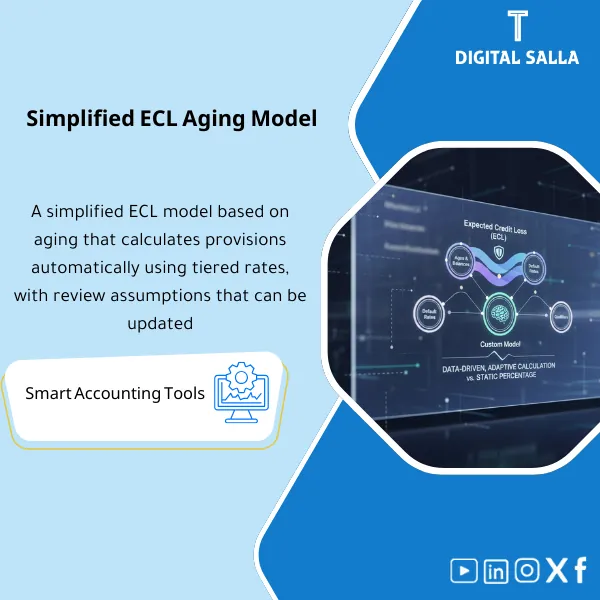
Simplified ECL by Aging – Excel Template
63.56 $
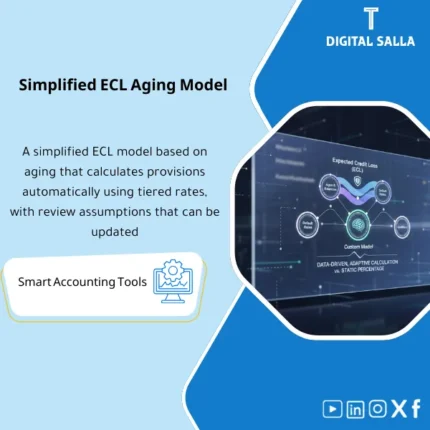
Simplified ECL Model: Calculates expected losses using aging-based loss rates, customer segmentation, and forward-looking adjustments. Delivers an auditable monthly ECL provision without complex modeling.
Simplified ECL Model by Age
Simplified ECL Matrix (IFRS 9) + Loss Rates + Forward-looking Overlay + JE Templates + TB Tie-out + Closing Pack Insert
Value Proposition: A working file that transforms AR Aging into a calculated and documented Simplified ECL: Loss Rates Matrix + Forward-looking Overlay → ECL Provision JE within JE Log → Adjusted TB → Closing Pack with a clear tie-out between the matrix and the provision account balance in GL.
In 20 seconds: What will you get?
- A Provision Matrix by age (Buckets) to apply Loss rates to the receivables balance.
- A sheet to build Historical Loss Rates from write-off/recovery data (with separation of what is considered a “loss” and what is not).
- A Forward-looking Overlay section that records the assumption + reason for adjustment + its impact (Increase/Decrease) + internal approval.
- A Segmentation option (by customer type/channel/region) with ECL outputs for each segment and then a final aggregation.
- TB Tie-out: Linking the final ECL result to the provision account balance in GL and identifying “the difference to be closed with a JE.”
- JE Templates for the provision (creation/reversal) + linking them to a ready line within JE Log.
- A Closing Pack Insert that compiles: the matrix + assumptions + tie-out + entries + indexing of attachments.
CTA related to deliverables: You will receive ECL Matrix + TB Tie-out + JE Pack to fix the provision balance within Adjusted TB and prepare it within the Closing Pack.
Suitable for
- Financial Controller seeking a defensible ECL workpaper: methodology + assumptions + tie-out + impact on the statements.
- Head of Accounting / GL Lead needing a clear ECL entry linked to the provision account in TB and documented within the JE Log.
- AR Accountant managing Aging and wanting a consistent template that converts aging into ECL while separating write-offs/recoveries in an organized manner.
Not suitable for
- Entities requiring a General Approach (Stages/PD/LGD/EAD) as a primary scope instead of the Simplified Approach.
- Those without AR Aging or lacking any write-off/recovery records to build upon for estimating or justifying Loss rates.
Without the model / With the model (Quick Comparison)
| Item | Without the model | With the model |
|---|---|---|
| Calculation Method | Total estimate (Lump sum) or general percentage without a matrix | Provision Matrix by age + Loss rates + Segmentation (optional) |
| Forward-looking | “Verbal” overlay that is not documented or reviewed | Overlay Memo: Reason + Assumption + Impact + Approval |
| Linking to TB | Differences between ECL number and provision account balance in GL | TB Tie-out + JE Template to close the difference within JE Log |
| Delivery to auditors | Scattered files + FAQs about the methodology | Closing Pack Insert: Matrix + Assumptions + Tie-out + JEs + Evidence Index |
Before use: 5 symptoms appearing in ECL
- The provision number changes without an explanation linked to AR Aging or Loss rates.
- No separation between “write-offs/losses” and “returns/disputes/settlements” within receivables data.
- Forward-looking adjustment exists only in discussion, without a Memo or internal approval.
- The provision account balance in GL does not equal the calculated ECL number, and the difference is “patched” with an undocumented entry.
- At Year-End, there is no single workpaper that clarifies the methodology, assumptions, tie-out with TB, and documentation of entries within the JE Log.
Simplified ECL Model: Application Method (3 Steps Without Gaps)
Step 1: Preparation and Report Collection
- Extract AR Aging (by customer + Buckets) with extraction date + any required segmentation (Segment/Branch/Channel).
- Extract TB/GL for accounts: AR Control + Allowance/ECL Provision + Bad Debts/Impairment (according to your tree).
- Compile supporting data: Write-offs/Recoveries for the period/previous years (if available) + Credit terms + any significant default indicators.
Step 2: Loss rates + Overlay + Reconciliations + JE Log
- Build/update Loss rates for each Aging Bucket (from write-off/recovery history or from documented assumptions when data is lacking).
- Record Forward-looking Overlay: the assumption + its reason + its scope (any Buckets/Segments) + its numerical impact + approval.
- Perform basic Reconciliations: link total Aging with AR balance in GL (or explain scope/date differences).
- Prepare the ECL entry using JE Templates and record it within JE Log (reason + supporting + approval).
Step 3: Adjusted TB + Impact on Statements + Closing Pack
- Issue Adjusted TB after recording the ECL entry (creation/reversal) and closing any tie-out differences.
- Produce a sheet “Impact of Provision on Statements”: ECL expense in P&L + Allowance and Net AR balance in BS (linked to TB).
- Compile Closing Pack: Matrix + Loss rates + Overlay Memo + Tie-out + JE Log references + indexing of attachments.
Package Components (Clear Inventory)
-
Simplified ECL Workbook (Main File)
- Practical Purpose: Transform AR Aging into calculated ECL via Provision Matrix with final aggregation for all Segments.
- When to Use: Month-End for periodic updates + Year-End for producing a final version for disclosures and audits.
- Resulting Evidence: Final ECL file showing inputs (Aging), calculations (Matrix), and results (ECL).
-
Loss Rates Builder (Building/Documenting Loss rates)
- Practical Purpose: Document the source of Loss rates (write-off/recovery history) or alternative assumptions when data is lacking.
- When to Use: During initial setup + periodic updates when collection behavior or credit policy changes.
- Resulting Evidence: Loss rates table for each Bucket with reference to data source/assumption.
-
Forward-looking Overlay Sheet + Memo
- Practical Purpose: Record any forward-looking adjustment as a documented decision instead of an untraceable “increase/decrease.”
- When to Use: When events affect collections (change in terms/sector/default of a major customer) at Month-End or Year-End.
- Resulting Evidence: Overlay Memo clarifying the reason, scope, impact, and approval.
-
Segmentation Rules
- Practical Purpose: Separate ECL by customer type/channel/region when risks differ instead of a single number for all.
- When to Use: When there is a clear difference in collections between customer groups or entities.
- Resulting Evidence: Output for each Segment + final aggregation file explaining the rationale for segmentation.
-
TB Tie-out + Reconciliation Notes
- Practical Purpose: Link the ECL result to the provision account balance in GL and identify the difference to be closed with an entry.
- When to Use: At the end of each cycle before finalizing Adjusted TB.
- Resulting Evidence: Tie-out Sheet + explanation of any differences (Scope/Date/Manual entries).
-
JE Templates + JE Log Lines
- Practical Purpose: Entry for creation/reversal of ECL + documentation of the entry reason, supporting, and approval within JE Log.
- When to Use: Month-End/Year-End when finalizing the provision.
- Resulting Evidence: JE Pack + ready line for the JE Log linking the entry to the ECL file and its attachments.
-
Closing Pack Insert (Ready Delivery Section)
- Practical Purpose: Compile all ECL evidence in one section for delivery instead of multiple files.
- When to Use: Monthly as an internal delivery + annually as part of the Year-End Closing Pack.
- Resulting Evidence: Index linking the matrix, overlay, tie-out, entries, and attachments.
CTA related to deliverables: ECL Matrix + Overlay Memo + TB Tie-out + JE Pack + Closing Pack Insert.
What should be included in the delivery?
- Excel Workbook (Main File): Tabs for Inputs (Aging/Write-offs/Recoveries) + Matrix + Loss rates + Overlay + TB Tie-out + JE Templates + Outputs.
- AR Aging Snapshot: Aging report used in the calculation (dated + clear scope: customers/branches/segments).
- Write-offs / Recoveries Listing: Report/log of historical movements used to estimate Loss rates (or a justification memo when data is lacking).
- Loss Rates Support: Table showing how Loss rates were built for each Bucket (data source/assumption/latest update).
- Forward-looking Overlay Memo: Short document: reason + assumption + scope + impact + responsible approval.
- TB Tie-out: Linking the ECL result to the provision account balance in GL + explanation of any differences + addressing the difference with the entry.
- JE Pack + JE Log Reference: Final entry (creation/reversal) + reference for its entry in JE Log + supporting documentation.
- Closing Pack Insert: Organized delivery file/section (PDF or Export) compiling and indexing the evidence.
After Application (Two Points Only)
- Operational Outcome for the Team: Updating ECL becomes a fixed monthly closing procedure: Aging + Loss rates + documented Overlay → clear entry → Adjusted TB without an unexplained “provision number.”
- Control/Audit Outcome (Evidence & Traceability): The provision number linked to the aging matrix, source of Loss rates, Overlay memo, tie-out with TB, and entry within JE Log—all included in the Closing Pack.
FAQ — Questions Before Purchase
Is the model compliant with IFRS 9 for receivables?
The model is based on the Simplified Approach (Lifetime ECL) using a Provision Matrix by age. However, the selection of Loss rates, segmentation, and overlay requires alignment with your company’s policy and management documentation and auditor notes.
Is it suitable for any accounting system?
Yes. The only requirements are: AR Aging and TB/GL and movement of Write-offs/Recoveries (if available). The format of reports may vary, but the logic of the file remains consistent.
Does it work for multi-branch/entities companies?
Yes. Aging can be entered for each branch/entity/segment, and ECL can be output for each one and then aggregated, with tie-out at the company level or each unit according to your closing style.
What is the minimum data required to get started?
AR Aging + TB/GL for calculating the provision and receivables. To improve Loss rates: it is preferable to have write-off/Recovery history or any record that shows collection results over several periods (as available).
Does the model include a forward-looking overlay?
Yes. There is a Sheet + Memo to document the reason for the overlay, its scope, impact, and approval, instead of an untraceable adjustment.
Does it directly produce the provision entry?
There are JE Templates to produce the creation/reversal entry of ECL based on the difference between the calculated ECL and the provision account balance in GL, with a ready line to add to the JE Log.
Is it suitable for monthly use only or also for annual use?
For both: Month-End for periodic updates and finalizing Adjusted TB, and Year-End for producing a final version (Matrix + assumptions + Tie-out) within the Closing Pack for disclosures and audits.
Does it cover complex credit risks (PD/LGD/EAD)?
No. This is a Simplified ECL model by age (Provision Matrix). Detailed modeling General Approach is outside the scope of the product.
Ready to establish ECL with an aging matrix and tie-out with TB?
You will receive: Provision Matrix + Loss Rates + Overlay Memo + TB Tie-out + JE Pack + Closing Pack Insert as a ready working file for Month-End and Year-End.
| المسمّى الوظيفي | |
|---|---|
| Duration | |
| المستوى | |
| التحديثات | |
| القطاع | |
| الصيغة |




Reviews
Clear filtersThere are no reviews yet.