Slow-Moving & Obsolete Inventory Provision – Excel Template
55.59 $
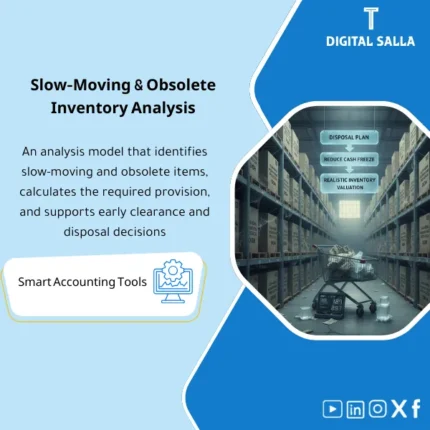
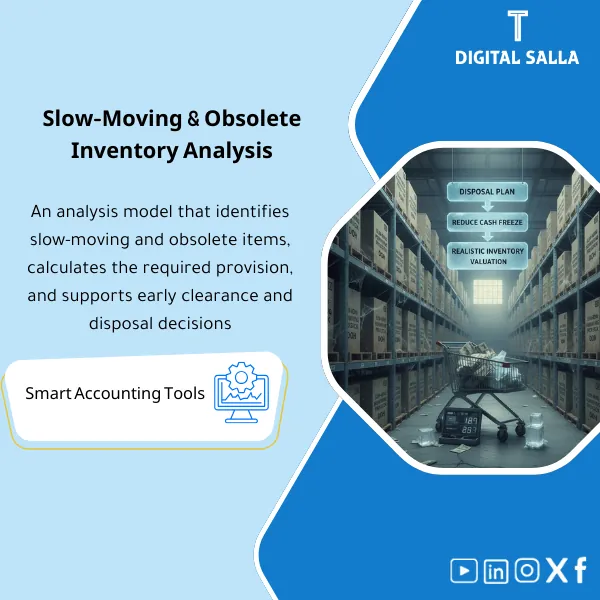
Slow-Moving & Obsolete Inventory: Analyzes aging and days on hand, classifies slow/idle items, and calculates impairment allowance with defined rules. Delivers liquidation/markdown candidates and a monthly provision schedule to reduce cash tied up in stock.
Slow Moving Inventory
Slow/Obsolete Goods Template + Inventory Aging Provision + Calculation of Inventory Impairment Provision linked to reviewable monthly entries (Excel)
Value Proposition: A single file that defines Slow Moving Inventory numerically (Days on Hand / Aging / Turnover) and converts it into an impairment provision + clear entry + a follow-up clearance plan.
Practical Definition: Managing Slow Moving Inventory is not just a “Aging Report.” The real scenario at month-end:
Inventory appears at a high value on the Balance Sheet, but a significant portion is stagnant. The auditor asks: Has it been valued at the Net Realizable Value (NRV)? Is there an Inventory Aging Provision?
The sales team asks: What needs to be liquidated? The purchasing team asks: What should we stop ordering?
This template links actual movement (sales/liquidation/warehouse movement) with holding time (Aging) and then produces
Inventory Impairment Provision according to specific aging rules (policy bands) and generates a monthly/annual entry + a list of items and reasons + a clearance plan.
In 20 Seconds: What Will You Get?
- A list of Slow Moving Inventory by items/warehouses with clear Aging.
- A practical definition of Obsolete Inventory based on adjustable rules (buckets).
- An analysis of Days on Hand and inventory turnover to identify where the issue lies.
- An Inventory Aging Provision calculator to produce an Inventory Impairment Provision with financial impact.
- Rollforward for the provision: Opening + additions/reversals + closing (Month-End/Year-End).
- A posting list for the provision/reversal with documented reasons.
- Inventory Clearance Plan + implementation tracking (Owner/Deadline/Outcome).
CTA related to outputs: You will receive Aging + DOH + Provision + JE + Clearance Plan.
Suitable For
- Inventory/Cost Accountant: Identify slow/obsolete and calculate inventory impairment provision with a reviewable file.
- Head of Accounts / Month-End Owner: Link the provision to the GL and close the rollforward with clear entries.
- Supply Chain / Planning: Stop/modify purchases and activate the clearance plan for specific items.
Not Suitable For
- If you have an advanced system that automatically outputs DOH/Aging/Provision with approval workflows—you will use it as an additional review only.
- If there is no movement data or “last movement date” for items—you will first need to improve reporting or complete movement data.
Without Template / With Slow Moving Inventory Template (Short Comparison)
| Item | Without Template | With Template |
|---|---|---|
| Classification | A “feeling” that inventory is obsolete | Aging + Days on Hand + clear definition of slow/obsolete |
| Provision | General entry or no methodology | Inventory Aging Provision + rollforward + JE references |
| Action | No clearance plan | Inventory clearance plan + implementation tracking |
Before Use: 5 Symptoms That Your Inventory is “Inflated” Without Control
- Inventory increases while sales remain flat or decline, without explanation.
- Items with large balances but the last movement is old and no one owns the decision.
- No official Days on Hand or Aging analysis reviewed monthly.
- The provision (if any) is calculated as a general percentage without a list of items or reasons.
- Purchase decisions do not consider obsolete inventory, repeating the same problem.
How Does Slow Moving Inventory Work Practically from Detection to Provision Entry?
The process begins by pulling on-hand (Qty/Value) for each item/warehouse, then linking it to the last movement date or period movement (sales/issue/transfer/return).
Then, Aging and Days on Hand are calculated (according to company policy: DOH at SKU or category level, with the option to exclude seasonal items).
Items are then classified into buckets (e.g., 0‑90 / 91‑180 / 181‑365 / >365 days) and the provision policy (Provision % or NRV override) is applied.
Finally, an Inventory Aging Provision file is produced with Rollforward and a monthly/annual entry showing: which items caused the addition to the provision and which items were reversed after liquidation or revaluation.
Concurrently, an “Inventory Clearance Plan” is generated to turn results into operational actions rather than just a report.
Implementation Method (3 Steps)
Step 1: Preparation and Report Gathering
- Export on-hand snapshot (Qty/Value) by item/warehouse.
- Last movement date or movement for 12 months/6 months (sales/issues/warehouse movements).
- Classify items (Category/Brand/Seasonal) if available to apply different policies.
- GL balance for inventory + impairment provision balance (if any) for rollforward.
Step 2: Classification + DOH + Provision Calculation
- Calculate Aging buckets + Days on Hand for each SKU/warehouse.
- Define “Slow moving” and “Obsolete” according to policy (modifiable).
- Apply provision rates or NRV overrides on high-risk items.
- Generate a list of obsolete inventory with reasons/notes (Slow moving reasons).
Step 3: Entries + Rollforward + Clearance Plan
- Generate Inventory Impairment Provision (additions/reversals) with monthly Rollforward.
- Posting list for provision/reversal + reference for each item/category.
- Generate Inventory Clearance Plan (Discount/Bundle/Return to vendor/Write-off/Transfer).
- Sign-off pack: Prepared/Reviewed/Approved + archiving evidence.
Product Components (Clear Inventory)
-
Slow Moving Inventory List
- Practical Purpose: Extract a list of slow/obsolete items based on movement.
- When to Use: At the beginning of monthly/quarterly analysis.
- Resulting Evidence: SKU list with Qty/Value/Aging/Last movement.
-
Aging Buckets & Days on Hand
- Practical Purpose: Build Aging + calculate DOH and link it to categories/warehouses.
- When to Use: Before calculating the provision.
- Resulting Evidence: Aging report + DOH analysis.
-
Inventory Aging Provision Calculator
- Practical Purpose: Calculate Inventory Aging Provision according to Policy bands or NRV overrides.
- When to Use: During monthly/annual closing.
- Resulting Evidence: Provision calculation schedule + assumptions.
-
Provision Rollforward (Month‑End)
- Practical Purpose: Track provision movement: Opening + Additions + Reversals + Closing.
- When to Use: Month by month + Year-End tie-out.
- Resulting Evidence: Rollforward table that can be presented to the auditor.
-
Posting List (JE Log)
- Practical Purpose: Prepare provision/reversal entry (at the reason/category level) instead of a total entry.
- When to Use: After approving the provision result.
- Resulting Evidence: Posting list + JE references.
-
Clearance Plan (Inventory Clearance Plan)
- Practical Purpose: Convert “Slow/Obsolete” results into a clearance plan and responsibilities.
- When to Use: After closing the analysis + during the following month.
- Resulting Evidence: Action tracker (owner/date/status/result).
-
Controls & Sign-off Pack
- Practical Purpose: Controls: Seasonal exclusion/NRV verification/review of provision rates + approval signatures.
- When to Use: Before approving the entries.
- Resulting Evidence: Controls checklist + approvals.
What Should Be Included in the Delivery?
- 01-Slow-Moving-Provision-Pack.xlsx: The main file (On-hand + Aging + DOH + Provision + Rollforward + Posting).
- 02-OnHand-Import-Template.xlsx: Inventory balance import template (Qty/Value) by item/warehouse.
- 03-Movement-LastDate-Import.xlsx: Last movement/period movement template (Sales/Issues) to determine aging.
- 04-Aging-Report.xlsx: Inventory aging report + adjustable buckets.
- 05-Days-on-Hand.xlsx: Days on Hand analysis linked to turnover/consumption.
- 06-Provision-Calculator.xlsx: Inventory Aging Provision + rates/policy + NRV overrides.
- 07-Provision-Rollforward.xlsx: Provision movement month by month (Opening/Additions/Reversals/Closing).
- 08-Posting-List-JEs.xlsx: Provision/reversal entry + JE references + reason explanation.
- 09-Clearance-Plan-Tracker.xlsx: Inventory clearance plan + implementation tracking (Owner/Deadline/Outcome).
- 10-Exceptions-Log.xlsx: Seasonal/Excluded/Missing data items + decisions.
- 11-Controls-Checklist.pdf: Controls checklist: DOH/NRV/approvals/consistency.
- 12-Runbook.pdf: Step-by-step operation (Import → Classify → Provision → Post → Track).
- 13-Signoff-Page.docx: Prepared/Reviewed/Approved.
- 14-Archiving-Map.docx: Evidence archiving tree for the provision and clearance plan.
- 15-Management-Summary.pdf: Executive summary: Value of obsolete, provision, and action plan.
After Implementation (Two Points Only)
- Operational Result for the Team: Instead of a “Stale List” without decision, you will have DOH + buckets + clearance plan + implementation tracking.
- Control/Audit Result: Inventory impairment provision becomes Rollforward + JE + item list + clear policy and approval signatures.
FAQ — Questions Before Purchase
Does the template rely on Aging only or Days on Hand as well?
Both: Aging buckets + Days on Hand to identify slow/obsolete from two angles (time + consumption).
Is it suitable for more than one warehouse/branch?
Yes, if the data includes Warehouse/Branch, results can be separated by each warehouse/branch.
How is the Inventory Aging Provision calculated?
By applying a provision policy (Provision policy bands) to aging categories, with the option to input NRV override for specific items.
Are the provision entries generated ready?
Yes: Posting list for adding/reversing inventory impairment provision with rollforward and references for each reason/category.
What is the minimum data required to start?
On-hand qty/value + last movement date or period movement. It is preferable to add item classification and seasonal information if available.
Is it suitable for monthly closing only or annual as well?
For both; monthly for early monitoring, and annually to prepare the auditor’s file and link the provision to financial statements.
Does it automatically cover NRV/market price evaluation?
No, automatically; you can manually enter NRV or liquidation price for critical items to adjust the provision.
Does it include an inventory clearance plan?
Yes: Clearance plan tracker with owner, responsibility, deadline, and outcome (Discount/Bundle/Return/Write-off/Transfer).
Ready to Transform Obsolete from “Number” to Provision + Clearance Plan + Evidence File?
Outputs: Slow Moving list + Inventory Aging Provision + Rollforward + JE + Inventory Clearance Plan.
| المسمّى الوظيفي | |
|---|---|
| Duration | |
| المستوى | |
| التحديثات | |
| القطاع | |
| الصيغة |

Reviews
Clear filtersThere are no reviews yet.