



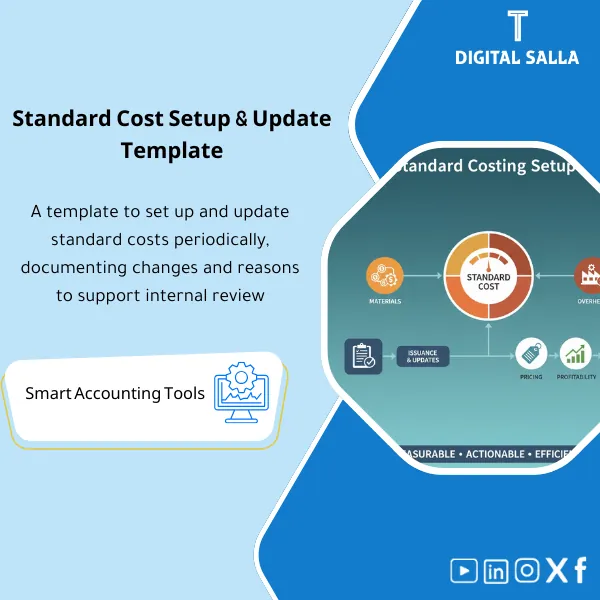
Standard Cost Setup & Updates – Excel Template
84.84 $
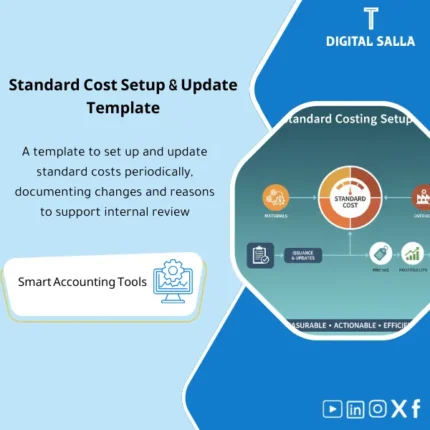
Standard Cost Setup: Builds material, labor, and overhead standards with effective dates, versions, and update controls when prices or BOMs change. Delivers approved standard costs supporting pricing, budgeting, and periodic variance measurement.
Standard Cost Template
Standard Cost Template in Excel for preparing Standard Cost (Materials + Operations) and documenting Standard Cost Updates with versions and effective dates—along with Reconciliations and JE Log illustrating the impact of the update on inventory and COGS within Month-End and Year-End.
Value Proposition: A single file builds Standard BOM Cost + Standard Operating Cost for each product, then outputs a reviewable “Standard Cost Update Pack”: cost version log + variances + JE Log + Tie-out to Adjusted TB within Closing Pack.
In 20 seconds: What will you get?
- Standard Cost Master: Cost version + Effective date + Approval status (Draft/Approved).
- Calculation of Standard Cost for the product from BOM + Operating procedures (Routing/Work Centers).
- Cost Update Tracker: Log of cost updates (From/To) with reason for adjustment and approval owner.
- Reconciliations: Standard vs Actual comparison showing where the impact occurred (PPV/Usage/Labor/OH).
- JE Log for adjustments reflecting the impact of the cost update on inventory/COGS/WIP (per your company policy).
- Standard Cost Closing Pack: Summary of cost changes + exceptions + Sign-off + Tie-out to Adjusted TB.
Delivery associated with the button: Standard Cost Master + BOM/Routing Costing + Cost Update Tracker + Reconciliations + JE Log + Closing Pack + Adjusted TB Tie-out.
Suitable for
- Cost Accountant: Wants to build a clear Standard Cost (BOM + Routing) with a precise update log.
- Factory/Plant Controller: Needs to interpret manufacturing variances and link them to Month-End.
- Chief Accountant / Finance Manager: Wants JE Log + Reconciliations within a reviewable Closing Pack for auditors.
Not Suitable for
- If the factory does not have BOM/Routing or there are no loading rates/operating hours—you will not get a “built” Standard Cost but rather general estimates.
- If your company operates on Actual Cost only without any use of Standard Cost or variance calculations—you will use it for internal analysis only and not as an operational pricing methodology.
Without the template / With the template
| Item | Without the template | With the template |
|---|---|---|
| Source of Standard Cost | Scattered figures (Excel/Correspondence) without versioning and effective date | Standard Cost Master with versions + effective date + approval status |
| Standard Cost Update | “Quick” changes without a log or reason | Cost Update Tracker + Comparison (From/To) + Reason + Owner |
| Month-End Reconciliations | Unexplained manufacturing variances (COGS/Inventory) | Reconciliations clarifying PPV/Usage/Labor/OH and their impact |
| Impact of Update on TB | Undocumented adjustments or deferrals without a supporting file | JE Log + Tie-out to Adjusted TB within Closing Pack |
Before Use: 5 Symptoms that Your Standard Cost is “Unmanaged”
- Product cost changes without a “Cost Version” and effective date (cannot track why it changed).
- BOM exists but there is no clear calculation for Standard BOM Cost (scrap/loss/unaccounted alternatives).
- Operating procedures/work centers exist but there is no Standard Operating Cost (time/rate/capacity not translated to cost).
- Month-End shows manufacturing variances in COGS or inventory with no file explaining the source of the variances.
- During review: no update log (From/To) or delivery file linking the impact to Adjusted TB.
Standard Cost: What Does the Template Cover?
The template is designed for Cost standardization at the product level: it inputs BOM materials and operating/loading rates, then
produces a “numbered Standard Cost with versioning and effective date.” It then manages Standard Cost Updates through a change log
and links the impact to Reconciliations and JE Log within the Month-End/Year-End close.
Implementation Method (3 Steps)
Step 1: Preparation and Report Gathering
- Item Master (Products/Raw Materials) + Units of Measure + Identify manufactured product vs components.
- BOM: Components, quantities, scrap/loss, alternatives (if any), and effective date of BOM.
- Routing/Operations: Work centers, operating time, labor/machine rates, and setup standard.
- Overhead: Absorption basis (Hours/Units) + absorption rate/budget (per factory policy).
- GL/TB: Inventory/WIP/COGS accounts and variance accounts (for later Tie-out).
Step 2: Reconciliations + Matching + JE Log
- Building Standard Cost for materials and operations: Standard Cost Template calculates unit cost and shows operational components.
- Standard vs Actual comparison (sample or period): Identify where variances appear (Materials/Usage/Labor/Overhead).
- Run Reconciliations: Link the impact of variances/updates to inventory/COGS/WIP accounts.
- Prepare JE Log for entries reflecting the impact of the cost update (Reclass/Adjustment) per ERP settings and closing policy.
Step 3: Adjusted TB + Listings + Closing Pack
- Update Adjusted TB (within the file or as a reference) after entries/reconciliations related to the cost update.
- Output a Closing Pack specific to Standard Cost: approved cost version + update log + tie-out + JE Pack + exceptions.
- Prepare a concise delivery file for the auditor: What changed? Why? And what is its impact on inventory and COGS.
Product Components (Clear Inventory)
-
Standard Cost Master (Cost Versions + Effective Date)
- Practical Purpose: Standardize the reference for Standard Cost for each product with an approved version.
- When to Use: When preparing initial Standards + with each update (Quarterly/Semi-Annual) + Year-End.
- Resulting Documentation: Cost Version Register (Version / Effective Date / Status / Approver).
-
Costing from BOM (Standard BOM Cost)
- Practical Purpose: Calculate material cost for the product (Quantity × Standard Price) with support for scrap/alternatives as needed.
- When to Use: When preparing cost for a new product or reviewing material prices.
- Resulting Documentation: BOM Cost Breakdown + Material Standards Summary.
-
Routing / Work Centers Cost (Standard Operating Cost)
- Practical Purpose: Convert operating times and labor/machine rates into a standard unit cost.
- When to Use: When updating times/rates or changing production lines.
- Resulting Documentation: Operation Cost Sheet (Time × Rate) + Work Center Rates.
-
Overhead Absorption (Standard OH Loading)
- Practical Purpose: Include a clear basis for standard industrial loading (Hours/Units) instead of unexplained loading.
- When to Use: Beginning of the year/period + when changing budget or capacity/rates.
- Resulting Documentation: OH Rate Calculation + Absorption Basis Note.
-
Standard Cost Update Tracker (Standard Cost Update Log)
- Practical Purpose: Document “What changed? Why? Who approved?” for each Cost Update.
- When to Use: Every time Standard Cost is adjusted or a new version is issued.
- Resulting Documentation: Change Log (Old vs New) + Reason + Owner + Approval.
-
Reconciliations & Variance View (Reconciliations and Variances)
- Practical Purpose: Read the impact of the difference between standard and actual and link it to inventory/COGS (PPV/Usage/Labor/OH).
- When to Use: Month-End Review + when interpreting margin variances.
- Resulting Documentation: Variance Summary + Tie-out to related GL accounts.
-
JE Log + Memos (Entries Reflecting Cost Update Impact)
- Practical Purpose: Prepare adjustment/reclassification entries resulting from the Standard Cost update (per closing policy and ERP).
- When to Use: Month-End and Year-End when approving cost updates or re-evaluating inventory.
- Resulting Documentation: JE Log + JE Memos + References to Update Tracker and Reconciliations.
What should be included in the delivery?
- Main Excel File with clear tabs: Cost Master / BOM Costing / Routing Costing / OH Rates / Update Tracker / Reconciliations / Variance View / JE Log / JE Memos / Exceptions / Sign-off.
- Input Rules (Validation) preventing operational errors: Incompatible UOM, BOM without effective date, operation without rate, cost version without approval.
- Outputs ready for saving within Closing Pack: Cost Version Register + Change Log + Tie-out + JE Pack + Exceptions Summary.
- Delivery Structure for Auditors: “Standard Cost Pack” folder containing the approved version + update log + reconciliation file + supporting entries.
After Implementation (Two Points Only)
- Operational Outcome for the Team: Each product has a detailed Standard Cost (Materials/Operations/OH) and a clear version; any update goes through the Update Tracker instead of random adjustments.
- Control/Audit Outcome: You have Reconciliations + JE Log + Tie-out to Adjusted TB within the Closing Pack—suitable for delivery and explanation instead of “cost figures” without a trail.
FAQ — Questions Before Purchase
Is it suitable for any ERP or manufacturing system?
Yes, provided there is BOM/Routing or its equivalent, and reports of rates/hours/cost that can be exported to Excel. The template acts as a calculation, documentation, and matching layer.
Is it suitable for multi-plant or production line companies?
Yes—by adding Plant/Line/Work Center as dimensions within the tabs, then outputting cost versions by plant or production line.
Does it cover both Standard BOM Cost and Standard Operating Cost together?
Yes: BOM for materials + Routing for operations. The resulting Standard Cost per unit shows cost components instead of a total figure.
What is the minimum data required to get started?
Item Master + BOM + Routing/Operations + Rates (Materials/Labor/Machine/OH) + Effective Date + GL Accounts for linking.
Is it suitable for monthly closing only or also for annual closing?
For both. Month-End focuses on Reconciliations and variances, and Year-End focuses on approving new cost versions and documenting their impact within the Closing Pack.
Is there a template for auditor delivery?
Yes—the template outputs a “Standard Cost Closing Pack” (cost version + Update Log + Tie-out + JE Pack + Exceptions) suitable as a delivery package.
How does the template handle changes in material prices throughout the year?
Through the Update Tracker with versions and effective dates. You can issue a new version (or partial update) with documentation of the reason for the adjustment and link its impact on variances/accounts.
Does it cover variance analysis?
It presents it in a linkable format: where the variance appeared (PPV/Usage/Labor/OH) and how it reflects on inventory/COGS—but the final distribution of variances depends on your ERP policy.
If you want a “Managed” Standard Cost with versions, effective dates, and clear accounting impact
Outputs: Cost Version Register + Update Tracker + Reconciliations + JE Log + Closing Pack + Adjusted TB Tie-out.
| المسمّى الوظيفي | |
|---|---|
| Duration | |
| المستوى | |
| التحديثات | |
| القطاع | |
| الصيغة |
Related products

DOA Matrix – Excel Template
EOSB Calculator – Excel Template
Finance SOPs – Detailed Steps
Sales Controls Template – Excel Template
Sales Control Template is an effective Excel tool to manage and monitor sales invoices and revenue contracts with automated workflows, analytical reports, and charts to help you understand sales performance. Highly flexible and editable to fit your needs—strengthening sales controls and improving performance.
Reviews
Clear filtersThere are no reviews yet.