




Subcontractor Tracker – Excel Template
42.29 $
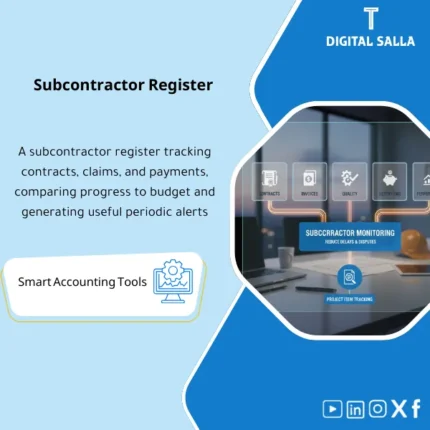
Subcontractor Tracker: Records subcontract agreements, progress billings, quality status, retentions, payment status, and links to project progress. Delivers subcontractor performance and payable visibility for project and AP teams to reduce disputes and control approvals.
Subcontractor Tracker Template — Subcontractor Management
A practical Excel template for tracking Subcontractor Contracts, Invoices, Retentions, and Payments, along with Contractor Performance Evaluation and managing Disputes/Claims and control alerts to mitigate financial and operational risks in projects.
Value Proposition:
The common question is not “How much have we paid?” but rather: How much is left?, Are the invoices within the contract?,
Are the retentions calculated and controlled?, and Are there claims that may arise at the end of the project?.
This template consolidates all of that into one file: Contract → Invoices → Payments → Retentions → Variations/Orders → Claims/Disputes → Performance.
In 20 seconds: What will you get?
- Subcontractor Tracker for each subcontractor/work package/project
- Contract Register: Contract value, scope of work, pricing, duration, guarantees
- Progress / Certificates: Invoices (IPC) planned/actual + quantities/completion percentages
- Payments: Actual payments + Aging + Approval status
- Retention: Retention percentage, cap/limit, outstanding retention, release of retention (if any)
- Variations / Change Orders: Separation of approved changes from unapproved ones
- Claims & Disputes: Disputes/claims + value + status + potential financial impact
- Performance: Evaluation of quality/safety/compliance with schedule/responsiveness
- Controls & Alerts: Contract overruns, unapproved invoices, incorrect retentions, expired documents
- Dashboard: Exposure (Committed/Certified/Paid) + retentions + highest risk contractors
Delivery associated with the button: Contracts | IPC/Certificates | Payments | Retention | Variations | Claims/Disputes | Performance | Dashboard | Controls.
Suitable for
- Contracting/Projects: Managing subcontractor contracts and risks of retentions and claims.
- PM/QS/Contracts + Finance: Unifying the register of invoices, payments, and obligations.
- Multiple Package Projects: Comparing contractor performance and risks and providing early warnings.
Not Suitable for
- If there are no invoices/approvals and payments and retentions are not tracked (the process needs to be activated first).
- If tracking is done only at the total supplier level without project/work package.
Without the Tracker / With the Tracker
| Item | Without the Tracker | With the Tracker |
|---|---|---|
| True Commitment Visibility | “Payments only” without knowing the remaining | Contract vs Certified vs Paid + Exposure |
| Retentions | Loss/difference in retention percentages and releases | Retention Ledger + Release Conditions + Outstanding Balance |
| Invoices | Non-standardized and duplicated invoices | IPC Register + Status + Approved/Unapproved Split |
| Disputes | Arise at the end of the project as shocks | Claims & Disputes Register + Exposure + Follow-up |
| Controls | Payment before approval/contract overruns without warning | Alerts: Over-certification / Missing Docs / Overpay |
Before Use: 5 Symptoms of “Uncontrolled” Subcontractor Management
- Constant discrepancies between “Contract Value” and “Approved Invoices” and “Payments” with no quick explanation.
- Retentions calculated manually showing discrepancies at closing or when releasing retention.
- Invoices paid before completion of approval or without supporting documents.
- Scope changes (Variations) executed before approval then turning into disputes/claims.
- No documented performance evaluation (Quality/Safety/Schedule) leading to recurring contractor issues.
What does the Subcontractor Tracker Template cover?
1) Contract Register
- Contract/PO Number + Contractor + Scope of Work + Location/Package
- Contract Value + Pricing/Unit Items + Contract Duration + Payment Terms
- Guarantee Information (optional): Performance Bond / Insurance / Warranty/DLP
2) Invoices (IPC / Certificates)
- Invoice Date + Work Period + Value of Completed Work
- Deductions: Retentions, Advance/Withholding, Penalties/Back-charges (optional)
- Invoice Status: Draft / Submitted / Checked / Approved / Rejected
- Linking the invoice to the change (Variation) if any (Approved vs Pending)
3) Payments (Payments & Aging)
- Voucher/Transfer Number + Payment Date + Amount Paid + Invoice Reference
- Aging: Due/Overdue + Reason for Delay (Documents/Completion Shortage/Dispute)
- Display of Net “Paid-to-Date” versus “Certified-to-Date”
4) Retentions (Retention Ledger)
- Retention% + Cap (if any) + Accumulated Retention Balance
- Retention Release Cases: Interim Release / Final Release
- Release Conditions: End of DLP / Acceptance Certificate / Closing Notes (customizable)
5) Variations (Variations / Change Orders)
- CO Register: Number, Description, Date, Amount, Status (Approved/Pending/Rejected)
- Separation of “approved” from “pending approval” to avoid inflating commitment
- Linking CO to subsequent invoices (Tracking)
6) Claims and Disputes (Claims & Disputes)
- Claim ID + Subject + Notification Date + Value + Probability (Low/Med/High)
- Dispute Status: Negotiation/Committee/Arbitration/Closed
- Potential Financial Impact + Mitigation Plan + Responsible + Review Date
7) Contractor Performance Evaluation (Performance Scorecard)
- Quality | Safety | Schedule | Responsiveness | Documentation
- Comments + Improvement Actions + Decision (Continue/Warning/Replace)
8) Controls and Alerts (Controls & Alerts)
- Alert for invoices exceeding expected limits or contract value overruns
- Invoice containing unapproved variation
- Payment higher than approved/duplicate payment
- Expired/missing documents before payment (Insurance/Guarantees/Compliance)
- Retentions released before meeting their conditions
Product Components (Clear Inventory)
-
Subcontractor Master
- Contractor Data: Name/Classification/Contact/Work Package/Risk Notes.
-
Contract Register
- Contract Value, Scope, Dates, Payment Terms, Retentions, Guarantees/Documents.
-
IPC / Certificates Register
- Work Invoices + Deductions + Approval Status + Linking to Changes.
-
Payments & Aging
- Actual Payments + Aging + Reasons for Delay + Comparison with Approved.
-
Retention Ledger
- Accumulated Retentions Calculation + Release of Retentions + Release Conditions.
-
Variations / Change Orders
- Scope Change Register with Approved/Pending and separating their financial impact.
-
Claims & Disputes Register
- Claims/Disputes Register + Status + Potential Financial Impact + Follow-up.
-
Performance Scorecard
- Subcontractor Performance Evaluation + Improvement Actions + Contractual Decisions.
-
Controls + Dashboard
- Alerts + Executive Summary: Exposure and Retentions and Highest Risks.
Suggested Tabs within the Delivery File
- Subcontractors | Contracts | IPC_Certificates | Payments | Retention | Variations | Claims_Disputes | Performance | Controls | Dashboard
After Implementation (Only Two Points)
- Financial Transparency: Know at any moment the difference between Contract / Certified / Paid, and what the true Exposure is.
- Risk Reduction: Retentions, disputes, and changes become “visible and managed” instead of appearing as shocks at the end of the project.
FAQ — Frequently Asked Questions Before Purchase
Does the template fully cover subcontractor invoices (IPC)?
Yes: Invoice registration, its deductions (Retention/Advance/Back-charges if desired), approval status, then linking it to payments.
Can retentions be tracked and released according to DLP/acceptance conditions?
Yes through the Retention Ledger: Outstanding balance + Release Dates/Conditions + Status “Released/Not Released”.
Does it support variations (Variations/Change Orders) and separation of approved from unapproved?
Yes, and this is a key part: to avoid getting involved in paying or approving “uncovered” work by an approved contract/CO.
How does it assist in disputes/claims?
It provides a Claim Register: Value + Probability + Status + Potential Financial Impact + Responsible Follow-up, to avoid surprises at the end of the project.
Can it be linked to the Budget vs Actual report for projects?
Yes: Often, subcontractor costs are loaded under Cost Codes/Packages.
This template explains “Supplier/Contractor Details” while Budget vs Actual provides “the overall picture”.
Is it suitable for more than one project?
Yes. The structure supports Project/Package as key identifiers, with a Dashboard allowing comparison of contractors across projects.
If your goal is to prevent subcontractor overruns before they escalate… this Tracker is designed for that
Outputs: Contracts | IPC | Payments | Retention | Variations | Claims | Performance | Alerts | Dashboard.
| المسمّى الوظيفي | |
|---|---|
| Duration | |
| المستوى | |
| التحديثات | |
| القطاع | |
| الصيغة |
Related products

Customer Contracts Register – Excel Template
Customer Contract Management Template is a comprehensive Excel-based program to manage customer contracts effectively, including contract data, payments tracking, completion percentages, delivery dates, and project profitability—supported by automated reports that improve contract oversight and customer relationships.


Reviews
Clear filtersThere are no reviews yet.