



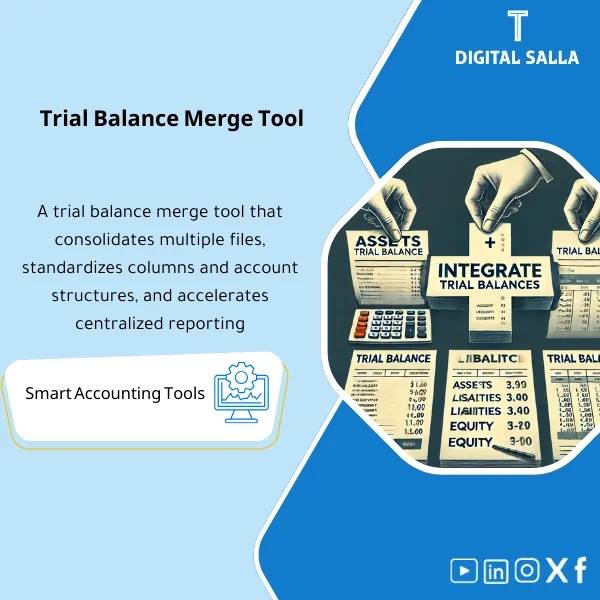
Trial Balance Merge Tool – Excel File
238
Trial Balance Merge Program is an effective Excel tool to combine multiple trial balances for the same entity into one, with the ability to reconcile intercompany accounts—simplifying consolidated reporting for companies with branches and subsidiaries.
Still merging 5–20 trial balances manually with copy-paste every single month?
This ready-made Excel tool gives you a complete consolidation workflow: Import → Mapping → Validation → Combined TB → Adjusted TB → Closing Pack. Stop wasting hours on repetitive data entry and eliminate the manual errors that keep you working late at month-end.
🛡️ 7-Day Guarantee
📊 Editable Excel File
5 Signs You Desperately Need This Tool
1Manual Copy-Paste Nightmares: You spend hours copying trial balance data from multiple entities, and one wrong paste can throw off your entire consolidation without you even noticing.
2Inconsistent Chart of Accounts: Every entity uses slightly different account names or codes, and without a proper mapping process, your consolidated numbers simply don’t add up.
3No Validation Layer: You have no systematic way to check whether debits equal credits or whether all accounts are properly mapped before producing the Adjusted TB.
4Month-End Bottleneck: Closing takes far longer than it should because you’re rebuilding spreadsheets from scratch instead of following a repeatable, structured process.
5Zero Audit Trail: Adjustments are scattered across random files with no clear documentation, making it nearly impossible to explain your numbers to auditors or management.
What You Get
A single Excel workbook covering the full consolidation cycle — from raw data import to a signed-off closing pack:
| Import Templates | Standardized sheets for pasting each entity’s trial balance (Account / Entity / Period / Dr / Cr) so data flows in cleanly from any ERP or Excel export. |
| Mapping Sheet | Links each entity’s local accounts to your unified chart of accounts (COA Normalization) and flags any unmapped items instantly. |
| Validation Checks | Automated checks that catch imbalances, missing mappings, and duplicate entries before they contaminate your consolidated output. |
| Combined TB | A unified trial balance merging all entities into one pivot-ready view, broken down by entity and account for easy analysis. |
| Adjusted TB | A dedicated section for posting consolidation adjustments and eliminations with a clear audit trail linked back to each entry. |
| Closing Pack | A final summary package with sign-off checklists, ready for management review and external audit submission. |
How to Use It (3 Simple Steps)
Import: Paste Your Raw Trial Balances
Open the Import Template and paste each entity’s trial balance data (account code, account name, entity, period, debit, credit). The template accepts data from any ERP system or Excel export — no reformatting needed.
Map & Validate: Normalize and Check
Use the Mapping Sheet to align each entity’s accounts to your group chart of accounts. Then run the built-in Validation Checks — the tool flags imbalances, unmapped accounts, and duplicates so you fix issues before they cascade.
Consolidate: Combined TB → Adjusted TB → Closing Pack
Once validated, the Combined TB auto-generates a merged trial balance across all entities. Post your adjustments and eliminations in the Adjusted TB, then finalize everything in the Closing Pack — complete with sign-off checklists for management and auditors.
Before vs. After This Tool
| Aspect | ❌ Without | ✅ With This Tool |
|---|---|---|
| Data Import | Manual copy-paste from each entity, prone to errors and version confusion | Structured import templates — paste once, validated automatically |
| Account Mapping | No standardization; inconsistent account names across entities | Mapping Sheet with unmapped account alerts and COA normalization |
| Error Detection | Mistakes discovered late — often after the Adjusted TB is already done | Validation Checks catch imbalances and gaps before consolidation |
| Audit Readiness | Adjustments scattered across files with no documentation trail | Full audit trail on adjustments plus a Closing Pack with sign-off |
You are an accountant, financial controller, or CFO managing multi-entity consolidations in Excel. Whether you handle 5 or 20 entities, this tool replaces your fragile manual process with a structured, repeatable workflow.
You only manage a single entity with no consolidation needs, or you already use enterprise consolidation software like SAP BPC or Oracle HFM and have no need for an Excel-based solution.
How many entities can this tool handle?
The tool is designed for 5 to 20 entities out of the box. You can extend it further by duplicating import sheets — the mapping and consolidation logic scales with your data.
Does it work with data from any accounting system?
Yes. As long as you can export your trial balance from your ERP, cloud accounting software, or any Excel file, you can paste it into the import template. The required columns are: account code, account name, entity, period, debit, and credit.
What if my entities use different charts of accounts?
That is exactly the problem this tool solves. The Mapping Sheet lets you link each entity’s local accounts to a unified group chart of accounts, and the tool flags any accounts left unmapped so nothing slips through.
Can I post adjustments and eliminations after merging?
Absolutely. The Combined TB feeds into the Adjusted TB where you can post any consolidation adjustments or intercompany eliminations, all with a documented audit trail.
Ready to cut your consolidation time in half and close with confidence?
Stop wrestling with copy-paste errors and scattered spreadsheets. Get a proven, structured workflow that handles the entire consolidation cycle for you.
| الفئات | Financial Close & Financial Statements |
|---|---|
| Job Title | Accountant |
| Level | Intermediate |
| Format | Excel |







Reviews
Clear filtersThere are no reviews yet.