





Accrued Purchases Template – Excel Template
159
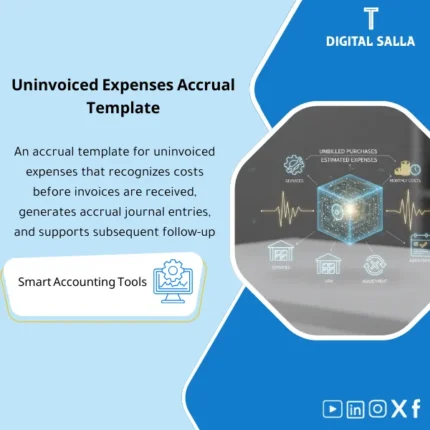
Uninvoiced Purchases Accrual: Recognizes executed services/purchases without invoices via accruals with reversing entries and settlement upon invoice receipt. Delivers more realistic monthly expenses and fewer close surprises for AP and chief accountants.
Still tracking accrued purchases manually — and hoping nothing slips through the cracks?
This ready-made Excel template gives you a complete system to record, track, and reverse accrued purchases with confidence. Built for accountants who need accurate month-end accruals without the spreadsheet chaos — so every liability is captured and every reversal is clean.
🛡️ 7-Day Guarantee
📊 Editable Excel File
4 Signs You Need an Accrued Purchases Template
1Missed accruals at month-end: Goods received but invoices not yet recorded — leaving your financial statements understated and inaccurate.
2Messy reversal entries: Without a structured process, prior-period accruals pile up or get reversed incorrectly, creating reconciliation nightmares.
3No clear audit trail: You cannot easily trace an accrual back to its purchase order or goods receipt, making audits stressful and time-consuming.
4Inconsistent account mapping: Different team members post accruals to different accounts, leading to reporting inconsistencies across periods.
What You Get
A complete Excel workbook designed to manage the full accrued purchases cycle from start to finish.
| Accrued Purchases Register | Log every accrual with key details: supplier name, PO number, receipt date, and accrued amount |
| Journal Entry Generator | Auto-formatted journal entries (JE) for booking accruals with proper debit and credit mapping |
| Reversal Tracker | Dedicated sheet to manage and verify reversal entries when supplier invoices are received |
| Account Mapping Sheet | Pre-built chart linking expense categories to the correct GL accounts for consistent posting |
| Step-by-Step Usage Guide | Clear instructions included directly in the Excel file so you can start using it immediately |
How to Use It in 4 Simple Steps
Enter Your Purchase Details
Fill in the accrued purchases register with each transaction: supplier name, PO number, receipt date, item description, and amount.
Generate the Journal Entry
The template automatically formats the accrual journal entry based on your inputs — debit the expense, credit the accrued liability account.
Post and Close the Period
Transfer the journal entries to your accounting system. The account mapping sheet ensures every entry hits the right GL account.
Reverse When Invoices Arrive
Use the reversal tracker to reverse prior-period accruals once actual supplier invoices are received and recorded in your system.
Before vs. After Using This Template
| Aspect | ❌ Without | ✅ With Template |
|---|---|---|
| Accrual recording | Manual and error-prone with no standard format | Structured register with consistent data entry |
| Audit trail | Scattered notes across emails and spreadsheets | Full traceability from PO to accrual to reversal |
| Reversal process | Easy to forget or double-reverse entries | Dedicated tracker flags outstanding reversals |
| Month-end closing | Hours spent compiling and verifying accruals | Clean summary ready to post in minutes |
You work in accounts payable or general accounting and need a reliable way to track accrued purchases — whether you are a solo accountant, part of a small finance team, or managing AP for a growing business without a full ERP module for accruals.
Your company already has a fully automated ERP system that handles accrued purchases end-to-end, or you are looking for a general accounts payable aging report rather than an accrual-specific tracking tool.
Can I customize the GL accounts to match my company’s chart of accounts?
Yes. The account mapping sheet is fully editable — simply replace the default accounts with your own GL codes and descriptions.
Do I need advanced Excel skills to use this template?
No. The template uses basic Excel features like tables, simple formulas, and drop-down lists. A built-in usage guide walks you through every step.
Can I use this template across multiple months or periods?
Absolutely. You can duplicate the register sheet for each period or continue logging entries chronologically — whatever fits your workflow.
What if the template does not fit my needs — can I get a refund?
Yes. You are covered by a 7-day money-back guarantee. If the template is not the right fit, contact support for a full refund.
Ready to close the books with confidence?
Stop guessing which purchases are accrued and which are not — get a system that keeps every entry accounted for.
| الفئات | Purchases & Accounts Payable |
|---|---|
| Job Title | Chief Accountant |
| Level | Advanced |
| Format | Excel |

Reviews
Clear filtersThere are no reviews yet.