



Vendor Scorecard – Excel Template
42.29 $
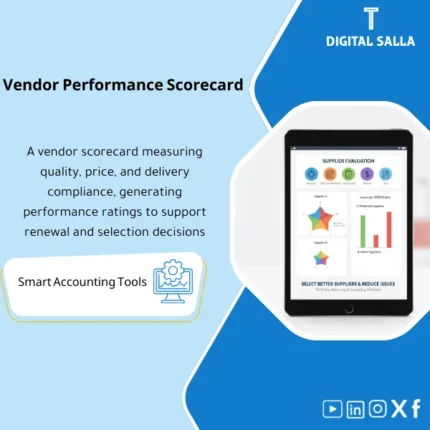
Vendor Scorecard: Measures on-time delivery, quality, invoice accuracy, price volatility, and exception rates. Delivers vendor rankings and performance reports to support contracting and renewal decisions for procurement and finance.
Supplier Evaluation
A practical Vendor Scorecard for measuring supplier performance (Quality/Delivery Commitment/Invoice Accuracy) — with A B C supplier classification and a reviewable Evidence file
Value Proposition: The Supplier Evaluation loses its value when it turns into an “impression” or scores without data. The problem manifests in operations and finance: a supplier delays delivery causing stockouts, or repeatedly makes billing errors leading to exceptions piling up in AP, or fluctuates in quality resulting in increased returns/rejections. This Vendor Scorecard builds the evaluation as a reviewable file: specific indicators, clear data sources (PO/GRN/Invoice/Exceptions), and operational/financial impact that can be tracked—then produces an A B C supplier classification with an action plan (Maintain/Improve/Replace) instead of just “points.”
In 20 Seconds: What Will You Get?
- Vendor Scorecard ready: Indicators + Weights + Scores + Interpretation.
- Supplier Performance Evaluation over a period (month/quarter) with Trend comparison.
- Supplier Quality Measurement through Reject rate/returns/QC issues (based on your data) linked to orders/receipts.
- Delivery Commitment through On-time delivery % and Lead time variance from PO to GRN.
- Supplier Invoice Accuracy through 3‑Way match exceptions: price/qty/tax variance and Invoice holds.
- A B C Supplier Classification automatically based on score + spend/criticality (optional) rather than “gut feeling.”
- Action Plan: For each supplier “What will we do” (Maintain/Improve/Exit) + Owner + Follow-up date.
CTA related to outputs: You will receive Scorecard + KPI Weights + A/B/C Segmentation + Action Plan + Evidence Pack.
Suitable For
- Procurement + Finance Controller: Linking supplier performance to financial impact (delays/returns/invoice exceptions).
- AP / P2P: Reducing invoice exceptions by measuring Supplier Invoice Accuracy and linking it to the supplier.
- Operations / Supply Chain: Measuring Delivery Commitment and quality to make decisions on approvals and replacements.
Not Suitable For
- If you do not have extractable supply/receipt/invoice data (PO/GRN/Invoice) — the evaluation will become too manual.
- If your goal is an “SRM platform” with a supplier portal and tickets and correspondence — this is an evaluation and analysis model, not a communication system.
Without Scorecard / With Scorecard (Brief Comparison)
| Item | Without Data-Driven Evaluation | With Vendor Scorecard |
|---|---|---|
| Approval Decision | “Experience/Impression” decision | Decision based on KPIs + Evidence + Trend |
| Invoice Issues | Recurring exceptions without supplier attribution | Measuring invoice accuracy + Action plan to reduce exceptions |
| Delays and Quality | Becomes apparent after the problem occurs | Measuring On-time + Rejects and linking to operational cost |
Before Use: 5 Symptoms That Supplier Evaluation is Unfeasible
- No clear definition: What does “good supplier” mean? Is it price? Commitment? Or invoice accuracy?
- Supply issues are resolved “every time” without recording KPIs or root cause.
- AP holds and 3‑Way match variances recur but are not attributed to the supplier in the report.
- Quality is mentioned as a complaint with no measurement (Reject/Return rate) linked to receiving processes.
- No fixed classification, leaving the supplier list “long” without focus on impactful suppliers.
How Does Supplier Evaluation Work Practically from PO/GRN/Invoice Data to A B C Classification?
The approach begins by defining KPIs and their definitions (what is counted and how), then uploading PO and delivery/receipt (GRN) data along with invoice data and exceptions. Next, indicators such as on-time delivery%, lead time variance, error rate in invoices (price/qty/tax variances), and quality indicators (rejects/returns) if available are calculated. Then weights are applied to produce the final Vendor Scorecard, followed by A B C supplier classification and issuing an action plan for each supplier with an Owner and review date.
Implementation Method (3 Steps)
Step 1: Preparation and Report Collection
- Identify suppliers within scope (Top spend/critical vendors or all suppliers).
- Extract data: PO (order date, promised date, price) + GRN (receipt date, qty accepted/rejected) + Invoice (invoice date, amounts) + AP exception/hold log.
- Define required KPIs and their weights (e.g., On-time 40%, Invoice accuracy 30%, Quality 20%, Responsiveness 10% — adjusted according to your activity).
Step 2: Measurement + Auditing + Exception Log
- Calculate Delivery Commitment:
- On-time delivery% = deliveries on or before promised date ÷ total deliveries.
- Lead time variance = actual lead time − expected lead time.
- Calculate Supplier Invoice Accuracy:
- 3‑Way match exception rate = number of invoices with variance ÷ total invoices.
- Invoice hold days = average days invoice held due to missing documents/variances.
- Calculate Supplier Quality Measurement (if data is available):
- Reject rate = rejected qty ÷ received qty.
- Return/claim count per period.
- Generate Evidence links: each KPI has a data source (PO/GRN/Invoice/Exception log) to ensure the score is traceable.
Step 3: Classification + Action Plan + Reporting Pack
- Produce the final Vendor Scorecard for each supplier + comparison with a previous period.
- Generate A B C Supplier Classification according to thresholds + considering criticality (optionally).
- Prepare Action plan: item/reason/action/Owner/follow-up date (e.g., improve invoice accuracy, adjust delivery terms, discontinue supplier).
- Prepare Reporting pack: KPIs + assumptions + evidence index + sign‑off (Prepared/Reviewed).
Model Components (Clear Inventory)
-
KPI Dictionary & Weights (Indicator Definitions and Weights)
- Practical Purpose: Standardizing the meaning of each indicator and how it is calculated so that results do not change with different personnel.
- When to Use: During initial setup + quarterly review.
- Resulting Document: Reviewable definitions document.
-
PO/Delivery Dataset (Purchase Order and Delivery Data)
- Practical Purpose: Basis for measuring Delivery Commitment and Lead time.
- When to Use: Monthly/Quarterly.
- Resulting Document: Documented dataset for supply sources.
-
GRN & QC Dataset (Receiving and Quality Data)
- Practical Purpose: Measuring supplier quality through accepted/rejected and returns.
- When to Use: As quality/returns data becomes available.
- Resulting Document: Reject/return register linked to the supplier.
-
Invoice Accuracy Module (Supplier Invoice Accuracy)
- Practical Purpose: Measuring invoice errors through 3‑Way match variances and AP holds.
- When to Use: Monthly, especially for high-volume suppliers.
- Resulting Document: Invoice exceptions report + hold days.
-
Vendor Scorecard Output (Vendor Scorecard)
- Practical Purpose: Producing the final score with KPI breakdown and Trend.
- When to Use: Monthly/Quarterly.
- Resulting Document: Deliverable scorecard for management/purchasing.
-
A/B/C Segmentation (A B C Supplier Classification)
- Practical Purpose: Turning results into decisions: Who do we maintain? Who do we improve? Who do we replace?
- When to Use: After each evaluation cycle.
- Resulting Document: Classification list + documented threshold criteria.
-
Action Plan Tracker (Action Plan)
- Practical Purpose: Managing supplier improvements: actions, Owners, dates, and subsequent improvement measurement.
- When to Use: Monthly for tracking B/C suppliers.
- Resulting Document: Tracking register proving improvement implementation.
-
Evidence Index & Sign‑off Pack
- Practical Purpose: Linking each KPI to its data source and producing a reviewable internal pack.
- When to Use: When delivering evaluation results or within supplier governance.
- Resulting Document: Evidence index + Prepared/Reviewed sign-off.
What Should Be Included in the Delivery?
- 01-Vendor-Scorecard-Model.xlsx: The main evaluation file (KPIs + Weights + Scores + Dashboards).
- 02-KPI-Dictionary-Weights.xlsx: Indicator definitions + weights + thresholds for classification.
- 03-PO-Delivery-Import.xlsx: Upload PO and delivery data (promised vs actual).
- 04-GRN-QC-Import.xlsx: Upload GRN/QC data (accepted/rejected/returns) if available.
- 05-Invoice-Exceptions-Import.xlsx: Supplier invoice accuracy (3‑Way match variances/holds).
- 06-Scorecard-Outputs.xlsx: Scorecards for each supplier + Trend + drilldowns.
- 07-ABC-Segmentation.xlsx: A B C supplier classification + spend/criticality (optional).
- 08-Action-Plan-Tracker.xlsx: Improvement plan for B/C suppliers + Owners + due dates.
- 09-Evidence-Index.xlsx: Evidence index (data sources/PO/GRN/Invoice reports) + links.
- 10-Reporting-Pack.xlsx: Summary of deliverables + sign‑off + executive notes.
- 11-Runbook.pdf: Practical operation (Data → KPIs → Score → A/B/C → Action plan) + control points.
- 12-Archiving-Map.docx: Archiving tree (Year/Quarter/Vendors/Scorecards/Evidence) + Naming convention.
- 13-Signoff-Page.docx: Prepared/Reviewed/Approved + period scope.
After Implementation (Two Points Only)
- Operational Outcome for the Team: Instead of repeating the same issues with suppliers, you have a report that clarifies where the problem lies (Delay? Quality? Invoices?) and an action plan with priorities, improving approval and negotiation decisions.
- Control/Audit Outcome: The evaluation transforms into a reviewable file: KPI definitions + data sources + evidence + sign‑off, allowing internal audit to trace why a supplier is classified as B/C or why a supplier continues despite poor performance (with documentation).
FAQ — Questions Before Purchase
Can the Vendor Scorecard be Applied Without an ERP System?
Yes, if you have PO/receipt/invoice data in Excel, but having an ERP makes data extraction easier and measurement more accurate and consistent.
What Are the Key Indicators Measured by the Model?
It focuses on: Delivery Commitment, Supplier Quality Measurement (if reject/returns data is available), and Supplier Invoice Accuracy through exceptions and holds, with the option to add a responsiveness indicator.
Are the Weights Fixed or Can They Be Adjusted?
The weights and thresholds can be adjusted based on the nature of your activity (e.g., raw materials: higher weight on commitment and quality; services: higher weight on invoice accuracy and responsiveness).
Does It Automatically Support A B C Supplier Classification?
Yes, according to documented thresholds (e.g., A ≥ 85, B between 70–84, C < 70 — an example that can be changed) with the option to consider criticality.
Does It Handle Low-Volume Suppliers?
Yes, and a minimum transaction threshold can be set before evaluation (Minimum sample) or classify them under “Monitor” instead of a final classification.
Can It Be Linked to P2P and AP Aging Packages?
Absolutely: The source of Supplier Invoice Accuracy often comes from the 3‑Way match exception log and AP holds, and the source of commitment comes from PO/GRN.
Is There a Delivery File for Internal Review?
Yes: Reporting pack + evidence index + sign‑off, showing the data source and calculation method for each KPI.
Is the Model a Substitute for the Final Supplier Approval Decision?
No. It is a data-supported decision tool. The final decision may consider strategic factors (single supplier/long-term contract) and is documented in the Action plan.
Ready to Evaluate Suppliers with Numbers and Transform Them into Classification and Action Plan?
Outputs: Vendor Scorecard + KPI breakdown + A/B/C Segmentation + Action plan + Evidence pack.
| المسمّى الوظيفي | |
|---|---|
| Duration | |
| المستوى | |
| التحديثات | |
| القطاع | |
| الصيغة |
Related products

Chart of Accounts Setup Service

Customer Contracts Register – Excel Template
Customer Contract Management Template is a comprehensive Excel-based program to manage customer contracts effectively, including contract data, payments tracking, completion percentages, delivery dates, and project profitability—supported by automated reports that improve contract oversight and customer relationships.


Reviews
Clear filtersThere are no reviews yet.