




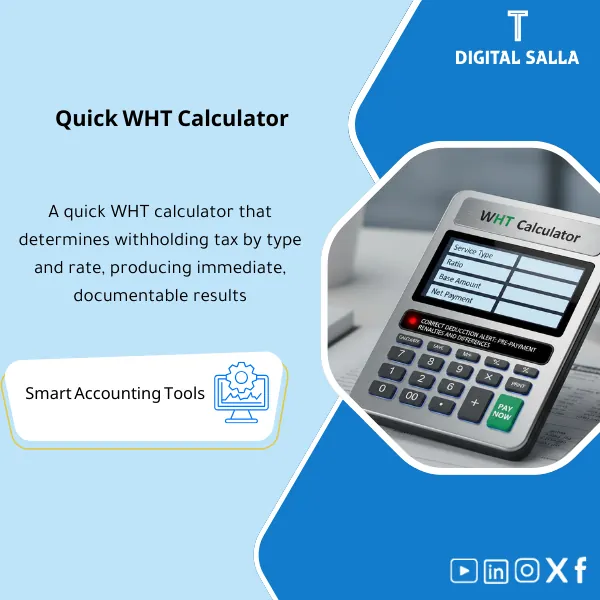
WHT Calculator – Excel File
34.31 $
WHT Calculator: Calculates withholding tax by service type, rate, and tax base, producing net payable and withheld amounts per transaction. Delivers a calculation schedule ready to link to payment requests and vendor settlements.
WHT Tax Calculator
WHT Calculator + Vendor Matrix + Gross-up + JE Template + WHT Payable Reconciliation + Filing Pack
Value Proposition: The WHT calculation model for vendor transactions links the “transaction” to the document: Vendor Classification + Transaction Input → WHT Calculation (Rate/Gross-up) → JE Template → WHT Payable Rollforward + Tie-out → WHT Filing Pack instead of disparate calculations that leave discrepancies in tax accounts or objections from vendors.
In 20 Seconds: What Will You Get?
- Vendor WHT Profile: Vendor classification file (Local/Non-resident/Subject/Documentation) + linked to WHT rate.
- Transaction Input: Input for WHT-subject transactions (Invoice/Payment/Service type) in an aggregable manner.
- WHT Calculator: WHT calculation for vendors based on “Basis” (Gross/Net) with Gross-up option.
- Payment Net/Gross Summary: Net amount paid to vendor + withheld tax amount before payment.
- JE Template: Ready entry (WHT Payable / Expense / Vendor) according to your setup + transaction reference.
- WHT Payable Rollforward: Tax account movement (Opening + Withheld – Paid/Remitted = Closing) + Tie-out with GL.
- Filing Pack: Filing period summary + Transaction log + Attachment guide + Sign-off.
CTA related to deliverables: Receive WHT Calculator + JE Template + WHT Payable Rollforward to establish tax calculation and link it to GL accounts instead of discrepancies appearing at filing.
Suitable For
- AP Accountant / Payments Officer needs to withhold tax before payment with a clear net for the vendor.
- Tax/WHT Accountant wants an aggregable WHT transaction record and a ready filing period file.
- Financial Controller wants Reconciliation for the WHT Payable account and its linkage to GL and payments.
Not Suitable For
- Those seeking a “ready and closed official rate table” without updates — rates and categories vary by country/regulations and must be internally approved.
- Those looking for automatic electronic filing or ERP integration — this is a workpaper for calculation and documentation.
Without Calculator / With Calculator (Quick Comparison)
| Item | Without Template | With Template |
|---|---|---|
| WHT Rate | Manual selection based on “memory” or messages | Rate matrix + Vendor profile confirms why the rate was applied |
| Withholding Before Payment | Net payment is unclear and frequently adjusted | Net/Gross summary + gross-up option per contract |
| Entries | Unstable entry leads to discrepancies in WHT payable | JE template with transaction reference + ready for input |
| Filing | Last-minute manual aggregation + missing items | Filing summary + period transactions + Pack index |
| Linking with GL | WHT payable does not close and appears as an unclear balance | Rollforward + Tie-out clarifies movement and discrepancies |
Before Use: 5 Symptoms of Withholding Tax Issues
- The same type of service is calculated with different WHT rates between accountants or across different periods.
- The vendor objects because the “net” does not match the agreement (Gross vs Net) and there is no documentation for gross-up calculation.
- The WHT Payable account in GL accumulates and does not match what has actually been withheld from payments.
- Preparing the filing is done from disparate files (Excel/Emails) without a unified transaction record for the period.
- When requested for evidence: there is no file linking each WHT amount to a transaction (Invoice/Payment) and to an entry with a reference.
WHT Calculator: Implementation Method (3 Steps Without Gaps)
Step 1: Preparation and Data Collection
- Prepare Vendor list: Vendor name/ID/Country/Tax classification/Available documentation (as per your system).
- Prepare Transaction list: Invoices or payments for the period (amount, service type/contract, due/payment date, currency).
- Establish Rate matrix internally: Transaction categories and approved WHT rates (without assuming rates within the template).
Step 2: Calculation + Withholding Before Payment + JE Template
- Link each transaction to Vendor profile + service/transaction category and then run the WHT calculator.
- Determine the basis of calculation: Gross or Net (Gross-up) as per the contract, and extract the net payment for the vendor.
- Generate JE Template for each payment/aggregated payment and update the JE Log with the transaction reference and supporting (Invoice/Payment ref).
Step 3: Rollforward + Tie-out + Filing Pack
- Update WHT payable rollforward: Opening + Withheld – Remitted = Closing and link it to the WHT account in GL (Reconciliation).
- Compile Period summary: Total WHT withheld by category/vendor/period to facilitate filing preparation.
- Archive WHT Filing Pack: Period transactions + accounts + JE log + tie-out + sign-off as a “Final” version.
Product Components (Clear Inventory)
-
WHT Rate Matrix (Transaction Categories + Rates)
- Practical Purpose: Standardizing the selection of withholding tax rates based on the type of transaction (Service type/Category) according to company policy.
- When to Use: During setup + review at any legislative update or internal decision.
- Resulting Guide: An internally approved rate table that outlines the category/rate/application notes.
-
Vendor WHT Profile (Tax Vendor File)
- Practical Purpose: Establishing vendor data affecting WHT (classification/documents/notes) to minimize processing discrepancies.
- When to Use: When adding a new vendor + periodic data review.
- Resulting Guide: Vendor profile can be referenced during objections or audits.
-
Transaction Input Sheet (Input for WHT-Subject Transactions)
- Practical Purpose: A record of transactions for the period (Invoice/Payment) with necessary fields for calculation and documentation.
- When to Use: For each vendor payment or periodic aggregation before filing.
- Resulting Guide: An organized transaction record that can be filtered by vendor/category/period.
-
WHT Calculator Engine (Gross/Net + Gross-up)
- Practical Purpose: Calculating WHT for vendors and outputting (WHT amount + Net payable) with a gross-up option when agreed upon as “Net of WHT.”
- When to Use: When preparing payment and before issuing the payment order/transfer.
- Resulting Guide: Calculation output for each transaction showing the basis, rate, and result.
-
JE Template + JE Log (Entry + Log)
- Practical Purpose: Converting the account into an entry ready for input in GL with transaction reference and supporting documentation.
- When to Use: At payment/month-end closing + when recording withholding or adjustments.
- Resulting Guide: JE template + JE log showing who prepared/reviewed/approved and the status of posting.
-
WHT Payable Rollforward + Reconciliation
- Practical Purpose: Linking withheld tax to the WHT payable account and closing discrepancies (Month-End / before filing).
- When to Use: Monthly as part of Reconciliations + at the end of the filing period.
- Resulting Guide: Rollforward explaining the balance: Opening/Withheld/Remitted/Closing + Tie-out with GL.
-
Filing Summary + Evidence Index (Filing Period Summary + Evidence)
- Practical Purpose: Summarizing WHT for the period and preparing a Pack of evidence that can be referenced during internal audits or document requests.
- When to Use: Before filing + at Year-End for archiving.
- Resulting Guide: Period summary + index linking the transaction to the reference and attachment.
-
Pack Index + Sign-off (Index and Approval)
- Practical Purpose: Establishing a “Final” version for the period (Version/Date) and who reviewed and approved the WHT file.
- When to Use: When closing the tax period and archiving the WHT file.
- Resulting Guide: Pack index + sign-off prevents discrepancies in file versions within the team.
CTA related to deliverables: Calculator + JE + Reconciliation to settle the WHT payable account and link the filing to the ledgers.
What Should Be Included in the Delivery?
- 01 – WHT Calculator Workbook: Main Excel file (Rate matrix + Vendor profiles + Transactions + Outputs).
- 02 – Rate Matrix Evidence: Approved internal rate and category table + source memo/update decision (if any).
- 03 – Vendor Master Extract: List of vendors used + any classifications/reference documents (as per your system).
- 04 – Transaction Listing: Report of invoices/payments for the period (CSV/Excel/PDF) that was referenced in the input.
- 05 – Calculation Outputs: Calculation outputs for each transaction (WHT + Net/Gross + gross-up if applicable).
- 06 – JE Template + JE Log: Withholding/adjustment entry file + posting status + supporting reference.
- 07 – WHT Payable Rollforward: Account movement linked to GL (Tie-out sheet) + explanation of any discrepancies.
- 08 – Filing Summary: Filing period summary (by category/vendor) + any bridge explaining the transfer of numbers to the filing form.
- 09 – Supporting Docs Folder: Attachments folder: Contracts/Invoicing/Payment Orders/Bank Transfers/WHT deduction correspondence (organized naming).
- 10 – Pack Index & Sign-off: Content index + reference version + who reviewed/approved + approval date.
After Implementation (Two Points Only)
- Operational Outcome for the Team: Vendor payments become “repeatable”: identifying transaction category → calculating WHT → extracting net payment → generating ready entry, instead of manual adjustments each time.
- Control/Audit Outcome (Evidence & Traceability): Each WHT amount linked to a transaction and reason for applying the rate and reference entry in GL, with Rollforward explaining the WHT payable balance and closing it with the ledgers.
FAQ — Questions Before Purchase
Is the calculator suitable for any accounting system or ERP?
Yes. It relies on data that can be extracted from any system (Vendor list + Invoice/Payment listing) and produces a JE template that can be manually entered or used as a reference for posting.
Is it tailored for Saudi withholding tax (WHT)?
It is suitable for WHT scenarios including Saudi Arabia in terms of “structure” (Vendor classification + rates + evidence + rollforward). However, rates, categories, and decisions must be entered and approved according to your country’s regulations.
Does it support gross-up (Net of WHT contract)?
Yes. There is an option to calculate gross-up so that the vendor’s net and withholding amount appear based on your definition of Net/Gross.
What is the minimum data required to get started?
Vendor name/code + type of transaction/service + invoice/payment amount + payment date + approved rate for the category. Without these elements, the calculation will not be auditable.
Does it support foreign currencies or FX?
It supports currency input and exchange rate/basis if you use it internally to establish the basis of calculation, with the need to document the source of the rate/basis you adopt in your company.
Is it suitable for multi-branch companies?
Yes, if you have a branch/Cost Center field in payment transactions. You can extract WHT summaries by branch and link them to GL accounts or filing reports according to your company’s method.
Does it produce ready WHT certificates?
It outputs data that can be used to prepare a certificate/notification for the vendor (transaction reference, withheld amount, period), but the final certificate format depends on your company’s template and the requirements of the entity.
Is it suitable for payments only or for invoices as well?
It operates on a “transaction” logic and can be used at the invoice level or payment level—the important thing is to document the recognition basis (at payment/at accrual) and link it to JE and GL.
Ready to Calculate WHT and Close the Tax Account on GL?
You will receive: WHT calculator excel + Vendor matrix + JE template + WHT payable rollforward + filing pack index to document WHT-subject transactions and link them to the filing and ledgers.
| المسمّى الوظيفي | |
|---|---|
| Duration | |
| المستوى | |
| التحديثات | |
| القطاع | |
| متوافق مع | |
| الصيغة |









Reviews
Clear filtersThere are no reviews yet.