





WPS Reconciliation – Excel Template
42.29 $
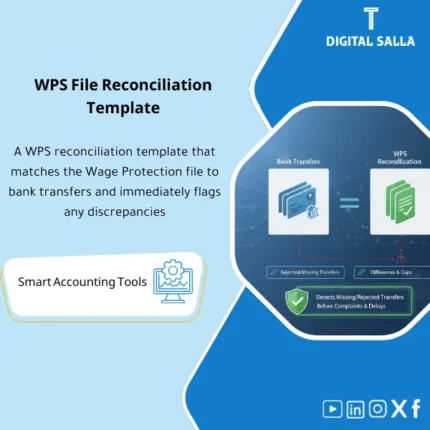
WPS File Reconciliation: Matches the Mudad WPS file to bank transfers and identifies rejections and variances at employee/amount/date level. Delivers proof-of-payment and variance settlement reports for payroll and finance teams to close the WPS cycle monthly.
WPS File Reconciliation
WPS reconciliation to link the WPS file with bank transfers and produce a payroll protection reconciliation report + list of rejected WPS transfers + proof of salary transfers within the Closing Pack
Value Proposition: WPS File Reconciliation is the step that connects “what should have been paid” with “what was actually paid” after the bank upload/execution. The recurring scenario: Payroll generates Net pay, a WPS file is created/uploaded, and then Treasury executes the transfers via the bank. The practical reality then emerges: part of the transfers are rejected (incorrect IBAN/closed account/banking restrictions), or part is paid outside the WPS file (Manual payment), or there is a timing difference (WPS for one month and payment at the beginning of the next month). The result is net pay variances and outstanding accounts and inquiries: “Did all employees receive their payments?” This template executes WPS reconciliation: matching WPS with the bank line-by-line (or at the total level with drill-down) along with a list of rejected WPS transfers and a ready reconciliation report as proof of salary transfers in the month-end files.
In 20 Seconds: What Will You Get?
- Matching WPS with the bank at the level of each employee/IBAN (or batch) with status (Paid/Rejected/Unmatched).
- List of rejected WPS transfers: List of rejections/returns with reasons + owner + action + closure date.
- Net pay variances: Analysis of variances (Amount diff/Timing/Manual payments/Bank fees) linked to resolution.
- Payroll protection reconciliation report: Monthly summary submitted to management or saved as an attachment in the closure.
- Proof of salary transfers: Proof pack that consolidates WPS Approved + bank statement + execution report + matching report.
- Exceptions Log: Any out-of-process case (Manual payments/Off-cycle) documented instead of being lost.
- Runbook + Checklist: Fixed operational steps that reduce the recurrence of the same issues monthly.
CTA related to outputs: You will receive Matching report + rejected list + variance report + proof pack + sign‑off.
Suitable For
- Treasury / Cash Ops: Proof that transfers were actually made and linking them to the WPS file.
- Payroll / HR Ops: Tracking rejected transfers and closing them before closure/employee inquiries.
- Controller / Internal Audit: Evidence file (Traceability) linking WPS Approved to the bank and explaining net pay variances.
Not Suitable For
- If your bank/payment gateway provides a ready reconciliation report line-by-line with a rejected list signed monthly.
- If there are no transfers via WPS at all (completely different payment system) — the template will not be used.
Without Reconciliation / With Reconciliation (Brief Comparison)
| Item | Without WPS Reconciliation | With WPS File Reconciliation |
|---|---|---|
| Payment Verification | “Paid” without linking to employees and WPS | Line-by-line Matching + proof of salary transfers |
| Rejections/Returns | Rejected transfers are discovered late | List of rejected WPS transfers + tracking and closure |
| Month-End | Net pay variances remain unexplained | Variance report + Exceptions log + Proof pack within Closing Pack |
Before Use: 5 Symptoms That Paid Salaries Will Not Match the WPS File
- Transfers have been made to the bank but there is no clear link to the WPS file (Reference/IBAN/Amount/Date).
- Net pay variances appear between the WPS file and total transfers, and no one knows the reason.
- Rejected WPS transfers are not compiled into a single list with reasons and actions.
- There are payments outside WPS (Manual/off-cycle) without an exceptions log, which disrupts totals.
- There is no payroll protection reconciliation report or evidence pack to refer to during the audit.
How is WPS File Reconciliation Practically Done with Bank Transfers?
The reconciliation is managed as a journey after execution: it starts by establishing the “Approved WPS version” that has been uploaded/approved, then importing the bank statement/execution report for the period. Next, a matching key (IBAN + Amount + Date/Reference) is built to perform WPS reconciliation with the bank. Any item that does not match is classified: rejected/returned, unmatched in the bank, unmatched in WPS, amount difference, or timing difference. Then, a payroll protection reconciliation report is generated showing the total that should have been paid versus what was actually paid, along with a list of rejected WPS transfers and a closure plan, and finally, proof of salary transfers is compiled as evidence within Month-End.
Implementation Method (3 Steps)
Step 1: Preparation and Report Collection
- Final WPS file (Approved) for the period + issue number/approval date.
- Bank statement/MT940 for the period or payment execution report.
- List of any payments outside WPS (Manual/off-cycle) + their reasons + references.
- Identify the bank/payroll account to be linked (to avoid mixing multiple accounts).
Step 2: Matching + Rejected Transfers + Net Pay Variances
- Run WPS reconciliation using the matching key (IBAN/Ref/Amount/Date).
- Classify results:
- Matched (Paid)
- Rejected/Returned (rejected WPS transfers)
- Unmatched in Bank (exists in WPS not in the bank)
- Unmatched in WPS (bank transfer without a line in WPS)
- Amount difference (amount difference)
- Timing difference (timing difference)
- Generate an analysis of net pay variances and link each variance to a decision: re-transfer/correct IBAN/manual payment proof/rollover to the next month.
Step 3: Reconciliation Report + Transfer Proof + Archiving
- Generate payroll protection reconciliation report: totals + status summary + list of rejects/open items.
- Generate Evidence Pack: WPS Approved + bank statement/execution report + matching report + rejects tracker.
- Prepare sign‑off (Prepared/Reviewed) and save it within the month files.
Product Components (Clear Inventory)
-
WPS File Import (Approved Version)
- Practical Purpose: Establish the approved WPS version as the source of “what should be paid.”
- When to Use: Immediately after upload/approval and before executing reconciliation.
- Resulting Evidence: WPS snapshot + Version ID.
-
Bank Transfers Import
- Practical Purpose: Input actual bank transfers (statement or execution report) as the source of “what was paid.”
- When to Use: After executing transfers and they appear in the bank.
- Resulting Evidence: Bank transfers snapshot for the period.
-
Matching Engine (WPS vs Bank Matching)
- Practical Purpose: Line-by-line matching using keys (IBAN/Amount/Date/Reference) and outputting status.
- When to Use: Monthly after execution.
- Resulting Evidence: Matching results with match percentage and reasons for mismatches.
-
Rejected/Returned Tracker (Rejected WPS Transfers)
- Practical Purpose: Catalog rejected transfers, reason for rejection, corrective action, and re-transfer date.
- When to Use: As soon as rejects appear until closure.
- Resulting Evidence: Rejects log + re-payment evidence (if available).
-
Net Pay Variances Analysis (Net Pay Variances)
- Practical Purpose: Explain overall variances and link them to manual payments/fees/timing/amount diffs.
- When to Use: Before Month-End and before approving closure.
- Resulting Evidence: Variance report + resolution plan.
-
WPS Proof of Payment Pack (Proof of Salary Transfers)
- Practical Purpose: Consolidate evidence into a single deliverable file (WPS + bank proof + matching report).
- When to Use: Month-End and Year-End.
- Resulting Evidence: Evidence pack + sign‑off.
-
WPS Reconciliation Summary (Payroll Protection Reconciliation Report)
- Practical Purpose: Summary for management: Expected vs Paid vs Rejected/Outstanding + simple indicators.
- When to Use: Monthly within the pack.
- Resulting Evidence: Summary signed + links to evidence.
-
Runbook + Controls Checklist
- Practical Purpose: Standardize operations and identify control points (Version control/Completeness/Approvals).
- When to Use: Every month and when delivering tasks.
- Resulting Evidence: Signed checklist + execution log.
What Should Be Included in the Delivery?
- 01-WPS-Bank-Reconciliation-Pack.xlsx: The main file (imports + matching + reports + logs).
- 02-WPS-Approved-Import.xlsx: Import of the final WPS file (Approved) + version metadata.
- 03-Bank-Transfers-Import.xlsx: Import of the bank statement/payment execution report (date/amount/IBAN/ref).
- 04-Matching-Rules-Config.xlsx: Setup of matching rules (IBAN/amount/date tolerance/reference rules).
- 05-Matching-Results.xlsx: Matching results (Matched/Rejected/Unmatched/Amount diff/Timing diff).
- 06-Rejected-Transfers-Tracker.xlsx: Rejected WPS transfers + reasons + re-transfer + references.
- 07-NetPay-Variance-Report.xlsx: Net pay variances: analysis + classification + closure plan.
- 08-Manual-Payments-Register.xlsx: Register of payments outside WPS (if any) + references.
- 09-WPS-Reconciliation-Summary.xlsx: Payroll protection reconciliation report (Summary + simple KPIs).
- 10-Proof-of-Payment-Pack-Index.xlsx: Index of proof of salary transfers (WPS + bank proof + reports).
- 11-Evidence-Index.xlsx: General evidence index + links/storage paths.
- 12-Runbook.pdf: Step-by-step operation (Import → Match → Investigate → Close → Archive).
- 13-Controls-Checklist.pdf: Control checklist (Completeness/Approvals/Version control/Rejects follow-up).
- 14-Naming-Convention.docx: Naming policy for versions (Period/Version/Approved/Bank date range).
- 15-Archiving-Map.docx: Archiving tree (Year/Month/WPS/Bank/Recon/Proof/Sign-off).
- 16-Signoff-Page.docx: Prepared/Reviewed + period + bank account range.
After Implementation (Two Points Only)
- Operational Outcome for the Team: Any rejected transfer or unmatched item appears immediately as a task list with action, instead of being discovered through employee complaints or during closure.
- Control/Audit Outcome: You have deliverable proof of salary transfers: WPS Approved ↔ bank ↔ payroll protection reconciliation report, with a record of rejects and variances.
FAQ — Questions Before Purchase
Is this product an alternative to the WPS file generator?
No. The WPS file generator prepares the upload file. This product begins after the upload/execution: reconciling the WPS file with bank transfers and producing proof of salary transfers.
What files are required for operation?
The final WPS file (Approved) + bank statement/payment execution report for the same period (or payment range) + any record of manual payments if available.
Does it support rejected WPS transfers and returns?
Yes, through the Rejected tracker which identifies the reason, action, re-transfer, and references until closure.
How does it handle timing differences (payment at the end of the month/beginning of the next month)?
It classifies them as timing differences and displays them in the reconciliation report linked to the bank date range and closure plan.
Can it be used if we have more than one bank/more than one batch?
Yes, by segmenting imports by bank account/Batch and outputting matching for each account then a consolidated summary.
Does it provide “proof of salary transfers” suitable for audit?
Yes: A pack that consolidates the approved version of WPS + bank proof + matching report + rejects log, with sign-off and evidence index.
Is it compatible with any format of bank statement?
It supports import via a standardized template (date/amount/IBAN/reference). If the bank statement is in a different format, mapping is done within the import template.
Does it require sensitive employee data?
It requires at least an identifier/IBAN/amount to complete the reconciliation. The display of names can be controlled based on privacy policy.
Ready to confirm salary transfers and close rejected transfers before closure?
Outputs: WPS reconciliation + rejected list + net pay variances + payroll protection reconciliation report + proof of salary transfers.
| المسمّى الوظيفي | |
|---|---|
| Duration | |
| المستوى | |
| التحديثات | |
| القطاع | |
| متوافق مع | |
| الصيغة |
Related products

Customer Contracts Register – Excel Template
Customer Contract Management Template is a comprehensive Excel-based program to manage customer contracts effectively, including contract data, payments tracking, completion percentages, delivery dates, and project profitability—supported by automated reports that improve contract oversight and customer relationships.





Reviews
Clear filtersThere are no reviews yet.