




Employee Advances & Loans Tracker – Excel Template
129
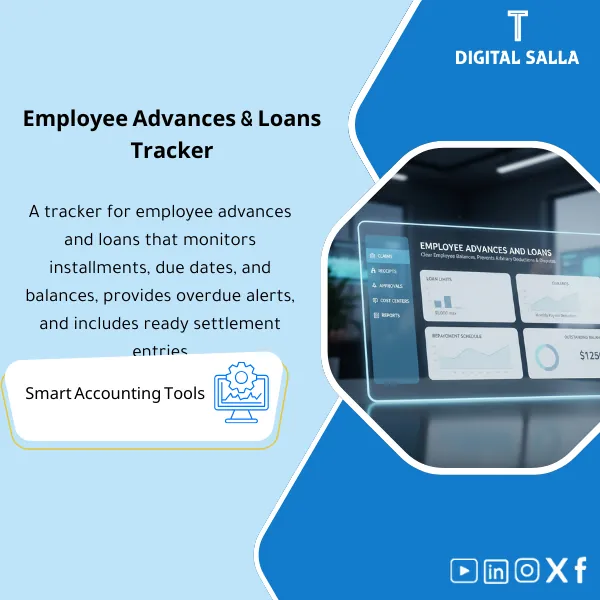
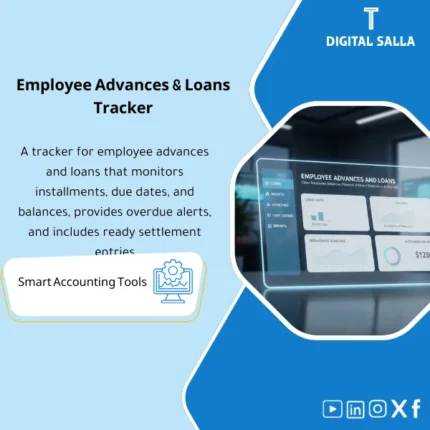
Employee Loans/Advances Register: Records loan/advance amounts, repayment schedules, payroll deductions, and remaining balances per employee. Delivers an employee receivables register and monthly settlement journals for payroll/finance—supporting EOS settlements as well.
Tired of Chasing Employee Loan Balances Across Scattered Spreadsheets and Ending Up with Trial Balance Mismatches?
Stop losing hours every month reconciling advances manually. This ready-to-use Excel template gives you a complete system to record loans, auto-calculate repayment schedules, track payroll deductions, and reconcile with your GL — all in one organized file that keeps your books clean and your auditors happy.
🛡️ 7-Day Guarantee
📊 Editable Excel File
5 Signs You Desperately Need This Tracker
1Manual Tracking Chaos: You are juggling 4+ separate sheets to track who borrowed what, when repayments are due, and how much is still outstanding — and things keep slipping through the cracks.
2Trial Balance Surprises: Employee advance balances never seem to match the general ledger, and you spend hours every month-end hunting down the difference.
3Payroll Deduction Errors: Deductions get missed, duplicated, or applied to the wrong employee — creating uncomfortable conversations and trust issues.
4No Clear Outstanding Report: When management asks “what is the total outstanding?” you need half a day to pull the numbers together instead of having them ready instantly.
5Audit Anxiety: Come audit season, you scramble to reconstruct loan histories and produce documentation that should have been organized from day one.
What You Get
A complete employee advances and loans management system — all inside one powerful Excel file:
| Employee Loan Register | Master log for every advance and loan — capture employee details, loan type, amount, approval date, interest terms, and repayment status in one place. |
| Repayment Schedule | Auto-calculated installment plan for each loan showing due dates, amounts, and remaining balance — updated dynamically as payments are recorded. |
| Payroll Deductions Tracker | Links directly to payroll cycles so you know exactly how much to deduct from each employee’s salary every pay period — no more guesswork. |
| Visual Dashboard | At-a-glance summary with charts showing total outstanding, overdue amounts, loan distribution by department, and monthly collection trends. |
| GL Reconciliation Sheet | Side-by-side comparison of your tracker totals against general ledger balances — spot and resolve discrepancies before they become problems. |
| Aging Analysis Report | Breaks down outstanding balances by age brackets (30/60/90+ days) so you can prioritize collections and flag overdue accounts immediately. |
How to Use It in 3 Simple Steps
Set Up Your Company Data
Enter your employee list, loan policy parameters (loan types, maximum amounts, interest rates if applicable), and payroll cycle dates. The template auto-configures calculations based on your inputs — setup takes less than 10 minutes.
Record Advances and Track Repayments
Log each new loan or advance as it is approved. The repayment schedule generates automatically. Simply mark deductions as they are processed through payroll — balances update in real time across all sheets.
Reconcile with GL and Review Reports
At month-end, use the reconciliation sheet to match your tracker against the general ledger. Review the dashboard and aging report to flag overdue accounts, prepare management summaries, and close your books with confidence.
The Real Difference: Before vs. After
| Aspect | ❌ Without This Template | ✅ With This Template |
|---|---|---|
| Loan Tracking | Scattered files, manual updates, and missing records | One centralized register with auto-calculated balances |
| Payroll Deductions | Manual calculations prone to errors and missed deductions | Automated deduction schedule synced to each pay period |
| GL Reconciliation | Hours spent hunting discrepancies at every month-end | One-click reconciliation: tracker balance = GL balance |
| Management Reporting | Half a day to compile numbers when the boss asks | Instant dashboard: total outstanding, aging, and trends |
You are an accountant, HR officer, or finance manager handling employee loans and advances — whether at a small business or a mid-size company — and you need a reliable, organized system to track every dollar from disbursement to final repayment without expensive software.
You already use a fully integrated HR/payroll system that handles loan tracking and GL posting automatically, or your company does not offer employee advances or loans at all.
Can I customize the template for different loan types?
Absolutely. The template supports multiple loan categories (salary advances, personal loans, emergency loans) — you can add, rename, or modify types to match your company policy.
Does it work with interest-bearing loans?
Yes. You can set an interest rate for each loan, and the repayment schedule will automatically calculate interest amounts alongside principal for every installment.
Which version of Excel do I need?
The template works with Excel 2016 and later, including Microsoft 365. It is also compatible with Google Sheets if you prefer a cloud-based workflow.
Can I use it for multiple branches or departments?
Yes. The template includes department and branch fields, so you can filter reports by location and track advances across your entire organization from a single file.
Ready to Take Full Control of Employee Advances and Never Worry About TB Mismatches Again?
One template. One purchase. A lifetime of organized, accurate loan tracking at your fingertips.
| الفئات | Petty Cash & Administrative Expenses |
|---|---|
| Job Title | Accountant |
| Level | Intermediate |
| Format | Excel |
Related products



Reviews
Clear filtersThere are no reviews yet.